
 Web Development
 Data Science
 Python
 SQL
SQL JavaScript
 Artificial Intelligence
 IT & Software
 IT Certifications
 Hacking
 AWS
AWS Arduino
 DevOps
 3D Modeling
 Graphic Design
 Photoshop
 Drawing
 Digital Painting
 UX Design
 Business
 Data Analysis
 Communication Skills
 Project Management
 Leadership & Management
 Human Resources
 Digital Marketing
 Social Media Marketing
 Marketing
 SEO
SEO Google Analytics
 Branding
 Excel
Excel Office Productivity
 SAP
SAP PowerPoint
 Microsoft Access
 SharePoint
 Finance & Accounting
 Trading & Investing
 Accounting
 Bitcoin
 Personal Finance
 Video Editing & Animation
 Photography
 Adobe Premier Pro
 Adobe Lightroom
 Personal Development
 Productivity
 Career Development
 Life Coaching
 Health & Fitness
 Meditation & Mindfulness
 Yoga
Yoga Music
Music Music Production
 Guitar
 Piano
Piano Singing
 Language Learning
 Teaching & Academics
 Engineering
 Math
Math Lifestyle
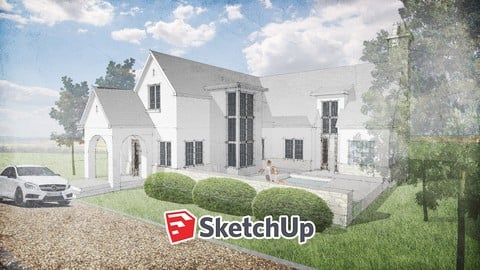
The Complete SketchUp Guide - Fundamentals of SketchUp (Udemy.com)
Learn To Design, Model And Render Anything With SketchUp Fundamentals And Pro Techniques
Created by: Brandon Aaron Gibbs
Last updated August 2026
 What you will learn
- SketchUp Fundamentals
- 3D Modeling Basics
- Room Planning and Architectural Sketch Modeling
- Photo Match and Geo Location
How it compares
Against the other 545 rated Udemy courses in 3D Modeling on CourseDuck:
- Rating4.2 out of 5higher than 10% of them
- Reviews85#469 of 546 by number of reviews
- Length4.6 hoursshorter than 61% of them
- Last updatedAugust 2026more recently than 97% of them
 Course Description
Get started in SketchUp the right way with a professional guide, learning fundamentals, working on practical exercises and step by step guides to one of the best and most powerful intuitive 3D modelers out there.
In this course, you will learn how to design, model and render anything in SketchUp. You get my 15 years of experience with SketchUp and industry experience, as you learn the basics of the interface up to making intermediate models all in SketchUp. I've designed, modeled and rendered dozens of winning project entries, built projects and just crazy ideas, and I love helping young designers get the best out of their tools.
What you get with this course:
Learn how to expertly navigate the SketchUp Interface
Understand how to create and develop 3d models in SketchUp
Learn how to render and visualize your models
Learn how to make Architecture and buildings with SketchUp
Learn SketchUp productivity tips and techniques
Learn how to render with Enscape and V-Ray
What topics are covered:
Making & Editing 2D Geometry
Making & Editing 3D Geometry
Working with Groups, Components and the Outliner
Measuring and Dimension
Setting Up Views & Styles
Importing and Exporting Images and Models and Animations
Making Boolean Editing
Rendering with Enscape & V-Ray(free trials available)
If you want to learn SketchUp so you can ace 3d modeling, then this is the course for you!

 Udemy Discount
The discount is applied through our link. Open the course from here and Udemy's current promotional price is applied at checkout on most courses, no code to type.
Some courses are excluded from Udemy's promotions. If the price does not drop, clear your browser cookies and use the button again.
Instructor Details

- 4.2 Rating
 85 Reviews
Brandon Aaron Gibbs
Brandon Gibbs is an award winning licensed Architect, Creative Director of MotionFORM and Architect in Residence at Iamthestudio. Brandon received a Masters in Architecture from the Architectural Association, studying under Patrik Schumacher of Zaha Hadid, where he began his thesis and research into parametric Architecture. Brandon has design several pavilions, universities, churches, modern homes in addition to several award winning film and animation projects. He regularly speaks and mentor young Architects and designers in organizations like AIA (American Institute of Architects) NOMA (National Organization of Minority Architects) and AIGA (American Institute of Graphic Artists).
I have spoken at several design conferences, media events, network groups and have gone from consulting a diversity of clients to professing the secrets of design, branding to listeners at all levels.
Designers of all shapes and sizes have learned and succeeded from my programs, and I’ll help you win, too if you give me a try.
 More 3D Modeling courses

3D Printing with " Ultimaker CURA Slicer- Start to finish" (2025)
4.9 (192 Reviews)
 Provider: Udemy
 Time: 1h
$34.99

Girl and the Dog Creation in Zbrush for Intermediate Level (2020)
4.9 (173 Reviews)
- Provider: Udemy
- Time: 48.8h
$59.99



Blender Character Creator for Video Games (2026)
4.8 (9,160 Reviews)
- Provider: Udemy
- Time: 34.3h
$159.99

Master SOLIDWORKS 3D CAD using real-world examples (2022)
4.8 (2,451 Reviews)
- Provider: Udemy
- Time: 18.9h
$69.99
 Reviews

By Chloe on 10/26/2025
When I started the course I had a very basic understanding of how to use SketchUp for modelling, but completing this course I have learnt about rendering, scales, and how to make geometric models quicker and more precise than before. My learning has been expanded so now I feel confident enough to work with my projects to create renders at the same high quality examples shown.
By Beth Renzulli on 4/22/2023
It would be helpful to have the key commands overlaid on the video for each process, for example such basics as how to zoom, move, and rotate perspective, or shortcuts to the tool being discussed. I feel like very helpful things are being shared so briefly and quickly that I am missing them. Also, the instructor has a habit of waving his mouse around or clicking multiple spots to demonstrate a single concept while talking, so for example a rectangle is constantly changing shape and plane, or he's making 3 surfaces when 1 would be sufficient, this is very distracting to a beginner just trying to capture the basic stuff!
By Atziri Angel on 3/16/2023
Easy to follow. Sometimes he skips speaking out some of the commands but due to my experience with other programs, I was able to figure out.
By Andrew Stanton on 1/12/2023
Sometimes the examples are more complicated than needed, such as arrays in a circle. And if the tutor rehearsed what he was going to say, just a little, it would inspire more confidence. But other than this, all good
By Tom MacMaster on 11/22/2022
I need to go over it twice. It was fast
By Rythm on 10/27/2022
Thank you for SketchUp course. I get know experience and knowledge in using different kinds of online tools which are useful and effective. And lots of thank you sir.
By Katherine Phillips on 10/27/2022
I am an architecture student and I want to get a heads start on sketup for my own projects as a general contractor. So far so good! Everything is easy to understand :)
By Justin Harris on 10/27/2022
This course is amazing it helped me to start using sketchup in no time and I love the fact that this teacher provides and keeps providing us with plugins link and alot of stuff.
By Val on 6/8/2022
Great begginers course for Sketchaup. I really like all the practical examples - instructor gives clear instructions so it is a piece of cake to follow along! Quizzes help me to understand topic even better.
By Beth Roberts on 12/2/2021
A great course to further develop my understanding of the basic concepts of sketchup as well as some other useful hints and tips to improve my work flow
 Quality Score
No CourseDuck member has rated this course yet. Taken it? Give each part a thumbs up or down.
Overall Score : 84 / 100
- Video Duration:
 4.6h
4.6h - Price: See price on Udemy
- Provider: Udemy
- Updated:
 August 2026
 - Level:
 Beginner
 - Language:
 English
 - Certificate:
 Yes
Yes
30-day money-back guarantee on most paid courses
Udemy Coupon Price Tracker
