
 Web Development
 Data Science
 Python
 SQL
SQL JavaScript
 Artificial Intelligence
 IT & Software
 IT Certifications
 Hacking
 AWS
AWS Arduino
 DevOps
 3D Modeling
 Graphic Design
 Photoshop
 Drawing
 Digital Painting
 UX Design
 Business
 Data Analysis
 Communication Skills
 Project Management
 Leadership & Management
 Human Resources
 Digital Marketing
 Social Media Marketing
 Marketing
 SEO
SEO Google Analytics
 Branding
 Excel
Excel Office Productivity
 SAP
SAP PowerPoint
 Microsoft Access
 SharePoint
 Finance & Accounting
 Trading & Investing
 Accounting
 Bitcoin
 Personal Finance
 Video Editing & Animation
 Photography
 Adobe Premier Pro
 Adobe Lightroom
 Personal Development
 Productivity
 Career Development
 Life Coaching
 Health & Fitness
 Meditation & Mindfulness
 Yoga
Yoga Music
Music Music Production
 Guitar
 Piano
Piano Singing
 Language Learning
 Teaching & Academics
 Engineering
 Math
Math Lifestyle
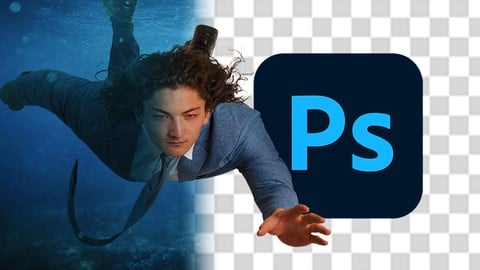
The Everything Photoshop Masterclass (Udemy.com)
The World's #1 Photo Editing Program From Beginner to Expert
Created by: Gibson Smith
Last updated August 2018
 What you will learn
- Shoot professional photos optimized for Photoshop editing
- Develop a unique photo-editing style to establish yourself as a professional
- Create freely and artistically through a deep understanding of Photoshop's many features
How it compares
Against the other 188 rated Udemy courses in Photoshop on CourseDuck:
- Rating4.5 out of 5higher than 52% of them
- Reviews765#44 of 189 by number of reviews
- Length10.8 hourslonger than 80% of them
- Last updatedAugust 2018earlier than 73% of them
 Course Description
You’ll create 3 high-end projects in this course that will take you from beginner to expert in Photoshop!
The Everything Photoshop Masterclass will teach you to create expert level composites that will solidify you as a professional photographer and artist.
The course is your path to obtaining the photo-compositing skills that you’ve always wanted! Whether for your own projects or to create art as a professional.
This course will take you from opening Photoshop for the very first time, to creating advanced work and having a deep understanding of Photoshop’s tools and features.
So what else is in it for you?
You’ll gain instant access to all 10 sections of the course.
The course is set up to quickly take you through, step by step, the process of creating 3 different types of composites. It will equip you with the knowledge to create stunning work that will stand out and brand you as a professional photographer!
Sounds too good to be true? I offer you a 30 day full money back guarantee - no questions asked. That’s how much I believe in this course.
Here’s what you get with the course:
You’ll get access to the 10 sections of the course that will teach you the fundamentals of Photoshop compositing from the ground up. The course is supported with over 11 hours of clear content that I walk you through each step of the way.
All at your fingertips instantly.
The course starts with you opening up Photoshop for the first time. We’ll walk through the program together to gain a deep understand of each of it’s menus, tools, and features from the ground up. You’ll never feel lost in Photoshop again.
Next you’ll learn how to use and manipulate layers, layer masks, and blend modes to compose realistic scenes and images from your own photos. Whatever you can imagine, you can create in Photoshop.
Once you have mastered the fundamentals, you’ll learn how to make selections with detail and precision to gain complete control over your work.
Then you’ll master the art of manipulating color, lighting, and filters to make your artwork stand out as professional, high-end work.
You’ll then tackle fine-tuning techniques like texture overlays to make your photography competitive and distinctly artistic.
At this point, you’ll know the tools to create your masterpieces from scratch. The last section will teach you how to apply the skills you’ve learned from the course to make yourself visible as a true artist and professional.
Lastly, we’ll discuss specific tools, resources, and best practices you can use to develop your own unique creative style.
Over the 10 chapters you will learn:
How to navigate Photoshop.
How to shoot photos specifically for compositing.
Layers, masks, and blend modes.
Using Lightroom in the most useful ways possible.
Precise placement of elements from different images to create one seamless work of art.
The principles of retouching, including realistically retouching skin.
Dodge and burn tools to add contrast and dynamic lighting.
Smart filters.
Working with channels.
Blending elements from multiple selections.
How to stand out with your own distinct creative style.
What else will you get?
- Personal contact with me, the course instructor.
- Lifetime access to all course materials, including all downloads and resources.
- Understanding of how professional photography is planned, developed and created.
- Quizzes and exercise worksheets.
This all comes under one convenient easy to use platform. Plus you will get fast, friendly, responsive support from me on the Udemy Q&A section of the course or through direct message.
Photoshop can seem overwhelming, but I will be here for you every single step of the way!
So what are you waiting for? Sign up now and step up your photography today!

 Udemy Discount
The discount is applied through our link. Open the course from here and Udemy's current promotional price is applied at checkout on most courses, no code to type.
Some courses are excluded from Udemy's promotions. If the price does not drop, clear your browser cookies and use the button again.
Instructor Details

- 4.5 Rating
 765 Reviews
Gibson Smith
Hi, I’m Gibson Smith, a professional fine art photographer and Adobe Certified Expert in Photoshop CC. I began my journey into photo manipulation over 12 years ago with Photoshop CS2 and have used every version of the software since. I have a deep understanding of the program’s many features and their applications to artists. Now I specialize in taking ambitious new artists to the next level in their photography careers. As (probably) the world’s most enthusiastic fan of Photoshop, I am excited to welcome you to this incredible artistic tool, and to walk with you along the path to complete Photoshop mastery!
 More Photoshop courses


Adobe Photoshop CC: For Complete Beginner (Sinhala Medium) (2026)
4.9 (110 Reviews)
 Provider: Udemy
 Time: 8.4h
$59.99

Adobe Photoshop CC – Essentials Training Course (2025)
4.8 (36,753 Reviews)
- Provider: Udemy
- Time: 11.6h
$189.99


47 Graphic Design Projects for Photoshop Beginners (2025)
4.8 (466 Reviews)
- Provider: Udemy
- Time: 7.9h
$99.99

Photoshop Efficiency - Techniques For Consistent Marketing (2025)
4.8 (144 Reviews)
- Provider: Udemy
- Time: 1.4h
$49.99
 Reviews

By Moises Rodriguez on 11/21/2020
It was a very good course, I came with very little knowledge about photoshop and now I feel like I can start working on my ideas and bring them to life. Great explanations and walkthrough from visualizing the idea, the photoshoot and the editing. Its really worth your time.
By Khanh Tran on 8/3/2020
I'm only in the first one third of the course. Can't really say anything so far. But I do learn and understand tools from the toolbar that I was't so sure before. I love that Gibson carefully explains things when he does it, so it was easy to follow and understand. I can also feel that he actually put his effort in sharing his skills rather than to earn money.
By Per Thorén on 3/26/2020
I learned a lot, and Gibson is a very likable teacher. I realize there are many gaps in my knowledge in photography before I can every accomplish artwork like the ones we looked at for inspiration. What I missed in the course was a little more hands on instructions on how to plan shooting raw material for composite photography. I guess that is a talent, but there are probably some specific things that an experienced artist looks for when deciding which photos will really work together.
By Mikel Barea on 3/3/2019
The course was great! I am finally able to create my own pieces of art and share them with my friends and family! I really recommend the course if you are just starting, as I was. Creating art is so fulfilling! And it really inspires you to keep trying and improving. Lastly, I want to thank Gibson for his work and make me push the frontiers of my creativity.
By Randal Smith on 2/20/2019
Nice and clear step by step instructions. I've never used Puppet Warp before. What a great tool! Loved the ease of the vignette. Learning so much as I go along ... and the style of presentation is making the new knowledge stick. The knowledge gained as I went through this course has been incredible. I knew photoshop was powerful, but I didn't realise the full potential of how it can make composite photography into real art. Thank you Gibson for your clear guidance. If you are even slightly interested in composite work, do this course. You will be very glad you did.
By Jeremy on 2/17/2019
Just one thing - at the beginning there is the need to drag and drop the merged landscape onto the Project 0 blank. This does NOT work on my Mac version of Photoshop CC - right up to date, updated yesterday. I am not alone in this, but the cure is simple, just select the landscape, COPY and then select Project 0 and PASTE. On Google no-one seems to know why this is, and why Adobe have not fixed it, but might be worth mentioning. Looking forward to the next video.
By David Ashfield on 2/16/2019
I like the idea of starting with a simple project using supplied images just to show how 'simple' it is to create a composited image. However, I do wonder if some of the concepts are so advanced for absolute beginners that they may well be confused rather than inspired. There is also the use of Blend modes with the textures and vignette and Gibson uses the term 'overlay' bend mode when referring to a texture layer that has just been set to Soft Light. Again, beginners won't appreciate that Soft Light is a variation on Overlay mode. But. overall, it was easy to follow and a good introduction to the course rather than just sticking to the absolute basics which can be so boring as to turn people off. This way, they should be encouraged to see what else they can create.
By Maxim Lullfitz on 1/11/2019
I have throughly enjoyed the course, Gibson is great at explaining all of the techniques behind each segment and it is good being able to work along with him and then compare the finished pieces. I am ready to use some of what I have learned in the real world, and I am feeling inspired and motivated! Great!
By Hugo Daniel Ortiz Morales on 1/4/2019
It has been really good so far. I've been learning a lot since I was not a pro user of PS. I just wish the skin retouching lessons were a little deeper. I know that there can be entire courses of retouching but I think it could be better if this topic was covered a little bit more in this course. I'm only half the way so my final score will probably change.
By Hayley Hoatson on 11/26/2018
I really enjoyed this course. I found Gibson to be thorough and knowledgeable. While I found half-way through that composite photography is not my strength or what I would like to do with my photography overall, I found the course informative and fascinating. I enjoyed seeing what can be done and how it is done and has opened my eyes to the various forms of photography that I knew little or nothing about. This course definitely changed my way of viewing photography, art and the world as a whole.
 Quality Score
No CourseDuck member has rated this course yet. Taken it? Give each part a thumbs up or down.
Overall Score : 90 / 100
- Video Duration:
 10.8h
10.8h - Price: $19.99
- Provider: Udemy
- Updated:
 August 2018
 - Level:
 Beginner
 - Language:
 English
 - Certificate:
 Yes
Yes
30-day money-back guarantee on most paid courses
Udemy Coupon Price Tracker
