
 Web Development
 Data Science
 Python
 SQL
SQL JavaScript
 Artificial Intelligence
 IT & Software
 IT Certifications
 Hacking
 AWS
AWS Arduino
 DevOps
 3D Modeling
 Graphic Design
 Photoshop
 Drawing
 Digital Painting
 UX Design
 Business
 Data Analysis
 Communication Skills
 Project Management
 Leadership & Management
 Human Resources
 Digital Marketing
 Social Media Marketing
 Marketing
 SEO
SEO Google Analytics
 Branding
 Excel
Excel Office Productivity
 SAP
SAP PowerPoint
 Microsoft Access
 SharePoint
 Finance & Accounting
 Trading & Investing
 Accounting
 Bitcoin
 Personal Finance
 Video Editing & Animation
 Photography
 Adobe Premier Pro
 Adobe Lightroom
 Personal Development
 Productivity
 Career Development
 Life Coaching
 Health & Fitness
 Meditation & Mindfulness
 Yoga
Yoga Music
Music Music Production
 Guitar
 Piano
Piano Singing
 Language Learning
 Teaching & Academics
 Engineering
 Math
Math Lifestyle
The Ultimate Guide for Beginners in Photo Editing (Udemy.com)
Unleash Your Creative Potential: Master the Art of Photo Editing
Created by: Skylum Academy
Last updated September 2023
 What you will learn
- The general principles of editing photos
- How to use the most popular Photo-Editing Software Programs (Adobe Lightroom, Adobe Photoshop)
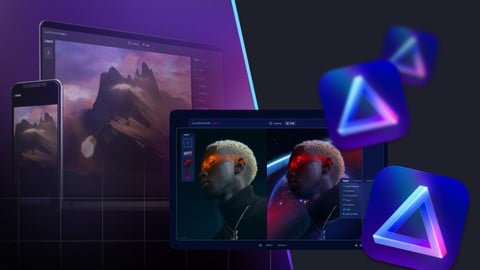
- How to edit photos in Luminar Neo to achieve stunning results
- Ways your business can benefit from photo editing
- How to use AI photo editing and save you a lot of time and effort
- How to edit portrait and landscape
- Analyze the pros and cons of some top apps for editing photos on your phones (Picsart, Snapseed)
- How to make your photos look better by addressing fundamental issues such as exposure, white balance, cropping, and rotation
- You will discover ways to make your photo editing workflow faster and easier
How it compares
Against the other 73 rated Udemy courses in Adobe Lightroom on CourseDuck:
- Rating4.4 out of 5higher than 53% of them
- Reviews320#20 of 74 by number of reviews
- Length2 hoursshorter than 73% of them
- Last updatedSeptember 2023more recently than 63% of them
 Course Description
Welcome to “The ultimate guide for beginners in photo editing” course on Skylum’s Udemy Channel.
Designed for aspiring photographers and editing enthusiasts, this course is your gateway to the fascinating world of photo editing. Whether you're a complete novice or have some basic knowledge, this course will equip you with the essential skills to transform your photo into stunning works of art.
Throughout the course, you will gain a comprehensive theoretical background on editing, learning about its different stages, exploring the main existing software and applications, and discovering various editing styles. By the end of the course, you will have a solid understanding of the editing process and be able to apply different techniques to enhance your photos.
THE COURSE WILL FOCUS ON 4 KEY AREAS:
Fundamentals of Photo Editing
In this section, you will learn the essential skills and concepts that form the foundation of photo editing. You will explore all the basic points of photo editing, main techniques, stages, and principles. The main ways your business can benefit from photo editing are also covered in this section.
Software for Editing Photos
This section will cover the main features and functions of Photoshop, Lightroom, Snapseed, and Picsart, thus helping you select the best option for your specific needs. In this section, we will also focus on Luminar Neo and tell you why it’s worth using if you want to level up your photo-editing skills.
Most Popular Photo-Editing Styles
In this section, we'll introduce you to the most popular photo-editing software programs and mobile apps. You'll learn how to choose the right tools for your needs, and we'll take a deep dive into the next level of photo editing with Luminar Neo.
Photo Editing Practice
Your chance to apply previously acquired photo-editing skills, as it contains some practical lessons on how to perform basic editing tasks, such as cropping, adjusting exposure, and so on. Separate lessons in this section focus on portrait and landscape editing.
WHO IS THE INSTRUCTOR?
Vanelli — is a working sports and portrait photographer, educator, and author living in Florida. As an experienced educator, Vanelli has created videos for LinkedIn Learn, has written hundreds of articles, taught at major photography conferences and has developed many photography and digital workflow programs including Click for Kids. Currently, he is the Director of Education at Skylum Software, teaching workshops, writing for Photofocus and creating tutorials for the Vanelli and Friends series.
YOU’LL HAVE THE OPPORTUNITY TO LEARN PHOTO EDITING FROM TOP PROFESSIONALS:
We make world-renowned photo editing software since 2009 that helps elevate the creativity of photo artists. Since then, Skylum won many industry awards, and, what's more important — the trust of thousands of customers.
Skylum thrives for innovation, and has won industry awards, including Best Mac App of 2017, EISA Best Product 2019-2020, Outdoor Photographer Editors’ Picks, The LUCIE Technical Awards for Best Software Plugin 2019, TIPA World Awards for Best Imaging Software 2019.2020 Editor’s Choice by Macworld for Luminar 4.
Luminar Neo is the latest AI photo editing software from Skylum. Editing photos in Luminar Neo has made photography post-processing easier than ever. In this course, we'll show you how to use Luminar Neo and how to edit photos in Luminar Neo to achieve stunning results.
Our instructors have years of experience not only in editing but also in teaching, and the syllabus of this course has been meticulously developed to be both easy to follow and comprehensive.
OUR PHOTO EDITING TRAINING INCLUDES:
Theory: 2+ hours of lectures with plenty of hands-on examples. Lessons range from 3 to 15 minutes and are easy to follow
Practice Materials: detailed step-by-step checklists, an archive of photos, and some practical lessons to make the course more interactive and valuable
Lifetime access to the course and any future updates
Students' Support: If you have questions, we will be willing to answer
Complete the course and receive an Udemy certificate
SHOULD YOU BE WORRIED?
This course comes with a 30-day money-back guarantee.
We hope you enjoy discovering the Magic of Photo Editing with us!
Click the "Buy now" button to learn how to edit photos to achieve stunning results today!

 Udemy Discount
The discount is applied through our link. Open the course from here and Udemy's current promotional price is applied at checkout on most courses, no code to type.
Some courses are excluded from Udemy's promotions. If the price does not drop, clear your browser cookies and use the button again.
Instructor Details

- 4.4 Rating
 320 Reviews
Skylum Academy
We started as a team of two co-founders in 2009 and initially called ourselves Macphun Software. At the beginning we created apps of different genres. A few years later we felt that we wanted to focus on what we are truly passionate about - innovative technologies and solutions for creative photography. Since then, we grew into an international team of people who shared our passion, changed the name to Skylum, won many industry awards, and, what's more important - the trust of thousands of customers.
 More courses by Skylum Academy

Enhance Lightroom Editing with the Luminar Neo Plugin (2023)
4.3 (98 Reviews)
 Provider: Udemy
 Time: 2.4h
$19.99

Master Landscape Photo Editing From Scratch (2023)
4.2 (77 Reviews)
- Provider: Udemy
- Time: 2.8h
$19.99
More Adobe Lightroom courses

Master Adobe Lightroom Classic & Lightroom CC (2026)
4.7 (2,820 Reviews)
- Provider: Udemy
- Time: 22.5h
$129.99



Principles of Photo Composition and Digital Image Post-Production
4.7 (131 Reviews)
- Provider: Coursera
- Time: 16h
Free

Adobe Lightroom CC Photo Editing: Your Lightroom Masterclass (2026)
4.6 (7,321 Reviews)
- Provider: Udemy
- Time: 23.4h
$99.99

 Reviews

By Meshawn Decoteau Ed.D, MBA on 12/24/2025
I like the class structure. The class is covers various use cases, whether using for a small business, to promote efficiency or plan a large scale event. The instructor also offers other possible ways to Co-pilot. The class is easy to follow with great visuals.
By Neil Lyons on 11/11/2025
Very well done and presented. Very clear in word’s and getting his message delivered. Good job
By Esther Okogbue on 5/4/2025
YES IT'S A GOOD MATCH! I love the new things I've learnt so far like photo editing basics, the different stages and principles of photo editing. I'm hopeful that I'm gonna learn so much more.
By Himanshu Rajore on 8/20/2024
First time i listen about that software, i this it is a combination of snap-seed, and lightroom. Overall your thinking technique is good, and at the horizontal mountain photo, you show how a lazy editor edit and how you edited is exactly how i will edit that.
By Mike ozaoski on 3/25/2024
I wholeheartedly endorse this course! It offers concise guidance, insightful strategies, and significantly enhances one's proficiency in photo editing. I highly recommend it without hesitation.
By Naga sasi bhushan rao bolisetty on 2/7/2024
Superb explanation. Initially felt confusing, but going through sections teaching provided more clarity. Provided a clear picture of editing. Thank you very much.
By Chukwukere Wisdom on 1/18/2024
It was very educative and it opened my eyes to certain ways to edit and it created a sense of editing responsibility where every details matters in every photo
By Kamil Al Hinai on 7/21/2023
I particularly enjoyed the editing chapters as I learnt about a few functions that I didn't know about as I am new to Luminar Neo. Very useful tips for beginners.
By Tom Hannan on 7/19/2023
Been photographing for a number of years and "hovered" around the editing side...nothing major just a tweak here and there, buying resets and immediately forgetting about them etc. So I need to go back to basics and get some training - so best fit for me. Relaxed presentation, simple language (so far) and now looking forward to "developing" my own style.
By Bearj Bahtiarian on 7/18/2023
The first part was very elementary for me. I'm more advanced. The second section of the presentation was much more interesting, as you got into the actual usage of the tools.
 Quality Score
No CourseDuck member has rated this course yet. Taken it? Give each part a thumbs up or down.
Overall Score : 88 / 100
- Video Duration:
 2h
2h - Price: $44.99
- Provider: Udemy
- Updated:
 September 2023
 - Level:
 Beginner
 - Language:
 English
 - Certificate:
 Yes
Yes
30-day money-back guarantee on most paid courses
Udemy Coupon Price Tracker
