
 Web Development
 Data Science
 Python
 SQL
SQL JavaScript
 Artificial Intelligence
 IT & Software
 IT Certifications
 Hacking
 AWS
AWS Arduino
 DevOps
 3D Modeling
 Graphic Design
 Photoshop
 Drawing
 Digital Painting
 UX Design
 Business
 Data Analysis
 Communication Skills
 Project Management
 Leadership & Management
 Human Resources
 Digital Marketing
 Social Media Marketing
 Marketing
 SEO
SEO Google Analytics
 Branding
 Excel
Excel Office Productivity
 SAP
SAP PowerPoint
 Microsoft Access
 SharePoint
 Finance & Accounting
 Trading & Investing
 Accounting
 Bitcoin
 Personal Finance
 Video Editing & Animation
 Photography
 Adobe Premier Pro
 Adobe Lightroom
 Personal Development
 Productivity
 Career Development
 Life Coaching
 Health & Fitness
 Meditation & Mindfulness
 Yoga
Yoga Music
Music Music Production
 Guitar
 Piano
Piano Singing
 Language Learning
 Teaching & Academics
 Engineering
 Math
Math Lifestyle
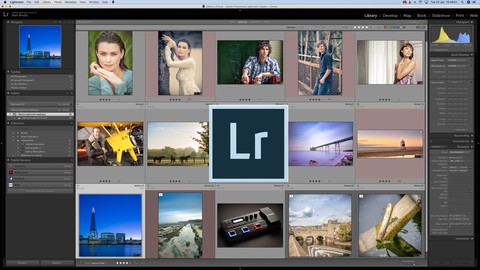
The Ultimate Lightroom Classic CC course taught by a pro (Udemy.com)
Pro photographer takes you from complete novice through to expert, step by step. Inc tips, tricks and effective workflow
Created by: Matt Brodie
Last updated January 2019
 What you will learn
- Set up a Library and import your first images
- Learn to make the image in your head a reality
- Fix the most common problems with your photos
- Understand what each module in Lightroom does, and how it can help you
- Understand every tool and how to effectively use them to create images that WOW
- Develop an effective workflow, allowing you to save time and boost your productivity
- Create and save your own presets
- Create stunning Panoramas, HDR images and more
How it compares
Against the other 73 rated Udemy courses in Adobe Lightroom on CourseDuck:
- Rating4.7 out of 5higher than 94% of them
- Reviews70#52 of 74 by number of reviews
- Length5.6 hourslonger than 69% of them
- Last updatedJanuary 2019earlier than 61% of them
 Quality Score
Overall Score : 94 / 100
 Course Description
Step by step, in bite size chunks, I will then take you through every panel of every section of Lightroom Classic CC. You can work your way through the course in order, or jump to the specific section you want to know about.
I've included all of the images from the course, so that we can work through the course together. Just like being with me as I work on the images and explaining what I'm doing and why.
By the end of the course you will know everything you need in order to import, sort, rate, organise, post produce and export your files.
Let's get stuck in, and do this together.
See you inside.
Matt.Who this course is for:
- Digital photographers of any level
- Photographers new to Lightroom
- Photographers wanting to learn the worlds most popular and widely used photo editing program

 Udemy Discount
The discount is applied through our link. Open the course from here and Udemy's current promotional price is applied at checkout on most courses, no code to type.
Some courses are excluded from Udemy's promotions. If the price does not drop, clear your browser cookies and use the button again.
Instructor Details

- 4.7 Rating
 70 Reviews
Matt Brodie
Hi,
I'm Matt Brodie, a professional photographer with over 15 years experience. I have travelled all over the world, shooting for a range of commercial clients.
I have been helping people to learn photography and post processing for over 5 years, one to one and in groups.
I greatly look forward to sharing my knowledge with you, helping you to achieve your photography goals and ambitions.
MB
 More Adobe Lightroom courses

Master Adobe Lightroom Classic & Lightroom CC (2026)
4.7 (2,820 Reviews)
 Provider: Udemy
 Time: 22.5h
$129.99



Principles of Photo Composition and Digital Image Post-Production
4.7 (131 Reviews)
- Provider: Coursera
- Time: 16h
Free

Adobe Lightroom CC Photo Editing: Your Lightroom Masterclass (2026)
4.6 (7,321 Reviews)
- Provider: Udemy
- Time: 23.4h
$99.99

 Reviews

By Susan Hepburn
This course is really clear and well-paced. The instructor is easy to follow, very reassuring and you can follow step-by step as things are demonstrated.
By Gavin Else
I have found the course very informative, well compiled. It would help people who are new to Lightroom, people who use it but need a reference point and experts who can be reminded about things they may have forgotten.
By Ray
Great course, the instructor was easy to understand, follow. This was very helpful and I would take other courses offered by this instructor. I learned alot !
By Richard Mills
Interesting & informative course that has taught me several new tricks and techniques so far (now halfway through). It is interesting to see how the tutor works in Lightroom & how his methods and practices differ from my own.
By Jim Norman
So far this course has been great. Have learned a lot and enjoyed Matt's teaching style.
By Kasia KL
I really like the guy, he knows what he is talking about and it is presented in a straight and clear way.
- Video Duration:
 5.6h
5.6h - Price: $39.99
- Provider: Udemy
- Updated:
 January 2019
 - Level:
 All Levels
 - Language:
 English
 - Certificate:
 Yes
Yes
30-day money-back guarantee on most paid courses
Udemy Coupon Price Tracker
