
 Web Development
 Python
 SQL
SQL JavaScript
 Data Science
 Artificial Intelligence
 IT & Software
 IT Certifications
 Hacking
 Arduino
 AWS
AWS 3D Modeling
 Graphic Design
 Photoshop
 Drawing
 Digital Painting
 UX Design
 Business
 Data Analysis
 Communication Skills
 Project Management
 Leadership & Management
 E-Commerce
 Digital Marketing
 Social Media Marketing
 Marketing
 SEO
SEO Google Analytics
 Branding
 Office Productivity
 Excel
Excel Finance & Accounting
 Bitcoin
 Video Editing & Animation
 Photography
 Adobe Premier Pro
 Adobe Lightroom
 Personal Development
 Health & Fitness
 Music
Music Guitar
 Teaching & Academics
 Language Learning
 Engineering
 Lifestyle
Ultimate Ableton Live 9: Part 5 - MIDI & Audio Effects (Udemy.com)
Learning Ableton Live the right way: From the basics to the advanced, from Ableton Certified Trainer J. Anthony Allen.
Created by: J. Anthony Allen
Last updated February 2023
 What you will learn
- Produce music using Ableton Live
- Master using all of the Ableton Live Effects
- DJ and perform music using Ableton Live
- Work with Ableton's powerful Racks interface
 Course Description
This course is "5-Star Certified" by the International Association of Online Music Educators and Institutions (IAOMEI). This course has been independently reviewed by a panel of experts and has received a stellar 5-star rating.
100% Answer Rate! Every single question posted to this class is answered within 24 hours by the instructor.
For years I've been teaching Ableton Live in the college classroom. As a University Professor, my classes are sought after, and, frankly, expensive. I believe Ableton Live can be learned by anyone, and cost shouldn't be a barrier. This class uses the same outline and syllabus I've used in my college classes for years, at a fraction of the cost.
This is Part 5: MIDI & Audio Effects
This is a really deep class - tons of content, tricks, and tips. I'll go through all of the Ableton Live Instruments in this class, with considerable detail on each one. We will also talk about synthesis tricks and tips, getting the most out of your samplers, and tons of production tips. Topics include:
MIDI Effects
Arpeggiator
Chord MIDI Effect
MIDI Effect Racks
Note Length MIDI Effect
Pitch MIDI Effect
Random MIDI Effect
Scale MIDI Effect
Velocity MIDI Effect
Audio Effects
The three types of Audio Effects
ALL Ableton Audio Effects (and how to use them!)
Simple Delay
Ping Pong Delay
Filter Delay
Grain Delay
Chorus
Flanger
Reverb
Beat Repeat
Looper
EQ Three
EQ Eight
Auto Filter
Amp
Cabinet
Corpus
Dynamic Tube
Erosion
Frequency Shifter
Overdrive
Phaser
Redux
Resonator
Saturator
Vocoder
Compressor
Glue Compressor
Limiter
Multiband Dynamics
Gate
Auto Pan
External Audio Effect
Vinyl Distortion
Spectrum
Tuner
Utility
I will be making 6 (six!) complete classes in order to bring you the most comprehensive manual on Ableton Live production techniques ever created. Each class has Sets, sessions, and experiments for you to try on your own and follow along with.
And of course, once you sign up for any part, you automatically get huge discounts on all the upcoming parts of this class. You will not have another opportunity to learn Ableton Live in a more comprehensive way than this.
J. Anthony Allen is an Ableton Certified Trainer and a Ph.D. in Music Composition and master of Electronic Sounds. His music has been heard internationally in film, radio, video games, and industrial sound, as well as the concert hall and theater.
He currently is an adjunct professor of composition at the University of St. Thomas, Macphail Academy of Music, and the CEO of Slam Academy in Minneapolis.
Praise for other classes by J. Anthony Allen:
"I've had Live Lite for a while but never quite understood how to use it because of the different options in how to arrange audio. This course explains exactly how to do that and get the most out of Live."
"Great overview - I would start here for sure if you are just getting your feet wet with Live. clear and to the point. session walkthroughs are great. looking forward to more"
"I have never had any formal training in music at all. Trying to learn all the notes and how everything translated was a serious challenge. After going thru this class, Dr. J has totally brought down the barriers. The content was very useful and was easy to grasp for me."

 Udemy Discount
The discount is applied through our link. Open the course from here and Udemy's current promotional price is applied at checkout on most courses, no code to type.
Some courses are excluded from Udemy's promotions. If the price does not drop, clear your browser cookies and use the button again.
Instructor Details
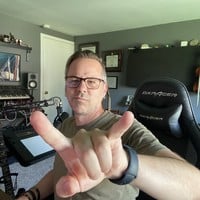
- 4.6 Rating
 196 Reviews
J. Anthony Allen
Dr. Allen is a 2026 Apple Distinguished Educator.
Dr. J. Anthony Allen is a distinguished composer, producer, educator, and innovator whose multifaceted career spans various musical disciplines. Born in Michigan and based in Minneapolis, Dr. Allen has composed orchestral works, produced acclaimed dance music, and, through his entrepreneurship projects, he has educated over a million students worldwide in music theory and electronic music production.
Dr. Allen's musical influence is global, with compositions performed across Europe, North America, and Asia. His versatility is evident in works ranging from Minnesota Orchestra performances to Netflix soundtracks. Beyond creation, Dr. Allen is committed to revolutionizing music education for the 21st century. In 2011, he founded Slam Academy, an electronic music school aimed at increasing accessibility to music production education. His innovative approach to academia was highlighted in 2024 when he received tenure and resigned from his university position on the same day.
As a composer, Dr. Allen is known for his unique synthesis of diverse musical influences, often blending acoustic music with electronic dance music elements. With a Ph.D. in Music Composition, multiple master's degrees, and numerous awards, Dr. Allen's academic and professional achievements are substantial.
 More courses by J. Anthony Allen
Music Theory Comprehensive Complete! (Parts 1, 2, & 3) (2025)
4.7 (23,763 Reviews)
 Provider: Udemy
 Time: 12.3h
$124.99
Music Theory for Electronic Music COMPLETE: Parts 1, 2, & 3 (2026)
4.7 (9,404 Reviews)
- Provider: Udemy
- Time: 12.6h
$149.99
Music Theory Comprehensive Complete: Part 4, 5, & 6 (2026)
4.8 (3,968 Reviews)
- Provider: Udemy
- Time: 10.2h
$19.99
Ultimate Ableton Live 10 COMPLETE: Parts 1, 2, and 3 (2023)
4.5 (3,508 Reviews)
- Provider: Udemy
- Time: 8.2h
$11.99
Ultimate Ableton Live 9 COMPLETE: Parts 1, 2, & 3 (2026)
4.7 (3,467 Reviews)
- Provider: Udemy
- Time: 8.5h
$12.99
More Music courses
Music Theory Comprehensive Complete: Parts 13, 14, & 15 (2026)
5.0 (315 Reviews)
- Provider: Udemy
- Time: 8.4h
$16.99

Electronic Music Production with Ableton Live (2025)
4.9 (2,479 Reviews)
- Provider: Udemy
- Time: 11.9h
$84.99
Jazz Piano - Ultimate Beginners Course for Piano & Keyboard (2025)
4.9 (2,224 Reviews)
- Provider: Udemy
- Time: 8.1h
$15.99

Music Composition with the Piano: Ultimate Keyboard Theory (2020)
4.9 (1,679 Reviews)
- Provider: Udemy
- Time: 7.8h
$16.99
Pianoforall - 'Classics By Ear' - Erik Satie (2018)
4.9 (1,303 Reviews)
- Provider: Udemy
- Time: 4.1h
$11.99
 Reviews

By Danny Stoppenbach on 8/14/2017
It's been very informative and interesting. I truly appreciate Jason for taking the time to share his knowledge, and for a very reasonable cost. I also love the fact that we can go back to the lessons at any time since there's no way I could retain all this info while only listening and watching it once.
By John Lawson on 7/18/2017
Very thorough to say the least. The only critique I would give is maybe a little less time spent on the basic audio effects and a little more on the advanced, like EQ and compression. But those could be courses on their own, so I do understand why it was structured this way and I still give five stars. The only Ableton classes I have not yet taken are the DJ class and Max. I will be doing the DJ class but until I get Max, I see no reason.
By Kalen Barker on 6/15/2017
I love Jasons teaching style but ironically he should have compressed his speaking voice, because his mic technique is horrible. He speaks really close and really far from the mic as he moves around and has me constantly adjusting the volume. Add in the fact that I'm trying to also hear the music he's playing and its a volume nightmare. Don't even think about using headphones for any of his classes.
By Graham Lea on 3/30/2017
Pretty good coverage of most stuff and broken up well. A few of the effects were fairly rushed through, or the effect or use case wasn't obvious from the examples, or there was an "I don't know heaps about this one" feel, which isn't what you want to hear from your teacher!
By Pierre Seguin on 3/20/2017
Very good overview of effects, well worth the money. Sometimes more appropriate examples / sounds could have been used to get a better feel for an effect's capabilities. In this course, Jason stuck to a very small number of clips to demonstrate the processing, which is good for consistency, but less useful for understanding how to use the effect.
By Cole Parkey on 1/16/2017
Jason does it again. All of Jason's courses are extremely informational and valuable. The more you spend time with Jason's classes the more this stuff gets embedded into your head...which is what you want! My learning curve has sky rocketed with Jason's courses. This one in particular is awesome. Just looking at the effects when you open your DAW can be intimidating. Have no fear because Jason breaks down each one in depth. He applies them to different samples and loops, showing you exactly how the can be applied. It's one thing reading about an effect, and its another thing having someone show you exactly what's going on with it in use. Much thanks and I definitely recommend taking Jason's courses.
By Linda Strawn on 12/31/2016
i am learning the preciseness of each button and how each affects the sound. This is exactlly what I needed. In some cases he leaves the track running and adjusts the knob hes explaining. Others its not necessary. I liked the overall explanation of the "guts' of how the process works to modify sound. It makes learning the function of each parameter make more sense.
By Geoff Spence on 10/19/2016
Great overview of all effects. Some of it heavy stuff. Think you really need to do something with the section on the vocoder though Jay. The video quality is poor and aside of the fact the video stops part way through it really doesn't feel finished off properly. Aside of that fantastic stuff. Thank you.
By Yensi Rondon on 6/18/2016
This class is great, is very informative, the information is very accurate. Now I know the function of the effects that i had no idea what they were used for. I do have to say i wished the instructor went deeper with the big effects such as reverb. That particular effect, he explains it well and talks about it but doesn't go very deep into its proper use. I do understand why and its because you can actually teach a whole class just on reverb as he explained and i believe he would have gotten off topic if he went on. What I'm trying to say is i knew what reverb was when I started to take the class and i don't feel that my knowledge was increased. Nonetheless, this class is still awesome and its a must MUST take if you have taken the other previous classes or if you need to learn about the effects in Ableton. I do give this class 5 stars and would recommend to everyone. MUST TAKE!!!!
By Jeffrey Yao on 2/16/2016
If you're an experienced Ableton user looking for a proper education on Ableton's Audio Effects, this course is not for you. This course, i feel, is better suited for those who know zilch about Audio Effects. Presenter is good and explanations are clear, however the knowledge that is taught is very basic.
 Quality Score
No CourseDuck member has rated this course yet. Taken it? Give each part a thumbs up or down.
Overall Score : 92 / 100
- Video Duration:
 4.6h
4.6h - Price: $10.99
- Provider: Udemy
- Updated:
 February 2023
 - Level:
 Intermediate
 - Language:
 English
 - Certificate:
 Yes
Yes
30-day money-back guarantee on most paid courses
Udemy Coupon Price Tracker
