
 Web Development
 Data Science
 Python
 SQL
 JavaScript
 Artificial Intelligence
 IT & Software
 IT Certifications
 Hacking
 Microsoft Azure
 AWS
 Arduino
 3D Modeling
 Graphic Design
 Photoshop
 Drawing
 Digital Painting
 UX Design
 Business
 Data Analysis
 Communication Skills
 Project Management
 Leadership & Management
 Human Resources
 Digital Marketing
 Social Media Marketing
 Marketing
 SEO
 Google Analytics
 Branding
 Excel
 Office Productivity
 SAP
 PowerPoint
 Microsoft Copilot
 Microsoft Access
 Finance & Accounting
 Trading & Investing
 Accounting
 Bitcoin
 Personal Finance
 Video Editing & Animation
 Photography
 Adobe Premier Pro
 Adobe Lightroom
 Personal Development
 Productivity
 Career Development
 Life Coaching
 Health & Fitness
 Yoga
 Meditation & Mindfulness
 Music
 Music Production
 Guitar
 Piano
 Singing
 Teaching & Academics
 Engineering
 Language Learning
 English Language
 Math
 Lifestyle
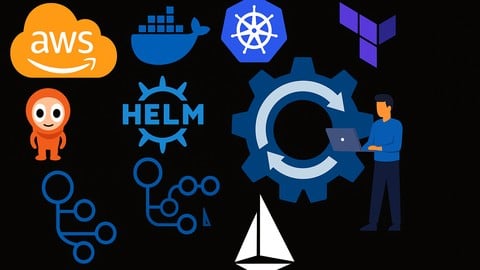
Ultimate DevOps Real-World Project Implementation AWS Cloud (Udemy.com)
ALL-IN-ONE: DevOps Implementation - Docker, Kubernetes (AWS EKS), Terraform, CICD (GitHub Actions, ArgoCD), Helm, OTEL
Created by: Kalyan Reddy Daida
Last updated July 2026
Our take
Based on the ratings of 796 students, a sample of their written reviews and the syllabus, as the course stood in July 2026. No course pays to be reviewed.
Kalyan Reddy Daida's course builds one retail store app, five microservices in Java, Node.js and Go, on AWS from the ground up. It starts with Docker and Compose, moves through Terraform, an EKS cluster, Kubernetes basics, secrets, storage, ingress and Helm, then adds Karpenter, autoscaling, OpenTelemetry and a GitHub Actions plus ArgoCD pipeline. It runs about 38 hours over 235 lectures and was last updated in July 2026. Despite the all levels label, it fits people who already know the command line and want AWS-specific EKS practice.
Reviewers like the clear, detailed explanations, the diagrams and the README files that make it easy to go back and refresh. Several call it practical, and one says the project structure follows industry standards. The complaints are specific. One reviewer says the OpenTelemetry sections and the SecretProviderClass are done by hand and never folded into Helm or Terraform, and that the GitHub Actions workflows for services other than the UI are not explained. Another says the multi-environment GitOps setup is missing. One person found the project and the basics hard to tell apart, and another wants a clearer accent.
The sample rates it 4.7 from 796 reviews, with 512 five-star ratings and 11 at one or two stars. About 10,900 students have enrolled. There are no quizzes or coding exercises, so learning means following along, and an AWS account is required, since the free tier covers only the early modules. It is paid, and for this much material the value looks strong. Pick it for the EKS and Terraform depth, and plan a capstone of your own to fill the integration gaps.
Pros
- One retail app with five services carried from Docker through Terraform, EKS, Helm and ArgoCD
- Detailed explanations, diagrams and READMEs that reviewers use to refresh later
- Covers modern EKS topics like Karpenter Spot autoscaling and OpenTelemetry tracing to X-Ray
- Refreshed in July 2026, with source code and step-by-step docs in GitHub repositories
Cons
- No multi-environment GitOps layout, and CI workflows beyond the UI service are not explained
- Some OpenTelemetry and secrets steps are done by hand, not folded into Terraform or Helm
- No quizzes or exercises, and an accent one reviewer found hard to follow
The explanation is detailed. Course instructor does a good job in explaining the concepts. The course is very practical and hands on.
Labeled all levels, but it suits people with basic Linux and terminal skills who are new to Docker, Kubernetes and Terraform.
 What you will learn
- Master complete AWS DevOps with Docker, Kubernetes EKS, Terraform, and production-ready microservices deployment
- Build production Docker images with multi-stage builds, push to ECR, and create multi-platform images for AMD64 and ARM64
- Automate AWS infrastructure with Terraform: VPC, EKS clusters, RDS, ElastiCache, DynamoDB, and remote state management
- Deploy and manage Kubernetes applications on AWS EKS with Ingress, Load Balancers, SSL/TLS, and External DNS automation
- Implement Karpenter autoscaling for 70% cost savings using Spot instances with zero-downtime interruption handling
- Build complete CI/CD pipelines with GitHub Actions and ArgoCD for automated Docker builds and GitOps deployments
- Master observability with OpenTelemetry, AWS X-Ray tracing, CloudWatch logs, Prometheus metrics, and Grafana dashboards
- Handle AWS Spot interruptions gracefully with EventBridge, SQS, and PodDisruptionBudgets for zero-downtime production
- Package and deploy complex microservices using Helm charts with templating, versioning, and environment-specific configs
- Deploy real retail store with 5 microservices integrated with AWS RDS, ElastiCache, DynamoDB, and SQS message queues
- Implement production security with Kubernetes RBAC, AWS Secrets Manager, IAM roles, and IMDSv2 for EC2 instances
- Configure Horizontal Pod Autoscaler (HPA) with Metrics Server for CPU and memory-based autoscaling in production
- Master GitOps workflows with ArgoCD auto-sync, self-healing, and rollback strategies for reliable deployments
- Learn production troubleshooting for Kubernetes pods, EKS nodes, Terraform state issues, and AWS service integration
- Orchestrate multi-container applications with Docker Compose for local development and testing environments
- Optimize AWS costs with Spot instances, right-sizing, consolidated billing, and infrastructure cost analysis
- Deploy stateful applications with StatefulSets, persistent volumes, and AWS EBS CSI driver for production databases
- Master all 5 Kubernetes Service types: ClusterIP, NodePort, LoadBalancer, ExternalName, and Headless Services
- Implement auto-instrumentation for Java Spring Boot and Node.js microservices with OpenTelemetry collectors
- Configure resource requests and limits for optimal pod scheduling and production cluster management
Course content
51 sections · 235 lectures · 38 hours of video 1 article
- 1Introduction 1 free preview1 lecture · 42 min
- 2Course GitHub Repositories1 lecture
- 3Section-01: Retail Store Microservices Project Introduction 1 free preview1 lecture · 8 min
- 4Section-02: Docker Commands 1 free preview8 lectures · 1.1 hours
- 5Section-03: Docker Files 1 free preview4 lectures · 40 min
- 6Section-04: Docker Compose 1 free preview7 lectures · 1.1 hours
- 7Section-05: Docker Buildx - Build Multi-platform Docker Images 1 free preview4 lectures · 42 min
- 8Section-06-01: Terraform Basics - Install Terraform Tools 1 free preview5 lectures · 29 min
- 9Section-06-02: Terraform Foundation - Blocks & Commands7 lectures · 1.1 hours
- 10Section-06-03: Terraform Advanced: Variables, Loops, Functions, Datasources 1 free preview13 lectures · 1.9 hours
- 11Section-06-04: Terraform Variables (Precedence): In Depth (.tfvars, -var-file)2 lectures · 22 min
- 12Section-06-05: Terraform State: Create S3 bucket for Remote State Storage1 lecture · 8 min
- 13Section-06-06: Terraform State: AWS S3 Bucket as Remote Backend2 lectures · 20 min
- 14Section-06-07: Terraform Modules: Convert VPC TF Configs to a Terraform Module5 lectures · 32 min
- 15Section-07: Create AWS EKS Cluster using Terraform 1 free preview13 lectures · 1.9 hours
- 16Section-08-01: Kubernetes Pods5 lectures · 44 min
- 17Section-08-02: Kubernetes Deployments3 lectures · 45 min
- 18Section-08-03: Kubernetes Service2 lectures · 23 min
- 19Section-08-04: Kubernetes ConfigMap2 lectures · 20 min
- 20Section-08-05: Kubernetes StatefulSet6 lectures · 56 min
- 21Section-09-01: Kubernetes Secrets2 lectures · 12 min
- 22Section-09-02: Pod Identity Agent 1 free preview4 lectures · 20 min
- 23Section-09-03: Kubernetes Secret Store CSI Driver and ASCP Install 1 free preview4 lectures · 40 min
- 24Section-09-04: Integrate AWS Secrets Manager with Catalog Microservice3 lectures · 24 min
- 25Section-10-01: Kubernetes Storage: Deploy AWS EBS CSI Driver3 lectures · 26 min
- 26Section-10-02: Kubernetes Storage: Integrate AWS EBS Volumes with Catalog Micros2 lectures · 19 min
- 27Section-10-03: AWS RDS MySQL Database Integration for Catalog Microservice3 lectures · 31 min
- 28Section-11-01: Kubernetes Ingress: Deploy AWS Load Balancer Controller4 lectures · 31 min
- 29Section-11-02: Deploy Ingress HTTP for Retail Store Application5 lectures · 48 min
- 30Section-11-03: Deploy Ingress HTTPS (SSL) for Retail Store Application1 lecture · 13 min
- 31Section-12-01: Helm Basics 1 free preview5 lectures · 46 min
- 32Section-12-02: Helm Custom Values3 lectures · 27 min
- 33Section-12-03: Helm Chart Explore2 lectures · 33 min
- 34Section-12-04: Helm Package and Publish3 lectures · 24 min
- 35Section-12-05: Deploy RetailStore Application with Helm 1 free preview7 lectures · 1 hour
- 36Section-13: Terraform EKS Addons:EBS CSI, SecretStore CSI, Load Balancer Control 1 free preview7 lectures · 55 min
- 37Section-14-01: Retail Store Persistent Dataplane running on AWS Cloud 1 free preview7 lectures · 1.1 hours
- 38Section-14-02: Deploy Retail Store Application with AWS Persistent Dataplane 1 free preview7 lectures · 1.2 hours
- 39Section-15: External DNS Install 1 free preview3 lectures · 32 min
- 40Section-16: ExternalDNS + Ingress SSL + RetailStore Microservices3 lectures · 29 min
- 41Section-17: Karpenter for AWS EKS Cluster Autoscaling 2 free previews19 lectures · 3.3 hours
- 42Section-18: Horizontal Pod Autoscaler with Retail Store Application 1 free preview7 lectures · 1.5 hours
- 43Section-19: Retail Store Helm Charts with AWS Dataplane 1 free preview6 lectures · 1.5 hours
- 44Section-20-01: Observability - Open Telemetry - Install ADOT Operator and other 2 free previews8 lectures · 1.4 hours
- 45Section-20-02: Observability - Open Telemetry - Traces send to AWS X-Ray 1 free preview5 lectures · 1.3 hours
- 46Section-20-03: Observability - Open Telemetry - Logs send to AWS CloudWatch2 lectures · 23 min
- 47Section-20-04: Observability - Open Telemetry - Metrics send to AWS Managed Prom 1 free preview6 lectures · 1 hour
- 48Section-21-01: DevOps CI - GitHub Actions to AWS ECR 1 free preview5 lectures · 52 min
- 49Section-21-02: DevOps CD: ArgoCD Install2 lectures · 20 min
- 50Section-21-03: DevOps CD: ArgoCD and Helm3 lectures · 17 min
- 51Section-21-04: DevOps CI CD: Full GitOps Pipeline with ArgoCD end to end demo2 lectures · 19 min
Who it is for
The instructor says it suits
- DevOps Engineers wanting to master modern tools (Docker, Kubernetes, Terraform, CI/CD) on AWS
- System Administrators transitioning to DevOps and cloud infrastructure
- Cloud Engineers seeking hands-on AWS EKS and production deployment experience
- Solutions Architects designing scalable microservices architectures
- Students & Graduates preparing for DevOps careers with practical skills
- IT Professionals upskilling in Docker, Kubernetes, Terraform, and CI/CD
- Engineering Managers understanding modern DevOps workflows and tools
- Ideal If You Want To: Build production-ready Kubernetes clusters on AWS from scratch
What you need before you start
- AWS Account: Active AWS account with permissions to create resources (EKS, VPC, RDS, EC2, etc.). Free tier works for initial modules only.
- Computer: System capable of running SSH and web browsers (any OS: Windows, macOS, Linux). We'll use EC2 for Docker demos, so no need for Docker Desktop locally.
- Basic Command Line: Familiarity with terminal/command prompt and basic Linux commands.
- Text Editor: Any code editor (VS Code recommended) for editing configuration files.
- Internet Connection: Stable connection for AWS console access and downloading tools.
- Helpful (But Not Mandatory): Basic Programming: Understanding of basic programming concepts helps with microservices code, but not required.
- Helpful (But Not Mandatory): AWS Basics: Familiarity with core AWS concepts (EC2, VPC, IAM) is helpful but we cover what's needed.
- Helpful (But Not Mandatory): Version Control: Basic Git knowledge beneficial for CI/CD section.
How it compares
Against the other 1,160 rated Udemy courses in IT & Software on CourseDuck:
- Rating4.7 out of 5higher than 86% of them
- Reviews796#400 of 1,161 by number of reviews
- Length38.2 hourslonger than 95% of them
- Last updatedJuly 2026more recently than 84% of them
 Course Description
COURSE MODULES - 55+ HANDS-ON DEMOS
SECTION 1: PROJECT OVERVIEW
Module-01: Complete Retail Store Microservices Architecture
- Full-stack e-commerce application with 5 microservices
- Multi-language stack (Java Spring Boot, Node.js, Go)
- Production-grade architecture patterns
SECTION 2: DOCKER COMMANDS (3 DEMOS)
Module-02: Docker Fundamentals and Essential Commands
1. EC2 Docker Setup - Installing Docker on AWS Amazon Linux 2023
2. Pull from Docker Hub and Run Containers
3. Build Docker Images and Push to DockerHub
- Docker CLI: pull, run, exec, stop, start, rm, rmi, logs, inspect
- Container lifecycle management
- Image registry operations
SECTION 3: DOCKERFILE MASTERY (1 COMPREHENSIVE DEMO)
Module-03: Building Custom Docker Images
- Dockerfile Instructions: FROM, LABEL, COPY, ADD, ARG, ENV, RUN, EXPOSE, CMD, ENTRYPOINT, WORKDIR, HEALTHCHECK, USER
- Security best practices
- Multi-stage builds for optimization
- Image layer caching strategies
SECTION 4: DOCKER COMPOSE (1 COMPREHENSIVE DEMO)
Module-04: Multi-Container Application Orchestration
- Docker Compose basics with real microservices
- Named volumes, networks, and health checks
- Scaling services with DEPLOY
- Startup order with dependencies and conditions
- Profiles, links, and aliases
SECTION 5: DOCKER BUILDKIT (1 COMPREHENSIVE DEMO)
Module-05: Advanced Docker Builds
- Docker BuildKit and buildx CLI
- Building multi-platform images (AMD64, ARM64)
- Multi-stage builds for production optimization
SECTION 6: TERRAFORM BASICS (7 DEMOS)
Module-06: Infrastructure as Code Fundamentals
1. Terraform Tools Installation (AWS CLI, Terraform, kubectl)
2. Terraform Foundation - Providers, Resources, Variables, Outputs
3. Build Production VPC with Public/Private Subnets
4. VPC with tfvars - Variable Management
5. Remote Backend with S3 and DynamoDB State Locking
6. VPC with Remote Backend - Production Setup
7. VPC Terraform Module - Creating Reusable Infrastructure
- Key Concepts: State management, variable precedence, data sources, modules
SECTION 7: TERRAFORM EKS CLUSTER (1 COMPREHENSIVE DEMO)
Module-07: Complete AWS EKS Cluster with Terraform
- EKS cluster provisioning
- EKS node groups configuration
- IAM roles for EKS cluster and worker nodes
- kubectl and kubeconfig configuration
- Cluster authentication and authorization
SECTION 8: KUBERNETES FOUNDATION (5 DEMOS)
Module-08: Kubernetes Core Concepts
1. Kubernetes Pods - Creating and Managing
2. Kubernetes Deployments - Declarative Updates
3. Kubernetes Services - ClusterIP
4. Kubernetes ConfigMaps - Environment Variables and Configuration
5. Kubernetes StatefulSets - Stateful Applications
- Additional Topics: Labels, selectors, annotations, liveness probes, readiness probes, resource requests/limits
SECTION 9: KUBERNETES SECRETS (4 DEMOS)
Module-09: Secrets Management
1. Kubernetes Secrets Basics
2. EKS Pod Identity Agent Setup
3. AWS Secrets Manager Driver Installation
4. AWS Secrets Manager Catalog Service Integration
- External Secrets Operator
- Secrets CSI Driver
- Mounting secrets as files and environment variables
SECTION 10: KUBERNETES PERSISTENT STORAGE (3 DEMOS)
Module-10: Storage and Databases
1. AWS EBS CSI Driver Installation
2. EBS CSI Integration with Catalog Service
3. AWS RDS MySQL Production Database Integration
- PersistentVolumes (PV) and PersistentVolumeClaims (PVC)
- StorageClasses and dynamic provisioning
- StatefulSets with persistent storage
SECTION 11: KUBERNETES INGRESS (3 DEMOS)
Module-11: Load Balancing and Ingress
1. AWS Load Balancer Controller Installation
2. Kubernetes Ingress with HTTP
3. Kubernetes Ingress with HTTPS/SSL
- Application Load Balancer (ALB) configuration
- SSL/TLS termination with AWS Certificate Manager
- Health checks and target group configuration
SECTION 12: HELM PACKAGE MANAGER (5 DEMOS)
Module-12: Kubernetes Application Management
1. Helm Basics - Installation and Fundamentals
2. Helm Custom Values - Customization and Overrides
3. Helm Chart Exploration - Understanding Chart Structure
4. Helm Package and Publish - Creating and Publishing Charts
5. Helm Retail Store Deployment - Complete Application
SECTION 13: TERRAFORM EKS CLUSTER WITH ADD-ONS (1 COMPREHENSIVE DEMO)
Module-13: Production-Ready EKS with Add-Ons
- AWS Load Balancer Controller Add-On
- EBS CSI Driver Add-On
- Pod Identity Agent Add-On
- AWS Load Balancer Controller
- Secret Store CSI Driver
- AWS Secrets and Configuration Provider (ASCP)
SECTION 14: RETAIL STORE MICROSERVICES - AWS DATA PLANE (2 DEMOS)
Module-14: Real-World Microservices Deployment
1. Retail Store AWS Data Plane Setup
- AWS RDS for MySQL (Catalog Service Relational database)
- Amazon ElastiCache for Redis (Checkout Service cache)
- Amazon SQS for Messaging (Orders Service Message broker)
- Amazon DynamoDB (Cards Service No SQL Database)
- Amazon RDS for PostgreSQL (Orders Service Relational Database)
- Terraform automation for AWS services
2. Microservices with AWS Data Plane Integration
- UI Service (Spring Boot)
- Carts Service (Spring Boot + DynamoDB)
- Catalog Service (Go + Amazon MySQL/RDS)
- Orders Service (Spring Boot + MySQL/RDS)
- Checkout Service (Node.js + Redis + SQS)
- End-to-end integration and testing
SECTION 15: TERRAFORM EKS WITH EXTERNAL DNS (1 COMPREHENSIVE DEMO)
Module-15: Automated DNS Management
- External DNS Add-On installation with Terraform
- Automatic DNS record creation in Route53
- Custom domain configuration
- Integration with AWS Load Balancer Controller
SECTION 16: RETAIL STORE WITH EXTERNAL DNS (1 DEMO)
Module-16: Production DNS Setup
- Retail Store application with custom domains
- SSL certificate automation with ACM
- Production DNS management
SECTION 17: AUTOSCALING - KARPENTER (4 DEMOS)
Module-17: Pod-Driven Node Autoscaling
1. Karpenter Installation with Terraform
- Architecture deep dive
- IAM roles and permissions
- EventBridge and SQS for spot interruption handling
2. Karpenter On-Demand Instances
- NodePools and EC2NodeClass configuration
- Right-sizing nodes for workloads
- Node consolidation

 Udemy Discount
The discount is applied through our link. Open the course from here and Udemy's current promotional price is applied at checkout on most courses, no code to type.
Some courses are excluded from Udemy's promotions. If the price does not drop, clear your browser cookies and use the button again.
Instructor Details
- 4.7 Rating
 796 Reviews
Kalyan Reddy Daida
About Me
I'm Kalyan Reddy Daida, a DevOps & SRE Architect with 18+ years of experience designing and implementing cloud infrastructure solutions on AWS, Azure, and Google Cloud Platforms.
I specialize in AWS, Kubernetes, Terraform, Docker, EKS, Karpenter, Helm, CI/CD, and Infrastructure as Code. I hold deep expertise in architecting production-grade, scalable systems for enterprises worldwide.
My teaching philosophy is simple: the best way to learn cloud infrastructure is to build it yourself. Every course I create is hands-on, real-world, and GitHub-centric with complete source code and step-by-step documentation.
I maintain 57 public GitHub repositories with 6,900+ forks on my flagship EKS Masterclass repository alone, giving students production-ready code they can use immediately.
About StackSimplify
At StackSimplify, we focus on implementing real-world scenarios in every course. No slides-only lectures. Each course provides hands-on experience to students in learning new technology in a step-by-step and interesting manner.
Our courses cover AWS, Kubernetes, Terraform, Docker, DevOps, and SRE with production-grade architectures and enterprise patterns. We teach vendor-agnostic patterns across AWS, Azure, and GCP so you can apply your skills anywhere.
 More courses by Kalyan Reddy Daida
Azure Kubernetes Service with Azure DevOps and Terraform (2026)
4.7 (6,546 Reviews)
 Provider: Udemy
 Time: 28.1h
$18.99
Original price
AWS EKS Kubernetes-Masterclass | DevOps, Microservices (2026)
4.5 (5,730 Reviews)
- Provider: Udemy
- Time: 24.4h
$16.99
Original price
Terraform on AWS with SRE & IaC DevOps | Real-World 20 Demos (2026)
4.4 (3,476 Reviews)
- Provider: Udemy
- Time: 20.9h
$13.99
Original price
Terraform on AWS EKS Kubernetes IaC SRE- 50 Real-World Demos (2026)
4.6 (2,326 Reviews)
- Provider: Udemy
- Time: 45.3h
$14.99
Original price
Azure - HashiCorp Certified: Terraform Associate -70 Demos (2026)
4.8 (2,038 Reviews)
- Provider: Udemy
- Time: 25.1h
$10.99
Original price
Terraform on Azure with IaC DevOps SRE | Real-World 25 Demos (2026)
4.5 (2,020 Reviews)
- Provider: Udemy
- Time: 30.5h
$13.99
Original price More IT & Software courses

D3.js Data Visualization Fundamentals - Hands On (2026)
4.9 (3,917 Reviews)
- Provider: Udemy
- Time: 4.6h
$11.99
Original price
Hands-On Training: Streaming Data with Apache Kafka on Azure (2025)
4.9 (103 Reviews)
- Provider: Udemy
- Time: 3.7h
$10.99
Original price
Oracle Grid Infrastructure and RAC using Oracle Database 19c (2026)
4.8 (2,499 Reviews)
- Provider: Udemy
- Time: 8.7h
$19.99

PowerShell Scripting & Automation: The Complete Hands-On (2026)
4.8 (1,750 Reviews)
- Provider: Udemy
- Time: 9.6h
$11.99
Original price
CCNP/CCIE ENCOR 350-401 v1.2 Mega Course by Arash Deljoo (2026)
4.8 (1,088 Reviews)
- Provider: Udemy
- Time: 154.8h
$11.99
Original price  Reviews

By Akhil Kamalapuri on 9/22/2026
The PPT, lecturer's presentation and his vocal explanation everything was very good and Easy to understand way with lot of content. Really I'm very happy to have this course. Thank you kalyan garu
By Ian Laurian on 8/31/2026
The explanation is detailed. Course instructor does a good job in explaining the concepts. The course is very practical and hands on. The course goes through a lot of DevOps concepts.
By Abel Uche Ekwonyeaso on 8/23/2026
This is Course is excellent for upcoming and practicing DevOps Engineers. I am pleased by the way you always state current industry-standards. Thank you Sir for your detailed and in-depth explanations of the topics.
By Makkali hemanth kumar on 5/20/2026
Excellent hands-on DevOps course focused on real-world AWS production environments using Amazon Web Services, Kubernetes, Terraform, Karpenter, CI/CD, GitOps, and observability. Covers enterprise-grade concepts like EKS, autoscaling, OpenTelemetry, ArgoCD, Helm, microservices, and production deployments with strong practical implementation. Very good for DevOps, Cloud, Platform Engineering, and SRE learning.
By Koteswararao Rayabarapu on 5/16/2026
Absolutely its a good match for me. I really appreciate the way that the course has been designed and explained. Also the way GitHub repo created with codes. Simply Awesome!!. I would love to recommend this course to my friends and will post on my LinkedIn once I am done with this course. Thank you Kalyan.
By Isaiah Adams on 4/11/2026
Definitely a good match for my skill set and teaching me more than I knew. Literally learning more about the Production grade that I am currently missing in my workspace, which I can think about and deploy.
By Yurii Shyman on 4/10/2026
An outstanding course with in depth explanation of all aspects real world projects using. I pick this as knowledge refreshener and it way above expectation with all details it provides.
By Dercio Anselmo on 4/6/2026
It was excellent to the end. But the GitOps, MultiEnvironment setup is missing. Even have finished the last available section, the course status says: 212 of 235 complete. Finish course to get your certificate What makes me think that content is missing.
By Satish Kumar Verma on 3/28/2026
⭐⭐⭐⭐⭐ Excellent course with well-structured content and clear explanations. The instructor’s practical approach and real-world examples made the concepts easy to understand and apply. Highly recommended for anyone looking to strengthen their skills.
By Juhi Chandra on 3/26/2026
Wow! Awesome production grade real time project seems to be covered in this. I have just started out. But I feel this is what was missing in my prep. I was stuck in tutorial hell. I now know better
By Babak Gohardani on 3/17/2026
The amount of knowledge that is being taught in a single course is just crazy and every single topic is 100% used in real world. I also like the way topics build a whole system on top of each other, this really helps to have deep understanding of the ecosystem.
 Quality Score
No CourseDuck member has rated this course yet. Taken it? Give each part a thumbs up or down.
Overall Score : 94 / 100
- Video Duration:
 38.2h
- Price: $11.99
- Provider: Udemy
- Updated:
 July 2026
- Level:
 All Levels
- Language:
 English
- Certificate:
 Yes
- Lectures:235 in 51 sections
- Students:10,900
- Subtitles:9 languages
30-day money-back guarantee on most paid courses
Udemy Coupon Price Tracker
