
 Web Development
 Data Science
 Python
 SQL
SQL JavaScript
 Artificial Intelligence
 IT & Software
 IT Certifications
 Hacking
 AWS
AWS Arduino
 DevOps
 3D Modeling
 Graphic Design
 Photoshop
 Drawing
 Digital Painting
 UX Design
 Business
 Data Analysis
 Communication Skills
 Project Management
 Leadership & Management
 Human Resources
 Digital Marketing
 Social Media Marketing
 Marketing
 SEO
SEO Google Analytics
 Branding
 Excel
Excel Office Productivity
 SAP
SAP PowerPoint
 Microsoft Access
 SharePoint
 Finance & Accounting
 Trading & Investing
 Accounting
 Bitcoin
 Personal Finance
 Video Editing & Animation
 Photography
 Adobe Premier Pro
 Adobe Lightroom
 Personal Development
 Productivity
 Career Development
 Life Coaching
 Health & Fitness
 Meditation & Mindfulness
 Yoga
Yoga Music
Music Music Production
 Guitar
 Piano
Piano Singing
 Language Learning
 Teaching & Academics
 Engineering
 Math
Math Lifestyle
Ultimate Microsoft Office 365 Bundle (Udemy.com)
Master Microsoft Office 365 with this 11-course Bundle
Created by: Simon Sez IT
Last updated June 2026
 What you will learn
- Perform lookups with VLOOKUP, INDEX/MATCH, and XLOOKUP.
- Protect cells, worksheets, and workbooks from editing.
- Add an Excel workbook to a Teams channel and share in a Teams meeting.
- Design spreadsheets for improved readability using cell styles.
- Implement data validation for accurate input control.
- Utilize logical functions like AND, OR, and IF for decision-making.
- Identify and handle duplicates in data using conditional formatting and formulas.
- Perform what-if analysis using functions like PMT, Goal Seek, and Data Tables.
- Extract and count unique entries using Dynamic Array Functions.
- Differentiate between unique and distinct values in Excel spreadsheets.
- Utilize SORT and SORTBY functions for data organization and analysis.
- Employ FILTER functions with logical operators for precise data filtration.
- Generate random arrays and values with RANDARRAY and RANDBETWEEN functions.
How it compares
Against the other 459 rated Udemy courses in Office Productivity on CourseDuck:
- Rating4.6 out of 5higher than 67% of them
- Reviews756#166 of 460 by number of reviews
- Length48.5 hourslonger than 97% of them
- Last updatedJune 2026more recently than 81% of them
 Course Description
**This bundle includes practice exercises, downloadable files, and LIFETIME access**
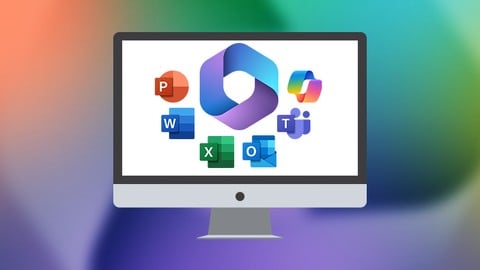
Welcome to the Ultimate Microsoft Office 365 Bundle, an extensive 11-course collection designed to elevate your mastery of essential Office 365 applications. This bundle covers many tools and functionalities, enabling you to enhance your productivity and efficiency across various professional contexts.
Begin with Excel 365 for Beginners to build a strong foundation in spreadsheet creation and data analysis. As you advance, delve into Excel 365 Intermediate and Excel 365 Advanced, where you'll tackle more complex functions, data visualization, and advanced analytical techniques.
Expand your document creation skills with Word 365 for Beginners, and learn to design impactful presentations in PowerPoint 365 for Beginners. Enhance your collaboration and communication with Teams 365, mastering the art of seamless teamwork and virtual meetings.
Manage your emails and schedule efficiently with Outlook Online 365, discover the power of cloud storage and file sharing in OneDrive for Business 365, organize your notes and ideas effectively with OneNote 365, and explore how to create interactive surveys and quizzes in Forms 365.
Finally, unlock the potential of AI within the Microsoft ecosystem with Copilot in Microsoft 365 for Beginners, learning to integrate and utilize AI features to boost your productivity and collaboration further.
Completing this comprehensive bundle will equip you with versatile skills crucial for proficiently navigating Office 365. Whether you're a student, professional, or entrepreneur, investing in this bundle ensures you have the expertise to excel in your endeavors, making you a valuable asset in any workplace.
What's included?
Excel 365 for Beginners
Access the Microsoft 365 online portal.
Understand the order of operations and the BODMAS rule.
Know the difference between absolute and relative referencing.
Apply number formatting, format cells, rows, and columns.
Perform lookups with VLOOKUP and XLOOKUP.
Freeze and unfreeze panes.
Protect cells, worksheets, and workbooks from editing.
Work with files in Excel Online.
Add an Excel workbook to a Teams channel and share in a Teams meeting.
Excel 365 Intermediate
Design spreadsheets for improved readability using cell styles.
Implement data validation for accurate input control.
Utilize logical functions like AND, OR, and IF for decision-making.
Perform lookup operations using VLOOKUP and INDEX/MATCH.
Sort and filter data efficiently using built-in Excel functions.
Identify and handle duplicates in data using conditional formatting and formulas.
Round values and perform special rounding using Excel's math functions.
Apply statistical functions such as mean, median, and mode.
Analyze data using PivotTables and Pivot Charts for insights.
Perform what-if analysis using functions like PMT, Goal Seek, and Data Tables.
Excel 365 Advanced
Extract and count unique entries using Dynamic Array Functions.
Differentiate between unique and distinct values in Excel spreadsheets.
Utilize SORT and SORTBY functions for data organization and analysis.
Employ FILTER functions with logical operators for precise data filtration.
Generate random arrays and values with RANDARRAY and RANDBETWEEN functions.
Perform complex lookups efficiently using XLOOKUP and XMATCH functions.
Develop custom formulas with LET and LAMBDA functions for tailored analysis.
Create and manage data models with Power Pivot, including table relationships.
Clean and manipulate data effectively using Power Query functionalities.
Automate repetitive tasks and customize Excel with macros and VBA.
Word 365 for Beginners
Launch Word.
Customize the Quick Access Toolbar.
Create, save, and recover documents.
Switch between document views.
Enter and format text efficiently.
Format paragraphs.
Understand Word themes.
Insert, format, and manipulate pictures, text boxes, shapes, and other graphics.
Set margins, orientation, and page size.
Explore references, perform mail merges, track changes and comments.
PowerPoint 365 for Beginners
Navigate the PowerPoint 365 interface efficiently.
Organize slides using modern layouts.
Incorporate multimedia elements like video, audio, and animations.
Implement modern text effects to improve visual appeal.
Utilize diagrams and charts effectively for data presentation.
Create accessible presentations for diverse audiences.
Prepare and deliver presentations confidently.
Implement time-saving shortcuts and hacks.
Stay updated with emerging features in PowerPoint 365.
Microsoft Teams 365
Identify Microsoft Teams' core features and their role in collaboration.
Navigate Teams Interface to access and utilize essential functions.
Create, join, and manage public and private teams for effective communication.
Master messaging skills, including posting, receiving, and managing messages.
Efficiently handle private messages to enhance focused communication.
Manage teams and channels adeptly, applying actions like leaving and hiding teams.
Microsoft Outlook Online 365
Construct folders and subfolders for efficient email categorization.
Employ advanced search and filters to streamline email retrieval effectively.
Utilize Focused Inbox, Sweep, and archiving techniques for inbox organization.
Share email folders, apply rules, and manage calendars seamlessly for teamwork efficiency.
Microsoft OneDrive for Business 365
Demonstrate efficient OneDrive integration with Office applications for seamless file handling.
Utilize OneDrive interface features to navigate and manage files effectively.

 Udemy Discount
The discount is applied through our link. Open the course from here and Udemy's current promotional price is applied at checkout on most courses, no code to type.
Some courses are excluded from Udemy's promotions. If the price does not drop, clear your browser cookies and use the button again.
Instructor Details

- 4.6 Rating
 756 Reviews
Simon Sez IT
Since 2008, individuals, small businesses, and Fortune 500 companies with thousands of employees have benefited from the easy and hands-on software training offered by Simon Sez IT. With over 12,000 video tutorials on a range of software programs, Simon Sez IT ensures stress-free eLearning and enhanced employee productivity - no matter whether you are implementing new software or a technological upgrade for your workplace. With over 1 million Udemy students in over 190 countries, Simon Sez IT is the preferred online learning choice for individuals and businesses everywhere.
 More courses by Simon Sez IT


Microsoft Excel 2016 for Beginners: Master the Essentials
4.7 (30,769 Reviews)
 Provider: Udemy
 Time: 15.7h
$14.99

Jira for Beginners - Detailed Course to Get Started in Jira (2025)
4.5 (30,730 Reviews)
- Provider: Udemy
- Time: 4.8h
$109.99

Ultimate Microsoft Office; Excel, Word, PowerPoint & Access (2024)
4.5 (17,065 Reviews)
- Provider: Udemy
- Time: 70.7h
$174.99

Mastering Microsoft 365 SharePoint Online: Essential Guide (2026)
4.5 (12,189 Reviews)
- Provider: Udemy
- Time: 9.2h
$84.99

Learn Microsoft Windows 11: Comprehensive Windows 11 Course (2025)
4.4 (6,330 Reviews)
- Provider: Udemy
- Time: 6h
$84.99
More Office Productivity courses

AI-Powered Social Media Management: From Beginner to Pro (2025)
5.0 (211 Reviews)
- Provider: Udemy
- Time: 1.1h
$19.99

Microsoft Excel + AI: Go From Data Analysis to Visualization (2026)
4.9 (276 Reviews)
- Provider: Udemy
- Time: 3.8h
$10.99


Complete Introduction to Google Sheets Pivot Tables (2026)
4.8 (3,570 Reviews)
- Provider: Udemy
- Time: 2.9h
$64.99


Microsoft Excel - Managing Personal Finances with Excel (2024)
4.8 (810 Reviews)
- Provider: Udemy
- Time: 3h
$19.99
 Reviews

By Mandeep Singh Birdi on 2/7/2026
So far I finished Section 4 and am loving it. Instructor is teaching in such a simple way that there is no issue at all for a beginner like me. Exercises at the section ends are relevant and videos of the exercise solution is really handy to check the answers.
By Nicole Rita Bedeman on 2/1/2026
The lady has loads of patience and repeats steps a lot which helps if you forgot about something. I would definitely do more courses of this trainer specifically. I do enjoy her compassion and energy she brings. I love the videos after exercises where she shows how she got the answer it helps to clarify the issue not seen/ understood or heard.
By Rae Skywalker on 1/11/2026
I recently purchased this course, and my experience has been truly amazing. The lessons are well structured, easy to understand, and very helpful, even for beginners like me. Each topic is explained clearly with practical examples, which made learning much easier and more enjoyable. I especially liked how the course covers real-life uses of MS Word, Excel, and PowerPoint, making it useful for both personal and professional work. The instructors are knowledgeable and supportive, and the learning pace is comfortable. Overall, this course has greatly improved my skills and confidence in using Microsoft Office. I highly recommend it to anyone
By Kendall L Brown on 10/30/2025
This course is loaded with powerful information on applications associated with MS Office 365. Layout of course is awesome and easy to follow along. If you are looking to enhance your knowledge in MS Office 365, this is your course!!
By maha lakshmi on 8/17/2025
The instructor is explaining all points, easy to understand and i am learning many new things which will help me to apply in my day to day work
By Laura Smith on 6/23/2025
I recently took a course by Kyle Pew. He was easier to follow. When this instructor starts giving instructions, she races through so it is hard to click along. Then she slows down and gives long explanations. The course is still good, but in the future, I would pay a little more and take a class from Kyle. I find his style more interactive, and he is a little easier to understand as he does not have an accent.
By Gagandeep on 5/17/2025
I recently completed this office course and it was absolutely fantastic! The instructors were incredibly knowledgeable and engaging. The hands-on exercises were invaluable, allowing me to immediately apply what I learned. Thanks to this course, Five stars all the way!
By Pedro Moreno on 2/8/2025
This course gives you a thorough walk through the features of Microsoft Office 365. The great thing about this course is that if you are looking for a basic understanding of Microsoft Office 365 you have enough material for that and more if you want more advanced knowledge. The instructor speaks clearly and explains everything in a simple to understand manor.
By Nicola Batty on 1/2/2025
Deb has a superb teaching style and a wonderful voice that makes you feel engaged with the content. Almost as good as a live class! It is really useful how she repeats things like keyboard shortcuts to enable the student to commit them to memory. This particular course is focused heavily on Excel so make sure you read the full breakdown to make sure everything you need in the other packages such as Word and Powerpoint are covered. Well, I will finish by saying little wonder Deb is an MVP. Truly excellent teaching and fabulous content arranged to flow perfectly.
By Will Cowley on 10/18/2024
The lessons are easy to follow and understand. Where it loses points is that the course files that you can work in alongside the videos are improperly saved. Some of the worksheets that are labelled start seemed to have autosave on as the videos were made so all the hands on work you are supposed to be doing in that section is already done for you. The worst one I've encountered so far is section 17.1. It is completely locked and cannot be accessed without a password. Tried watching the video to get the password but its never said, only typed with round dots protecting it from being seen. Granted not all of the files are like this but enough of them are to at least become noticeable and a minor hinderance. May update later after fully finishing course.
 Quality Score
No CourseDuck member has rated this course yet. Taken it? Give each part a thumbs up or down.
Overall Score : 92 / 100
- Video Duration:
 48.5h
48.5h - Price: $19.99
- Provider: Udemy
- Updated:
 June 2026
 - Level:
 All Levels
 - Language:
 English
 - Certificate:
 Yes
Yes
30-day money-back guarantee on most paid courses
Udemy Coupon Price Tracker
