
 Web Development
 Data Science
 Python
 SQL
 JavaScript
 Artificial Intelligence
 IT & Software
 IT Certifications
 Hacking
 Microsoft Azure
 AWS
 Arduino
 3D Modeling
 Graphic Design
 Photoshop
 Drawing
 Digital Painting
 UX Design
 Business
 Data Analysis
 Communication Skills
 Project Management
 Leadership & Management
 Human Resources
 Digital Marketing
 Social Media Marketing
 Marketing
 SEO
 Google Analytics
 Branding
 Excel
 Office Productivity
 SAP
 PowerPoint
 Microsoft Copilot
 Microsoft Access
 Finance & Accounting
 Trading & Investing
 Accounting
 Bitcoin
 Personal Finance
 Video Editing & Animation
 Photography
 Adobe Premier Pro
 Adobe Lightroom
 Personal Development
 Productivity
 Career Development
 Life Coaching
 Health & Fitness
 Yoga
 Meditation & Mindfulness
 Music
 Music Production
 Guitar
 Piano
 Singing
 Teaching & Academics
 Engineering
 Language Learning
 English Language
 Math
 Lifestyle
VMware NSX-T Troubleshooting Fundamentals 2022 (Udemy.com)
Learn how to troubleshoot NSX-T quickly with hands-on examples!
Created by: Mike Ghazaleh
Last updated December 2022
Our take
Based on the ratings of 196 students, a sample of their written reviews and the syllabus, as the course stood in December 2022. No course pays to be reviewed.
Mike Ghazaleh's troubleshooting course is a five-hour follow-up for people who can already deploy NSX-T and now need to fix it when it breaks. The syllabus covers the manager, transport node and host prep problems, the overlay, and routing, which gets the biggest share at about 97 minutes. It is vSphere only, with no Kubernetes, cloud or automation. VCP-NV candidates are part of the stated audience, but basic NSX knowledge is required going in.
Reviewers like Ghazaleh's clear explanations and the lab he works through on screen. One says the labs and tools gave them a working map of NSX-T they can use with customers. The complaints are consistent: this is basic troubleshooting. One reviewer wanted higher-level scenarios, a Spanish-speaking student found it too short, and a one-star review calls the scenarios made up, pointing out that a host prep failure is shown as a resource shortage rather than a walk through the logs.
The rating is 4.1 from 196 reviews. Five-star ratings lead, but a large share are four stars. The course was published in December 2022 and hasn't been updated since, so it targets NSX 3.0+ and may not match the latest release. At five hours it's a quick, low-cost way to learn the built-in tools and packet captures. Engineers who already debug NSX from logs should look elsewhere.
Pros
- Routing troubleshooting gets about 97 minutes, the largest section in the course
- Works through a live lab, which reviewers say makes the tools easy to follow
- Covers CLI packet captures and other built-in NSX troubleshooting tools
- Short at about five hours across 26 lectures, easy to finish in a weekend
Cons
- Several reviewers call it basic troubleshooting and wanted deeper, log-level debugging
- Not updated since December 2022 and built for NSX 3.0+, so it may lag current releases
- One reviewer calls the scenarios made up, and there is no Kubernetes, cloud or automation
This course covers basic troubleshooting which is useful for beginners. Instructor is very good and explains each topic in detail.
Labeled intermediate and requires NSX basics, but reviewers find the troubleshooting itself fairly beginner level.
 What you will learn
- How to effectively troubleshoot NSX 3.0+ environments
- How to leverage the CLI for packet captures
- How to troubleshoot routing problems in NSX
- What types of issues can occur in an NSX deployment
Course content
6 sections · 26 lectures · 5 hours of video
- 1Troubleshooting Overview 3 free previews5 lectures · 30 min
- 2NSX Manager Troubleshooting5 lectures · 25 min
- 3Transport Node / ESX issues3 lectures · 49 min
- 4Troubleshooting the Overlay4 lectures · 43 min
- 5Routing issues5 lectures · 1.6 hours
- 6Useful Troubleshooting Tools4 lectures · 57 min
Who it is for
The instructor says it suits
- Anyone looking to enhance their NSX troubleshooting skills
- Those looking to take the VCP-NV exam
What you need before you start
- Basic NSX/NSX-T knowledge is required as a prerequisite to this course
How it compares
Against the other 65 rated Udemy courses in VMware on CourseDuck:
- Rating4.1 out of 5higher than 3% of them
- Reviews196#51 of 66 by number of reviews
- Length5 hoursshorter than 64% of them
- Last updatedDecember 2022earlier than 52% of them
 Course Description
Do you know how to deploy NSX-T, but feel your troubleshooting skills are lacking? Thankfully, there are a great number of built-in troubleshooting tools in NSX, as well as some simple tricks to help you troubleshoot your deployment. In this course, you'll learn things such as:
How to troubleshoot NSX-T routing
How to run packet captures in your NSX environment
How to deal with resource issues on your NSX components (manager, edges)
What types of things can cause host prep issues, and how you can resolve these
A lot more!
This course does NOT aim to teach you every possible troubleshooting step in NSX-T - instead, it is solely aimed at helping you learn to troubleshoot quickly.
My popular NSX-T Fundamentals course has had THOUSANDS of students with great feedback. This course is my best one yet - here's what some of my students have said about my other courses:
"After going through this course, I feel much more comfortable to attempt this deployment"
"One of the Best courses I took on Udemy"
"This is one of the best training courses for NSX-T available on the internet"
"The course is amazing, I followed everything step-by-step in my home lab and everything worked like magic"
My name is Mike, and people know me as the NSX guy. I’ve got years of experience with both Cisco and VMware technologies, including two CCIE certifications, and most importantly, I have struggled through learning this stuff - so I know exactly how to make you an NSX pro! I have taught this same curriculum to many students, and have seen many go on to become the go-to experts on NSX in their companies!
VMware NSX-T is no longer tied to vCenter only, it introduces the ability to network and secure multiple workloads, such as Containers (k8s), Bare Metal servers, and even Public Cloud (AWS/Azure)!
This course will focus primarily on NSX + vSphere troubleshooting. There is no kubernetes, cloud, or automation in this course.

 Udemy Discount
The discount is applied through our link. Open the course from here and Udemy's current promotional price is applied at checkout on most courses, no code to type.
Some courses are excluded from Udemy's promotions. If the price does not drop, clear your browser cookies and use the button again.
Instructor Details

- 4.1 Rating
 196 Reviews
Mike Ghazaleh
Hi! I have been teaching for 15+ years. I hold two active Cisco CCIE certifications, and have experience working across a variety of industry verticals, in a number of different roles - ranging from professional services, to consulting, and more. I believe training should be FUN!
I have delivered live training, video-based courses, and been “in the trenches” as a member of professional services teams too. I teach because I know how hard some concepts can be to grasp, so I do my best to save my students the headache.
Please share your honest feedback on any of my courses - I read every review, and genuinely take that feedback into account when making new courses.
 More courses by Mike Ghazaleh

VMware HCX Fundamentals 2022
4.6 (757 Reviews)
 Provider: Udemy
 Time: 5.8h
$9.99
Original price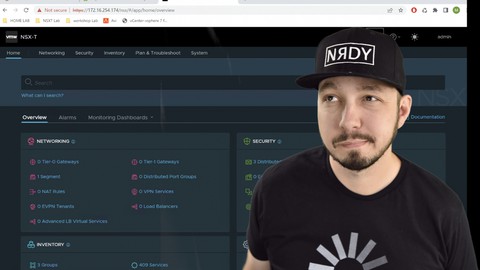
NSX-T for Complete Beginners (VCTA-NV 2022)
4.5 (290 Reviews)
- Provider: Udemy
- Time: 3.5h
$9.99
Original price
Learn Ubuntu Fast: Learn, Practice, and Advance your Career (2022)
4.8 (112 Reviews)
- Provider: Udemy
- Time: 6.6h
$11.99
Original price More VMware courses
Complete VMWare vSphere ESXi and vCenter Administration (2026)
4.7 (14,620 Reviews)
- Provider: Udemy
- Time: 11.3h
$13.99
Original price
The Complete VMware vSphere: Beginner to Advanced (2026)
4.7 (4,526 Reviews)
- Provider: Udemy
- Time: 12.6h
$13.99
Original price
VMware vSphere 6.0 Part 1 - Virtualization, ESXi and VMs (2018)
4.7 (4,409 Reviews)
- Provider: Udemy
- Time: 8.9h
$11.99
Original price
Clear and Simple VMware vSphere 6.7 Professional VCP-DCV (2024)
4.7 (2,338 Reviews)
- Provider: Udemy
- Time: 12.9h
$10.99
Original price
Clear and Simple VMware vSAN 6.7 (Virtual SAN) (2023)
4.7 (2,283 Reviews)
- Provider: Udemy
- Time: 3.1h
$11.99
Original price
Clear and Simple VMware Certified Associate (RetiredVCA-DBT) (2024)
4.7 (2,240 Reviews)
- Provider: Udemy
- Time: 6.5h
$13.99
Original price  Reviews

By Juan Francisco Millán Martín on 2/10/2026
Me gusta como explica el experto y que además se apoye en un laboratorio que también explica con claridad. Lo único malo que al final se me queda corto y me gustaría que hubiera más contenido.
By Anonymized User on 9/23/2025
The scenarios aren't good enough and all very made up. We miss actual debugging content and steps to go deeper. A concrete example: Host prep is failing, which logs should I be review to understand what is wrong. The presented scenario is a host with not enough capacity/ressources, this is very basic.
By Anonymized User on 7/3/2024
Amazing course, very clear explanations.. Thank you!
By Pieter Vereecken on 5/30/2024
Very easy to watch, well explained and loved the demos!
By Anonymized User on 3/6/2024
This course helped me to understand the layout and the tools that NSX-T has to offer. Also, the troubleshooting lab were really inciteful. The labs with my notes will help me in the future to handle some issue that my customers encounter.
By Venkatesh Dhumale on 12/16/2023
Fantastic! Your session is really very informative. Specially your example with our existing NSX-T setup and their real problem would really help us address the issue quickly and resolve. You are my super " HERO "
By Vitthal B on 10/2/2023
All good but basic level of Tshoot expected some high level of Tshoot
By Santosh Kashid on 4/24/2023
Great Help for me to troubleshoot the issues
By Surendera Mohan on 1/9/2023
Excellent course for basic troubleshooting in NSXT. very nice and thoroughly done
By kataru Brahmaiah on 8/18/2026
 Quality Score
No CourseDuck member has rated this course yet. Taken it? Give each part a thumbs up or down.
Overall Score : 82 / 100

- Video Duration:
 5h
- Price: $9.99
- Provider: Udemy
- Updated:
 December 2022
- Level:
 Intermediate
- Language:
 English
- Certificate:
 Yes
- Lectures:26 in 6 sections
- Students:1,228
- Subtitles:1 language
30-day money-back guarantee on most paid courses
Udemy Coupon Price Tracker
