
 Web Development
 Data Science
 Python
 SQL
SQL JavaScript
 Artificial Intelligence
 IT & Software
 IT Certifications
 Hacking
 AWS
AWS Arduino
 DevOps
 3D Modeling
 Graphic Design
 Photoshop
 Drawing
 Digital Painting
 UX Design
 Business
 Data Analysis
 Communication Skills
 Project Management
 Leadership & Management
 Human Resources
 Digital Marketing
 Social Media Marketing
 Marketing
 SEO
SEO Google Analytics
 Branding
 Excel
Excel Office Productivity
 SAP
SAP PowerPoint
 Microsoft Access
 SharePoint
 Finance & Accounting
 Trading & Investing
 Accounting
 Bitcoin
 Personal Finance
 Video Editing & Animation
 Photography
 Adobe Premier Pro
 Adobe Lightroom
 Personal Development
 Productivity
 Career Development
 Life Coaching
 Health & Fitness
 Meditation & Mindfulness
 Yoga
Yoga Music
Music Music Production
 Guitar
 Piano
Piano Singing
 Language Learning
 Teaching & Academics
 Engineering
 Math
Math Lifestyle
Write Your Own Operating System From Scratch - Step by Step (Udemy.com)
Build your own 64-bit operating system - for the x86 architecture
Created by: x-BIT Development
Last updated February 2026
 What you will learn
- Be able to build a simple operating system for the x86 architecture.
- Understand real mode
- Understand protected mode and long mode
- How to handle interrupts and exceptions in the 64-bit mode
- How to write OS kernel with the assembly code and C code
- Be able to write print function to print characters on the screen
- Be able to build a memory manager using x86 paging mechanism
- How to write timer handler for the process manager
- How to build a process manager to schedule processes and change them among different states (sleep, ready, killed)
- How to implement system call module to make user programs running in the system
- Write a keyboard driver (PS/2)
- Write a simple console and interact with OS kernel using commands
- Be able to write a simple file system module which supports reading fat16 system.
How it compares
Against the other 1,182 rated Udemy courses in IT & Software on CourseDuck:
- Rating4.4 out of 5higher than 30% of them
- Reviews428#618 of 1,183 by number of reviews
- Length10.1 hourslonger than 71% of them
- Last updatedFebruary 2026more recently than 67% of them
 Course Description
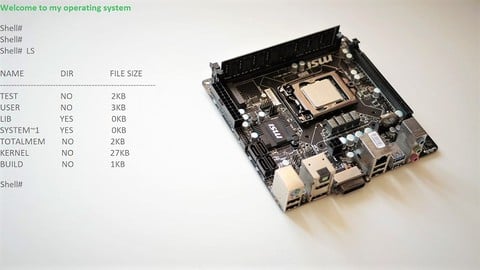
This course teaches you how to build a simple operating system from scratch. It covers basics about the x86 architecture and low-level programming. In this course, we will take you through the process of building a small working system step by step.
The first part of the course teaches all you need to know (processor modes, paging, exceptions and interrupts handling, etc.) before you can build the kernel on the x86 architecture. In this part, we will see how to prepare for mode switching. We switch from real mode to protected mode and then jump to long mode. Our kernel is running in 64-bit mode. After we switch to 64-bit mode, we will see how to handle exceptions and interrupts, how to switch between kernel mode and user mode.
The second part of the course teaches you how to build kernel modules such as processes, memory management, interrupt handling, etc. In this part, we will see how to write a keyboard driver and a console, how to interact with the OS kernel using the console. After finishing this part, you should know how to write user programs and make them run in your own operating system.
In this course you will learn: How to build a simple operating system for the x86 architecture. Understand real mode Understand protected mode and long mode How to handle interrupts and exceptions in the 64-bit mode How to write OS kernel with the assembly code and C code Be able to write print function to print characters on the screen Be able to build a memory manager using x86 paging mechanism How to write timer handler for the process manager How to build a process manager to schedule processes and change them among different states (sleep, ready, killed) How to implement system call module to make user programs running in the system Write a keyboard driver (PS/2) Write a simple console and interact with OS kernel using commands Be able to write a simple file system module which supports reading fat16 system.
At the end of the course, you should be able to develop your own 64-bit operating system.
Who this course is for:
Students who learned the operating system concepts and want to put them into practiceStudents curious about the fundamental mechanisms used in the OSPeople who want to build a hobby OS but don't know how and where to start

 Udemy Discount
The discount is applied through our link. Open the course from here and Udemy's current promotional price is applied at checkout on most courses, no code to type.
Some courses are excluded from Udemy's promotions. If the price does not drop, clear your browser cookies and use the button again.
Instructor Details

- 4.4 Rating
 428 Reviews
x-BIT Development
x-BIT Development was created to help anyone learn low-level programming and gain a better understanding of how things work.
We currently focus on making high quality courses on assembly languages, operating systems and more. Our goal is to teach programming in an easy and effective way, which helps students to get the most out of our courses.
 More courses by x-BIT Development
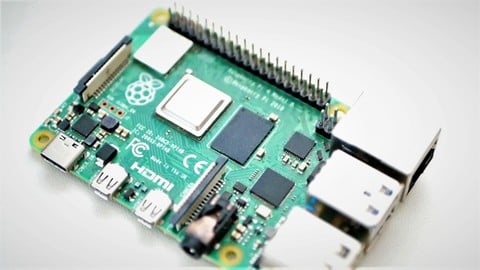
Raspberry Pi: Write Your Own Operating System Step by Step (2026)
4.3 (161 Reviews)
 Provider: Udemy
 Time: 11.3h
$64.99
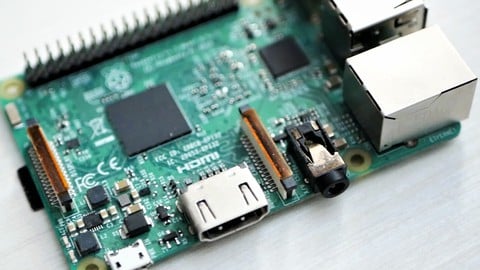
ARM 64-bit Assembly Language with Raspberry Pi (2025)
4.4 (125 Reviews)
- Provider: Udemy
- Time: 7h
$69.99
More IT & Software courses

D3.js Data Visualization Fundamentals - Hands On (2026)
4.9 (3,917 Reviews)
- Provider: Udemy
- Time: 4.6h
$49.99

Hands-On Training: Streaming Data with Apache Kafka on Azure (2025)
4.9 (103 Reviews)
- Provider: Udemy
- Time: 3.7h
$10.99


Oracle Grid Infrastructure and RAC using Oracle Database 19c (2026)
4.8 (2,499 Reviews)
- Provider: Udemy
- Time: 8.7h
$19.99

PowerShell Scripting & Automation: The Complete Hands-On (2026)
4.8 (1,750 Reviews)
- Provider: Udemy
- Time: 9.6h
$11.99

AWS EC2 Crash Course + Load Balancing with Demos and PDFs (2025)
4.8 (866 Reviews)
- Provider: Udemy
- Time: 3.7h
$19.99
 Reviews

By Mike Dunn on 12/20/2020
Very easy to follow
 Quality Score
No CourseDuck member has rated this course yet. Taken it? Give each part a thumbs up or down.
Overall Score : 88 / 100
- Video Duration:
 10.1h
10.1h - Price: $64.99
- Provider: Udemy
- Updated:
 February 2026
 - Level:
 All Levels
 - Language:
 English
 - Certificate:
 Yes
Yes
30-day money-back guarantee on most paid courses
Udemy Coupon Price Tracker
