
 Web Development
 Data Science
 Python
 SQL
SQL JavaScript
 Artificial Intelligence
 IT & Software
 IT Certifications
 Hacking
 AWS
AWS Arduino
 DevOps
 3D Modeling
 Graphic Design
 Photoshop
 Drawing
 Digital Painting
 UX Design
 Business
 Data Analysis
 Communication Skills
 Project Management
 Leadership & Management
 Human Resources
 Digital Marketing
 Social Media Marketing
 Marketing
 SEO
SEO Google Analytics
 Branding
 Excel
Excel Office Productivity
 SAP
SAP PowerPoint
 Microsoft Access
 SharePoint
 Finance & Accounting
 Trading & Investing
 Accounting
 Bitcoin
 Personal Finance
 Video Editing & Animation
 Photography
 Adobe Premier Pro
 Adobe Lightroom
 Personal Development
 Productivity
 Career Development
 Life Coaching
 Health & Fitness
 Meditation & Mindfulness
 Yoga
Yoga Music
Music Music Production
 Guitar
 Piano
Piano Singing
 Language Learning
 Teaching & Academics
 Engineering
 Math
Math Lifestyle
(10) Ten 2D Drawings to Master 2D Sketching in Fusion 360 (Udemy.com)
Gain mastery of 2D Sketching and Sketch Constraints in Fusion 360!
Created by: Jomarc Baquiran
Last updated May 2019
 What you will learn
- In this course students will gain understanding of 2d sketching and mastery of various sketch constraints in Fusion 360.
How it compares
Against the other 194 rated Udemy courses in Drawing on CourseDuck:
- Rating4.4 out of 5higher than 20% of them
- Reviews396#103 of 195 by number of reviews
- Length2 hoursshorter than 77% of them
- Last updatedMay 2019earlier than 71% of them
 Course Description
In this Fusion 360 course: You will gain understanding of 2D Sketching. Mastery of Sketch Constraints. Follow along with highly detailed light to moderate instruction. Course Exercise Files included in every lecture to assist you in starting out where you ended. Be able to level up to assembly and free-form modeling with high confidence that you have mastered the very fundamentals of part creation.
Why master 2D sketching?
In the context of CAD, all 3D parametric objects usually starts out as 2D sketches.
When creating technical drawings your 2D sketches ends up very similar to your final drawings. 2D sketches holds the very foundation of your 3D model and 2D drawings.
Why master sketch constraints?
Constraints are the tools that binds and reinforces your sketched geometry.
In a typical machine, constraints are like the nuts and bolts the holds the assembly together.
Without constraints all of our sketched geometries are loose and unstable.
By the end of this course, you will have a solid foundation on 2D sketching and mastery of sketch contraints in Fusion 360.
Who this course is for:
This course is for beginners and intermediate users. A high degree of interest and desire to learn computer aided design will be highly appreciated.

 Udemy Discount
The discount is applied through our link. Open the course from here and Udemy's current promotional price is applied at checkout on most courses, no code to type.
Some courses are excluded from Udemy's promotions. If the price does not drop, clear your browser cookies and use the button again.
Instructor Details

- 4.4 Rating
 396 Reviews
Jomarc Baquiran
Jomarc E. Baquiran is a passionate mechanical design engineer and technology evangelist.
One of Jomarc's top mission is to influence and inspire our youth to take up STEaM professions. In addition, he is an Autodesk Expert Elite, Autodesk Certified Instructor, LinkedIn advocate, BIM advocate, Creativity advocate and an Adobe Education Trainer.
 More courses by Jomarc Baquiran
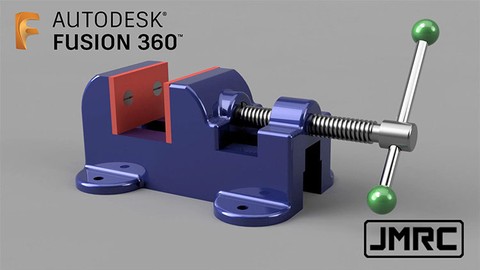
Assemble Parts and Components in Fusion 360 (2020)
4.7 (130 Reviews)
 Provider: Udemy
 Time: 2.8h
$59.99


More Drawing courses

The Art & Science of Figure Drawing: GESTURE (2021)
4.9 (5,042 Reviews)
- Provider: Udemy
- Time: 13.4h
$22.99

The Art & Science of Drawing / FORM & SPACE (2017)
4.9 (3,395 Reviews)
- Provider: Udemy
- Time: 2.9h
$19.99
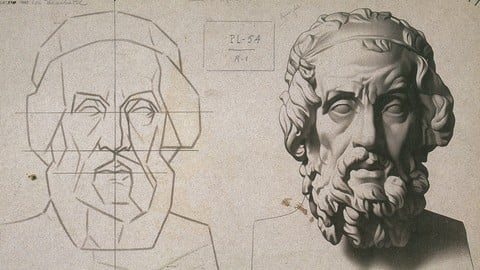
Drawing Fundamentals 1: Basic Skills & Sketching Accurately (2022)
4.9 (1,593 Reviews)
- Provider: Udemy
- Time: 3.1h
$94.99
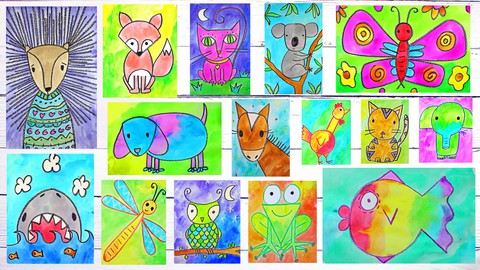
Art for Kids & Beginners: 17 Easy Drawing & Painting Lessons (2026)
4.9 (1,066 Reviews)
- Provider: Udemy
- Time: 3.7h
$12.99

The Art & Science of Drawing / SHADING: BEYOND THE BASICS (2018)
4.9 (993 Reviews)
- Provider: Udemy
- Time: 1.6h
$59.99

Draw Islamic Geometric Patterns With A Compass And Ruler (2019)
4.9 (843 Reviews)
- Provider: Udemy
- Time: 1.4h
$12.99
 Reviews

By Harry Scribner on 11/21/2020
It's not useful when the versions are so behind that none of the tools or workflow match.
By Peter Jaschinski on 9/12/2020
good basic skills
By Tiauw Laurent Wright on 8/13/2020
Yes it was as expected, I learned a lot utilising constraints in relation to 2d drawings
By Chris Hajdik on 7/20/2020
Moves a little too fast.
Had to pause a lot.
By Tony Busuttil on 7/18/2020
Finally I am beginning to make a head way.Thanks Tony.
By Idorenyin Obott on 7/15/2020
...just what I needed to bring me back into the fold of CAD users. I enjoyed working through the problems and considering the pathway that the instructor chose.
By Victor Story on 7/9/2020
Yes it was very helpful
By Omar Nawaz on 7/2/2020
An excellent course with a great tutor! Jomarc gets straight to the point and spends little time explaining what each tool does. Rather, he uses the tools and uses them often enough that whoever is following along will inevitably understand its purpose. A fantastic way to teach, in my opinion. Anyone looking to get started with Fusion360 should definitely start here and then look to advance into 3d modelling etc. It will give you a fantastic grounding. By the way, this is one of the very few courses I have actually completed due to the concise way it is structured and taught. Thank you Jomarc, I look forward to taking your other courses soon.
By Martin Hill on 6/24/2020
Really Nice Training Program to get up to speed with Fusion 360. Especially using Constraints as the main method for dimensions. Great Course
By Kevin Lambrecht on 6/19/2020
Time needs to be spent on page set up and how to work and lock origins and tool bars. I could not match my origins and some tool bars to his. rest was great . thank you
By Rob Smith on 6/16/2020
excellent course
By Rashed Al Khanjari on 6/11/2020
poor instructions, and very difficult to follow (not friendly
 Quality Score
No CourseDuck member has rated this course yet. Taken it? Give each part a thumbs up or down.
Overall Score : 88 / 100

- Video Duration:
 2h
2h - Price: $44.99
- Provider: Udemy
- Updated:
 May 2019
 - Level:
 Beginner
 - Language:
 English
 - Certificate:
 Yes
Yes
30-day money-back guarantee on most paid courses
Udemy Coupon Price Tracker
