
 Web Development
 Data Science
 Python
 SQL
SQL JavaScript
 Artificial Intelligence
 IT & Software
 IT Certifications
 Hacking
 AWS
AWS Arduino
 DevOps
 3D Modeling
 Graphic Design
 Photoshop
 Drawing
 Digital Painting
 UX Design
 Business
 Data Analysis
 Communication Skills
 Project Management
 Leadership & Management
 Human Resources
 Digital Marketing
 Social Media Marketing
 Marketing
 SEO
SEO Google Analytics
 Branding
 Excel
Excel Office Productivity
 SAP
SAP PowerPoint
 Microsoft Access
 SharePoint
 Finance & Accounting
 Trading & Investing
 Accounting
 Bitcoin
 Personal Finance
 Video Editing & Animation
 Photography
 Adobe Premier Pro
 Adobe Lightroom
 Personal Development
 Productivity
 Career Development
 Life Coaching
 Health & Fitness
 Meditation & Mindfulness
 Yoga
Yoga Music
Music Music Production
 Guitar
 Piano
Piano Singing
 Language Learning
 Teaching & Academics
 Engineering
 Math
Math Lifestyle
27 Photoshop CC Projects + 547 Photoshop Essentials Template (Udemy.com)
Photoshop for busy business owners, includes 27 projects, 547 Photoshop essentials templates or learn tocreate your own
Created by: Chris Parker
Last updated May 2025
 What you will learn
- 27 Photoshop design (plus retouching) projects included to help your business, today!
- When you complete this Photoshop course you will have your own Brand Identity.
- When you complete this Photoshop course you will have your own Logo.
- When you complete this Photoshop course you will have the skills to retouch your photos like a pro.
- When you complete this Photoshop course you will know how to create your own custom Business Cards, Stationary and Thank you card designs.
- When you complete this Photoshop course you will know how to create your own custom flyers, brochures and more, oh my!
- When you complete this Photoshop course you will know how to create your own custom web design in Photoshop.
- When you complete this Photoshop course you will know how to create your own custom banners, badges and ribbons for your website.
How it compares
Against the other 188 rated Udemy courses in Photoshop on CourseDuck:
- Rating4.4 out of 5higher than 37% of them
- Reviews271#88 of 189 by number of reviews
- Length10.2 hourslonger than 79% of them
- Last updatedMay 2025more recently than 83% of them
 Course Description
27 Photoshop CC Projects for business owners (includes 547 Photoshop essentials templates) and graphic designers !
This Photoshop course will teach you how to use Adobe Photoshop by doing actual, practical, real world projects!
************************************************************************************
Check out what students are saying...
Claudiu Titus Georgescu
"I certainly learned a lot about Photoshop by taking this awesome course! This was one of the best courses I ever taken on Udemy, with clear and in-depth explanations on how to use Photoshop's tools in my projects. Highly recommended for beginners in Photoshop!"
Robert Faussett
"I like the way he systematically explains things, very easy to follow along"
Elias Katsaniotis
"It is a fantastic course about Photoshop. You learn as you make the projects (learn by example) According to the tutor there is no version limitation. Thank you."
Luminary Figure
"Beautifully explained....Really looking forward to watch the rest!"
MD Arifur Rahman
"Great course. It's very helpful. I recommend anyone to enroll in this course"
Sheraz Ali
"Just love the way he explains stuff."
Bobbie Smith
"This is an excellent course. Chris Parker's delivery and demos are engaging and to the point. Thank you."
************************************************************************************
Apply what you learn for your own business and/or to improve your graphic design skills.
Included, you'll find 27 Photoshop CC projects that you can use for your business... right now!
Plus, I've included 547 pre-made Photoshop essentials templates to help you get started even faster. You'll even learn how to edit the pre-made Photoshop templates to customize them for your own use. Like, how to change colors, text, and more.
In addition to the free Photoshop CC templates, you'll learn how to create your own custom graphics, logo, flyers, brochures and more... all in Photoshop.
Regardless of your Photoshop experience, you'll learn step-by-step how to create 27 different design projects.
Easily get started with Photoshop by learning from a professional graphic designer.... I have 30 years experience in this field and will share all my pro Photoshop tips.
************************************************************************************
Here is a complete list of all the Photoshop design projects included in this course and what you'll learn in each...
Learn how to develop your Brand Identity and how your Brand is different from your logo
Learn pro tips on creating your own logo in Photoshop, customizing 1 of the 92 included pre-made logos, and additional tips about getting a logo.
Learn how to retouch like a pro, in Photoshop CC. You'll learn how to remove blemishes, scars, and tan lines. Then, I'll show you how to enhance eyes, whiten teeth and much more. And a practice photo is included too.
Next, I'll show you how you can remove anything in Photoshop! Practice photos included so you can apply what you learn with the same image used during the tutorial.
Now it's time to take what you've learned and apply it to your own profile/bio photo.
Have an image with a bland sky? No problem, you'll learn how to replace a boring sky with a new set of clouds!
Love your profile image, but not the color of your outfit? No problem, I'll show you how easy it is to change a green shirt to a blue shirt (or any color of your choice) in Photoshop! Oh, practice photo included too.
Taking your own product shots and need to place it on a pure white (or any color) background? You'll learn how to cut out your products, directly in Photoshop and place on a white background.
Ready for some business cards? In this project, you'll either use one of the 75 pre-made templates included or custom create your own. Pro tips on how to setup your document, within Photoshop, to avoid common errors when submitting to a printer. Plus, design tips too.
Let's not forget about your Letterhead. New design tips included in this project.
Next up, your Thank You card. What? Why do you need one of those? I'll let you know during this Photoshop project. This is based off of my 30 years experience as an Entrepreneur myself.
It's time to start promoting your business with some custom made flyers. You'll learn how to create custom shapes, add text to a curve and much more!
Create a modern style brochure to further promote your business. More Photoshop design tips and more in this design project.
Flyers and brochures can be expensive to print. I'll show you how to convert your documents into PDF files, directly in Photoshop!
Interested in promoting your brand or custom designs and selling on t-shirts, mugs, etc..? Then, you'll learn exactly how to do that with this T-Shirt design project.
Oh, and do you need to promote your new t-shirt designs on your website? Then, this next Photoshop project is for you... I'll show you how to take your t-shirt design (or any design) and add to a product mock-up... in other words, you'll display your artwork on a photo, with a person that is wearing a t-shirt and it will look like you've already printed up your shirts. And you can change the color of the t-shirt too! I'll show you how.
Have a design in mind for your website? If so, you'll learn how to create web designs in Photoshop CC!
Now that your website is live, it's time to drive traffic to it. Learn how to create ad banners to promote your website.
How about custom badges to promote your products/services? You'll learn how to create 2 different badges in this Photoshop design project. Plus, you'll have access to download 80 pre-made badges/ribbons and over 100 graphic elements to customize your own.
Another Photoshop project to show you some new tricks. Learn how to create a pennant ribbon, warp it and apply text on a curve!

 Udemy Discount
The discount is applied through our link. Open the course from here and Udemy's current promotional price is applied at checkout on most courses, no code to type.
Some courses are excluded from Udemy's promotions. If the price does not drop, clear your browser cookies and use the button again.
Instructor Details

- 4.4 Rating
 271 Reviews
Chris Parker
30 years experience as a pro photographer. Teaching photography, Photoshop, Lightroom, and Topaz Photo AI.
In the last 30 years, I've photographed thousands of portrait sessions and 500+ weddings. I'm also a graphic designer and a lifelong user of Photoshop (since 1991) and Lightroom (since 2007).
Helping photographers achieve their creative vision since 2010.
 More courses by Chris Parker

Master Adobe Lightroom Classic & Lightroom CC (2026)
4.7 (2,820 Reviews)
 Provider: Udemy
 Time: 22.5h
$129.99
GIMP Made Easy for Beginners | Beginner to Expert (2025)
4.3 (2,692 Reviews)
- Provider: Udemy
- Time: 35h
$10.99
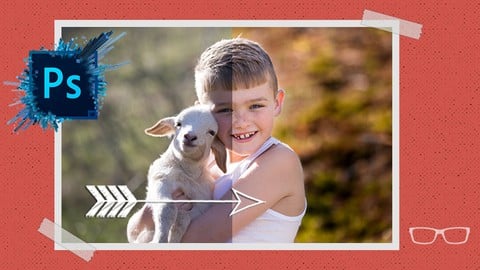
Adobe Photoshop CC Essentials | Photoshop Retouching (2025)
4.7 (2,607 Reviews)
- Provider: Udemy
- Time: 34.8h
$16.99

THE Photography Masterclass: Complete Course on Photography (2026)
4.4 (2,293 Reviews)
- Provider: Udemy
- Time: 28.1h
$99.99
27 GIMP 2.10 Projects + 547 GIMP Templates (2024)
4.5 (522 Reviews)
- Provider: Udemy
- Time: 8.9h
$84.99
More Photoshop courses


Adobe Photoshop CC: For Complete Beginner (Sinhala Medium) (2026)
4.9 (110 Reviews)
- Provider: Udemy
- Time: 8.4h
$59.99

Adobe Photoshop CC – Essentials Training Course (2025)
4.8 (36,753 Reviews)
- Provider: Udemy
- Time: 11.6h
$189.99


47 Graphic Design Projects for Photoshop Beginners (2025)
4.8 (466 Reviews)
- Provider: Udemy
- Time: 7.9h
$99.99

Photoshop Efficiency - Techniques For Consistent Marketing (2025)
4.8 (144 Reviews)
- Provider: Udemy
- Time: 1.4h
$49.99
 Reviews

By Achmad Pamoedjo on 2/27/2020
It is good to learn more experience from this course....
By Marcia on 1/23/2020
This course was fantastic. I really appreciate all the patience and perfectionism of the instructor. I will take other classes from him for sure. Thank you Chris, you are awesome.
By Marilyn Gray on 4/17/2019
I have no knowledge working with Photoshop. Learning or rather knowing what each file contains helps me. The lesson on layers was excellent for me as a newbie. I felt the instructor explained it where I could understand the function of the (7) layers and the additional (4) customized layers.
By Rahul Suresh on 3/3/2019
Really good course. Now I can do so much with photoshop and also lots of freelancing. He teaches a lot of beneficial things and his tips are also good. Overall its worth your money. The rest is up to the viewers, because practice makes better. Totally recommend it.
By Don Killough on 2/9/2019
This course is very thorough. The instructor does a great job explaining things in steps gradually building more as you go through the course without overwhelming you. I put off learning Photoshop for years because I kept hearing how hard it was to learn. I wish i had found this course much sooner.
By Eula McPherson on 1/6/2019
When explaining what something is or what it does, it is kinda useless to re-use the same word again. For example saying that the clone stamp tool "clones one area onto another" is redundant and does not "teach" anything. The instructor does this repeatedly. If there is an assumption that most people taking the course already know the definition of the word or phrase then why bother repeating the obvious? But if there is a possibility that a student might not readily understand the definition in this context, then a better way to help explain or define the term would be to use a synonym.
By Carl Evans on 11/19/2018
This is a very helpful course if you have just started using photoshop. It keeps going past the basic and teaches many vital skills which would take forever if you tried to go and find it all on youtube plus you would not know what to look for. It is very good value for money and i would recommend to anybody. Thanks Chris.
By Daniel Narh Kpodo on 11/15/2018
Am getting now comfortable using photoshop tools
By Ulises Luna on 9/1/2018
I had already been in a digital media class in high school, but due to limited amount of technology and materials to work with, we mostly had to stick to beginner level photoshop and we never got into a more in depth look at what could really be done with the software.
By Claudiu Titus Georgescu on 7/28/2018
I certainly learned a lot about Photoshop by taking this awesome course! This was one of the best courses I ever taken on Udemy, with clear and in-depth explanations on how to use Photoshop's tools in my projects. Highly recommended for beginners in Photoshop!
 Quality Score
No CourseDuck member has rated this course yet. Taken it? Give each part a thumbs up or down.
Overall Score : 88 / 100
- Video Duration:
 10.2h
10.2h - Price: $74.99
- Provider: Udemy
- Updated:
 May 2025
 - Level:
 Beginner
 - Language:
 English
 - Certificate:
 Yes
Yes
30-day money-back guarantee on most paid courses
Udemy Coupon Price Tracker
