
 Web Development
 Data Science
 Python
 SQL
SQL JavaScript
 Artificial Intelligence
 IT & Software
 IT Certifications
 Hacking
 AWS
AWS Arduino
 DevOps
 3D Modeling
 Graphic Design
 Photoshop
 Drawing
 Digital Painting
 UX Design
 Business
 Data Analysis
 Communication Skills
 Project Management
 Leadership & Management
 Human Resources
 Digital Marketing
 Social Media Marketing
 Marketing
 SEO
SEO Google Analytics
 Branding
 Excel
Excel Office Productivity
 SAP
SAP PowerPoint
 Microsoft Access
 SharePoint
 Finance & Accounting
 Trading & Investing
 Accounting
 Bitcoin
 Personal Finance
 Video Editing & Animation
 Photography
 Adobe Premier Pro
 Adobe Lightroom
 Personal Development
 Productivity
 Career Development
 Life Coaching
 Health & Fitness
 Meditation & Mindfulness
 Yoga
Yoga Music
Music Music Production
 Guitar
 Piano
Piano Singing
 Language Learning
 Teaching & Academics
 Engineering
 Math
Math Lifestyle
2D Background Design For Games - Vector Techniques (Udemy.com)
Create a unique visual style for your game in Photoshop
Created by: Game Art Co
Last updated October 2023
 What you will learn
- Research and design a unique visual game style
- Learn professional game artist workflow
- Ability to test game graphics in the game engine Unity
- Apply colour theory knowledge to create eye catching graphics
- Use shape contrast to create effective overall design
- Create readable thumbnail sketches in black and white
How it compares
Against the other 72 rated Udemy courses in Game Design on CourseDuck:
- Rating4.5 out of 5higher than 43% of them
- Reviews129#39 of 73 by number of reviews
- Length3.2 hoursshorter than 76% of them
- Last updatedOctober 2023more recently than 56% of them
 Course Description
Focusing on fast vector techniques in Photoshop you will create a unique looking style for a 2d platform running game. Skills you must have already:
- Basic drawing ability
- Basic experience with Photoshop
- Basic understanding of Unity
The vector techniques covered are simple and effective to give maximum impact in a short amount of time. Using Photoshop smart objects is a key concept of the course a technique commonly used by professional game artists.
Split into two sections first you get familiar with the vector tools and thumbnail process. Then we jump into a mini project called the Golden Antelope inspired by Indonesian folklore. You'll see the whole process take shape from thumbnails to finished image.
*Assignments are included during the course to aid you learning. Feedback is available directly from the instructor who has a track record that spans over twenty commercial game releases.
What is also included in the course?
- Full HD Stylized Background made by a Rovio game artist free to use for your game projects
- 2D Unity game template to test your assets
- Links to learning games, articles, tips, tricks & more!
As this course is aimed at those with a basic understanding of Photoshop it moves fast giving you the key concepts so that you can apply the techniques to your own game productions.
Part 1: Nick Sweetman
Guiding you through the basic vector tools and thumbnail process I get you up to speed before you start going through the mini game project. We cover tips and tricks to speed up workflow and look at the main vector techniques with the pen tool.
Part 2: Graphics: Maureen Lukito - Narration: Nick Sweetman
Rovio game artist Maureen Lukito shows the workflow she uses to create a professional 2d game background. We go from scheduling to blocking out the assets and implementing them into the game engine Unity. The template scene gives you the essential elements you need to test your environment: A jumping character, animated parallax layers with basic functionality for you to move through the level. The template is coded by game programmer Yrjö Peussa and is specifically designed for testing and is not a complete game, if you know coding feel free to build on top!

 Udemy Discount
The discount is applied through our link. Open the course from here and Udemy's current promotional price is applied at checkout on most courses, no code to type.
Some courses are excluded from Udemy's promotions. If the price does not drop, clear your browser cookies and use the button again.
Instructor Details

- 4.5 Rating
 129 Reviews
Game Art Co
Founded by Nick Sweetman - Game Art Co. is a collective of game artists based in Helsinki, Finland. Finland is considered a super power in the mobile gaming industry.
Passionate about teaching we want all our students to succeed on their chosen learning path.
Our courses are practical and focus on the essential core skills and workflow needed by an industry game artist.
Our learning content is designed to be inspiring, effective & efficient.
With a combined experience of over twenty years in the games industry. With over 20 published and award winning titles released on console, PC and mobile.
Our artists come from companies that include Rovio, Remedy and Supercell.
Our courses adapt the Finnish style of educational training which is consistently ranked the best in the world.
 More Game Design courses
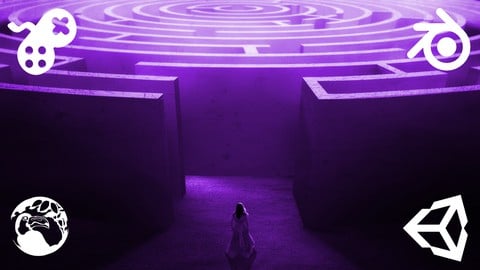
Master Procedural Maze Generation - Unity 6 Compatible (2025)
4.8 (412 Reviews)
 Provider: Udemy
 Time: 21h
$79.99
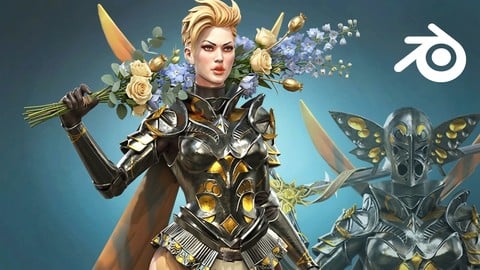
Full game character in Blender course - Moth Girl (2025)
4.8 (305 Reviews)
- Provider: Udemy
- Time: 49.9h
$19.99
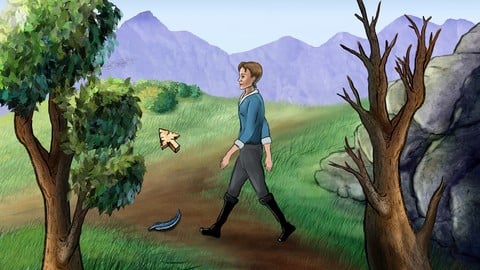
2D Adventure Game Creation: Art, Music, Programming and More (2019)
4.7 (338 Reviews)
- Provider: Udemy
- Time: 19.6h
$84.99

Indie Game Design: Build Your Game’s Core System (2026)
4.7 (155 Reviews)
- Provider: Udemy
- Time: 3.4h
$19.99
 Reviews

By Rufio Ross on 8/24/2024
In udemy I like to have a project ready to be used and follow classes step by step to build it (or copy it). As it was done for the statue, I enjoiede it but it would be nice to extend it to a complete project. thanks
By Agnieszka Czekalska on 10/27/2023
The course was very interesting, although as a total beginner, I sometimes felt lost. I learned a lot of things that I use when creating my own works. In addition, very good contact with the instructor. I highly recommend it! 100% satisfaction :D
By You You on 6/3/2021
photoshopの機能をたくさん知ることが出来ました。2Dゲームの背景リソースの作り方はとても学ぶものが多く満足しました。
By Stephen Hewitt on 1/6/2020
Enjoyed this course a lot and it does treat things from a game development perspective. Learned a lot more about Photoshop's vector art support -- has a lot more functionality than I thought.
By John Oakley on 12/7/2017
Lots of helpful hints, good to read the inspiration behind some of the images, but an occasional break in the presentation style would be nice. I liked it!
By Moona Miettinen on 11/18/2017
I got really inspired of this course. Graphics are so great looking that I immediately started to create my own backgrounds with vector technique - it is a quick way to make different kind of environment mockups. The course is interesting to follow yet simple enough to try it on your own.
By Mitch Stenton on 8/29/2017
It's very no-nonsense and easy to understand. As someone familiar with the Adobe CC suite, I'm so far largely aware of most of what's being taught but it's very well presented. Perhaps this is forthcoming but some additional information on the scaling, chosen dimensions and the reasons why with respect to game design would be very much appreciated as someone completely new to working with game engines.
By Uldis Bekmanis on 8/8/2017
I found this course interesting despite the fact that I am not a Unity or Photoshop user. You can learn some nice concepts for the background design as such despite the tools you use. Seeing how professionals do things and share their tips & tricks is always useful because it makes you look at things differently.
By Pauli L on 7/29/2017
Really high quality course that starts off simply by giving few tops but cranks up the curve into how you can make high quality graphics and assets independently. Course instructor is passionate, listens to feedback and has some really great pointers in the course including theoretical side, reading material and whole slew of exercises and smaller tasks for you to try out. Overall a great job. Maybe not for complete beginners, as some tool / art knowledge definitely helps, but me being fairly beginner already feel like I've gained a lot of confidence and industry-level tips to avoid making a mess of the arts process and in staying properly organized.
By Tibor Éliás on 7/14/2017
The course shows many tips and tricks, techniques and workflows that can be applied to creating beautiful 2D graphics. Not just background objects but also characters. A must buy for any Game Developer who is looking into creating their own graphics for their 2D games.
 Quality Score
No CourseDuck member has rated this course yet. Taken it? Give each part a thumbs up or down.
Overall Score : 90 / 100
- Video Duration:
 3.2h
3.2h - Price: $69.99
- Provider: Udemy
- Updated:
 October 2023
 - Level:
 Beginner
 - Language:
 English
 - Certificate:
 Yes
Yes
30-day money-back guarantee on most paid courses
Udemy Coupon Price Tracker
