
 Web Development
 Data Science
 Python
 SQL
SQL JavaScript
 Artificial Intelligence
 IT & Software
 IT Certifications
 Hacking
 AWS
AWS Arduino
 DevOps
 3D Modeling
 Graphic Design
 Photoshop
 Drawing
 Digital Painting
 UX Design
 Business
 Data Analysis
 Communication Skills
 Project Management
 Leadership & Management
 Human Resources
 Digital Marketing
 Social Media Marketing
 Marketing
 SEO
SEO Google Analytics
 Branding
 Excel
Excel Office Productivity
 SAP
SAP PowerPoint
 Microsoft Access
 SharePoint
 Finance & Accounting
 Trading & Investing
 Accounting
 Bitcoin
 Personal Finance
 Video Editing & Animation
 Photography
 Adobe Premier Pro
 Adobe Lightroom
 Personal Development
 Productivity
 Career Development
 Life Coaching
 Health & Fitness
 Meditation & Mindfulness
 Yoga
Yoga Music
Music Music Production
 Guitar
 Piano
Piano Singing
 Language Learning
 Teaching & Academics
 Engineering
 Math
Math Lifestyle
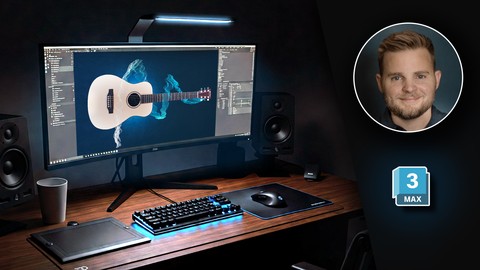
Master 3ds Max: Learn PRO 3D Modeling and Rendering Fast! (Udemy.com)
Master 3D modeling, texturing, lighting & rendering in 3ds Max. Create PRO 3D graphics fast, even if you're a beginner.
Created by: Adam Zollinger
Last updated April 2025
 What you will learn
- NEW! Create photorealistic 3D renders with Arnold Renderer in a brand-new guitar modeling project
- Build professional 3D models using proven techniques in 3ds Max
- Master modeling, lighting, and materials with real-world 3D projects
- Master the 3ds Max UI and become comfortable navigating the various tools, even on your own projects
- Use built in poly modelling tools to create photo real 3d models
- Create basic 3d models for video games
- Animate objects and cameras in 3ds Max
- Understand the concepts of 3d graphics and know how to apply them using 3ds Max
How it compares
Against the other 545 rated Udemy courses in 3D Modeling on CourseDuck:
- Rating4.3 out of 5higher than 15% of them
- Reviews2,080#34 of 546 by number of reviews
- Length12.6 hourslonger than 76% of them
- Last updatedApril 2025more recently than 76% of them
 Course Description
Master professional 3D modeling, texturing, lighting, animation, and rendering in 3ds Max. Learn real-world workflows fast—even if you're a complete beginner. Build stunning 3D graphics for games, films, design, and visualization.
If you have ever dreamed of creating stunning 3D models, animations, or visualizations, this course will unlock the world of 3D graphics for you. Whether you are aiming for a career in games, film, architecture, concept art, or industrial design, mastering 3ds Max is the perfect place to start.
By the end of this course, you will:
Master 3D modeling, texturing, lighting, and rendering workflows
Animate 3D objects and cinematic cameras using professional techniques
Create photorealistic renders using Arnold Renderer
Navigate and operate 3ds Max confidently
Build impressive 3D projects for your portfolio or career
Why 3ds Max?
3ds Max is a leading 3D software used across industries like gaming, film, architecture, medical illustration, and animation.
In this course, you will learn to master its powerful tools, workflows, and professional techniques — starting from scratch.
Why this course?
Project-Based Learning: Build real 3D projects, not just watch theory
Beginner-Friendly Approach: No prior experience required
Complete Skill Coverage: Modeling, materials, lighting, animation, rendering
Free Software Access: Learn using the 3ds Max student license (available for a limited time)
Professional Rendering: Learn photorealistic techniques using Arnold Renderer
Downloadable Files: All models, textures, and project files included
High-Quality Instruction: Full HD videos, crisp sound, and clear keystroke overlays
Continual Updates: New content added to stay current with the latest software versions
30-Day Guarantee: Risk-free enrollment through Udemy's money-back policy
What you will learn:
Polygon modeling using Turbosmooth and Open Subdivision
Spline modeling and using modifiers effectively
Material creation and texture mapping workflows
Lighting design for realistic scenes and environments
Photorealistic rendering setups with Arnold Renderer
Keyframe animation and professional camera movements
Clean project organization and efficient 3D workflows
By the end of the course, you will be ready to confidently create your own professional 3D projects — from detailed models and animations to complete scenes for games, films, visualizations, and more.
If you are ready to start building your future in 3D graphics, enroll now — and bring your ideas to life.

 Udemy Discount
The discount is applied through our link. Open the course from here and Udemy's current promotional price is applied at checkout on most courses, no code to type.
Some courses are excluded from Udemy's promotions. If the price does not drop, clear your browser cookies and use the button again.
Instructor Details

- 4.3 Rating
 2,080 Reviews
Adam Zollinger
Trusted by over 150,000 Udemy students | 4.5+ Instructor Rating | 3D Artist & Educator
Specializing in 3ds Max, V-Ray, Unreal Engine, and Photoreal Rendering
Adam Zollinger is an award-winning 3D artist with over two decades of professional experience. He works primarily in the architectural visualization industry and has created high-end graphics for architecture, games, mobile apps, and more.
He has courses and expertise expert in:
3ds Max
V-Ray
Unreal Engine 5
Photoshop
Twinmotion
Lumion
D5 Render
After Effects
...and various other industry-standard tools and plugins
Adam is self-taught and passionate about sharing what he's learned. His courses are designed to help you master powerful tools and workflows—without spending years figuring it all out on your own.
“I mostly work in the architectural visualization industry—this is a career I taught myself from the ground up. My goal is to help you get there faster.”
Join hundreds of thousands of students around the world learning from Adam’s experience—and start building your own professional-quality 3D projects today.
 More courses by Adam Zollinger

3ds Max + V-Ray: Master the PRO Archviz Workflow In 6 Hrs (2025)
4.4 (4,757 Reviews)
 Provider: Udemy
 Time: 24.8h
$22.99
Photoshop CC: The Essentials of Photoshop In Just 2 hrs (2025)
4.2 (2,357 Reviews)
- Provider: Udemy
- Time: 2.5h
Free

3ds Max & Vray: Master Interior Archviz Projects Quickly (2025)
4.4 (1,026 Reviews)
- Provider: Udemy
- Time: 9.8h
$12.99

Unreal Engine 4: Project Based VR Course for Arch Viz in UE4 (2025)
4.4 (898 Reviews)
- Provider: Udemy
- Time: 8.2h
$14.99

Unreal Engine for ArchViz | Unreal Engine PRO in 6 Hrs (2025)
4.2 (779 Reviews)
- Provider: Udemy
- Time: 13.2h
$84.99

Learn Lumion 12: Photorealistic Interior and Exterior Render (2022)
4.5 (572 Reviews)
- Provider: Udemy
- Time: 4h
$64.99
More 3D Modeling courses

3D Printing with " Ultimaker CURA Slicer- Start to finish" (2025)
4.9 (192 Reviews)
- Provider: Udemy
- Time: 1h
$34.99

Girl and the Dog Creation in Zbrush for Intermediate Level (2020)
4.9 (173 Reviews)
- Provider: Udemy
- Time: 48.8h
$59.99



Blender Character Creator for Video Games (2026)
4.8 (9,160 Reviews)
- Provider: Udemy
- Time: 34.3h
$159.99

Master SOLIDWORKS 3D CAD using real-world examples (2022)
4.8 (2,451 Reviews)
- Provider: Udemy
- Time: 18.9h
$69.99
 Reviews

By Wojciech Janowski on 8/25/2025
1. first of all, I get what I want - refresh my knowledge about 3dsmax I used to work with, 2. second, the title of the course is misleading, it is not about modelying (and not pro at all). For me the bigest disappointment was that guitar part modeling lessons or even one lesson.. it was cut in the middle with only one comment that the techniques are the same, well... this was not what I was looking for. Modeling is like max 20% of the content and it is very basic and for this part I'm very disapointed. 3. to sum up - this course is a little chaos, as the author tries to keep it updated by adding new parts but it does not stick together as the whole - my advise is to cut it into small pieces and remove outdated part.
By Simon A Stewart on 6/24/2025
I really wanted to get a kind of ground up solid over-view that covered all the bases so that I could get exposure and practice to all of the 3DS Max core functions and techniques. 3DS Max is a different kind of modelling to what I'm used to and requires a different way of thinking about modelling. I really enjoyed it and learned a lot. I'll definitely be coming back to certain bits in the future as they become relevant. Thanks a lot. Simon
By Emilia Cristina Duculet on 5/17/2024
This course is fascinating and highly beneficial for understanding the use of other 3D modeling software. While I primarily use Blender, expanding my skills to include 3ds Max has proven to be incredibly valuable, especially for aligning with market standards. This is particularly true for professionals specializing in architectural visualization, where 3ds Max is a leading tool. The instructor was excellent, providing clear explanations and a well-structured program. Teaching style made complex concepts easier to grasp, ensuring a smooth learning experience. Overall, I highly recommend this course to anyone looking to broaden their 3D modeling expertise.
By Ahmed Kamra on 4/7/2024
I really enjoyed doing this course Adam makes learning 3ds Max a breeze, but I also think that due to my experience using Blender I was able to understand everything in this course, navigating the 3DS Max interface has been a lot of fun I can confidently say that I am proficient in using 3DS Max and have come to enjoy using the software. Now that I have finished this course I am going to start doing the other courses and create my own projects as well with 3DS Max. I would highly recommend anyone who is interested in archviz to start here and work your way through the rest of Adam's course they are worth it.
By Khushboo Kadyan on 11/21/2020
very interesting and easy to follow.... highly recommended
By Bhoomika Sharma on 10/27/2020
it as good
By Philippe lalonde on 10/24/2020
Explication tres claire et droit au but information pertinqnte.
By Jeremy Groombridge on 10/6/2020
everything
By Sankha Weerasooriya on 9/22/2020
Yes. It's quite simple to follow.
By Rashmita Chaudhary on 9/22/2020
I found it really helpful. Up till now I've got a firm hand on the basics.
By Sally on 9/17/2020
step by step - plus the dive in part
By Gaydarova on 9/12/2020
GREAT VIDEOS, EASY TO FOLLOW. SO FAR, NO PROBLEMS WHATSOEVER
 Quality Score
No CourseDuck member has rated this course yet. Taken it? Give each part a thumbs up or down.
Overall Score : 86 / 100
- Video Duration:
 12.6h
12.6h - Price: $16.99
- Provider: Udemy
- Updated:
 April 2025
 - Level:
 All Levels
 - Language:
 English
 - Certificate:
 Yes
Yes
30-day money-back guarantee on most paid courses
Udemy Coupon Price Tracker
