
 Web Development
 Data Science
 Python
 SQL
 JavaScript
 Artificial Intelligence
 IT & Software
 IT Certifications
 Hacking
 AWS
 Arduino
 DevOps
 3D Modeling
 Graphic Design
 Photoshop
 Drawing
 Digital Painting
 UX Design
 Business
 Data Analysis
 Communication Skills
 Project Management
 Leadership & Management
 Human Resources
 Digital Marketing
 Social Media Marketing
 Marketing
 SEO
 Google Analytics
 Branding
 Excel
 Office Productivity
 SAP
 PowerPoint
 Microsoft Access
 SharePoint
 Finance & Accounting
 Trading & Investing
 Accounting
 Bitcoin
 Personal Finance
 Video Editing & Animation
 Photography
 Adobe Premier Pro
 Adobe Lightroom
 Personal Development
 Productivity
 Career Development
 Life Coaching
 Health & Fitness
 Yoga
 Meditation & Mindfulness
 Music
 Music Production
 Guitar
 Piano
 Singing
 Language Learning
 Teaching & Academics
 Engineering
 Math
 Lifestyle
Administering Windows Server 2012 (70-411) (Udemy.com)
Administer, deploy, configure, & monitor advanced files & network servers while preparing for the Microsoft Exam 70-411
Created by: LearnSmart LLC
Last updated December 2015
 What you will learn
- You will know how to deploy and manage server images, implement path management, and how to monitor servers.
- Review how to configure network access and services by learning how to configure DNS zones and records, VPN routing, DirectAccess, Network policy servers, NPS policies & NAP.
- Configure and manage group policy by understanding Group Policy Processing, Settings, Objects (GPO), and Preferences (GPP).
- Gain the newest information in Windows Server 2012 R2.
- Understand Active directory with configuring and monitoring service authentication, domain controllers, and account policies.
- Prove to yourself, and others, that you are ready for Microsoft’s Administering Windows Server 2012 (70-411) certification exam with our integrated quizzes and finals.
How it compares
Against the other 124 rated Udemy courses in Windows Server on CourseDuck:
- Rating4.5 out of 5higher than 50% of them
- Reviews618#61 of 125 by number of reviews
- Length21.1 hourslonger than 92% of them
- Last updatedDecember 2015earlier than 97% of them
 Course Description
Welcome to Administering Windows Server 2012 (70-411) from LearnSmart.
This course provides foundational knowledge of the principles, techniques, and tools needed to successfully prepare for the Microsoft Exam 70-411 that is key to earning your MCSA Solutions Associate or MCSE Solutions Expert Certifications. Once in our course review our course map to see just how we align and partner with Microsoft in providing this training.
This is the 2nd Course in our 5 Course Windows Sever 2012 Series including:
- Installing and Configuring Windows Server 2012 (70-410)
- Administering Windows Server 2012 (70-411)
- Configuring Server 2012 (70-412)
- Designing Server 2012 (70-413)
- Implementing Server 2012 (70-414)
Course Overview:
This course is designed to prepare the student for the Microsoft Windows Server 2012 Exam 70-411. Students will like a look at how to administer, deploy, configure, & monitor network servers as well as various advanced files. Learn the main exam objectives by learning these key concepts we cover:
- Deploy, manage, and maintain servers
- Configure File and Print Services
- Configure network services and access
- Configure a Network Policy Server (NPS) infrastructure
- Configure and manage Active Directory
- Configure and manage Group Policy
Our lectures are paired with a variety of demonstrations and quizzes giving visual example and real world look of the concepts that will be talked about.
Our sections listed below are can be taken in any order, as a review of a particular concept or exam domain. However, if you are just becoming familiar with the sever operating systems and basic networking, it is recommended that you view the courses sequentially.
Course Breakdown:
Section 1: Learn how to deploy, maintain and monitor Windows Server 2012. Utilize the deployment services, windows server update services and how the main monitoring solutions in Server 2012
Section 2: Know how to appropriately assign access rights to users, securely track access to resources, and how to provide up to date and efficient access to those resources.
Section 3: Look at the configuration of network access and services in Windows Server 2012 by become familiar with the components of DNS, how to configure and maintain DNS, and how to use remote access.
Section 4: Gain a thorough understanding of the network policy server infrastructure and how to properly configure one to benefit an organization.
Section 5: Review the enhancements and features of the Active Directory Domain Services and walk through the process of hosting a domain database and providing security-related services throughout an enterprise.
Section 6: Learn the skills needed to work within the Group Policy Management Console, how to configure and control Group Policy settings, and about the resourcefulness of Group Policy templates.
Section 7: Cover virtualization of Windows Server 2012 R2 domain controllers, updates to remote access in Windows Server 2012 R2, and updates to distributed file system in Windows Server 2012 R2.
Recommendations:
Learn from others! Here are some reviews from participants (Click on reviews to see full list of reviews)
- Great Material - This course is a great reference and way to refresh your skills for the new Net+ exam! I needed a good refresh before taking the exam and this course is clearly laid out and copiously covers the material for the exam. Great course, well worth the money! -- M.B.
- Perfect Course - Not only do you get great lectures that are pretty much PowerPoints with an instructor teaching you the concepts, there are also Demo lectures that show you how each of the concepts works in real life. This is such valuable information to have when taking the test. I feel very confident that this course is the best Network+ course on Udemy. -- D.R. Jr.
- A Complete Jumpstart - What has impressed me the most is the depth of the content to this coarse. Each HD video is crystal clear in both the visual and audio, even including quality closed captioning (great for reading along with the lectures). I wasn't interested in the flashcards or the crossword puzzles when I started the program, but I've found them to be very useful in staying engaged in the class when away from home. This is everything you need to get started and have a classroom quality experience from home. Dive in and stay focused! -- P.C.

 Udemy Discount
The discount is applied through our link. Open the course from here and Udemy's current promotional price is applied at checkout on most courses, no code to type.
Some courses are excluded from Udemy's promotions. If the price does not drop, clear your browser cookies and use the button again.
Instructor Details

- 4.5 Rating
 618 Reviews
LearnSmart LLC
LearnSmart has served the learning community with high-quality professional skills and IT certification training since 1997. In that time, the company has helped thousands earn career-related certifications from respected vendors, such as Project Management Institute (PMI)®, Cisco, Microsoft, CompTIA, Oracle, and. LearnSmart offers over 1,000 courses covering IT, project management, administrative, HR, and workplace safety topics. With a rapidly growing clientele of individuals and corporations, LearnSmart serves a broad range of Fortune 500 companies to universities, as well as government institutions and the armed forces.
LearnSmart is able to meet diverse career and learning needs through its extensive selection of training. LearnSmart uses industry experts to give learners the most up-to-date content in a video format as well as training resources including; reference tools, pretests, study guides and labs. For more information about how we can help pinpoint and solve your individual or multi-user training challenges.
PMI is a registered trademark of the Project Management Institute, Inc.
 More courses by LearnSmart LLC

Mastering Agile Scrum Project Management (2017)
4.4 (5,189 Reviews)
 Provider: Udemy
 Time: 14.6h
$199.99

Getting Started with Google Office: Docs, Sheets, Slides (2015)
4.1 (2,049 Reviews)
- Provider: Udemy
- Time: 6.8h
$44.99

Effectively Managing Employee Performance (2015)
4.3 (1,993 Reviews)
- Provider: Udemy
- Time: 1.6h
$54.99
Installing and Configuring Windows Server 2012 (70-410)
4.7 (804 Reviews)
- Provider: Udemy
- Time: 15.9h
$159.99

Leadership: New Manager Training for Technical Professionals (2015)
4.0 (770 Reviews)
- Provider: Udemy
- Time: 5.3h
$109.99

Leadership: Foundational Training for First Time Managers (2017)
4.7 (724 Reviews)
- Provider: Udemy
- Time: 13.4h
$199.99
More Windows Server courses

Active Directory & Group Policy Lab (2024)
4.7 (15,089 Reviews)
- Provider: Udemy
- Time: 7.2h
$17.99
Original price
Windows Server 2019 Administration
4.7 (12,534 Reviews)
- Provider: Udemy
- Time: 21.3h
$16.99
Original price
Automate Active Directory with PowerShell (Hands-On) (2026)
4.7 (2,001 Reviews)
- Provider: Udemy
- Time: 4.1h
$10.99
Original priceInstalling and Configuring Windows Server 2012 (70-410)
4.7 (804 Reviews)
- Provider: Udemy
- Time: 15.9h
$159.99
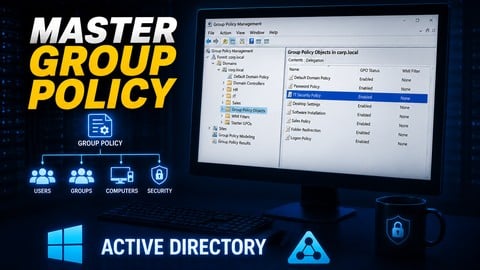
Build an Active Directory & Group Policy Production Lab (2026)
4.7 (706 Reviews)
- Provider: Udemy
- Time: 5.8h
$11.99
Original price
Microsoft Windows Server 2012 Certification - Exam 70-411
4.7 (617 Reviews)
- Provider: Udemy
- Time: 8.8h
$13.99
Original price  Reviews

By Jemel Booker on 7/3/2017
I like the content. I like that there are several instructors teaching one course. I like how they switch scenarios, backgrounds, locations, charts and etc. It's harder to get bored and distracted because of the changes. So far the material is right on as to what an admin needs to get working and be functional and productive.
By James Spitz on 3/23/2017
Overall content is excellent and contains the information I need when studying for the Microsoft Server tests. However, the sound quality during demonstrations is very poor. I had to repeat some sections several times to understand what was being said.
By Bryan Adamson on 3/9/2017
Passed my 70-411, first try. I have a little bit of background in 2012 so it was beneficial for me to take the quizzes and go back to review what I missed. The course layout made this simple. Instructors provided great detail about the topics. Would love to see quizzes go into greater detail about right/wrong answers, some answers did but not all.
By Adrian Mc Millan on 10/21/2016
The course is packed with information and material. I come from a Networking/Telecom background and I find it quite easy to absorbed. I also really like their demonstration of Powershell commands that are used to install features rather than the GUI.
By Eugene C Meehan on 10/21/2016
Excellent Course but found a couple of problems. 1. The Transcripts for the DEMO Exercises were not included as they were for the 70-410 course. 2. Video playback kept stalling out or stopped completely. Happened in both Internet Explorer and Google browsers. I tried other Udemy courses and video playback was fine.
By David Pike on 8/22/2016
Terms and graphics are great and explained well. The instructor is excellent, with a great delivery method. However, with the amount of information that needs to be covered, I believe there should be more accompanying resources available for review of the video material.
By Sondre Nordtun on 5/12/2016
Going trough stuff in orderly fassion is all good and well, but would had more left over. If the instructors where using this in case, insted of just for the pure "show case"
By Udemy User on 3/29/2016
awesome courses. the 70-4xx courses from learnsmart are organized in a meaningful way. not abstract, no useless bla bla... ... really nice from a didactic perspective... easy language / perfect to start with. from my opinion, these are the best cbt mcsa/mcse courses i have seen so far.
By Weerasak Sroykham on 2/22/2016
Very Good Udemy Online Learning Course. Thanks you very much. Weerasak Sroykham. IT Consultant Team Lead. Digital Learning Trainer. ITCEducation Group. www.ITCEducation.info .
By Henko TerBlanche on 1/7/2016
Thank you very much. I (almost exclusively) used this course to prepare for exam 70-411, and managed to pass it yesterday. I also setup a test server where I could install run the Windows Server roles and features in a live environment. Thank you for a great course, and keep up the good work. Henko
 Quality Score
No CourseDuck member has rated this course yet. Taken it? Give each part a thumbs up or down.
Overall Score : 90 / 100
- Video Duration:
 21.1h
- Price: $189.99
- Provider: Udemy
- Updated:
 December 2015
- Level:
 All Levels
- Language:
 English
- Certificate:
 Yes
30-day money-back guarantee on most paid courses
Udemy Coupon Price Tracker
