
 Web Development
 Data Science
 Python
 SQL
SQL JavaScript
 Artificial Intelligence
 IT & Software
 IT Certifications
 Hacking
 AWS
AWS Arduino
 DevOps
 3D Modeling
 Graphic Design
 Photoshop
 Drawing
 Digital Painting
 UX Design
 Business
 Data Analysis
 Communication Skills
 Project Management
 Leadership & Management
 Human Resources
 Digital Marketing
 Social Media Marketing
 Marketing
 SEO
SEO Google Analytics
 Branding
 Excel
Excel Office Productivity
 SAP
SAP PowerPoint
 Microsoft Access
 SharePoint
 Finance & Accounting
 Trading & Investing
 Accounting
 Bitcoin
 Personal Finance
 Video Editing & Animation
 Photography
 Adobe Premier Pro
 Adobe Lightroom
 Personal Development
 Productivity
 Career Development
 Life Coaching
 Health & Fitness
 Meditation & Mindfulness
 Yoga
Yoga Music
Music Music Production
 Guitar
 Piano
Piano Singing
 Language Learning
 Teaching & Academics
 Engineering
 Math
Math Lifestyle
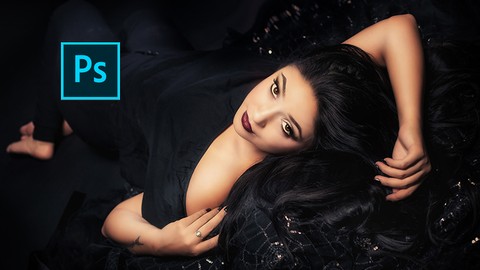
Adobe Photoshop CC Portrait Retouching Masterclass (Udemy.com)
Learn How To Edit And Retouch Portrait Photography Images Using Adobe Camera Raw and Photoshop CC
Created by: Sandy Dee
Last updated October 2018
 What you will learn
- Know how to retouch portraits in Adobe Photoshop CC
- Understand the tools needed for efficient and fast workflows
How it compares
Against the other 188 rated Udemy courses in Photoshop on CourseDuck:
- Rating4.3 out of 5higher than 23% of them
- Reviews153#114 of 189 by number of reviews
- Length14.8 hourslonger than 88% of them
- Last updatedOctober 2018earlier than 71% of them
 Course Description
Featured Review:
"Fantastic course. From setup Photoshop for quick workflow over the whole beauty retouching techniques to many tricks. Highly recommended from my side !" - Peter Leinfellner
This course is for photographers who want master creative and efficient portrait retouching in Adobe Camera Raw and Photoshop CC. If you would love to bring out the best in your images, this course is for you!
Fully retouched images are now expected by clients and models. But most likely you don’t want to spend hours working in Photoshop but rather develop an efficient workflow that will enable you to finish images quicker, meaning you can get back to shooting your next project. In this masterclass, I will show you step-by-step the most important functionalities in Adobe Camera Raw and Photoshop CC, so you can develop your images to their highest potential.
You will learn:
The best Adobe Camera Raw development processes.
All important Photoshop tools, from skin healing tools to clone stamp to content aware fill. Skin softening, teeth whitening, tanning.. the list goes on!
How to create the most amazing look for your subject: Subtle yet effective ways to sculpt and shape bodies.
How to stylize your image to its fullest potential.
How to use actions to streamline your workflow.
Workflows that include natural light and studio light environments.
You will learn to enhance your photos with the right adjustments of white balance, tonality and exposure, you will understand important methods to fix skin blemishes and apply softening but we will also look at tricky situations like fixing your backgrounds and how you can create actions to work super fast.
After you have finished this video training course for Adobe Camera Raw and Adobe Photoshop CC, you will have mastered all the techniques to create stunning retouched portrait images that will wow your clients, and your models.

 Udemy Discount
The discount is applied through our link. Open the course from here and Udemy's current promotional price is applied at checkout on most courses, no code to type.
Some courses are excluded from Udemy's promotions. If the price does not drop, clear your browser cookies and use the button again.
Instructor Details

- 4.3 Rating
 153 Reviews
Sandy Dee
Sandy is originally from Germany and studied Photography in London, where she earned a Diploma in Professional Photography. Following her passion for creative conceptual portrait photography, she moved to San Jose, California where she runs stylized portrait workshops, and wrote the book 'Posing Like A Pro' which covers all aspects of posing for the contemporary photographer.
Sandy loves teaching and helping other artists to reach new levels in their technique and creativity! New In 2021: Sandy now also teaches paper crafting. No matter if you want to learn photography, portraiture, photoshop, creating backdrops on a budget, paper crafting, card making, mixed media....Sandy has a class for you. Happy Shooting and Happy Crafting!
 More courses by Sandy Dee

Posing Like A Pro: Create Your Best Portraits Ever! Part 1 (2020)
4.7 (960 Reviews)
 Provider: Udemy
 Time: 5.1h
$14.99
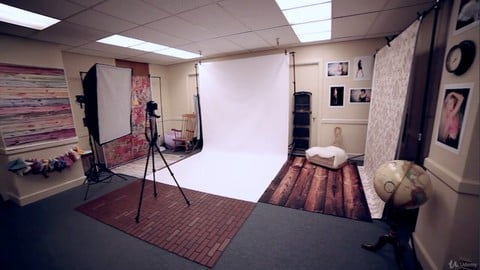
Set Up A Photography Studio With Equipment - On A Budget (2018)
4.4 (371 Reviews)
- Provider: Udemy
- Time: 4h
$69.99
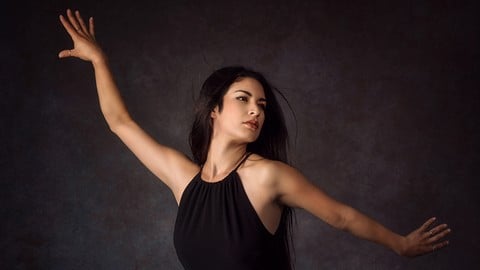
Posing Like A Pro: The Ultimate Posing Flow! Part 2 (2018)
4.7 (258 Reviews)
- Provider: Udemy
- Time: 5.9h
$54.99

The Ultimate Recipe For Taking Amazing Portraits Every Time! (2019)
4.4 (103 Reviews)
- Provider: Udemy
- Time: 4.3h
$64.99
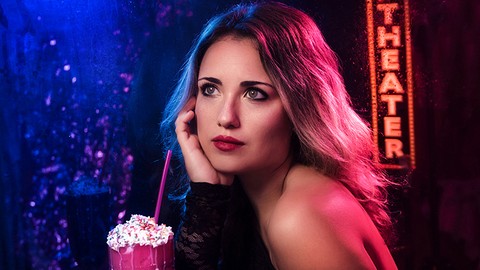
Creative Portrait Photography Series: Magic Of Color & Gels (2018)
4.4 (91 Reviews)
- Provider: Udemy
- Time: 3.2h
$44.99

Creative Portrait Photography Series: Modern Vintage (2018)
4.4 (58 Reviews)
- Provider: Udemy
- Time: 6.3h
$49.99
More Photoshop courses


Adobe Photoshop CC: For Complete Beginner (Sinhala Medium) (2026)
4.9 (110 Reviews)
- Provider: Udemy
- Time: 8.4h
$59.99

Adobe Photoshop CC – Essentials Training Course (2025)
4.8 (36,753 Reviews)
- Provider: Udemy
- Time: 11.6h
$189.99


47 Graphic Design Projects for Photoshop Beginners (2025)
4.8 (466 Reviews)
- Provider: Udemy
- Time: 7.9h
$99.99

Photoshop Efficiency - Techniques For Consistent Marketing (2025)
4.8 (144 Reviews)
- Provider: Udemy
- Time: 1.4h
$49.99
 Reviews

By Robert Garner on 2/10/2023
First, this is now a really dated course which would not bother me but it appears that is all Udemy runs on sale. Outside of that, the presentations lack continuity and the instructor talks way too much covering redundant information, unrelated or tangential content rather than focusing on the primary topic of the lectures. To be fair, some of the insights are valuable but could have been presented in better context and without what amounts to an inordinate number of distractions.
By Andreas Hofmann on 3/6/2019
The course is easy to follow and even if you are already familiar with retouching, you could still learn new tricks or alternative ways in how to achieve things. The lectures are well structured and several images are used, to no just see the workflow in just one example.
By Shannon D. Tyus on 2/18/2019
The material presented was high quality so far - just waiting to get to the hands on/demonstration portion...
By Frank Limbert on 12/30/2018
Just the beginning of a long course so still at the intro sections. Good presentation and overview however and the instructor has a lot of knowledge of photoshop and it's applications. Even some interesting stuff that retouching was done even in the film days!
By SiMone Garcia on 7/21/2018
Once you pay for a course, you have more than likely looked into it and have somewhat of an idea of what you're getting into. I am here to learn how to use photoshop for portrait retouching. We have not even opened the program yet. I'm almost feeling like I have wasted my money. I will press on for a little while longer in hopes that it gets better.
By Brian Schumacher on 2/10/2018
It's a nice intro to Photoshop and the concepts of portrait retouching, and when does it really start in your projects. I like the idea that even in the film days that 'retouching' was done in it's own way!
By Eva Nemet on 2/9/2018
I've watched other tutorials that cover the program deeply but too generally - what I needed was something specific to portrait photography, which is this. You can tell that she is talking from experience rather than theory as she knows her way around inside out with tips on what mistakes to avoid. Very useful indeed.
By Hamish MacCuish on 11/30/2017
Great content; very detailed, well explained, easy to follow. I was interested in basic portrait retouching; but this course has shown me how much more depth one can go into for amazing professional work if that's the line you are interested in. i've already registered for three more of Sandy's courses for after this course.
By Juliya Ness on 11/27/2017
Enjoying the straightforward and practical way that Sandy explains Photoshop, as well as really interesting thoughts about where image manipulation really begins. Her style is clear, knowledgeable and to the point! The course is incredibly in depth and well thought through.
By John Adams on 8/13/2017
This course is so helpful for me as I've wanted to learn Adobe Photoshop and ACR in much more detail but have struggled with some of the concepts. Having the ability to work alongside Sandy with the provided image is an amazing learning tool!
 Quality Score
No CourseDuck member has rated this course yet. Taken it? Give each part a thumbs up or down.
Overall Score : 86 / 100
- Video Duration:
 14.8h
14.8h - Price: See price on Udemy
- Provider: Udemy
- Updated:
 October 2018
 - Level:
 All Levels
 - Language:
 English
 - Certificate:
 Yes
Yes
30-day money-back guarantee on most paid courses
Udemy Coupon Price Tracker
