
 Web Development
 Data Science
 Python
 SQL
SQL JavaScript
 Artificial Intelligence
 IT & Software
 IT Certifications
 Hacking
 AWS
AWS Arduino
 DevOps
 3D Modeling
 Graphic Design
 Photoshop
 Drawing
 Digital Painting
 UX Design
 Business
 Data Analysis
 Communication Skills
 Project Management
 Leadership & Management
 Human Resources
 Digital Marketing
 Social Media Marketing
 Marketing
 SEO
SEO Google Analytics
 Branding
 Excel
Excel Office Productivity
 SAP
SAP PowerPoint
 Microsoft Access
 SharePoint
 Finance & Accounting
 Trading & Investing
 Accounting
 Bitcoin
 Personal Finance
 Video Editing & Animation
 Photography
 Adobe Premier Pro
 Adobe Lightroom
 Personal Development
 Productivity
 Career Development
 Life Coaching
 Health & Fitness
 Meditation & Mindfulness
 Yoga
Yoga Music
Music Music Production
 Guitar
 Piano
Piano Singing
 Language Learning
 Teaching & Academics
 Engineering
 Math
Math Lifestyle
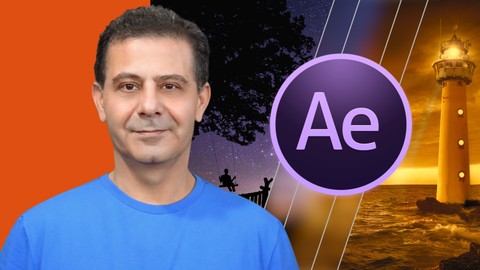
After Effects CC: Design Professional Video Transitions (Udemy.com)
Learn how to Design Professional Video Transitions in After Effects CC and How to use them in Premiere Pro Video Editing
Created by: Louay Zambarakji
Last updated January 2019
 What you will learn
- Understand how Transitions Mattes work
- How to implement Transitions in your Video Editing Software
- Motion Graphics Techniques to rapidly create your transition
- Visual Effects to enhance and style your transitions
- Create more than 30 transitions with variations
How it compares
Against the other 118 rated Udemy courses in Adobe After Effects on CourseDuck:
- Rating4.5 out of 5higher than 45% of them
- Reviews492#26 of 119 by number of reviews
- Length2.1 hoursshorter than 63% of them
- Last updatedJanuary 2019earlier than 77% of them
 Course Description
Create Professional Video Transitions in After Effects CC 2018
100% updated in February 2018 to include the latest methods to create Video Transition.
What's this course all about?
Video Transitions are getting better everyday. Style and Methods are being upgraded. In this course you'll learn the latest methods to create Video Transitions you can use in After Effects and in your Video Editing programs such asPremiere Pro CC.
Enhance your Videos:
If for professional or personal use using smooth or eye catching transitions, will always make your videos even more professional.
Step by Step guide on how to create Professional Video Transitions using Video Mattes.
Techniques to make your Video Transitions adaptable to other Video Editing SoftwareMotion Graphics Techniques to rapidly create transitionsHow to useVisual Effects to enhance your Transitions.
Download the project files and the Ready to use Video Mattes
This course comes complete with 30+ Transitions and all the Project Files for you to copy, amend, or re-style.
Feel free to use all the transitions in your projects.
Download more than 30+ Already renderedVideo Transition to use in your projects
A little bit about me - better said by Stephan:
This isn't my first course with Louay, and there are good reasons for that. Louay's courses are some the most well thought out, intelligently designed, and clearly structured for all levels of experience
One of my favourite aspects of Louay's instructions is that, while engaging the students, he doesn't waste time with verbal nonsense. As a student you will not have your time wasted with poorly edited videos with audio content that has nothing to do with the course. But don't read that as Louay isn't engaging or lacking interest. It's the opposite. He wants his students to learn and achieve a higher skill set in After Effect.
Another top remark about Louay is that he is always there for his students. I've read several questions from other students (and even asked a few myself), and Louay's response time is great.
So, get ready to jump in and be challenged.
Stephan S Nilson (Louays student in After Effects CC: Complete Course from Novice to Expert)
Upgrade Your Skills:
After Effects presents a wide range of applications. Transitions is one of them. Mastering this unique skill is effective and rewarding. You will become a proficient in understanding how transitions work, which tools and methods to use and how to rapidly create them.
Join in and I will see you in the first lesson.
Louay
CheersWho this course is for:
You want to learn how to create Video Transition in Adobe After EffectsYou want to use your own Video Transitions in your Non-Linear-Editing Software (i.
e. Premiere Pro)Video Editors - Personal or CommercialYouTube, Vimeo, Facebook Publishers

 Udemy Discount
The discount is applied through our link. Open the course from here and Udemy's current promotional price is applied at checkout on most courses, no code to type.
Some courses are excluded from Udemy's promotions. If the price does not drop, clear your browser cookies and use the button again.
Instructor Details

- 4.5 Rating
 492 Reviews
Louay Zambarakji
The Highest Rated and Best Sellers After Effects and Video Editing Courses on Udemy.
Video Editing,Animation, Motion Graphics and Visual Effects is what I love creating and teaching, Offline and Online.
After Effects is what I love working with, every day, (except Sundays, my wife and kids wont let me.)
I learned these the very hard way, very long time ago (since 1985) and I am still on it. Its amazing when you discover that I used to use assembly language to animate sprites (think of PacMan), Green and B/W screens. Today I am animating Videos in 3D in just a click.
The Path to Mastery starts now. Being in the advertising industry has taught me that precision and a significant attention to details are very important, and makes the difference between a fake and life like animation or visual effect.
What You Will Learn from me:
After Effects: The whole lot. In my course After Effects Complete Coursepacked with all Techniques and Methods (No Tricks and gimmicks).
Motion Graphics: From simple Lower 3rd to Advanced &Complex Animation up to how to get your 2D character to walk around.
Visual Effects & Compositing: Essentials topics covered in my After Effects and Video Editing courses.
Video Editing: If it's Adobe Premiere Pro or DaVinci Resolve you have excellent top rated courses.
Color Correction & Grading: Covered in my video editing courses.
Focu
 More courses by Louay Zambarakji
Adobe After Effects CC Bootcamp: Beginner to Advanced (2026)
4.6 (39,865 Reviews)
 Provider: Udemy
 Time: 34h
$174.99
DaVinci Resolve Mastery: The Complete Video Editing Bootcamp (2026)
4.6 (15,300 Reviews)
- Provider: Udemy
- Time: 16.8h
$139.99

The Complete Adobe Premiere Pro Video Editing Bootcamp (2025)
4.9 (7,316 Reviews)
- Provider: Udemy
- Time: 9.7h
$139.99
After Effects CC: The Ultimate Motion Graphics Masterclass (2025)
4.5 (4,974 Reviews)
- Provider: Udemy
- Time: 23.8h
$149.99

Motion Design & Animation Principles in Adobe After Effects (2025)
4.8 (1,594 Reviews)
- Provider: Udemy
- Time: 5.8h
$99.99
Adobe Illustrator CC: Essential Illustrator CC Training (2025)
4.6 (1,200 Reviews)
- Provider: Udemy
- Time: 10.2h
$99.99
More Adobe After Effects courses
Motion Design & Animation Principles in Adobe After Effects (2025)
4.8 (1,594 Reviews)
- Provider: Udemy
- Time: 5.8h
$99.99


Futuristic HUD Motion Graphics in After Effects (2018)
4.7 (664 Reviews)
- Provider: Udemy
- Time: 1.5h
$69.99

Course Design - How to Create Impressive Text Animations (2017)
4.7 (207 Reviews)
- Provider: Udemy
- Time: 2.7h
$74.99

After Effects Masterclass: The Ultimate Guide for Beginners (2020)
4.7 (198 Reviews)
- Provider: Udemy
- Time: 9h
$74.99

 Reviews

By Eddie Davidov on 9/2/2020
explain & teach with allow pensions
By Aytekin Karter on 8/14/2020
it's what I've expected.
By Al Mustakim Murad Fahim on 6/6/2020
Good.
By Ayesha Siddiqui on 5/20/2020
Its a very good course.Thanks!
By Matthew Peddecord on 5/9/2020
the instructor is moving very fast. Lots of variations and practice. Finished examples seem a bit out of date.
By Sehrish on 5/8/2020
The Instructor is explaining in a very good manner about the Transition Effects. But Video from Section 4 of Pack Video mattes, from Matte 1 to on wards Matte 10; at the start the video is blur about 4 to 5 minutes i could not see even what option instructor has clicked on. Please make sure that video should not be blur so that student will not miss any instructions of tutor.
By Rajesh bhatt on 5/5/2020
very nice course, i learn a lot in this course
By Andrea Stewart on 4/27/2020
Seems like a course on how to make cheesy transitions. I want to make broadcast promo quality transitions, not wedding video transitions.
By Muhriddin Atoullayev on 4/18/2020
great
By Quincy White on 4/15/2020
Great and easy to follow.
By Sidney on 4/13/2020
Exciting...
By Zara Khadim on 4/12/2020
It was great experience.
 Quality Score
No CourseDuck member has rated this course yet. Taken it? Give each part a thumbs up or down.
Overall Score : 90 / 100
- Video Duration:
 2.1h
2.1h - Price: $64.99
- Provider: Udemy
- Updated:
 January 2019
 - Level:
 All Levels
 - Language:
 English
 - Certificate:
 Yes
Yes
30-day money-back guarantee on most paid courses
Udemy Coupon Price Tracker
