
 Web Development
 Data Science
 Python
 SQL
SQL JavaScript
 Artificial Intelligence
 IT & Software
 IT Certifications
 Hacking
 AWS
AWS Arduino
 DevOps
 3D Modeling
 Graphic Design
 Photoshop
 Drawing
 Digital Painting
 UX Design
 Business
 Data Analysis
 Communication Skills
 Project Management
 Leadership & Management
 Human Resources
 Digital Marketing
 Social Media Marketing
 Marketing
 SEO
SEO Google Analytics
 Branding
 Excel
Excel Office Productivity
 SAP
SAP PowerPoint
 Microsoft Access
 SharePoint
 Finance & Accounting
 Trading & Investing
 Accounting
 Bitcoin
 Personal Finance
 Video Editing & Animation
 Photography
 Adobe Premier Pro
 Adobe Lightroom
 Personal Development
 Productivity
 Career Development
 Life Coaching
 Health & Fitness
 Meditation & Mindfulness
 Yoga
Yoga Music
Music Music Production
 Guitar
 Piano
Piano Singing
 Language Learning
 Teaching & Academics
 Engineering
 Math
Math Lifestyle
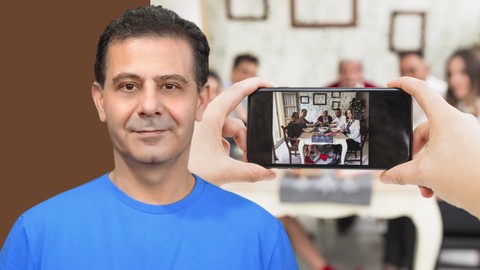
After Effects Video Editing: Edit Your Home Video Like a Pro (Udemy.com)
Edit Your Home Video in After Effects- Create Transitions, Add Animated Text and Motion Graphic. Produce Quality Videos
Created by: Louay Zambarakji
Last updated April 2017
 What you will learn
- Create a Single movie from your home videos
- Organize and Sequence your videos
- Use multiple presets and techniques to create awesome transitions
- Add and Animate Text and Titles to your videos
- Generate a single movie to post online
- Video Editing in After Effects
How it compares
Against the other 118 rated Udemy courses in Adobe After Effects on CourseDuck:
- Rating4.6 out of 5higher than 67% of them
- Reviews63#87 of 119 by number of reviews
- Length2.5 hoursshorter than 53% of them
- Last updatedApril 2017earlier than 88% of them
 Course Description
You most probably have taken so many short videos with your camcorders, DSLR Cameras and your smart phone.
In both cases, you have all these video clips. Each clip might contain justafew seconds of watchworthy footage.
Wouldnt it be great if you could assemble all these short footages in a single movie? putting together only the most interesting or the most valuable parts.
And the last thing you want to do, is use professional and complicated programs to put together your clips. You want an easy and simple way to:
Clip and dropSequence clips one after the otherAdd text or some graphicCreate some kind of a transition in between the clipsMaybe animate the text and the graphic, that would be nice!
Produce your movie (or Render)Post it on the web for people to watch
This is what this course is all about: Putting together your home video like a pro, like if you have been in video editing for years.
But then, After Effects is a sophisticated program and has very many additional features, and this is why I added few of these features to make it easier for you to produce a movie just like a pro.
*** My promise to you:
1. Just after the first section you will be able to assemble your first movie and start claiming you are a pro video editor.
2. By the end of the second section, you will be sequencing and creating fade-ins and outs and using presets to compile all your clips into a single movie.
3. By the end of section three, you will become conversant in adding text using several techniques and becoming familiar with per-character animation
By then, you can jump to create your movies and uploading. But if you want to be even more sophisticated you can to continue to section four where:
4. You will learn about more advanced features such as masks, shapes, creating a vignette and practicing using these techniques.
5. I added more on how to use Presets because they are easy to manipulate, yet they give your movies a pro look.
AND ifYou areinterested in creating a documentary or a semi professional movie and you gathered your info as short video clips. Then this course will be your guide to editing these video clips, assembling them and creating your final movie.
OR If you want to start becoming a pro video editor in After Effects, then this course is surely for you. You can, Justafter 2 hours or so, start creating quite some professionally looking videos.
Join me in this and start editing your videos like a pro.
Who this course is for:
Beginners in Video Editing Home Video EnthusiastsLooking for Simple and Efficient ways to create movies from video clips Looking for Video Editing Entry PointIntroduction to Video Editing in After Effects

 Udemy Discount
The discount is applied through our link. Open the course from here and Udemy's current promotional price is applied at checkout on most courses, no code to type.
Some courses are excluded from Udemy's promotions. If the price does not drop, clear your browser cookies and use the button again.
Instructor Details

- 4.6 Rating
 63 Reviews
Louay Zambarakji
The Highest Rated and Best Sellers After Effects and Video Editing Courses on Udemy.
Video Editing,Animation, Motion Graphics and Visual Effects is what I love creating and teaching, Offline and Online.
After Effects is what I love working with, every day, (except Sundays, my wife and kids wont let me.)
I learned these the very hard way, very long time ago (since 1985) and I am still on it. Its amazing when you discover that I used to use assembly language to animate sprites (think of PacMan), Green and B/W screens. Today I am animating Videos in 3D in just a click.
The Path to Mastery starts now. Being in the advertising industry has taught me that precision and a significant attention to details are very important, and makes the difference between a fake and life like animation or visual effect.
What You Will Learn from me:
After Effects: The whole lot. In my course After Effects Complete Coursepacked with all Techniques and Methods (No Tricks and gimmicks).
Motion Graphics: From simple Lower 3rd to Advanced &Complex Animation up to how to get your 2D character to walk around.
Visual Effects & Compositing: Essentials topics covered in my After Effects and Video Editing courses.
Video Editing: If it's Adobe Premiere Pro or DaVinci Resolve you have excellent top rated courses.
Color Correction & Grading: Covered in my video editing courses.
Focu
 More courses by Louay Zambarakji
Adobe After Effects CC Bootcamp: Beginner to Advanced (2026)
4.6 (39,865 Reviews)
 Provider: Udemy
 Time: 34h
$174.99
DaVinci Resolve Mastery: The Complete Video Editing Bootcamp (2026)
4.6 (15,300 Reviews)
- Provider: Udemy
- Time: 16.8h
$139.99

The Complete Adobe Premiere Pro Video Editing Bootcamp (2025)
4.9 (7,316 Reviews)
- Provider: Udemy
- Time: 9.7h
$139.99
After Effects CC: The Ultimate Motion Graphics Masterclass (2025)
4.5 (4,974 Reviews)
- Provider: Udemy
- Time: 23.8h
$149.99

Motion Design & Animation Principles in Adobe After Effects (2025)
4.8 (1,594 Reviews)
- Provider: Udemy
- Time: 5.8h
$99.99
Adobe Illustrator CC: Essential Illustrator CC Training (2025)
4.6 (1,200 Reviews)
- Provider: Udemy
- Time: 10.2h
$99.99
More Adobe After Effects courses
Motion Design & Animation Principles in Adobe After Effects (2025)
4.8 (1,594 Reviews)
- Provider: Udemy
- Time: 5.8h
$99.99


Futuristic HUD Motion Graphics in After Effects (2018)
4.7 (664 Reviews)
- Provider: Udemy
- Time: 1.5h
$69.99

Course Design - How to Create Impressive Text Animations (2017)
4.7 (207 Reviews)
- Provider: Udemy
- Time: 2.7h
$74.99

After Effects Masterclass: The Ultimate Guide for Beginners (2020)
4.7 (198 Reviews)
- Provider: Udemy
- Time: 9h
$74.99

 Reviews

By Brian Britton on 6/3/2020
Fun instructor.
By Lisa on 5/20/2019
This is detailed information and I love it how simple he is explaining it. I am able to understand this for my simple videos for my Instagram or my family videos.
By Robert Faussett on 4/3/2019
Very informative, quick straight to the point! love your videos
By Frank Martinez on 10/22/2018
Very clear. Easy to lean
By Dave Debs on 8/2/2018
I have taken several courses and this instructor is really excellent.
By Marion Cox on 2/4/2018
Easy and step by step. Seems the perfect crash course to start me editing video without the tedium of systematically learning EVERYTHING. Excellent basic skills course for a beginner.
By Amit Panjwani on 11/22/2017
Excellent !!!
By Prateek Barbora on 11/16/2017
easy anda simple step by step explanation
By Nagesh yadav on 4/9/2016
nice to watch
By Salim Ben on 1/13/2016
The instructor explains the course in a simple way. Very easy to understand and follow!
By Chandrashekar Chandu on 1/7/2016
this excellent for the students like me who can't offer money to the institutions or class ...... i am very happy today bcoz AE is my dream thanks UDEMY.com thank u very much
 Quality Score
No CourseDuck member has rated this course yet. Taken it? Give each part a thumbs up or down.
Overall Score : 92 / 100
- Video Duration:
 2.5h
2.5h - Price: $49.99
- Provider: Udemy
- Updated:
 April 2017
 - Level:
 Beginner
 - Language:
 English
 - Certificate:
 Yes
Yes
30-day money-back guarantee on most paid courses
Udemy Coupon Price Tracker
