
 Web Development
 Python
 SQL
SQL JavaScript
 Data Science
 Artificial Intelligence
 IT & Software
 IT Certifications
 Hacking
 Arduino
 AWS
AWS 3D Modeling
 Graphic Design
 Photoshop
 Drawing
 Digital Painting
 UX Design
 Business
 Data Analysis
 Communication Skills
 Project Management
 Leadership & Management
 E-Commerce
 Digital Marketing
 Social Media Marketing
 Marketing
 SEO
SEO Google Analytics
 Branding
 Office Productivity
 Excel
Excel Finance & Accounting
 Bitcoin
 Video Editing & Animation
 Photography
 Adobe Premier Pro
 Adobe Lightroom
 Personal Development
 Health & Fitness
 Music
Music Guitar
 Teaching & Academics
 Language Learning
 Engineering
 Lifestyle
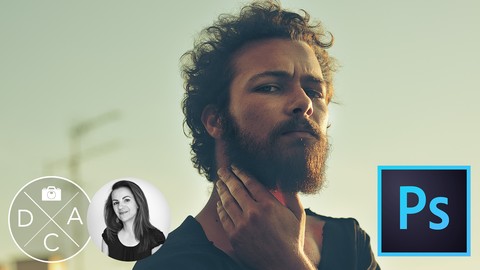
Amber & Teal - Cinematic Color Grading in Photoshop (Udemy.com)
Add style to your images with powerful Photoshop techniques
Created by: Kasia Zmokla
Last updated July 2019
 What you will learn
- How to color your photos according to the "Amber & Teal" cinematic trend with easy color grading techniques
- The best way to evaluate an image and remove color cast
- How to take advantage of the Histogram tool
- Working smart for incredible coloring results using Photoshop’s most powerful tool: Curves
 Course Description
Using Amber and Teal color grading techniques to add mood and feeling to photographs is a trick that the giants of the silver screen employ. You can bring the same compelling cinematic style to your own work with three distinct color methods in Photoshop using the Color Lookup tool, the Color Balance adjustment layer and my personal favourite Photoshop tool — Curves. Working hands-on with three images, you’ll learn all of this, plus how to remove a color cast from an image and how to fine tune your images using the Adobe color wheel. This powerful work is so simple that even those new to Photoshop can achieve stunning results.
Sharpen Your Skills - Devise a Non-Destructive Workflow
Together we’ll explore how to best combine masks and adjustment layers in order to realise your creative vision — while simultaneously maintaining a high level of flexibility. This makes it a snap to create alternative versions of one photo, or revisit your artwork in the future to easily produce new concepts by making just a few strategic adjustments.

 Udemy Discount
The discount is applied through our link. Open the course from here and Udemy's current promotional price is applied at checkout on most courses, no code to type.
Some courses are excluded from Udemy's promotions. If the price does not drop, clear your browser cookies and use the button again.
Instructor Details

- 4.5 Rating
 59 Reviews
Kasia Zmokla
Like you, I’m an artist. I’m passionate about creating personal, meaningful and captivating artwork. I love the freedom of the medium, as it allows - and perhaps encourages - unexpected moments that are both surprising and delightful.
Your vision is unique, and my goal is to assist you on your path to realize your artistic dreams. It’s my mission to support and nourish your talent with the tools necessary to take your photography to the next level. Sharing my experience and helping you develop your visual language helps me evolve as a teacher and enriches me as a human being.
I consider myself extremely lucky to be able to interact with people all over the world who share the same passion as me. It’s honestly my greatest thrill and source of fulfillment to foster the growth and development of the DAC community of photographers.
MY CREDENTIALS
 More courses by Kasia Zmokla

Dramatic Black and White Photography in the Digital Age (2019)
4.4 (279 Reviews)
 Provider: Udemy
 Time: 4.4h
$59.99

Portrait Photography Masterclass - Photoshop Pro Techniques (2019)
4.5 (244 Reviews)
- Provider: Udemy
- Time: 4.8h
$59.99


More Photoshop courses


Adobe Photoshop CC: For Complete Beginner (Sinhala Medium) (2026)
4.9 (110 Reviews)
- Provider: Udemy
- Time: 8.4h
$59.99

Adobe Photoshop CC – Essentials Training Course (2025)
4.8 (36,753 Reviews)
- Provider: Udemy
- Time: 11.6h
$189.99


47 Graphic Design Projects for Photoshop Beginners (2025)
4.8 (466 Reviews)
- Provider: Udemy
- Time: 7.9h
$99.99

Photoshop Efficiency - Techniques For Consistent Marketing (2025)
4.8 (144 Reviews)
- Provider: Udemy
- Time: 1.4h
$49.99
 Reviews

By Mark Bickerstaffe on 2/1/2021
As usual great teaching style from Kasia.
By Vio Desdicado on 12/10/2017
Short and precise, exactly what i needed.
By Wanda Sanders on 9/6/2017
Excellent instructor. Well organized and easy to understand
By Steve Hung on 7/11/2017
Nice course, easy to understand. Especially the curve tool section is really helpful for me.
By Larry Perfetti on 3/13/2017
Great course. But I would like more examples to watch and then to adjust myself. A lot of material in a few lectures, in other words. However, when I studied the lectures a few times, I increased my skills significantly.
By Ivan Gutierrez Huerta on 2/20/2017
So easy to follow and very acurate information
By Ronna Shoham on 2/17/2017
Another great course of this very professional tutor. Great.
By Mason Tripp on 1/21/2017
Nice clear professional instruction.
By Chris Lam on 5/27/2017
By Welven Tan on 10/31/2016
 Quality Score
No CourseDuck member has rated this course yet. Taken it? Give each part a thumbs up or down.
Overall Score : 90 / 100
- Video Duration:
 1.1h
1.1h - Price: $24.99
- Provider: Udemy
- Updated:
 July 2019
 - Level:
 All Levels
 - Language:
 English
 - Certificate:
 Yes
Yes
30-day money-back guarantee on most paid courses
Udemy Coupon Price Tracker
