
 Web Development
 Data Science
 Python
 SQL
SQL JavaScript
 Artificial Intelligence
 IT & Software
 IT Certifications
 Hacking
 AWS
AWS Arduino
 DevOps
 3D Modeling
 Graphic Design
 Photoshop
 Drawing
 Digital Painting
 UX Design
 Business
 Data Analysis
 Communication Skills
 Project Management
 Leadership & Management
 Human Resources
 Digital Marketing
 Social Media Marketing
 Marketing
 SEO
SEO Google Analytics
 Branding
 Excel
Excel Office Productivity
 SAP
SAP PowerPoint
 Microsoft Access
 SharePoint
 Finance & Accounting
 Trading & Investing
 Accounting
 Bitcoin
 Personal Finance
 Video Editing & Animation
 Photography
 Adobe Premier Pro
 Adobe Lightroom
 Personal Development
 Productivity
 Career Development
 Life Coaching
 Health & Fitness
 Meditation & Mindfulness
 Yoga
Yoga Music
Music Music Production
 Guitar
 Piano
Piano Singing
 Language Learning
 Teaching & Academics
 Engineering
 Math
Math Lifestyle
Ansys Tutorial (Udemy.com)
Modelling and Analyzing composite model in Ansys Software
Created by: Armin Yousefi Kanani
Last updated October 2019
 What you will learn
- they will be able to model simple and complex composite model in ANSYS
- They will be able to work with ACP tools
- They will be able to work with different ANSYS analysis tools in workbench
- They will learn how to work with ANSYS workbench
How it compares
Against the other 335 rated Udemy courses in Engineering on CourseDuck:
- Rating4.3 out of 5higher than 28% of them
- Reviews970#84 of 336 by number of reviews
- Length7.3 hourslonger than 64% of them
- Last updatedOctober 2019earlier than 83% of them
 Course Description
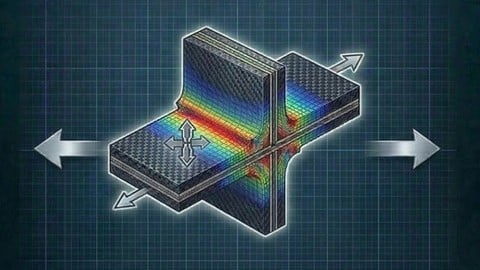
Composite materials are created by combining two or more layered materials, each with different properties. These materials have become a standard for products that are both light and strong. Composites provide enough flexibility so products with complex shapes, such as boat hulls and surfboards, can be easily manufactured. Engineering layered composites involves complex definitions that include numerous layers, materials, thicknesses and orientations. The engineering challenge is to predict how well the finished product will perform under real-world working conditions. This involves considering stresses and deformations as well as a range of failure criteria. ANSYS Composite PrepPost provides all necessary functionalities for the analysis of layered composite structures.
This tutorial has been divided to 11 sections. in order to get the best result please follow tutorials step by steps if you are beginners.
The first section of this tutorial is an introduction to Ansys software and ACP tools. You will learn how to add ACP tools into project schematic and create very simple geometry.
In the second section you will learn about tools inside ACP such as Draping, Rules, Rossete, Orientation. This section is crucial for everyone in order to continue tutorials. This section all tools explained step by step (PLEAEE DO NOT MISS THIS SECTION)
In the third section, you will learn how to model T beam shape in ANSYS ACP and do stress Analsys. This is a good example for beginners to test their modelling skills in ACP software.
Buckling is one of the important subject in composite material. Therefore, the whole section four is dedicated to this matter to find eigenvalue for simple composite plate
ACP tool can be coupled with other ACT extensions such had honeycomb creator. In this section, you will learn how to create honeycombs and combine that with composite model in ACP.
In the section sixth, seventh and eighth you will learn how to combine model with mechanical model and ACP. Three different mechanical examples have been solved with ACP and mechanical model in ANSYS workbench. DO NOT MISS SECTION 6
Sections 9, 10 and 11 are dedicated to fatigue, natural frequencies, failure such as rebounding, delamination and progressive failure. PLEASE DO NOT ATTEMPT TO DO THESE SECTION WITHOUT DOING PREVIOUS SECTIONS IF YOU ARE BEGINNERS. This course has around 1800 students so far and I noticed some students skip the basic tutorials and jump to advanced examples then they complain that videos did not cover everything. In order to have the best of this course is better to start from basic and learn all the tools from section 1 to 5 then you would be able to create any model in ANSYS ACP.
I hope you all enjoy this tutorials. Please send me message if you think anything can improve the quality of this course as I am updating course regularly.
Many thanks
Armin
"All rights reserved,Any unauthorized broadcasting, public performance, copying or re-recording will constitute an infringement of copyright"

 Udemy Discount
The discount is applied through our link. Open the course from here and Udemy's current promotional price is applied at checkout on most courses, no code to type.
Some courses are excluded from Udemy's promotions. If the price does not drop, clear your browser cookies and use the button again.
Instructor Details

- 4.3 Rating
 970 Reviews
Armin Yousefi Kanani
Armin is a mechanical engineer with over six years of experience working on academic and industrial research projects. His research covers a broad range of both academic and industrial interests, including multi-material joining technology for light-weighting, joint optimisation, material characterisation and property measurement, failure and damage assessment and damage tolerance of fibre reinforced composites and steel-concrete composite structures.
 More Engineering courses


Do it Yourself - Automotive Electrical Diagnosis - Beginner (2026)
4.8 (1,897 Reviews)
 Provider: Udemy
 Time: 2.1h
$12.99

ROS 2 for Beginners Level 2 - TF | URDF | RViz | Gazebo (2025)
4.8 (1,869 Reviews)
- Provider: Udemy
- Time: 13.8h
$10.99

Advanced Kalman Filtering and Sensor Fusion (2021)
4.8 (1,033 Reviews)
- Provider: Udemy
- Time: 8.3h
$84.99

Digital Electronics: Robotics, learn by building module II (2020)
4.8 (942 Reviews)
- Provider: Udemy
- Time: 13.1h
$14.99

 Reviews

By Markus Leeb on 11/9/2023
This course is very difficult to follow. Armin appears to be very knowledgeable, but he speaks very fast and in a very strong accent. Some words are impossible to understand and you have to guess what he does, as he assumes you know that already and does not explain what he does. Also, if you don’t work on the exact same version of Ansys (R17) it is sometime difficult to follow, as he does not give you time to find what you need. Because he talks so fast and moves at 100mph, you have to stop the video every few seconds and rewind to figure out what he did. A 15 minute video sometimes can take an hour to follow. Also, he only explains what he does, but does not explain why, and what the result means. I am an engineer, but this is not easy to follow. On the positive, even with the significantly dated videos (recorded on R17), I still managed to replicate every lesson with the version I am working on (2023 R1), which is a huge plus, as I tried to follow some Ansys training videos, and not always can I replicate exactly what they show. Overall, there is really good information in this course, but slowing it down, with clear pronunciation of words, and some more explanation would make this much easier to follow. And a bit of interpretation of the results would go a long way. I would say the course is worth the investment (also, there are not many courses out there for composites on Ansys), but be prepared for some hard work, patience and some frustration.
By Aryabrinth Chakravorty on 5/26/2022
I genuinely found this quite descriptive and gave me a good idea about ACP, Although i just have one suggestion, its to change the name to "Ansys Composite PrepPost Tutorial" its cuz Ansys is a broad term and highlighting the module makes the certificate standout
By Dimitris Tsakalidis on 2/23/2022
The course was fine for someone who wanted to learn ANSYS Workbench software in depth, but I personally wanted to learn more about ANSYS Mechanical APDL software, so the course was not what I actually needed. However, both the course and the teacher were good!
By Stefano Dominoni on 1/3/2022
Amazing course... much more than I would have ever expected, congratulation! I hope you can create further course with ansys, I'd like to attend explicit dynamic, rigid dynamic, CFD and thermal analysis. Thank you Stefano
By Solmaz bahadori on 6/12/2020
I was an absolute beginner at Ansys ACP and now I feel like I have a very good grasp on all the different aspects. All-in-all a very worthwhile course and I recommend it to beginners and pro's in ANSYS workbench looking to expand their knowledge in ACP.
By Nicolas Renauld on 6/3/2020
Great course, but not quite exceptional. Like others may have already stated, the tutor has a "do this, then do that, then click this" approach of teaching. I think it would have made it a little bit better if he took a bit more time to explain some theory behind composites and elaborate a little more on WHY we use certain functions in ACP. Other than that, this course will take you from beginner to proficient if you put in the work, watch and re-watch the tutorials, and do some practice on your own.
By Ashish Kujur on 5/4/2020
learned a lot of new stuff in a very detailed and elaborative way. To me, it was an outstanding course though I didn't get to learn what I came for instead, I learnt a very new topic (at least for me) in a much better possible way.
By Nima Dabiri on 1/23/2020
It was an extensive course on composites, covering almost every scenario related to composite analysis. The instructor was so much informative and tried to cover different aspects of each problem while introducing ANSYS features and capabilities in the meanwhile. I mostly enjoyed the sections on "Parametric Design", "Fatigue Analysis", and "Tensile Test". However, as the course materials are gone through using ANSYS 17.0, the users dealing with the same problems in newer versions (19 and above) might find it difficult to follow the instructions due to updated GUI in Mechanical.
By Marcel Andres on 2/13/2019
-The lectures are repetetive and especially at the beginning very fast. - Whenever the lecturer chooses between different options, he tells the listener to check the help function of Ansys to figure out why he did so. (The reason I am listening to these tutorials is to minimze my working time in the help documentation) - A lot of time is spent in the designing process via SolidWorks. If there has to be an explanation for the design, I´d prefer the in Ansys included SpaceClaim tool - All in all, the tutorial is suited for Ansys beginners with little experience. I can´t recommend it for advanced and especially not for experts
By Deepak Maurya on 2/25/2018
explanation is nice but require some more explanation. how to save the material properties for permanent use , sometime orthotropic properties does not accept all values because it is not positive definiteness so its shows question marks. etc why fracture tool not giving sif and vcct etc
 Quality Score
No CourseDuck member has rated this course yet. Taken it? Give each part a thumbs up or down.
Overall Score : 86 / 100
- Video Duration:
 7.3h
7.3h - Price: $15.99
- Provider: Udemy
- Updated:
 October 2019
 - Level:
 All Levels
 - Language:
 English
 - Certificate:
 Yes
Yes
30-day money-back guarantee on most paid courses
Udemy Coupon Price Tracker
