
 Web Development
 Data Science
 Python
 SQL
SQL JavaScript
 Artificial Intelligence
 IT & Software
 IT Certifications
 Hacking
 AWS
AWS Arduino
 DevOps
 3D Modeling
 Graphic Design
 Photoshop
 Drawing
 Digital Painting
 UX Design
 Business
 Data Analysis
 Communication Skills
 Project Management
 Leadership & Management
 Human Resources
 Digital Marketing
 Social Media Marketing
 Marketing
 SEO
SEO Google Analytics
 Branding
 Excel
Excel Office Productivity
 SAP
SAP PowerPoint
 Microsoft Access
 SharePoint
 Finance & Accounting
 Trading & Investing
 Accounting
 Bitcoin
 Personal Finance
 Video Editing & Animation
 Photography
 Adobe Premier Pro
 Adobe Lightroom
 Personal Development
 Productivity
 Career Development
 Life Coaching
 Health & Fitness
 Meditation & Mindfulness
 Yoga
Yoga Music
Music Music Production
 Guitar
 Piano
Piano Singing
 Language Learning
 Teaching & Academics
 Engineering
 Math
Math Lifestyle
ARM Cortex-M Interfacing with Keyboards and LCD's (FREE! ) (Udemy.com)
Write your own Keyboard and LCD drivers for Cortex-M
Created by: Israel Gbati
Last updated June 2018
 What you will learn
- Write your own Keyboard driver and library
- Write your own LCD driver and library
- Understand the different types of Input/Output capabilities available to Cortex-Microncontrollers
How it compares
Against the other 295 rated Udemy courses in Arduino on CourseDuck:
- Rating4.5 out of 5higher than 65% of them
- Reviews340#98 of 296 by number of reviews
- Length3.4 hoursshorter than 65% of them
- Last updatedJune 2018earlier than 90% of them
 Course Description
This course takes a step-by-step practical approach on how to write drivers and libraries that will allow your Cortex-Microcontroller to talk to Keyboards and Liquid Crystal Displays. It goes on to provide optimization methods such as accessing the LCD with 4-bits rather than 8-bits and also programming keyboards using the matrix arrangement approach.
We will start by differentiating between GPIO and SPIO, this will give students the understanding on how registers relates to IO ports then we shall write out the code to see how these registers actually work with inputs and outputs.
We shall look at how to write our own LCD Drivers and Libraries, we shall take a look at the pinout and how we interface with the microcontroller, take a look at how we control the shift registers inside the LCD, then we shall go on to code our own driver and library.The last section of the LCD chapter deals with writing data in 4-bits to reduce the number of IO pins used for LCD.
The final chapter of the course deals with interfacing to keyboards, I will introduce how keyboards also conserve the number of IO pins by using the matrix arrangement and then we shall go on to write our keyboard driver and library. In a nutshell, this are the key areas we shall be looking at in this course :
- Keyboard driver and library coding
- LCD driver and library coding
- LCD 4-bits data transfer
- Keyboard matrix arrangement
If you interested in having bare-metal level access to keyboards and LCDs then this course is for you.

 Udemy Discount
The discount is applied through our link. Open the course from here and Udemy's current promotional price is applied at checkout on most courses, no code to type.
Some courses are excluded from Udemy's promotions. If the price does not drop, clear your browser cookies and use the button again.
Instructor Details

- 4.5 Rating
 340 Reviews
Israel Gbati
Author of Bare-Metal Embedded C Programming: Develop High-Performance Embedded Systems with C for Arm Microcontrollers.
With extensive experience in embedded firmware development, I specialize in real-time systems, low-level programming, medical device architecture, embedded signal processing, and embedded AI. My professional journey has been centered around Arm Cortex-Microcontrollers, delivering robust solutions used in cutting-edge industries.
Passionate about simplifying complex concepts.
 More courses by Israel Gbati
Embedded Systems Bare-Metal Programming Ground Up™ (STM32) (2023)
4.6 (3,916 Reviews)
 Provider: Udemy
 Time: 24.6h
$99.99

x86 Assembly Language Programming From Ground Up™ (2025)
4.6 (1,715 Reviews)
- Provider: Udemy
- Time: 14.1h
$10.99
Build Your Own RealTime OS (RTOS) From Ground Up™ on ARM 1 (2023)
4.3 (1,180 Reviews)
- Provider: Udemy
- Time: 9.3h
$74.99
FreeRTOS From Ground Up™ on ARM Processors (REVISED) (2023)
4.4 (994 Reviews)
- Provider: Udemy
- Time: 23.5h
$69.99
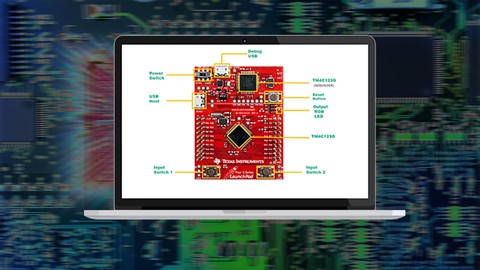
Introduction to ARM Cortex-M Assembly Programming (FREE) (2020)
4.4 (967 Reviews)
- Provider: Udemy
- Time: 4.2h
Free

ARM Cortex-M : Modular Embedded Systems Design (FREE!) (2019)
4.5 (935 Reviews)
- Provider: Udemy
- Time: 7.6h
Free
More Arduino courses


Learn to Build a Computer (PC) in 2026 - all types!
4.9 (245 Reviews)
- Provider: Udemy
- Time: 6.1h
$74.99

Raspberry Pi For Beginners - 2026 Complete Course
4.8 (3,105 Reviews)
- Provider: Udemy
- Time: 10.6h
$89.99

Ultimate Guide to Raspberry Pi : Tips, Tricks and Hacks (2023)
4.8 (2,363 Reviews)
- Provider: Udemy
- Time: 5.2h
$69.99

Mastering Microcontroller: STM32-LTDC, LCD-TFT, LVGL (MCU3) (2026)
4.8 (487 Reviews)
- Provider: Udemy
- Time: 8.1h
$79.99

Arduino Step by Step: Getting Started (2024)
4.7 (8,714 Reviews)
- Provider: Udemy
- Time: 21.4h
$159.99
 Reviews

By Abdoul Nasser Ibrahim on 9/29/2025
Very good and consise explanation! This is an excellent beginner-friendly course, and it goes right to the point!
By Gregory Reeves on 3/17/2020
The course is good and the instructor explains as he codes. I wish source code and written explanations were provided as downloadable resources. I know he has a site that you can go to and get additional information.
By James Clapp on 3/12/2019
Great material however could presentation could benefit from a clearer voice it sounds like it is done in a whisper. Otherwise would be a good presentation.
By Steven Chavarro on 2/15/2019
Excellent course, thank you very much for share your knowledge with us.
By Sandy Morgan on 8/16/2018
I was looking for lcd programming information and pinout information for a standard lcd and this was very helpful and clear
By Bob Veale on 6/23/2018
I used another MSP430 device and used the TI CSS. Everything worked OK. The presentation was rather dry. A couple slides were out of order. A more accurate way to delay was promised but was not delivered. I would recommend the MSP430 course by Valparaiso University.
By jf Jf on 6/14/2018
Israel Gbati delivers this course very well, easy to understand and really enjoyable learning. I have now recommended his courses to all my friends that have an interest in Robotics and Mechatronics
By Şeyma Kose on 4/23/2018
İnternet üzerinde Tiva launchpad hakkında oldukça az bilgi var. Bu videolar hem başarılı bir anlatıma sahip hem de bilgiye kolay ulaşım sağlıyor.
By Rosendo Gonzalez on 4/19/2018
His way of coming up with the algorithms (pseudo code) while he explains the concepts is very effective. I'm looking forward to taking more of his courses.
By Bogdan Cojocariu on 3/24/2018
the explanations are clear and once the code is implemented on the kit it runs strait away! information is presented logically and in a chronological order for practical implementation! Excellent!
 Quality Score
No CourseDuck member has rated this course yet. Taken it? Give each part a thumbs up or down.
Overall Score : 90 / 100

- Video Duration:
 3.4h
3.4h - Price: Free
- Provider: Udemy
- Updated:
 June 2018
 - Level:
 All Levels
 - Language:
 English
 - Certificate:
 No
No
Udemy Coupon Price Tracker
