
 Web Development
 Data Science
 Python
 SQL
SQL JavaScript
 Artificial Intelligence
 IT & Software
 IT Certifications
 Hacking
 AWS
AWS Arduino
 DevOps
 3D Modeling
 Graphic Design
 Photoshop
 Drawing
 Digital Painting
 UX Design
 Business
 Data Analysis
 Communication Skills
 Project Management
 Leadership & Management
 Human Resources
 Digital Marketing
 Social Media Marketing
 Marketing
 SEO
SEO Google Analytics
 Branding
 Excel
Excel Office Productivity
 SAP
SAP PowerPoint
 Microsoft Access
 SharePoint
 Finance & Accounting
 Trading & Investing
 Accounting
 Bitcoin
 Personal Finance
 Video Editing & Animation
 Photography
 Adobe Premier Pro
 Adobe Lightroom
 Personal Development
 Productivity
 Career Development
 Life Coaching
 Health & Fitness
 Meditation & Mindfulness
 Yoga
Yoga Music
Music Music Production
 Guitar
 Piano
Piano Singing
 Language Learning
 Teaching & Academics
 Engineering
 Math
Math Lifestyle
ARM Raspberry Pi Assembly Language From Ground Up™ (Udemy.com)
Practical Assembly Programming on the Raspberry Pi
Created by: Israel Gbati
Last updated February 2021
 What you will learn
- Master the ARM Instruction Set
- Master the Thumb and Thumb-2 Instruction Sets
- Master writing Hardware Peripheral Drivers in Assembly for the Raspberry Pi
- Be able to Create, Assemble, Link and Debug Assembly programs in the Raspberry Pi terminal.
- Be create able to Create and Debug Assembly programs using Codeblocks on Raspberry Pi
- Understand RISC Architecture
- Master creating Data Structures in Assembly
- Master creating State Machines in Assembly
- Master building complex Algorithms in Assembly
- Be able to create Lookup Tables and Jump Tables in Assembly
- Be able to understand and apply the IEEE- 754 Floating point standard
How it compares
Against the other 1,182 rated Udemy courses in IT & Software on CourseDuck:
- Rating4.1 out of 5higher than 9% of them
- Reviews423#620 of 1,183 by number of reviews
- Length7 hourslonger than 58% of them
- Last updatedFebruary 2021earlier than 81% of them
 Course Description
I'll take you step-by-step through engaging and fun video tutorials and teach you everything you need to know to succeed as an ARM embedded developer.
By the end of this course you will master the ARM Instruction Set, the Thumb Instruction Set and the Thumb-2 Instruction Set. You will be able to Create, Assemble, Link and Debug Assembly programs in the Raspberry Pi terminal. You will be able to Create and Debug Assembly programs using Codeblocks on Raspberry Pi. You will be able to create data structures such as FIFOs and LIFOs in Assembly. Furthermore you will design complex algorithms for performing Binary Search in assembly , and solving advance mathematical problems like the Taylor Series and the Bisection Algorithm . Finally you will be able to create hardware drivers to configure the Raspberry Pi peripherals in assembly.
REMEMBER : I have no doubt you will love this course. Also it comes with a FULL money back guarantee for 30 days! So put simply, you really have nothing to loose and everything to gain. Sign up and lets start writing some low level code.
Who this course is for:
If you are an absolute beginner to embedded programming, then take this course.
If you are a seasoned programmer, then take this course to to get up to speed with ARM architecture and assembly programmingIf you are switching from other architectures such x86 to ARM then this is a fast-track way of doing it. You can get started straight away with the ARM Instruction Set.
If you are a hardware hacker and a Raspberry Pi user, then take this course to explore how to access various aspects of the Raspberry Pi in assembly.

 Udemy Discount
The discount is applied through our link. Open the course from here and Udemy's current promotional price is applied at checkout on most courses, no code to type.
Some courses are excluded from Udemy's promotions. If the price does not drop, clear your browser cookies and use the button again.
Instructor Details

- 4.1 Rating
 423 Reviews
Israel Gbati
My name is Israel, I have been researching and working in the embedded system space for over 7 years. On Udemy I have trained tens of thousands of students in embedded systems focusing on topics such as Assembly Programming, Real-time Operating Systems Design, Firmware Development and Digital Signal Processing. I am able to teach these topics because in my everyday work I apply concepts from these topics.
Join one of my courses and see how it goes. You can always request a refund.
 More courses by Israel Gbati
Embedded Systems Bare-Metal Programming Ground Up™ (STM32) (2023)
4.6 (3,916 Reviews)
 Provider: Udemy
 Time: 24.6h
$99.99

x86 Assembly Language Programming From Ground Up™ (2025)
4.6 (1,715 Reviews)
- Provider: Udemy
- Time: 14.1h
$10.99
Build Your Own RealTime OS (RTOS) From Ground Up™ on ARM 1 (2023)
4.3 (1,180 Reviews)
- Provider: Udemy
- Time: 9.3h
$74.99
FreeRTOS From Ground Up™ on ARM Processors (REVISED) (2023)
4.4 (994 Reviews)
- Provider: Udemy
- Time: 23.5h
$69.99
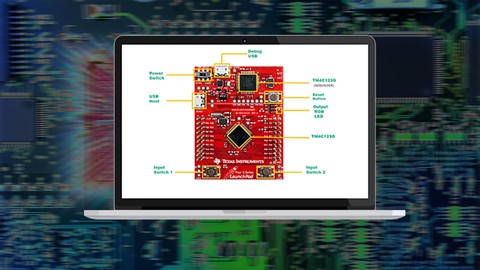
Introduction to ARM Cortex-M Assembly Programming (FREE) (2020)
4.4 (967 Reviews)
- Provider: Udemy
- Time: 4.2h
Free

ARM Cortex-M : Modular Embedded Systems Design (FREE!) (2019)
4.5 (935 Reviews)
- Provider: Udemy
- Time: 7.6h
Free
More IT & Software courses

D3.js Data Visualization Fundamentals - Hands On (2026)
4.9 (3,917 Reviews)
- Provider: Udemy
- Time: 4.6h
$49.99

Hands-On Training: Streaming Data with Apache Kafka on Azure (2025)
4.9 (103 Reviews)
- Provider: Udemy
- Time: 3.7h
$10.99


Oracle Grid Infrastructure and RAC using Oracle Database 19c (2026)
4.8 (2,499 Reviews)
- Provider: Udemy
- Time: 8.7h
$19.99

PowerShell Scripting & Automation: The Complete Hands-On (2026)
4.8 (1,750 Reviews)
- Provider: Udemy
- Time: 9.6h
$11.99

AWS EC2 Crash Course + Load Balancing with Demos and PDFs (2025)
4.8 (866 Reviews)
- Provider: Udemy
- Time: 3.7h
$19.99
 Reviews

By David Xanatos on 12/20/2020
So far it's a review of basics, but without these, new folks would be lost. Good review.
By Guido Giuntoli on 12/20/2020
The course shows several assembly concepts but I am in 50% of it and it didn't make anything with Raspberry Pi. I am quite disappointed.
By CBen Bennett on 12/13/2020
Pretty basic so far
By Dana Patterson on 11/20/2020
informational
By Mike Dunn on 11/14/2020
Enjoyed the course but found one or 2 of the later modules a bit light on code examples. Overall a good course though and I feel comfortable starting to tackle some Raspberry Pi assembly projects.
By Gaultier Didier on 11/5/2020
Enfin un cours en assembleur, je l'ai cherch depuis pas mal de temps !
By Sam Ollason on 10/25/2020
Very clear, very engaging. Enjoying it so far and learning lots.
By Geero on 10/20/2020
Really good course. It was a lot of content and I think each of the areas covered was touched on well enough to give a nice sampling.
One suggestion I have; can you add a Section 12, where you offer suggestions for books or websites that can be used for further exploration.
At the end you mention updating the course, just curious on if you know when that would be?
Thanks again, well done ...
By Incognito Mode on 10/19/2020
Some points are not clear enough.
For example, in the ADR and ADRL lecture, the only slide that is presented is the 4 instructions and their syntax.
All the ranges and additional data are said verbally, but no proper visualization of the relative offsets/address ranges are given.
I believe that if some points are mentioned only as a brief reference, it is worth to add links to official documentation or some external/additional examples.
Thanks!
By Manuel Carvalho on 10/18/2020
I enjoyed it and especially found the parts on accessing the pi desktop and IDE very helpfull.
By Anonymized User on 10/17/2020
Trs clair et intressant.
By Scott Weber on 10/5/2020
small segments of lesson help to understand the material
 Quality Score
No CourseDuck member has rated this course yet. Taken it? Give each part a thumbs up or down.
Overall Score : 82 / 100

- Video Duration:
 7h
7h - Price: $59.99
- Provider: Udemy
- Updated:
 February 2021
 - Level:
 All Levels
 - Language:
 English
 - Certificate:
 Yes
Yes
30-day money-back guarantee on most paid courses
Udemy Coupon Price Tracker
