
 Web Development
 Python
 SQL
SQL JavaScript
 Data Science
 Artificial Intelligence
 IT & Software
 IT Certifications
 Hacking
 Arduino
 AWS
AWS 3D Modeling
 Graphic Design
 Photoshop
 Drawing
 Digital Painting
 UX Design
 Business
 Data Analysis
 Communication Skills
 Project Management
 Leadership & Management
 E-Commerce
 Digital Marketing
 Social Media Marketing
 Marketing
 SEO
SEO Google Analytics
 Branding
 Office Productivity
 Excel
Excel Finance & Accounting
 Bitcoin
 Video Editing & Animation
 Photography
 Adobe Premier Pro
 Adobe Lightroom
 Personal Development
 Health & Fitness
 Music
Music Guitar
 Teaching & Academics
 Language Learning
 Engineering
 Lifestyle
Build a Responsive Website with a Modern Flat Design (Udemy.com)
Build a great looking flat design website using a simple but well coded template.
Created by: Stone River eLearning
Last updated August 2020
 What you will learn
- Learn great front-end web design
- Learn to use templates to make web design easier
- Understand the use of new CSS conventions for easier design
- Learn how to create responsive design using HTML5
 Course Description
The Days of PHP to HTML5 Are Gone – Learn Efficient Web Design with Templates
Gone are the days of manually slicing designs in Photoshop to use templates for web design. With modern web development tools and techniques, you can now create beautiful, responsive websites without the hassle. In this course, you'll learn how to use a website template to build a fully responsive site using just CSS and HTML5—without the need for endless Photoshop slicing.
What You Will Learn
This course will teach you how to leverage a website template to create a sleek, responsive website. You’ll master the latest CSS functionalities, which can cut your design time in half compared to traditional methods. You’ll learn how to implement HTML5 and CSS to structure and style your website, making it responsive and user-friendly across all devices.
How You Will Learn
You’ll gain hands-on experience by working with a real, responsive design template that features a modern flat design. The course will guide you step-by-step, showing you exactly how to customize the template to suit your needs. By the end of the course, you’ll be equipped to work with any template available on the market, applying the skills you’ve learned to create professional, responsive websites.
All the materials and resources needed to work with the template are included in the course, making it easy for you to get started right away. Whether you're a beginner or looking to refresh your web design skills, this course will teach you everything you need to know to build modern, responsive websites quickly and efficiently.

 Udemy Discount
The discount is applied through our link. Open the course from here and Udemy's current promotional price is applied at checkout on most courses, no code to type.
Some courses are excluded from Udemy's promotions. If the price does not drop, clear your browser cookies and use the button again.
Instructor Details

- 4.3 Rating
 1,093 Reviews
Stone River eLearning
At Stone River eLearning, we teach IT, programming, development, business and soft skills - we have it all covered.
Check out our huge catalog of courses and join the over 4.2M students currently taking Stone River eLearning courses. We can provide all or part of this catalog to any business via API connection, or you can get Solara LMS completely free for up to 10 users.
 More courses by Stone River eLearning

Business Etiquette and Professionalism (2024)
4.5 (18,312 Reviews)
 Provider: Udemy
 Time: 1.8h
$64.99


Introduction to Human Resource Concepts (2018)
4.6 (5,039 Reviews)
- Provider: Udemy
- Time: 7.9h
$15.99

More UI Design courses


Build eCommerce websites with WordPress & WooCommerce (2025)
4.7 (889 Reviews)
- Provider: Udemy
- Time: 28.8h
$84.99

UX / UI Web Design in Figma | Advanced Level | Eng (2026)
4.7 (155 Reviews)
- Provider: Udemy
- Time: 12.3h
$19.99


DESIGN RULES: Principles + Practices for Great UI Design (2025)
4.6 (16,991 Reviews)
- Provider: Udemy
- Time: 4.9h
$129.99

Master Figma for Web Design & Freelancing: Learn UI/UX (2026)
4.6 (1,047 Reviews)
- Provider: Udemy
- Time: 12.8h
$79.99
 Reviews

By Miguel Arturo Sanchez Cuello on 1/6/2021
This course is for the beginner type who has seen stuff but doesnt know how to apply them yet. I mean if you are a complete beginner you can take the course and you will learn something but to really grasp this course i suggest you do a basic CSS course prior taking this one. This course will expand your horizons when it comes about how to get things done. The instructor walks you through, step by step, the process of taking a flat design and building a website. If you follow along with the videos, the course gets you to a point, even if you are a beginner, where you catch what is being doing and you feel that you have learned something you can try later on a personal project. The reason I gave 4/5 is because: 1st i was expecting the responsiveness of the website to come from vanilla CSS not from a framework. He did explain how the responsiveness of the framework works. 2nd He had two main IDs... i just dont think that's a good practice. And gave me the benefit of the doubt that some other things were not done the right way. It is our duty as students to educate ourselves in good practices and naming conventions, etc, etc. I really loved this course because it is short and it delivers on what it promises and during the process the instructor gives you a comprehensive way to approach a flat design and you get to know more about how to build responsive websites and then you can contrast this knowledge with other authors as well.
By Tran Dang on 10/15/2020
Since Foundation had changed a bit, it was actually quite hard to follow as some classes or ids are different from what it used to be. I have to search for the new codes and that took quite some time. But overall, the course was straight to the point, informative, and much better than what I expected.
By Ali Bilal on 9/25/2020
It's perfectly explained, however, You should be deploying a complete responsive Nav bar instead as a viewer generally is looking for a robust modern responsive design
By Jukakombo Alison Magid Juma on 10/2/2019
i understand how to to make a wiframing using photoshop it will allout to start your implementation without any problem cause you have the the structure in the mind already you will be to start line byline which very good according to me well understood to start to need to have a wireframe or sketch it on the paper
By Peter Byrne on 2/19/2018
Very in depth course about creating flat responsive designs for websites, i found the lessons very useful & will definitely be able to use these techniques on future projects etc, i managed to get nearly everything to work apart from getting the columns working, couldn't get them to display the way they were showing in the videos, I think it could be just an issue with the code editor or browser i'm using but other than that everything else worked fine, highly recommended...!
By Richard Thai on 10/4/2017
I took this course to refresh my memory in HTML and to get an idea of what I can do to get started on designing my website. This course was very brief and helpful. It can be improved by including more real-world examples such as a mobile-friendly navigation bar (drop-down menu), a footer, and more. Overall, great course to get your mind jogging on web design. Knowledgeable instructor, enjoyable accent.
By Ramsés Román Sánchez on 7/22/2017
Curso práctico y sencillo pero muy interesante. No me quedó claro si se va a continuar con el desarrollo del sitio total que se observa en el segundo video. Me hubiera gustado tener en la descarga de los materiales, acceso al archivo PSD para efectos de estudio y entrenamiento y por qué no, intentar continuar el diseño por nuestros propios medios. Agradecer al profesor su tiempo y conocimiento compartidos.
By Nikhil Pratap Singh on 3/17/2017
It was very helpful as the instructions were simple and clear. This course is a must for who are new in the field of Website Development and also for those who wants to catch up with the trends in web technologies and optimized websites for different platforms. The course was provided with all the resources used in the lessons for the reference purpose which is really appreciable. Thank you "Stone River eLearning" for such an amazing course.
By Woo Wei Hao Sherman on 3/16/2016
I needed a quick and fast way to learn the basic introductory techniques and considerations to build a front page of a website, and this course delivered exactly that. This course uses Foundation front-end framework instead of twitter bootstrap, which is something to consider if you just want to learn only one framework. The instructor was clear and concise, and I had no major problems following along. Looking forward to more advanced courses that have bigger projects so the coverage of topics will be more in-depth and complete.
By Phill Pexton on 11/30/2015
The course does it's job in giving you a basic web page at the end of it, but there was very little explanation, the course uses Foundation 5 (no surpassed by Foundation 6) causing all kinds of issues, and to add insult to injury it's not even the whole course. Udemy obviously cut off half the course. Fortunately I have completed other courses prior to starting this one, or else I would be even more confused than I am now.
 Quality Score
No CourseDuck member has rated this course yet. Taken it? Give each part a thumbs up or down.
Overall Score : 86 / 100
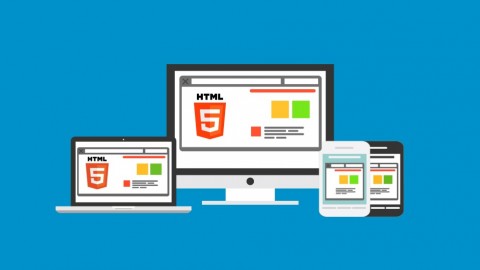
- Video Duration:
 2.1h
2.1h - Price: $19.99
- Provider: Udemy
- Updated:
 August 2020
 - Level:
 All Levels
 - Language:
 English
 - Certificate:
 Yes
Yes
30-day money-back guarantee on most paid courses
Udemy Coupon Price Tracker
