
 Web Development
 Python
 SQL
SQL Data Science
 JavaScript
 Artificial Intelligence
 IT & Software
 IT Certifications
 Hacking
 Arduino
 AWS
AWS DevOps
 3D Modeling
 Graphic Design
 Photoshop
 Drawing
 Digital Painting
 UX Design
 Business
 Data Analysis
 Communication Skills
 Leadership & Management
 Project Management
 Human Resources
 Digital Marketing
 Social Media Marketing
 Marketing
 SEO
SEO Google Analytics
 Branding
 Excel
Excel Office Productivity
 SAP
SAP PowerPoint
 Microsoft Access
 SharePoint
 Finance & Accounting
 Trading & Investing
 Accounting
 Bitcoin
 Personal Finance
 Video Editing & Animation
 Photography
 Adobe Premier Pro
 Adobe Lightroom
 Personal Development
 Productivity
 Career Development
 Life Coaching
 Health & Fitness
 Meditation & Mindfulness
 Yoga
Yoga Music
Music Music Production
 Guitar
 Piano
Piano Singing
 Language Learning
 Teaching & Academics
 Engineering
 Math
Math Lifestyle
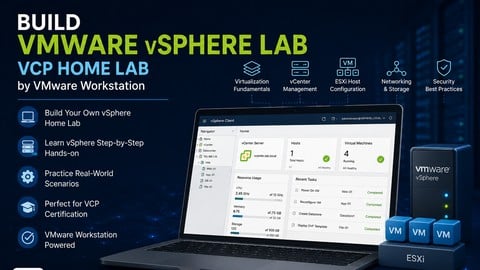
Build Complete VMware vSphere Home Lab by VMware Workstation (Udemy.com)
Go from Beginner to VMware Admin | Build a Complete vSphere Lab with ESXi and vCenter For HOME LAB
Created by: Ali Mansouri
Last updated September 2026
 What you will learn
- Build a Complete VMware vSphere Home Lab on Your PC
- Create a vSphere home lab on a computer using VMware Workstation
- Install and Configure VMware ESXi and vCenter Server
- Create Virtual Machine to Practice Network
- Install and Configure VMware ESXi Step-by-Step
- Learn VMware Virtualization Through Hands-On Labs
- Build Your First VMware vSphere Lab from Scratch
- Install ESXi and vCenter with No Prior VMware Experience
- Gain Job-Ready VMware Skills in a Safe Lab Environment
 Course Description
Build Your Own VMware vSphere 7 Home LAB | ESXi, vCenter & VMware Workstation Step-by-Step Training
This course will guide you step-by-step through building a complete VMware vSphere 7 Home LAB environment directly on your own computer using VMware Workstation 15.5 or 16. You will learn how to deploy and manage a fully functional virtual datacenter including ESXi hosts, vCenter Server, shared storage, networking, and virtual machines.
Whether you are new to virtualization or preparing for enterprise VMware environments, this course gives you practical hands-on experience with the technologies used in real production infrastructures.
*** If you have any questions or need help, feel free to contact me on LinkedIn. ***
What You Will Build
By the end of this course, you will have a fully operational VMware vSphere LAB environment including:
Multiple VMware ESXi Hosts
VMware vCenter Server
Domain Controller
Virtual NAS Storage
Shared Datastores
Virtual Networking
Multiple Virtual Machines
Centralized vSphere Management
You will also be able to access and manage your environment using the VMware vSphere Client just like in real enterprise datacenters.
What You Will Learn
VMware Virtualization Fundamentals
VMware Workstation Setup
Installing VMware ESXi
Deploying vCenter Server
Creating & Managing Virtual Machines
vSphere Networking Configuration
Storage Configuration & Shared Datastores
Virtual Switches & VM Networking
VMware Home LAB Design
ESXi Host Management
Basic VMware Troubleshooting
Best Practices for Home LAB Environments
Why Learn VMware vSphere?
Virtualization and cloud computing are now at the core of modern IT infrastructure. VMware vSphere remains one of the most widely used enterprise virtualization platforms in the world.
Building your own VMware LAB gives you the ability to:
Practice real-world enterprise scenarios
Learn VMware technologies hands-on
Test new technologies safely
Prepare for VMware certifications
Build production-ready skills
Create your own personal datacenter environment
Beginner-Friendly Step-by-Step Training
This course is designed for beginners and walks through the entire deployment process in a simple and practical way. Even if you have never worked with VMware before, you will learn how to build, configure, and manage your own virtualization environment from scratch.
The video training itself is approximately 2 hours long, but if you follow along and build the lab yourself, expect the full setup process to take around 4–5 hours depending on your hardware performance.
Real Enterprise Experience at Home
Instead of learning only theory, this course focuses heavily on practical deployment and configuration. You will gain experience working with the same VMware technologies used daily by system administrators, infrastructure engineers, and enterprise IT teams around the world.

 Udemy Discount
The discount is applied through our link. Open the course from here and Udemy's current promotional price is applied at checkout on most courses, no code to type.
Some courses are excluded from Udemy's promotions. If the price does not drop, clear your browser cookies and use the button again.
Instructor Details

- 4.4 Rating
 337 Reviews
Ali Mansouri
I’m Ali Mansoori, founder of Dynamips dot io and a certified instructor in Cisco, VMware vSphere, and Veeam VMCE technologies.
I’ve delivered thousands of hours of official live training to network engineers, system administrators, and IT professionals around the world.
My training goes beyond commands and certification theory. I focus on how technologies are actually deployed, operated, and troubleshot in real enterprise environment helping you bridge the gap between the lab and production.
Whether you're preparing for a certification, starting your IT career, or building deeper enterprise skills, my goal is simple: help you become a more confident, practical engineer.
Want to know more about my experience and background? Connect with me on LinkedIn: in/alimansoori
 More courses by Ali Mansouri
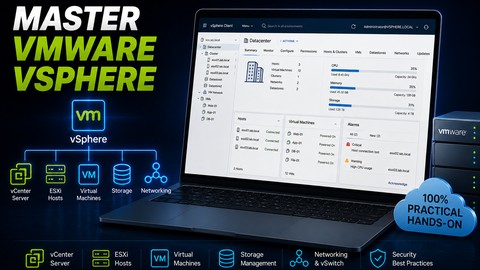
VMware vSphere 7: Build, Configure and Manage Like a Pro (2026)
4.6 (813 Reviews)
 Provider: Udemy
 Time: 8.5h
$11.99

Build an Active Directory & Group Policy Production Lab (2026)
4.7 (706 Reviews)
- Provider: Udemy
- Time: 5.8h
$69.99
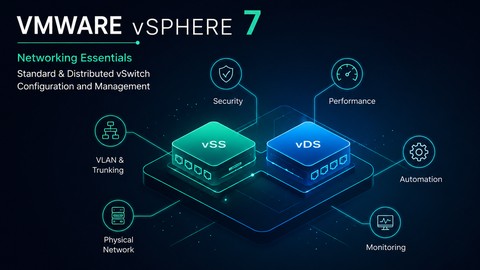
VMware vSphere Networking: Standard and Distributed vSwitch (2026)
4.2 (240 Reviews)
- Provider: Udemy
- Time: 4.6h
$11.99
More VMware courses

Complete VMWare vSphere ESXi and vCenter Administration (2026)
4.7 (14,620 Reviews)
- Provider: Udemy
- Time: 11.3h
$99.99

The Complete VMware vSphere: Beginner to Advanced (2026)
4.7 (4,526 Reviews)
- Provider: Udemy
- Time: 12.6h
$13.99

VMware vSphere 6.0 Part 1 - Virtualization, ESXi and VMs (2018)
4.7 (4,409 Reviews)
- Provider: Udemy
- Time: 8.9h
$69.99

Clear and Simple VMware vSphere 6.7 Professional VCP-DCV (2024)
4.7 (2,338 Reviews)
- Provider: Udemy
- Time: 12.9h
$10.99

Clear and Simple VMware vSAN 6.7 (Virtual SAN) (2023)
4.7 (2,283 Reviews)
- Provider: Udemy
- Time: 3.1h
$11.99

Clear and Simple VMware Certified Associate (RetiredVCA-DBT) (2024)
4.7 (2,240 Reviews)
- Provider: Udemy
- Time: 6.5h
$13.99
 Reviews

By Shailendra Singh Rathod on 12/6/2024
Course is good. It would be better if you provide more demo session.
By Sanjib Dutta on 6/10/2024
Yes. This course is very helpful for me to gather more knowledge about VMware.
By James Summerill on 4/1/2024
Some of the examples and material were out dated, I sent hours looking for solution watched videos/courses outside the course. VM config setting for VCenter seemed to be outdated and more toward 6.5/6.7. Memory Reqs for VCenter Disk space allocation did required more resources than identified in the min req. Some of the other configuration setting did not seem to match reqs for 17.5. Otherwise the course was pretty good; but very frustrating at times.
By Anonymized User on 4/9/2023
Great course. Was able to guide me in setting up my home lab using VMware ESXi.
By Anonymized User on 12/29/2022
Don't ever apologize for your accent. You are delivering one of the best quality training I've ever watched with all important aspects of the product covered. Thank you and please, keep adding more trainings to your library.
By Maureen Doyle on 12/6/2022
You could learn this information by going to the VMware website. In my opinion, this is very poor quality teaching. There is no value added by this teacher. The entire course is 2 hours.
By Mahfuzur Rashid on 10/16/2021
Excellent presentation with step by step screenshots and detail explanation. Quick support on queries. Extremely happy
By Louis Kovach on 10/2/2021
I am currently studying to take the VCP DCV 2021 test and needed a lab environment to practice my skills along with reading the book. This course has helped me setup a great lab using VMware Workstation right on my computer to practice and sharpen my skills as I study for the test.
By Mike Gibbs on 7/24/2021
The course is informative and useful as a prep for the beginning of virtualization. Thanks
By Adam Carter on 7/24/2021
Amazing course! Covered material in a clear and concise manner.
 Quality Score
No CourseDuck member has rated this course yet. Taken it? Give each part a thumbs up or down.
Overall Score : 88 / 100
- Video Duration:
 1.8h
1.8h - Price: $10.99
- Provider: Udemy
- Updated:
 September 2026
 - Level:
 Beginner
 - Language:
 English
 - Certificate:
 Yes
Yes
30-day money-back guarantee on most paid courses
Udemy Coupon Price Tracker
