
 Web Development
 Python
 SQL
SQL Data Science
 JavaScript
 Artificial Intelligence
 IT & Software
 IT Certifications
 Hacking
 Arduino
 AWS
AWS DevOps
 3D Modeling
 Graphic Design
 Photoshop
 Drawing
 Digital Painting
 UX Design
 Business
 Data Analysis
 Communication Skills
 Leadership & Management
 Project Management
 Human Resources
 Digital Marketing
 Social Media Marketing
 Marketing
 SEO
SEO Google Analytics
 Branding
 Excel
Excel Office Productivity
 SAP
SAP PowerPoint
 Microsoft Access
 SharePoint
 Finance & Accounting
 Trading & Investing
 Accounting
 Bitcoin
 Personal Finance
 Video Editing & Animation
 Photography
 Adobe Premier Pro
 Adobe Lightroom
 Personal Development
 Productivity
 Career Development
 Life Coaching
 Health & Fitness
 Meditation & Mindfulness
 Yoga
Yoga Music
Music Music Production
 Guitar
 Piano
Piano Singing
 Language Learning
 Teaching & Academics
 Engineering
 Math
Math Lifestyle
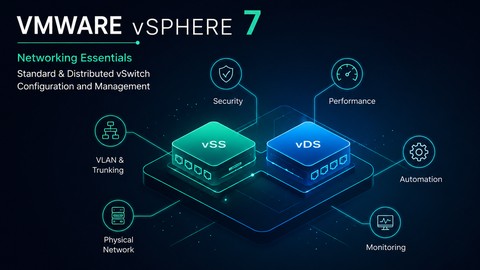
VMware vSphere Networking: Standard and Distributed vSwitch (Udemy.com)
Mastering VMware vSphere Network: Standard Distributed vSwitch Administration, Advanced Features, and Real-World Labs
Created by: Ali Mansouri
Last updated September 2026
Our take
Based on the ratings of 240 students, a sample of their written reviews and the syllabus, as the course stood in September 2026. No course pays to be reviewed.
The course is a focused look at vSphere networking: 4.6 hours across 58 lectures in seven sections. Close to two hours go to standard switches. The rest covers distributed switches and a block of advanced vDS features such as LACP, Network I/O Control, private VLANs and NetFlow. The requirements list Windows Server and basic virtualization, so it suits people who already know what a hypervisor does. It was last updated in September 2026, which is fresh for a course first published in 2021.
Ratings are mostly warm. Of 240 reviews, 140 are five stars and 63 are four. Students like the pace and the clear configuration walkthroughs, and one admin back in VMware after a few years, studying for VCP 7 DCV, calls it amazing so far. Ali Mansouri is described as a professional, knowledgeable trainer. The complaints are consistent, though. Some find the flow cluttered and the steps rushed, one says Q&A questions go unanswered, and another wants PDF slides and better sound. One reviewer expected real servers and licensed vSphere but got VMware Workstation. Two reviewers criticise the translation, one calling it very bad.
At under five hours, it is a quick way to cover switch topics without sitting through a full VCP prep series. There are no quizzes or practice tests, so self-testing is up to you. Pick it as a refresher or a first pass at distributed switch features. If you need depth, slower explanations or active instructor support, look for something more patient.
Pros
- Covers both standard and distributed switches, plus LACP, PVLANs, NetFlow and jumbo frames
- Reviewers say the pace is right and configurations are explained thoroughly
- Useful as a VCP-DCV networking refresher for admins returning to VMware
- Updated in September 2026, so it is current for a 2021 course
Cons
- Some reviewers say steps move too fast and the flow feels cluttered
- No PDF slides or transcript, and one reviewer flags weak sound
- Lab runs on VMware Workstation, not real servers; Q&A seems poorly monitored
Having been out of the VMware ecosystem for a few years and needing to pass my VCP 7 DCV, this course has been amazing so far. Very impressed
Labeled All Levels, but it assumes Windows Server and basic virtualization know-how, so true beginners may struggle.
 What you will learn
- Configure VMware Standard Switches (vSS) from Scratch
- Deploy and Manage VMware Distributed Switches (vDS)
- Create VLANs and Network Segmentation in vSphere
- Build Enterprise Virtual Network Topologies
- Configure VMkernel Ports for Management, vMotion and Storage
- Troubleshoot Common vSphere Networking Issues
- Design Secure and Scalable VMware Network Infrastructure
- Connect Virtual Machines to Production Networks
- Prepare for VCP-DCV Networking Topics
Course content
7 sections · 58 lectures · 4.6 hours of video 3 articles
- 1Introduction 5 free previews6 lectures · 11 min
- 2LAB 2 free previews2 lectures · 7 min
- 3Installation Files1 lecture
- 4Configuring vSphere Standard Switches (vSS) 4 free previews19 lectures · 2 hours
- 5Configuring vSphere Distributed Switches (vDS) 1 free preview13 lectures · 1.1 hours
- 6Configuring vDS Advanced Features16 lectures · 1.3 hours
- 7Bonus1 lecture
Who it is for
The instructor says it suits
- Who wants to learn vSphere Switches
- Virtualization Engineer
- Who wants to pass VCP-DCV
- Network Engineers Working with VMware
- VCP-DCV Students
- IT Professionals Managing vSphere Environments
What you need before you start
- Windows Server
- Basic Virtualization
 Course Description
Master VMware vSphere Networking with hands-on labs and real-world demonstrations.
In this course, you will learn how to design, configure, manage, and troubleshoot VMware vSphere networking using both Standard Switches (vSS) and Distributed Switches (vDS). From basic virtual networking concepts to advanced enterprise features such as LACP, Network I/O Control, Private VLANs, Traffic Shaping, NetFlow, Jumbo Frames, Health Check, and Long-Distance vMotion, every topic is explained through practical demonstrations.
You will build and manage virtual switches, VMkernel adapters, port groups, VLANs, NIC teaming, load balancing, and distributed networking services while learning the best practices used in production environments.
Whether you are a VMware administrator, virtualization engineer, network professional, or IT student, this course will give you the skills needed to confidently deploy and manage VMware vSphere networking infrastructures.
What You'll Learn
VMware Standard Switch (vSS) Configuration
VMware Distributed Switch (vDS) Deployment
VLANs, PVLANs, and Network Segmentation
NIC Teaming, LACP, and Load Balancing
Network I/O Control and Traffic Shaping
NetFlow, Port Mirroring, and Health Check
Jumbo Frames and TCP Offload Features
Backup, Restore, Migration, and Troubleshooting
Over 4.5 hours of focused, practical training with downloadable resources and direct Q&A support.
Keywords: VMware vSphere 7
VMware vSphere training
VMware vSphere Networking

 Udemy Discount
The discount is applied through our link. Open the course from here and Udemy's current promotional price is applied at checkout on most courses, no code to type.
Some courses are excluded from Udemy's promotions. If the price does not drop, clear your browser cookies and use the button again.
Instructor Details

- 4.2 Rating
 240 Reviews
Ali Mansouri
I’m Ali Mansoori, founder of Dynamips dot io and a certified instructor in Cisco, VMware vSphere, and Veeam VMCE technologies.
I’ve delivered thousands of hours of official live training to network engineers, system administrators, and IT professionals around the world.
My training goes beyond commands and certification theory. I focus on how technologies are actually deployed, operated, and troubleshot in real enterprise environment helping you bridge the gap between the lab and production.
Whether you're preparing for a certification, starting your IT career, or building deeper enterprise skills, my goal is simple: help you become a more confident, practical engineer.
Want to know more about my experience and background? Connect with me on LinkedIn: in/alimansoori
 More courses by Ali Mansouri
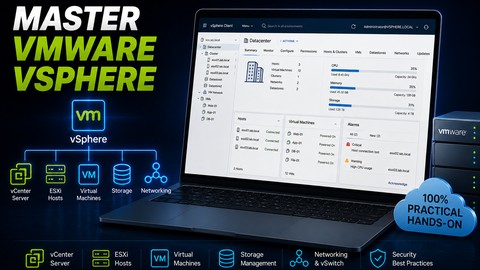
VMware vSphere 7: Build, Configure and Manage Like a Pro (2026)
4.6 (813 Reviews)
 Provider: Udemy
 Time: 8.5h
$11.99

Build an Active Directory & Group Policy Production Lab (2026)
4.7 (706 Reviews)
- Provider: Udemy
- Time: 5.8h
$69.99
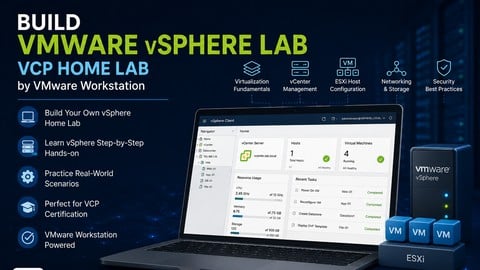
Build Complete VMware vSphere Home Lab by VMware Workstation (2026)
4.4 (337 Reviews)
- Provider: Udemy
- Time: 1.8h
$10.99
More VMware courses

Complete VMWare vSphere ESXi and vCenter Administration (2026)
4.7 (14,620 Reviews)
- Provider: Udemy
- Time: 11.3h
$99.99

The Complete VMware vSphere: Beginner to Advanced (2026)
4.7 (4,526 Reviews)
- Provider: Udemy
- Time: 12.6h
$13.99

VMware vSphere 6.0 Part 1 - Virtualization, ESXi and VMs (2018)
4.7 (4,409 Reviews)
- Provider: Udemy
- Time: 8.9h
$69.99

Clear and Simple VMware vSphere 6.7 Professional VCP-DCV (2024)
4.7 (2,338 Reviews)
- Provider: Udemy
- Time: 12.9h
$10.99

Clear and Simple VMware vSAN 6.7 (Virtual SAN) (2023)
4.7 (2,283 Reviews)
- Provider: Udemy
- Time: 3.1h
$11.99

Clear and Simple VMware Certified Associate (RetiredVCA-DBT) (2024)
4.7 (2,240 Reviews)
- Provider: Udemy
- Time: 6.5h
$13.99
 Reviews

By Anonymized User on 10/15/2024
This was the good group of lectures, but there could be a little bit in depth and in more easy way.
By Ronald Victoria on 6/12/2024
The topics are good but I think the flow is a bit cluttered. Sometimes the operation is too fast and without a clear explanation, making it hard to follow. Also if you stuck to something, no one seems to monitor the Q&A for support.
By Parth Soni on 9/23/2023
I was expecting lab environment with actuall servers and licensed vsphere setup instead of vmware workstation
By GERMAN DIAZ on 3/15/2023
Needs PDF presentation, needs improvements sound. missing transcription to review notes..
By Anonymized User on 2/15/2023
Very good course . With many useful cases for implementing in real world scenarios ! Well done !
By Emanuel Jones on 1/17/2022
Course is excellent. A good vmware vswitch refresher to help get started with the remainder of the content.
By Kristy Moore on 1/17/2022
Even though I'm learning slow and steady, I feel like this course is worth going through and understanding.
By Hakim Barnes on 1/17/2022
TAL is an amazing teacher! I highly recommend everyone to take this course because I has helped me so much! Thank you, TAL
By Ahmet Gray on 11/15/2021
Having been out of the VMware ecosystem for a few years and needing to pass my VCP 7 DCV, this course has been amazing so far. Very impressed
By Noora Gibb on 11/9/2021
Astounding course with a superb way of explaining things that just goes deep into you making your base very robust.
 Quality Score
No CourseDuck member has rated this course yet. Taken it? Give each part a thumbs up or down.
Overall Score : 84 / 100
- Video Duration:
 4.6h
4.6h - Price: See price on Udemy
- Provider: Udemy
- Updated:
 September 2026
 - Level:
 All Levels
 - Language:
 English
 - Certificate:
 Yes
Yes - Lectures:58 in 7 sections
- Students:1,643
- Subtitles:2 languages
30-day money-back guarantee on most paid courses
Udemy Coupon Price Tracker
