
 Web Development
 Data Science
 Python
 SQL
 JavaScript
 Artificial Intelligence
 IT & Software
 IT Certifications
 Hacking
 Microsoft Azure
 AWS
 Arduino
 3D Modeling
 Graphic Design
 Photoshop
 Drawing
 Digital Painting
 UX Design
 Business
 Data Analysis
 Communication Skills
 Project Management
 Leadership & Management
 Human Resources
 Digital Marketing
 Social Media Marketing
 Marketing
 SEO
 Google Analytics
 Branding
 Excel
 Office Productivity
 SAP
 PowerPoint
 Microsoft Copilot
 Microsoft Access
 Finance & Accounting
 Trading & Investing
 Accounting
 Bitcoin
 Personal Finance
 Video Editing & Animation
 Photography
 Adobe Premier Pro
 Adobe Lightroom
 Personal Development
 Productivity
 Career Development
 Life Coaching
 Health & Fitness
 Yoga
 Meditation & Mindfulness
 Music
 Music Production
 Guitar
 Piano
 Singing
 Teaching & Academics
 Engineering
 Language Learning
 English Language
 Math
 Lifestyle
Certificate Course in Video Editing using VSDC Video Editor (Udemy.com)
Free video editor with all professional video editing features
Created by: Venkatesh B
Last updated August 2025
Our take
Based on the ratings of 39 students, a sample of their written reviews and the syllabus, as the course stood in August 2025. No course pays to be reviewed.
This is a software walkthrough first and an editing class second. Venkatesh B, who lists over 22 years in teaching, multimedia production and creative technology, covers VSDC in 38 lectures and about 2.3 hours. The sections run from an introduction and setup through basics to advanced features. Listed topics include scene planning, trimming, audio sync, effects and transitions, plus extras such as chroma key, screen capture, slide shows and a video converter. It suits beginners who need a free editor and have already picked VSDC.
Students mostly like how simple it is. Reviewers call it easy, step by step and easy to understand, and one says the instructor was polite and answered questions promptly. Another already knew many of the basics and still picked up some of the more intricate functions. The main complaint is depth: one four-star reviewer says it doesn't go far into editing techniques and that a separate course will probably be needed. Another found the speech too fast and slowed it to 0.75x. The lone one-star review in the sample actually calls the course good, but wishes it were in Hindi.
The 4.2 rating comes from only 39 reviews, 31 of them four or five stars, so treat it as encouraging rather than settled. The course dates from 2021 but was updated in August 2025. At this length it's a small commitment, and that is the right way to see it: a quick start on one program. Take it to get comfortable in VSDC, then plan on another course for editing technique.
Pros
- Reviewers describe step-by-step lessons that are easy to understand
- Teaches a free editor, so there is no pricey software to buy first
- Reaches chroma key, screen capture, slide shows and video conversion in 2.3 hours
- Updated in August 2025, and one reviewer praises timely answers to questions
Cons
- Light on editing technique; one reviewer expects to need a separate course
- One student found the speech too fast and watched at 0.75x speed
- No assignments, and only one quiz to check what has stuck
This is great if you need to get familiar with the basic functions of VSDC video editor.
True beginner level: the only listed requirements are a computer and an internet connection, with no editing background.
 What you will learn
- Editing Plan and Scenes Creation
- Free Video Editor
- Import your Multimedia Content
- Edit and remove the unwanted frames
- Audio Video Synchronization
- Add Essential Video Effects and Transitions
- Chromakeying Effect in VSDC Video Editor
- Slide Show Video Creation
- Video Capturing Process
- AI Art Generator
- Audio Graphic Representation – Spectrum
- Video Effects & Video Transitions
Course content
5 sections · 38 lectures · 2.3 hours of video 1 quiz
- 1Introduction to Video Editing 1 free preview4 lectures · 7 min
- 2Set Up VSDC Video Editor2 lectures · 5 min
- 3Basics of VSDC Video Editor11 lectures · 41 min
- 4Working with VSDC Video Editor 1 free preview10 lectures · 43 min
- 5Advanced Features of VSDC Video Editor 1 free preview11 lectures · 1 quiz · 42 min
Who it is for
The instructor says it suits
- Video Editor
- Learners
- Beginners
- Looking for course for Free Video Editing Software
- Any one can learn this course.
What you need before you start
- Computer
- Internet connection
How it compares
Against the other 304 rated Udemy courses in Video Editing & Animation on CourseDuck:
- Rating4.2 out of 5higher than 14% of them
- Reviews39#264 of 305 by number of reviews
- Length2.3 hoursshorter than 69% of them
- Last updatedAugust 2025more recently than 66% of them
 Course Description
Hi. Welcome to the Certificate Course in Video Editing using VSDC Video Editor. The program is capable of processing high-resolution footage including 4K UHD, 3D and VR 360-degree videos. VSDC allows for applying post-production effects, live colour correction, and motion tracking.
Video editing is the manipulation and arrangement of video shots. Video editing is used to structure and present all video information, including films and television shows, video advertisements and video essays. Video editing has been dramatically democratized in recent years by editing software available for personal computers. Editing videos can be difficult and tedious, so several technologies have been produced to aid people in this task. Pen-based video editing software was developed in order to give people a more intuitive and fast way to edit video.
At the end of the course, you will have complete knowledge about video editing.
In this Course You will Learn;
• Editing Plan and Scenes Creation
• Organizing the project files
• Import your Multimedia Content
• Edit and remove the unwanted frames
• Audio Video Synchronization
• Add Essential Video Effects and Transitions
• Inserting Background Music
• Add necessary Animations
• Final Project Output
• Chromakeying Effect in VSDC Video Editor
• Screen Capturing Function
• Slide Show Video Creation
• Video Capturing Process
• AI Art Generator
• Audio Graphic Representation – Spectrum
• Voice Recorder
• Video Converter

 Udemy Discount
The discount is applied through our link. Open the course from here and Udemy's current promotional price is applied at checkout on most courses, no code to type.
Some courses are excluded from Udemy's promotions. If the price does not drop, clear your browser cookies and use the button again.
Instructor Details

- 4.2 Rating
 39 Reviews
Venkatesh B
With over 22 years of expertise in teaching, multimedia production, and creative technology, I bridge the worlds of design, animation, and education to inspire the next generation of creators. My career spans graphic design, animation, game design, e-learning, mobile app development, video production, and broadcasting, coupled with deep technical mastery across industry-leading tools like Adobe CC Softwares, Canva, MonoGame, C++, C# and GODOT.
As an Assistant Professor, Head of Department, multimedia artist, and resource person, I’ve trained thousands of students, delivered faculty development programs, and conducted workshops in VR/AR, e-content creation, video production, and graphic design. My academic credentials include multiple master’s degrees (Media Graphics & Animation, Information Technology, Visual Communication, Journalism & Mass Communication, E-Business) and doing my Ph.D. in Visual Communication, supported by SET qualification in Journalism & Mass Communication.
My passion lies in creating innovative, user-friendly learning experiences — from interactive animations and educational apps to live broadcast productions — blending aesthetic appeal with functional design. Recognized with Best Teacher Awards and the Social Responsible Award, I’ve also spearheaded initiatives like establishing ANJAC Radio 90.4 for community engagement.
 More courses by Venkatesh B

Learn Digital Painting from Scratch: Autodesk Sketchbook (2025)
4.4 (61 Reviews)
 Provider: Udemy
 Time: 17.5h
$11.99
Original price
Certificate Course on Adobe Photoshop CC (2025)
4.3 (55 Reviews)
- Provider: Udemy
- Time: 19.9h
$11.99
Original price
Masters in Poster Designing with Adobe Photoshop (2025)
4.2 (41 Reviews)
- Provider: Udemy
- Time: 3.5h
$11.99
Original price
Certificate Course on Video Editing: Adobe Premiere Pro CC (2025)
4.0 (29 Reviews)
- Provider: Udemy
- Time: 17.4h
$11.99
Original price
Certificate Course on Graphic Design with Adobe Express (2025)
4.1 (27 Reviews)
- Provider: Udemy
- Time: 7.3h
$11.99
Original price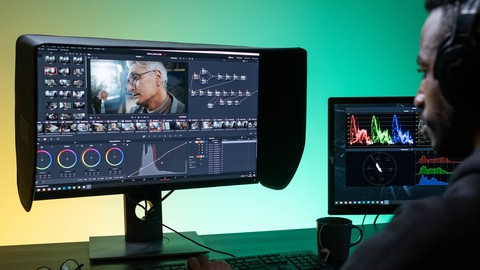
Certificate Course on Video Editing with Lightworks (2025)
4.2 (26 Reviews)
- Provider: Udemy
- Time: 1.3h
$11.99
Original price More Video Editing & Animation courses
Learn to Storyboard for Film or Animation (2024)
4.8 (2,727 Reviews)
- Provider: Udemy
- Time: 2.2h
$12.99
Original price
Final Cut Pro X Tutorial (2021)
4.8 (1,462 Reviews)
- Provider: Udemy
- Time: 3.3h
$11.99
Original price
Fire Starter Sessions Video Workshop with Danielle LaPorte (2017)
4.8 (1,205 Reviews)
- Provider: Udemy
- Time: 3.7h
$11.99
Original price
The Ultimate Color Grading Bootcamp in DaVinci Resolve (2026)
4.8 (947 Reviews)
- Provider: Udemy
- Time: 8.7h
$11.99
Original price
The Complete Talking Head Video Production Masterclass (2026)
4.8 (319 Reviews)
- Provider: Udemy
- Time: 17.6h
$11.99
Original price
The Complete iMovie Course - from Beginner to Advanced 2026!
4.7 (2,021 Reviews)
- Provider: Udemy
- Time: 11.1h
$10.99
Original price  Reviews

By Oluebube Chukwunwike on 10/30/2025
It was nice for just the basics and getting to know about the software
By Piyush verma on 5/4/2023
THIS COURSE IS GOOD ,BUT HINDI MEIN HOTA TO OR JYADA ACCHA HOTA.
By Cynthia Wesley on 12/30/2022
It is thorough and provides a lot of information.
By Nand Kishor Singh on 11/29/2022
Excellent tutorial ! Easy to understand ! Instructor is very polite and cooperative in timely reply of any question. Thanks a lot.
By Carl Michael Honrado on 7/7/2022
Yes, I will switch over to VSDC video editor soon so this applies heavily to me. Very simple and easy to understand so far.
By Joy e McDaniel on 2/10/2022
it has been a very easy step by step, so if one needs that then this a good course.
By Nicole Foster on 1/14/2022
This is great if you need to get familiar with the basic functions of VSDC video editor. It doesn't go very in depth with video editing techniques so you will probably need a separate course for that.
By Nirmal Sankalana on 5/30/2021
Awesome course about an awesome free video editing software. Thank you very much
By Mike Verdick on 5/27/2021
Excellent but instructor speaks too fast. I had to use. .75x speed to understand him which makes the course longer.
By Zefanyah Damai Filadelfia on 5/3/2021
this is so good omg thank you so much
 Quality Score
No CourseDuck member has rated this course yet. Taken it? Give each part a thumbs up or down.
Overall Score : 84 / 100
- Video Duration:
 2.3h
- Price: $11.99
- Provider: Udemy
- Updated:
 August 2025
- Level:
 Beginner
- Language:
 English
- Certificate:
 Yes
- Lectures:38 in 5 sections
- Practice:1 quiz
- Students:1,019
- Subtitles:1 language
30-day money-back guarantee on most paid courses
Udemy Coupon Price Tracker
