
 Web Development
 Data Science
 Python
 SQL
 JavaScript
 Artificial Intelligence
 IT & Software
 IT Certifications
 Hacking
 Microsoft Azure
 AWS
 Arduino
 3D Modeling
 Graphic Design
 Photoshop
 Drawing
 Digital Painting
 UX Design
 Business
 Data Analysis
 Communication Skills
 Project Management
 Leadership & Management
 Human Resources
 Digital Marketing
 Social Media Marketing
 Marketing
 SEO
 Google Analytics
 Branding
 Excel
 Office Productivity
 SAP
 PowerPoint
 Microsoft Copilot
 Microsoft Access
 Finance & Accounting
 Trading & Investing
 Accounting
 Bitcoin
 Personal Finance
 Video Editing & Animation
 Photography
 Adobe Premier Pro
 Adobe Lightroom
 Personal Development
 Productivity
 Career Development
 Life Coaching
 Health & Fitness
 Yoga
 Meditation & Mindfulness
 Music
 Music Production
 Guitar
 Piano
 Singing
 Teaching & Academics
 Engineering
 Language Learning
 English Language
 Math
 Lifestyle
Certificate Course on Video Editing with Lightworks (Udemy.com)
Lightworks is a free non-linear editing system for editing and mastering digital video works
Created by: Venkatesh B
Last updated August 2025
Our take
Based on the ratings of 26 students, a sample of their written reviews and the syllabus, as the course stood in August 2025. No course pays to be reviewed.
This is a short walkthrough of one free video editor. In 19 lectures and about 78 minutes, the course covers installing Lightworks, setting up a project, working on the timeline, color correction, green screen removal, transitions, text, audio and export. It suits a beginner who has already chosen Lightworks and needs to know where everything is. One reviewer sums up the limits well: it teaches where to find the tools, not the techniques or concepts of video editing.
Two reviewers praise how quickly Venkatesh B gets to the point. Another had tried to figure out the software alone with little success and now finds their way around much more easily, though some finer points remain unclear. The complaints are specific. One reviewer says the accent is sometimes hard to follow, and another says the English could be better and an incorrect phrase keeps getting repeated. The lone one-star review calls the course worthless because DVE timeline procedures are missing.
The evidence is thin, with 26 ratings and 97 students. Of those ratings, 20 are four or five stars, five are three stars and one is one star. The listing was updated in August 2025, but the reviews we have don't say whether lessons were re-recorded. Take it as a fast orientation to Lightworks, then plan on learning pacing, storytelling and advanced effects elsewhere. Anyone still choosing an editor should settle that first.
Pros
- Covers install to export in 19 lectures and about 78 minutes, so it fits in one sitting
- One self-taught reviewer says they now find their way around Lightworks much more easily
- Effects get the biggest section, 28 minutes, in a syllabus that includes green screen and color correction
- Works with a free editor and asks only for a computer and an internet connection
Cons
- One reviewer says it shows where the tools are, not editing techniques or concepts
- One review finds the accent hard at times; another faults the English and a repeated phrase
- A one-star reviewer says needed DVE timeline procedures are missing
I had been trying to figure out Lightworks on my own with little success. This course has been very useful, and I can now find my way around Lightworks much more easily.
Listed as beginner level: the only stated requirements are a computer and an internet connection.
 What you will learn
- Video Editing for YouTube, Social Media and Commercial Video Editing
- Free Video Editor
- Import your Multimedia Content
- Edit and remove the unwanted frames
- Add Essential Video Effects and Transitions
- Chromakeying Effect
Course content
5 sections · 19 lectures · 1.3 hours of video 1 quiz
- 1Introduction 3 free previews3 lectures · 6 min
- 2User Interface of Lightworks 2 free previews3 lectures · 9 min
- 3Video Editing with Lightworks4 lectures · 20 min
- 4Video Editing Techniques and Visual Effects6 lectures · 28 min
- 5The Post Editing Process3 lectures · 1 quiz · 14 min
Who it is for
The instructor says it suits
- YouTube Video Makers
- Video Editor
- Learners
- Looking for course for Free Video Editing Software
- Any one can learn this course.
What you need before you start
- Computer
- Internet connection
How it compares
Against the other 304 rated Udemy courses in Video Editing & Animation on CourseDuck:
- Rating4.2 out of 5higher than 14% of them
- Reviews26#294 of 305 by number of reviews
- Length1.3 hoursshorter than 87% of them
- Last updatedAugust 2025more recently than 66% of them
 Course Description
Welcome to the Course 'Certificate Course on Video Editing with Lightworks'. Lightworks is a non-linear editing system (NLE) for editing and mastering digital video. It is a free video editing software.
In September 2020, a new company, LWKS Software Ltd, founded in August of the same year by two members of the development team, took ownership of Lightworks, as well as QScan AQC software. the agreement also mentions Key members of the development teams of both software joining the new company. In September 2020, a new company, LWKS Software Ltd, founded in August of the same year by two members of the development team, took ownership of Lightworks, as well as QScan AQC software. the agreement also mentions Key members of the development teams of both software joining the new company.
You can able to do the following project works:
Create a simple video editing project for your food-making theme.
Shoot anyone product review video and edit with lightworks
Perform the Green Screen Removal for the video.
Connect the YouTube with lightworks and upload directly from the software.
In this class you are going to learn the following lessons:
Download the Software
Install the Lightworks Video Editor
System Settings of Lightworks
Project Setup in Lightworks
User Interface of the Project
Project Contents
Working with Timeline
Manage the Timeline Content
Insert and Manage Audio File
Video Effects - Color Corrections
DVE Video Transformation Effects
Green Screen Removal
Matte Video Effects
Apply Video Transitions
Video Filter Effects
Text and Text Effects in Lightworks
Audio Editing and Effects in Lightworks
Export the Project as Video File

 Udemy Discount
The discount is applied through our link. Open the course from here and Udemy's current promotional price is applied at checkout on most courses, no code to type.
Some courses are excluded from Udemy's promotions. If the price does not drop, clear your browser cookies and use the button again.
Instructor Details

- 4.2 Rating
 26 Reviews
Venkatesh B
With over 22 years of expertise in teaching, multimedia production, and creative technology, I bridge the worlds of design, animation, and education to inspire the next generation of creators. My career spans graphic design, animation, game design, e-learning, mobile app development, video production, and broadcasting, coupled with deep technical mastery across industry-leading tools like Adobe CC Softwares, Canva, MonoGame, C++, C# and GODOT.
As an Assistant Professor, Head of Department, multimedia artist, and resource person, I’ve trained thousands of students, delivered faculty development programs, and conducted workshops in VR/AR, e-content creation, video production, and graphic design. My academic credentials include multiple master’s degrees (Media Graphics & Animation, Information Technology, Visual Communication, Journalism & Mass Communication, E-Business) and doing my Ph.D. in Visual Communication, supported by SET qualification in Journalism & Mass Communication.
My passion lies in creating innovative, user-friendly learning experiences — from interactive animations and educational apps to live broadcast productions — blending aesthetic appeal with functional design. Recognized with Best Teacher Awards and the Social Responsible Award, I’ve also spearheaded initiatives like establishing ANJAC Radio 90.4 for community engagement.
 More courses by Venkatesh B

Learn Digital Painting from Scratch: Autodesk Sketchbook (2025)
4.4 (61 Reviews)
 Provider: Udemy
 Time: 17.5h
$11.99
Original price
Certificate Course on Adobe Photoshop CC (2025)
4.3 (55 Reviews)
- Provider: Udemy
- Time: 19.9h
$11.99
Original price
Masters in Poster Designing with Adobe Photoshop (2025)
4.2 (41 Reviews)
- Provider: Udemy
- Time: 3.5h
$11.99
Original price
Certificate Course in Video Editing using VSDC Video Editor (2025)
4.2 (39 Reviews)
- Provider: Udemy
- Time: 2.3h
$11.99
Original price
Certificate Course on Video Editing: Adobe Premiere Pro CC (2025)
4.0 (29 Reviews)
- Provider: Udemy
- Time: 17.4h
$11.99
Original price
Certificate Course on Graphic Design with Adobe Express (2025)
4.1 (27 Reviews)
- Provider: Udemy
- Time: 7.3h
$11.99
Original price More Video Editing & Animation courses
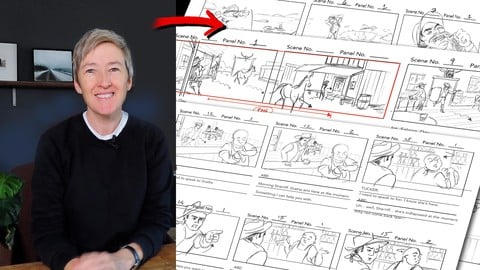
Learn to Storyboard for Film or Animation (2024)
4.8 (2,727 Reviews)
- Provider: Udemy
- Time: 2.2h
$12.99
Original price
Final Cut Pro X Tutorial (2021)
4.8 (1,462 Reviews)
- Provider: Udemy
- Time: 3.3h
$11.99
Original price
Fire Starter Sessions Video Workshop with Danielle LaPorte (2017)
4.8 (1,205 Reviews)
- Provider: Udemy
- Time: 3.7h
$11.99
Original price
The Ultimate Color Grading Bootcamp in DaVinci Resolve (2026)
4.8 (947 Reviews)
- Provider: Udemy
- Time: 8.7h
$11.99
Original price
The Complete Talking Head Video Production Masterclass (2026)
4.8 (319 Reviews)
- Provider: Udemy
- Time: 17.6h
$11.99
Original price
The Complete iMovie Course - from Beginner to Advanced 2026!
4.7 (2,021 Reviews)
- Provider: Udemy
- Time: 11.1h
$10.99
Original price  Reviews

By Ramon Alberto on 1/30/2025
Very good introduction to Lightworks. This is not a video teaching the techniques of video editing, or the concepts of video editing, but a practical lesson on where to find the tools to do the job in a given program. Good enough and delivers what is expected.
By Richard Francis on 1/5/2024
It is a good match for me. I wanted to get down to the basics so this is ideal.
By Tomás Burón Arancón on 8/8/2023
Algunas veces no se entiende bien el acento, pero está bien explicada la introducción al interfaz de usuario
By John Sauget on 5/22/2023
Great! The content is presented very well!
By Thom Belford on 3/2/2023
Totally worthless course. Necessary procedures such a timeline for DVE is missing.
By Inger Ellam on 2/24/2023
Quickly taught this program. Only feedback is that English coukd be better and less repeating of the same incorrect phrase
By Helen Hagon on 10/24/2022
I had been trying to figure out Lightworks on my own with little success. This course has been very useful, and I can now find my way around Lightworks much more easily. There are some finer points that I still need to figure out, but as a basic introduction this is very good.
By Tony Mbatia on 5/24/2022
Great course, precise and to the point. Good introduction to the software. Thank you Venkatesh.
By Joyee Yoong Chia Yee on 4/16/2022
clear and detailed introduction about interface of lightwork
By Jessé Maia de Oliveira on 2/15/2022
Simple, direct and good explanation. I liked too much!
 Quality Score
No CourseDuck member has rated this course yet. Taken it? Give each part a thumbs up or down.
Overall Score : 84 / 100
- Video Duration:
 1.3h
- Price: $11.99
- Provider: Udemy
- Updated:
 August 2025
- Level:
 Beginner
- Language:
 English
- Certificate:
 Yes
- Lectures:19 in 5 sections
- Practice:1 quiz
- Students:97
- Subtitles:1 language
30-day money-back guarantee on most paid courses
Udemy Coupon Price Tracker
