
 Web Development
 Data Science
 Python
 SQL
 JavaScript
 Artificial Intelligence
 IT & Software
 IT Certifications
 Hacking
 Microsoft Azure
 AWS
 Arduino
 3D Modeling
 Graphic Design
 Photoshop
 Drawing
 Digital Painting
 UX Design
 Business
 Data Analysis
 Communication Skills
 Project Management
 Leadership & Management
 Human Resources
 Digital Marketing
 Social Media Marketing
 Marketing
 SEO
 Google Analytics
 Branding
 Excel
 Office Productivity
 SAP
 PowerPoint
 Microsoft Copilot
 Microsoft Access
 Finance & Accounting
 Trading & Investing
 Accounting
 Bitcoin
 Personal Finance
 Video Editing & Animation
 Photography
 Adobe Premier Pro
 Adobe Lightroom
 Personal Development
 Productivity
 Career Development
 Life Coaching
 Health & Fitness
 Yoga
 Meditation & Mindfulness
 Music
 Music Production
 Guitar
 Piano
 Singing
 Teaching & Academics
 Engineering
 Language Learning
 English Language
 Math
 Lifestyle
Certificate Course on Graphic Design with Adobe Express (Udemy.com)
Complete Graphic Designing Course which covers all the essential lessons about Adobe Express
Created by: Venkatesh B
Last updated August 2025
Our take
Based on the ratings of 27 students, a sample of their written reviews and the syllabus, as the course stood in August 2025. No course pays to be reviewed.
This is a 7.3-hour, 45-lecture course on Adobe Express, the template-based design app once called Adobe Spark. It starts with the interface and existing templates, then moves to building designs from scratch, editing images, typography, logos and simple animation. Eight listed projects include a collage, an Instagram story, a resume, a flyer and a presentation. It suits people who are new to design and want to learn by making everyday pieces. The title promises graphic design, but the lecture list is mostly about working one app's tools.
Student opinion of Venkatesh B's teaching is split. One five-star reviewer says he explains very clearly, and another came away with techniques to use in graphic design work. A four-star student is learning a lot but doesn't always understand his accent. The harsher reviews go further: one couldn't understand him and found the pace too slow in places and too fast in others, while another called it "really drawn out" and not very engaging, and said two hours would have covered it. With only 27 ratings, 12 of them five stars and 9 at three or below, the record is thin and mixed.
The course launched in 2022 and was last updated in August 2025, though three of its 11 section titles still say Adobe Creative Cloud Express. It's a reasonable pick for a patient beginner who wants the app taught feature by feature. Accent and pace are the main risks in the reviews. Those who only need a quick start may find seven hours too much.
Pros
- Eight listed projects, including a resume, flyer, logo, Instagram story and animated presentation
- Covers the app step by step, from sign-up and templates to masking, text effects and layers
- Only needs a computer or smartphone, an internet connection and an interest in learning
- Last updated in August 2025, three years after it first launched
Cons
- Some struggle to follow the instructor: one student cites his accent, another could not understand him
- Pacing is uneven; one reviewer said it was drawn out and could have been done in two hours
- Only 27 ratings, a third of them three stars or lower, so there is little feedback to go on
Although I'm learning a lot, I don't always understand the presenter's accent. I am staying with this class, because I know that the presenter is knowledgeable.
Listed for all levels, but the lessons begin at sign-up and suit beginners. Working designers may find it basic.
 What you will learn
- Introduction to Adobe Creative Cloud Express
- Project #1 – Create a Collage Design
- Project #2 – Create an Instagram Story Design
- Project #3 – Create a Wallpaper Design
- Project #4 – Create a Resume Design
- Project #5 – Create a Flyer Design
- Project #6 - Make an Editorial Design
- Project #7 – Create a Logo Design
- Project #8 – Presentation with Animation
- Background Setup of the Design
- Apply Different Background Designs
- Change the Layout Design
- Update Colour Palette on Design
- Project in Different Designs
- Shapes in Icons
- Various Icons for Design
- Edit Icon for Design
- Add Design Assets
- Insert Image for the Design
- Edit Images for Design
- Image Masking Technique
- Filter Effects
- Image Enhancements
- Blur Effect for Images
- Add Text in Design
- Edit Text and Text Effects
- Add Highlight Style
Course content
11 sections · 45 lectures · 7.3 hours of video 1 quiz
- 1Basics of Adobe Creative Cloud Express 3 free previews4 lectures · 24 min
- 2Work with Adobe Creative Cloud Express Templates3 lectures · 38 min
- 3Project in Adobe Creative Cloud Express3 lectures · 37 min
- 4New Design Project from the Scratch10 lectures · 1.4 hours
- 5Image Management and Filters7 lectures · 1 hour
- 6Typography Design5 lectures · 1.1 hours
- 7Control Multiple Design Elements3 lectures · 25 min
- 8Logos – Add Your Brand3 lectures · 36 min
- 9Quick Design Features4 lectures · 51 min
- 10Animate Your Graphics2 lectures · 12 min
- 11Share your Graphic Design1 lecture · 1 quiz · 4 min
Who it is for
The instructor says it suits
- People who want to learn Graphic Design
- Graphic Designer
- Students and Teachers
- Freelance Artist
- Photographer
- Any interested learner
What you need before you start
- Computer or Laptop or Smartphone
- Internet Connection
- Interest to Learn
How it compares
Against the other 436 rated Udemy courses in Graphic Design on CourseDuck:
- Rating4.1 out of 5higher than 7% of them
- Reviews27#418 of 437 by number of reviews
- Length7.3 hourslonger than 65% of them
- Last updatedAugust 2025more recently than 54% of them
 Course Description
Welcome to the course 'Certificate Course on Graphic Design with Adobe Express'. In this class, You will learn, Graphic Designing Techniques which is highly helpful for all learners and Professionals of Design Creation, Adobe Creative Cloud Express is one of the best online designing platforms for creating Graphic Design and web design Works.
Adobe Creative Cloud Express (formerly Adobe Spark) is a unified task-based, web and mobile app developed by Adobe Inc. With drag-and-drop technology, Creative Cloud Express enables users to make rich multimedia content including social media posts and stories, invitations, and marketing materials like logos, flyers and banners. Creative Cloud Express includes templates, fonts, royalty-free photos and other creative assets.
Through this class, you will learn the following lessons:
Introduction to Adobe Creative Cloud Express
Sign up with Adobe Creative Cloud Express
User Interface Tour on Adobe Creative Cloud Express
Basic UI Operations
Explore All Templates
Customize the Existing Design Template
Design Project Management
Save and Download the Design Output
New Custom Size Design Creation
Background Setup of the Design
Apply Different Background Designs
Change the Layout Design
Update Colour Palette on Design
Project in Different Designs
Shapes in Icons
Various Icons for Design
Edit Icon for Design
Add Design Assets
Insert Image for the Design
Edit Images for Design
Image Masking Technique
Filter Effects
Image Enhancements
Blur Effect for Images
Add Text in Design
Edit Text and Text Effects
Add Highlight Style
Grouping and Ungrouping Objects
Align Objects
Logo in Action
Logos – Apply your Logo
Libraries – Browse Saved and Shared Libraries
Quick Actions for Image
PDF Quick Actions
Layers and Layer Attributes
Animation - Apply Motion to Photos and Text
Share your Design Project
updates are on the way...

 Udemy Discount
The discount is applied through our link. Open the course from here and Udemy's current promotional price is applied at checkout on most courses, no code to type.
Some courses are excluded from Udemy's promotions. If the price does not drop, clear your browser cookies and use the button again.
Instructor Details

- 4.1 Rating
 27 Reviews
Venkatesh B
With over 22 years of expertise in teaching, multimedia production, and creative technology, I bridge the worlds of design, animation, and education to inspire the next generation of creators. My career spans graphic design, animation, game design, e-learning, mobile app development, video production, and broadcasting, coupled with deep technical mastery across industry-leading tools like Adobe CC Softwares, Canva, MonoGame, C++, C# and GODOT.
As an Assistant Professor, Head of Department, multimedia artist, and resource person, I’ve trained thousands of students, delivered faculty development programs, and conducted workshops in VR/AR, e-content creation, video production, and graphic design. My academic credentials include multiple master’s degrees (Media Graphics & Animation, Information Technology, Visual Communication, Journalism & Mass Communication, E-Business) and doing my Ph.D. in Visual Communication, supported by SET qualification in Journalism & Mass Communication.
My passion lies in creating innovative, user-friendly learning experiences — from interactive animations and educational apps to live broadcast productions — blending aesthetic appeal with functional design. Recognized with Best Teacher Awards and the Social Responsible Award, I’ve also spearheaded initiatives like establishing ANJAC Radio 90.4 for community engagement.
 More courses by Venkatesh B

Learn Digital Painting from Scratch: Autodesk Sketchbook (2025)
4.4 (61 Reviews)
 Provider: Udemy
 Time: 17.5h
$11.99
Original price
Certificate Course on Adobe Photoshop CC (2025)
4.3 (55 Reviews)
- Provider: Udemy
- Time: 19.9h
$11.99
Original price
Masters in Poster Designing with Adobe Photoshop (2025)
4.2 (41 Reviews)
- Provider: Udemy
- Time: 3.5h
$11.99
Original price
Certificate Course in Video Editing using VSDC Video Editor (2025)
4.2 (39 Reviews)
- Provider: Udemy
- Time: 2.3h
$11.99
Original price
Certificate Course on Video Editing: Adobe Premiere Pro CC (2025)
4.0 (29 Reviews)
- Provider: Udemy
- Time: 17.4h
$11.99
Original price
Certificate Course on Video Editing with Lightworks (2025)
4.2 (26 Reviews)
- Provider: Udemy
- Time: 1.3h
$11.99
Original price More Graphic Design courses

Inkscape: From Beginner to Pro In Inkscape & Graphic Design (2025)
4.9 (331 Reviews)
- Provider: Udemy
- Time: 7.4h
$11.99
Original price
Adobe InDesign - From Basics to Professional Level Designs (2024)
4.9 (320 Reviews)
- Provider: Udemy
- Time: 11.4h
$11.99
Original price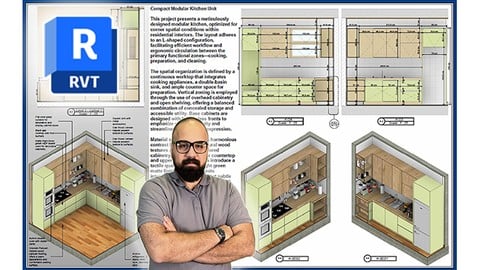
Shop Drawing & Details-Autodesk Revit 2025- for BIM Modelers
4.9 (300 Reviews)
- Provider: Udemy
- Time: 30.9h
$10.99
Original price
The Adobe Illustrator CC Mastery Course: Basics to Pro + AI (2026)
4.9 (268 Reviews)
- Provider: Udemy
- Time: 30.8h
$11.99
Original price

Software Architecture & System Design Practical Case Studies (2026)
4.8 (2,584 Reviews)
- Provider: Udemy
- Time: 4h
$14.99
Original price  Reviews

By Susan Akscin on 2/27/2026
Cannot understand the instructor. Also too slow in some areas of description and too fast in others.
By Thembani Masakona on 2/18/2023
This was very helpful and easy to learn because the instructor explains very clearly
By sheila Wyatt on 1/25/2023
Although I'm learning a lot, I don't always understand the presenter's accent. I am staying with this class, because I know that the presenter is knowledgeable. I will eventually get use to his accent.
By Bens Schnaider on 11/27/2022
Very professional
By Stuart Johnson on 11/24/2022
Really drawn out. Could have been wrapped up in 2 hours. Not very engaging.
By Jubilee Sarma on 10/7/2022
Well Explained everything!
By Kelley Whatley on 9/11/2022
This is such a great class! I am learning a lot!
By Yogesh Chander Bhagat on 7/3/2022
This course is Amazing. I have learned a lot of new things.
By Philip Desouza on 6/26/2022
Thank you for this course. I get know experience and knowledge in using different graphic design techniques which are useful and effective. I'll use all of them during graphic design work. And lots of thanks.
By Muhammad Fakhri Alfi Syahin H. on 8/6/2023
 Quality Score
No CourseDuck member has rated this course yet. Taken it? Give each part a thumbs up or down.
Overall Score : 82 / 100
- Video Duration:
 7.3h
- Price: $11.99
- Provider: Udemy
- Updated:
 August 2025
- Level:
 All Levels
- Language:
 English
- Certificate:
 Yes
- Lectures:45 in 11 sections
- Practice:1 quiz
- Students:119
- Subtitles:1 language
30-day money-back guarantee on most paid courses
Udemy Coupon Price Tracker
