
 Web Development
 Data Science
 Python
 SQL
 JavaScript
 Artificial Intelligence
 IT & Software
 IT Certifications
 Hacking
 Microsoft Azure
 AWS
 Arduino
 3D Modeling
 Graphic Design
 Photoshop
 Drawing
 Digital Painting
 UX Design
 Business
 Data Analysis
 Communication Skills
 Project Management
 Leadership & Management
 Human Resources
 Digital Marketing
 Social Media Marketing
 Marketing
 SEO
 Google Analytics
 Branding
 Excel
 Office Productivity
 SAP
 PowerPoint
 Microsoft Copilot
 Microsoft Access
 Finance & Accounting
 Trading & Investing
 Accounting
 Bitcoin
 Personal Finance
 Video Editing & Animation
 Photography
 Adobe Premier Pro
 Adobe Lightroom
 Personal Development
 Productivity
 Career Development
 Life Coaching
 Health & Fitness
 Yoga
 Meditation & Mindfulness
 Music
 Music Production
 Guitar
 Piano
 Singing
 Teaching & Academics
 Engineering
 Language Learning
 English Language
 Math
 Lifestyle
Masters in Poster Designing with Adobe Photoshop (Udemy.com)
For Students, Graphic Designers, Learners of Adobe Photoshop, Print Production & all interested members.
Created by: Venkatesh B
Last updated August 2025
Our take
Based on the ratings of 41 students, a sample of their written reviews and the syllabus, as the course stood in August 2025. No course pays to be reviewed.
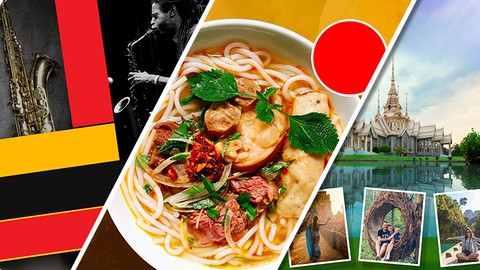
Venkatesh B teaches Photoshop through poster projects rather than a tour of every menu. The 25 lectures open with short sections on what a poster is and how the Photoshop interface works, then move to a jazz event poster, a food poster and a tourism poster. The jazz project takes about two hours of the 3.5, so that's where most of the teaching happens. It suits newcomers with Photoshop installed and no design background. Working designers will probably find the early material too basic.
Students who like it point to the explanations. One says he talks through each step so they can actually follow, and praises the supplied text and image files. Another calls it descriptive and detailed, and recommends it to intermediates too. Not everyone agrees. A two-star reviewer found the language poor and complained of some lag, with too much time on basic options and too little on practical use. Of 41 ratings, 21 are five stars, but 11 are two or three stars and none are one.
The average of 4.2 comes from a small pool, and only a few written comments were available to us, so treat it as a reasonable bet rather than a proven favorite. The course dates from 2021 and was last updated in August 2025. There is one quiz and no assignments, so practice mostly means rebuilding the posters. It's a sensible pick for a first guided poster project, provided the instructor's spoken delivery works for you.
Pros
- Three complete poster projects: a jazz event, food and tourism
- Reviewer says the instructor explains each step while designing, so it's easy to follow
- Text and image files are supplied for following along, which one student singles out
- Jazz project gets about two hours across nine lectures, the bulk of the course
Cons
- A two-star review cites poor language and a bit of lag
- Some time goes to basic options instead of practical use, per the same critic
- Only 41 ratings, with 11 at two or three stars, and no assignments
I appreciate that this instructor talks and explain the steps he's taking while creating the designs. I can actually follow this instructor.
Truly beginner level: it asks for a computer, Adobe Photoshop, an interest in learning and, if possible, internet.
 What you will learn
- What is Poster?
- Introduction to Poster Design
- Need of the Poster Design
- What is Graphic Design?
- Introduction about Adobe Photoshop
- Photoshop Pre-Settings
- Photoshop User Interface
- New Document Setup in Photoshop
- JAZZ Event Poster Design with Adobe Photoshop
- Small Research regarding Theme of the Design
- Storyboard for Poster Design
- Dummy Creation for Poster Design
- Layout and Background Design
- Selecting Suitable Images for Poster Design
- Image Editing for Poster Design
- Role of Typography in Poster Design
- Exporting the Poster for various Formats
- Food Poster Design with Adobe Photoshop
- Tourism Poster Design with Adobe Photoshop
- Poster Design Enhancement Work
- Various Selection Tools in Adobe Photoshop
- Masking Technique in Adobe Photoshop
- Graphic Designing
Course content
6 sections · 25 lectures · 3.5 hours of video 1 quiz
- 1What is Poster? 3 free previews3 lectures · 9 min
- 2Adobe Photoshop 1 free preview4 lectures · 18 min
- 3JAZZ Event Poster Design with Adobe Photoshop9 lectures · 2 hours
- 4Food Poster Design with Adobe Photoshop4 lectures · 35 min
- 5Tourism Poster Design with Adobe Photoshop4 lectures · 1 quiz · 28 min
- 6Course Conclusion1 lecture
Who it is for
The instructor says it suits
- People who want to learn Adobe Photoshop
- People who want to learn Poster Designing
- Graphic Designer
- Web Designer
- Freelance Artist
- Any interested learner
What you need before you start
- Computer
- Adobe Photoshop
- Internet Connection if possible
- Interest to Learn
How it compares
Against the other 194 rated Udemy courses in Photoshop on CourseDuck:
- Rating4.2 out of 5higher than 15% of them
- Reviews41#173 of 195 by number of reviews
- Length3.5 hoursshorter than 58% of them
- Last updatedAugust 2025more recently than 87% of them
 Course Description
Welcome to the course on Masters in Poster Designing with Adobe Photoshop. In this course, I have focused on many areas that are highly helpful for the Students, Graphic Designers, Learners of Adobe Photoshop, Print Production & All. Adobe Photoshop is one of the best software for Graphic Designing and Digital Designing. Through this course, you will learn both Adobe Photoshop and Professional Poster Designing from the scratch.
You will learn poster designing as well as Adobe Photoshop. This course covers three poster design concepts from the beginning. They are Event Poster Design, Food Poster Design, and Tourism Poster Design.
A poster is a temporary promotion of an idea, product, or event put up in a public space for mass consumption. Typically, posters include both textual and graphic elements, although a poster may be either wholly graphical or wholly text. Posters are designed to be both eye-catching and informative. Posters may be used for many purposes. They are a frequent tool of advertisers (particularly of events, musicians, and films), propagandists, protestors, and other groups trying to communicate a message. Posters are also used for reproductions of artwork, particularly famous works, and are generally low-cost compared to the original artwork. The modern poster, as we know it, however, dates back to the 1840s and 1850s when the printing industry perfected color lithography and made mass production possible.

 Udemy Discount
The discount is applied through our link. Open the course from here and Udemy's current promotional price is applied at checkout on most courses, no code to type.
Some courses are excluded from Udemy's promotions. If the price does not drop, clear your browser cookies and use the button again.
Instructor Details

- 4.2 Rating
 41 Reviews
Venkatesh B
With over 22 years of expertise in teaching, multimedia production, and creative technology, I bridge the worlds of design, animation, and education to inspire the next generation of creators. My career spans graphic design, animation, game design, e-learning, mobile app development, video production, and broadcasting, coupled with deep technical mastery across industry-leading tools like Adobe CC Softwares, Canva, MonoGame, C++, C# and GODOT.
As an Assistant Professor, Head of Department, multimedia artist, and resource person, I’ve trained thousands of students, delivered faculty development programs, and conducted workshops in VR/AR, e-content creation, video production, and graphic design. My academic credentials include multiple master’s degrees (Media Graphics & Animation, Information Technology, Visual Communication, Journalism & Mass Communication, E-Business) and doing my Ph.D. in Visual Communication, supported by SET qualification in Journalism & Mass Communication.
My passion lies in creating innovative, user-friendly learning experiences — from interactive animations and educational apps to live broadcast productions — blending aesthetic appeal with functional design. Recognized with Best Teacher Awards and the Social Responsible Award, I’ve also spearheaded initiatives like establishing ANJAC Radio 90.4 for community engagement.
 More courses by Venkatesh B
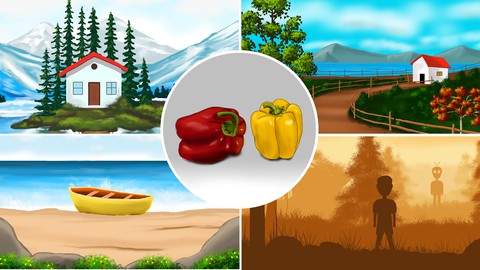
Learn Digital Painting from Scratch: Autodesk Sketchbook (2025)
4.4 (61 Reviews)
 Provider: Udemy
 Time: 17.5h
$11.99
Original price
Certificate Course on Adobe Photoshop CC (2025)
4.3 (55 Reviews)
- Provider: Udemy
- Time: 19.9h
$11.99
Original price
Certificate Course in Video Editing using VSDC Video Editor (2025)
4.2 (39 Reviews)
- Provider: Udemy
- Time: 2.3h
$11.99
Original price
Certificate Course on Video Editing: Adobe Premiere Pro CC (2025)
4.0 (29 Reviews)
- Provider: Udemy
- Time: 17.4h
$11.99
Original price
Certificate Course on Graphic Design with Adobe Express (2025)
4.1 (27 Reviews)
- Provider: Udemy
- Time: 7.3h
$11.99
Original price
Certificate Course on Video Editing with Lightworks (2025)
4.2 (26 Reviews)
- Provider: Udemy
- Time: 1.3h
$11.99
Original price More Photoshop courses

Adobe Photoshop CC: For Complete Beginner (Sinhala Medium) (2026)
4.9 (110 Reviews)
- Provider: Udemy
- Time: 8.4h
$11.99
Original price
Adobe Photoshop CC – Essentials Training Course (2025)
4.8 (36,753 Reviews)
- Provider: Udemy
- Time: 11.6h
$27.99
Original price

47 Graphic Design Projects for Photoshop Beginners (2025)
4.8 (466 Reviews)
- Provider: Udemy
- Time: 7.9h
$15.99
Original price
Photoshop Efficiency - Techniques For Consistent Marketing (2025)
4.8 (144 Reviews)
- Provider: Udemy
- Time: 1.4h
$12.99
Original price  Reviews

By Praveen Vasu on 6/24/2025
The course content is so descriptive and detailed. I recommend this course for any beginners or even intermediates who wants to get better in quality and speed of their design.
By Umasankar gorantla on 2/7/2025
good course for beginners
By Gary Holloway on 8/24/2024
A good beginners course I enjoyed taking it
By Jesse Fejl on 7/7/2024
It was good and I was able to learn a lot.
By T brown on 12/3/2023
I appreciate that this instructor talks and explain the steps he's taking while creating the designs. I can actually follow this instructor. Also, I commend this instructor for providing the text file and image files to follow along with. This class is great so far.
By Shifa on 4/4/2023
The language is kinda poor, and there’s a bit lag, elaborating on basic options rather than showing how to put them to practical use
By Roberta Darnell on 9/5/2022
im learning a lot
By R.Poojitha on 1/24/2021
The course was really very interesting and useful.. Thankyou for this great course sir... Overall enjoyed learning.
By J.RA.Krishna Chaitanya on 7/24/2024
 Quality Score
No CourseDuck member has rated this course yet. Taken it? Give each part a thumbs up or down.
Overall Score : 84 / 100
- Video Duration:
 3.5h
- Price: $11.99
- Provider: Udemy
- Updated:
 August 2025
- Level:
 Beginner
- Language:
 English
- Certificate:
 Yes
- Lectures:25 in 6 sections
- Practice:1 quiz
- Students:1,660
- Subtitles:1 language
30-day money-back guarantee on most paid courses
Udemy Coupon Price Tracker
