
 Web Development
 Data Science
 Python
 SQL
SQL JavaScript
 Artificial Intelligence
 IT & Software
 IT Certifications
 Hacking
 AWS
AWS Arduino
 DevOps
 3D Modeling
 Graphic Design
 Photoshop
 Drawing
 Digital Painting
 UX Design
 Business
 Data Analysis
 Communication Skills
 Project Management
 Leadership & Management
 Human Resources
 Digital Marketing
 Social Media Marketing
 Marketing
 SEO
SEO Google Analytics
 Branding
 Excel
Excel Office Productivity
 SAP
SAP PowerPoint
 Microsoft Access
 SharePoint
 Finance & Accounting
 Trading & Investing
 Accounting
 Bitcoin
 Personal Finance
 Video Editing & Animation
 Photography
 Adobe Premier Pro
 Adobe Lightroom
 Personal Development
 Productivity
 Career Development
 Life Coaching
 Health & Fitness
 Meditation & Mindfulness
 Yoga
Yoga Music
Music Music Production
 Guitar
 Piano
Piano Singing
 Language Learning
 Teaching & Academics
 Engineering
 Math
Math Lifestyle
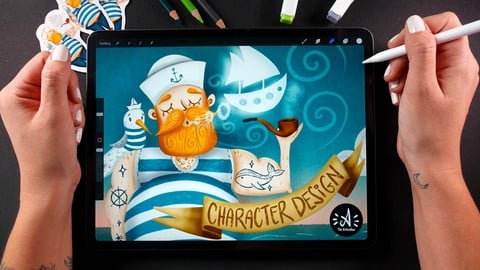
Character Design For Beginners - Create Human Characters (Udemy.com)
Level Up Your Digital Illustration, Drawing and Painting Skills - Create Your First Human Character in Procreate
Created by: Alexandra Finta
Last updated October 2023
 What you will learn
- Draw and design a human character.
- Stylise human anatomy.
- Use shape language to create an expressive human character.
- Illustrate a human character in Procreate.
- Learn a professional digital illustration workflow.
- Work from big to small.
How it compares
Against the other 413 rated Udemy courses in Graphic Design on CourseDuck:
- Rating4.8 out of 5higher than 91% of them
- Reviews33#394 of 414 by number of reviews
- Length1.9 hoursshorter than 82% of them
- Last updatedOctober 2023earlier than 64% of them
 Course Description
In this class you will learn how to create a human character. You will learn the basics of character design, shape language, how to stylise human anatomy, we will do a lot of sketching and thumbnailing and I will show you how to work with values and color.
Character design is essential not just in illustration, but in animation, comics, games and more.
Beginner artists tend to avoid creating human characters, and I get it, humans are the most difficult subjects to draw. We see humans every day, so if we draw something off, it will be pretty obvious to others.
But you know what is great? Even though there are some universal truths, that I will be teaching you in this class, everyone is unique and there isn’t a universal “correct” way to draw a character. In this class you will have the possibility to find YOUR WAY of drawing characters!
In this class I will be teaching you a pro step-by-step workflow that can get you any time from an empty page and a creative block, to a fully developed character design concept. By the end of this class you will be ready to draw a human character of any age, sex and personality.
This class was created with beginners in mind, but it's great for any skill level. You don't need any special drawing skills to complete the class. The step-by-step video guidance and the resources will ensure that even very beginners can complete the class with confidence.
The artistic freedom in the class project make sure that even advanced artists can find the class exciting.
You will only need your iPad with Procreate on it. If you work with a different software, you can still complete the class, but you will need to adjust the steps for yourself.
I am super happy to get started! Aren’t you? Well, see you inside the class!

 Udemy Discount
The discount is applied through our link. Open the course from here and Udemy's current promotional price is applied at checkout on most courses, no code to type.
Some courses are excluded from Udemy's promotions. If the price does not drop, clear your browser cookies and use the button again.
Instructor Details

- 4.8 Rating
 33 Reviews
Alexandra Finta
Alexandra Finta 'aka' THE ARTMOTHER, is a professional Art Teacher, Artist and Illustrator.
"I believe in creative and practical teaching and I am hoping for a school system which is enjoyable".
She has a Masters degree in Art Education and she is teaching since 2010. She is creating online art courses since 2017 and taught over 60K students worldwide.
"I just love that I can reach people with my teaching from all over the world!"
She has tons of experience in different fields of Art.
"I have been creating art since I was a child. I dabbed into all - from sculpture, through traditional painting and drawing, photography and graphic design to digital illustration."
Her mission is to make art education available for everyone.
" I hope, I can spread my knowledge, experience and enthusiasm in online courses and fulfill my dream of giving enjoyable, practical and quality education."
 More courses by Alexandra Finta

The Drawing Masterclass - Perfect Guide for Very Beginners (2022)
4.4 (538 Reviews)
 Provider: Udemy
 Time: 7.1h
$89.99

Digital Illustration For Beginners In Procreate (2022)
4.7 (448 Reviews)
- Provider: Udemy
- Time: 2.1h
$13.99
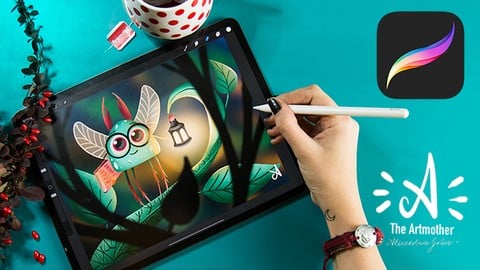
Character Design for Beginners - Create Your First Character (2022)
4.7 (347 Reviews)
- Provider: Udemy
- Time: 2.4h
$13.99
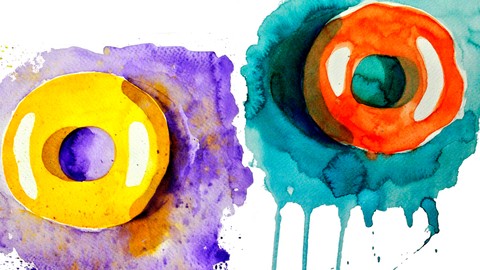
The Watercolor Painting Series - VERY BEGINNER'S GUIDE (2020)
4.6 (275 Reviews)
- Provider: Udemy
- Time: 3h
$69.99

Dark & Moody Food Photography Workshop for Beginners (2018)
4.2 (64 Reviews)
- Provider: Udemy
- Time: 1.2h
$29.99

Quick Guide To Art Fundamentals For Beginners In Procreate (2025)
4.8 (22 Reviews)
- Provider: Udemy
- Time: 3.8h
$69.99
More Graphic Design courses

Adobe InDesign - From Basics to Professional Level Designs (2024)
4.9 (320 Reviews)
- Provider: Udemy
- Time: 11.4h
$84.99

Shop Drawing & Details-Autodesk Revit 2025- for BIM Modelers
4.9 (300 Reviews)
- Provider: Udemy
- Time: 30.9h
$10.99

The Adobe Illustrator CC Mastery Course: Basics to Pro + AI (2026)
4.9 (268 Reviews)
- Provider: Udemy
- Time: 30.8h
$19.99


Software Architecture & System Design Practical Case Studies (2026)
4.8 (2,584 Reviews)
- Provider: Udemy
- Time: 4h
$15.99

Graphic Design Masterclass: Design 40+ Projects in Photoshop (2025)
4.8 (668 Reviews)
- Provider: Udemy
- Time: 16.5h
$109.99
 Reviews

By Therese Joannah T. Abecia on 4/21/2026
I really love everything in your course—you’re very talented and creative. However, it would be even better if there were free resources for the brushes you used so we can easily follow and copy the tutorial process. If not, it would also be helpful if there’s a link where we can purchase the exact brushes you used.
By Tucker on 1/20/2026
The teacher was very knowledgeable about her craft and in that respect she gets a 5 star review. I gave 3 stars, because the resources that were given weren't complete to the course. The teacher would quickly change her mind and not tell us what brush, or color or the color value. This was indicated as a beginner course it was more intermediate and changes for adding layers, colors, brushes were not always announced until after the work was done. This meant a lot of rework. Teach would speed things up instead of working in real time. This could be were something were missed. I might try another class offered by this instructor, not sure yet.
By Zeba Naaz on 4/26/2025
Very easy to foolow step by step guide
By Shirali Patel on 3/5/2025
It’s easy to understand and follow step by step
By Arron Boss on 11/30/2024
Walks through all the basics clearly enough, and is a fun instructor with a nice art style. I know it's a step beyond the class parameters but, I would have loved if you quickly showed the steps to crop that art into the circle (without a white boarder/background). I'd also loved to hear quick notes on how you exported your art for stickers, and maybe a mention of some places you had them made (or did you print them, on what?). Thanks.
By Wael Haddad on 9/25/2024
I like it. I hope have big course even expensive
By Santhakumar on 9/14/2024
I’m understanding what she trained thank you
By Heather Campbell on 10/8/2023
I like the work flow
 Quality Score
No CourseDuck member has rated this course yet. Taken it? Give each part a thumbs up or down.
Overall Score : 96 / 100
- Video Duration:
 1.9h
1.9h - Price: $54.99
- Provider: Udemy
- Updated:
 October 2023
 - Level:
 Beginner
 - Language:
 English
 - Certificate:
 Yes
Yes
30-day money-back guarantee on most paid courses
Udemy Coupon Price Tracker
