
 Web Development
 Python
 JavaScript
 SQL
SQL Artificial Intelligence
 Data Science
 IT & Software
 Hacking
 AWS
AWS Arduino
 3D Modeling
 Graphic Design
 Photoshop
 Drawing
 UX Design
 Blender
 Business
 Data Analysis
 Shopify
 Digital Marketing
 Social Media Marketing
 Marketing
 SEO
SEO Google Analytics
 Branding
 Excel
Excel Office Productivity
 Finance & Accounting
 Bitcoin
 Video Editing & Animation
 Photography
 Adobe Premier Pro
 Adobe Lightroom
 Personal Development
 Health & Fitness
 Music
Music Guitar
 Teaching & Academics
 Language Learning
 Engineering
 Lifestyle
Cinema 4D Complete : Vol. 3 Unleash the power of Mograph! (Udemy.com)
Enter the world of Motion Design
Created by: Lionel VICIDOMINI
Last updated January 2022
 What you will learn
- Everything about Mograph
- Use Mograph for Motion Design
- Mograph is perfect for modeling too!
 Course Description
The third volume of the complete training unleashes the power of Mograph!
But what is Mograph exactly ? This is the toolset that made Motion Design so popular. In the 2000es Maxon introduced Mograph, which was then just a module, and has become over time a key element of Cinema 4D.
Mograph allows you to create eye-opening, mesmerizing, gorgeous looking animation very easily. Its modular approach makes it very simple to just add element of design on top of each other and achieve beautiful result very quickly.
I’m Lionel VICIDOMINI, a Maxon Certified Instructor, Maxon Master Trainer and Motion Designer based in Paris, France. I believe that in order to truly master a software you have to learn it by the details. I have created this series of training, to create a video manual of Cinema 4D and to be the most thorough possible while being entertaining.
In this training we will explore everything that Mograph can do, and that is a lot !
How Mograph works fundamentally, the core concepts behind it
A complete library of all the effectors and how to use them
An in-depth exploration of the fields, and how to combine them with the effectors
All the Mograph Generators, such as the Voronoi Fracture which can shatter any object into tiny pieces
How to combine Volumes and Fields to produce stunning imagery
Master the Vertex Map fields, which can create incredible growth systems, generating organic, living shapes
The last chapter offers several in-depth workshops, with almost 4 hours of in-hands practical exercises. In these workshops you will create :
A fully procedural, auto-animated clock! Look, mom, no keyframe!
Model a Barrel Generator: Donkey Kong will be jealous. With control over the number of planks, their thickness, the curvature of the bulge etc...
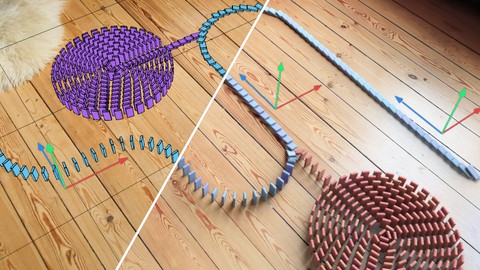
Make dominos tumble, any way you want !
Create a wall of cube, creating a transition between two textures. Ideal for corporate Motion Graphics
Design an intricate transition made of intersected hexagons. Convert it to an animated, seamless, never-ending background
Pile up legos to create a stunning logo! Animate the build-up!
The Fractured Sphere will create a mesmerizing look, of slow motion debris flying to nothingness
Make dripping droplets of condensation accumulate on a can of beer !
I have designed this training as a video manual, with short sections, packed with information. It is not mandatory to watch all the videos ! You can watch them as you wish, along your journey into Mograph, as needed. You can very well jump straight ahead to the final chapter, the workshops, and go back to studying videos about specific tools used in the exercises.
This training is perfect for beginners, who will need to learn all the fundamentals of Mograph, as well as for more advanced users who will be delighted by the depths of details for every video and with the intricate workshops at the end of the training.
This training has been recorded on R23 but can be followed very easily in newer and older version, going back to R20. It is not recommended for older releases (R19 and below) because of the fields which were introduced in R20 only.
It is not required to have followed the first two volumes of the series, but it can greatly help, especially if you are new to 3D.

 Udemy Discount
The discount is applied through our link. Open the course from here and Udemy's current promotional price is applied at checkout on most courses, no code to type.
Some courses are excluded from Udemy's promotions. If the price does not drop, clear your browser cookies and use the button again.
Instructor Details

- 4.7 Rating
 226 Reviews
Lionel VICIDOMINI
Lionel VICIDOMINI is a Certified Maxon Instructor, Maxon Master Trainer, Adobe Certified Instructor, french motion designer, based in Paris, working for advertisement and television.
As an instructor he has taught Cinema 4D, Blender and After Effects for 15 years in several prestigious schools and training centers in Paris. He also works directly for Maxon for which he conducted several online webinars.
Lionel uses Cinema 4D, Blender and After Effects extensively for his work and like to intricate the 2D and 3D world seamlessly. He is the translator of the french UI of Cinema 4D.
He is also one of the administrator of the french site Motion Café which boasts 60k followers.
 More courses by Lionel VICIDOMINI


Cinema 4D Complete : Vol. 2. All about Modeling! (2022)
4.7 (424 Reviews)
 Provider: Udemy
 Time: 22.4h
$74.99

Cinema 4D Complete : Vol. 4 All about Simulations (2024)
4.7 (102 Reviews)
- Provider: Udemy
- Time: 8.6h
$84.99
More Cinema 4D courses

Cinema 4D - Looping 3D Animation for Instagram and GIF (2019)
4.8 (152 Reviews)
- Provider: Udemy
- Time: 1.8h
$39.99

Make 3 Beautiful 3D Wallpapers in Cinema 4D - Vol 1 (2017)
4.8 (26 Reviews)
- Provider: Udemy
- Time: 1h
$39.99
Cinema 4D Complete : Vol. 2. All about Modeling! (2022)
4.7 (424 Reviews)
- Provider: Udemy
- Time: 22.4h
$74.99


 Reviews

By Teodros Hailye on 10/15/2025
Lionel is an absolutely fantastic instructor who thoroughly covers both the "what" and the "why" and even goes on to suggest the "what if." I learned an immense amount about the tools and methods within Cinema 4D through this course. Bravo. I'm off to his next course now!
By Cathy Young on 7/9/2024
This is really basic stuff readily available for free online. So far this is not worth the cost.
By Antonio Generoso on 4/24/2024
A great course about MoGraph and all its relating functions. I can just recommend it. I have already bought several courses of this instructor and they are all amazing, full of explanations and a lot of stuff to learn. C’est brilliant!
By Maya N John on 4/15/2023
This Course is deep Mograph techniques. Expect to do it a couple of times to grok all the concepts like Transform Space & Transform Mode. Thanks Udemy for helping me find this course with that Perfect Tight Match Ads. Please show more girls with skimpy outfits in Ads.
By Eddie Moreno on 4/11/2022
I love how much I am learning from the course. I have 1000s of ideas that are now within reach. Simple to follow along, clear instruction. No fluff!
By Eva Crystal on 3/17/2022
Fantastic course with an excellent teacher! His knowledge is outstanding! Thank you for this journey. I really appreciate it!
By Nav Pall on 3/4/2022
Lionel explains each mograph in detail. Every chapter is well defined. It makes for referencing on an as needed basis very easy.
By Rick Taylor on 2/20/2022
Amazing course! very clear explanation's & helpful project files. I've completed all 3 volumes by Lionel, I simply can not recommend them enough! thanks Lionel! Best, Rick
By Robert Dee on 1/17/2022
This is an absolutely fantastic course. I’ve been using C4D for a few years but wanted to find a course that went through everything thoroughly. This does that. Can’t recommend it enough.
By Robert Christopher Wells on 9/14/2021
Really helped me grasp all the wide range of functions inside mograph. It was all in one place and I didn't have to search all over YouTube for individual answers.
 Quality Score
No CourseDuck member has rated this course yet. Taken it? Give each part a thumbs up or down.
Overall Score : 94 / 100

- Video Duration:
 19.2h
19.2h - Price: $69.99 Track Price 11.99 Track Price
- Provider: Udemy
- Updated:
 January 2022
 - Level:
 Beginner
 - Language:
 English
 - Certificate:
 Yes
Yes
30-day money-back guarantee on most paid courses
Udemy Coupon Price Tracker
