
 Web Development
 Data Science
 Python
 SQL
SQL JavaScript
 Artificial Intelligence
 IT & Software
 IT Certifications
 Hacking
 AWS
AWS Arduino
 DevOps
 3D Modeling
 Graphic Design
 Photoshop
 Drawing
 Digital Painting
 UX Design
 Business
 Data Analysis
 Communication Skills
 Project Management
 Leadership & Management
 Human Resources
 Digital Marketing
 Social Media Marketing
 Marketing
 SEO
SEO Google Analytics
 Branding
 Excel
Excel Office Productivity
 SAP
SAP PowerPoint
 Microsoft Access
 SharePoint
 Finance & Accounting
 Trading & Investing
 Accounting
 Bitcoin
 Personal Finance
 Video Editing & Animation
 Photography
 Adobe Premier Pro
 Adobe Lightroom
 Personal Development
 Productivity
 Career Development
 Life Coaching
 Health & Fitness
 Meditation & Mindfulness
 Yoga
Yoga Music
Music Music Production
 Guitar
 Piano
Piano Singing
 Language Learning
 Teaching & Academics
 Engineering
 Math
Math Lifestyle
Complete guide to building an app with .Net Core and React (Udemy.com)
The complete guide to building an app from start to finish using .Net 10, React 19 and React Query
Created by: Neil Cummings
Last updated September 2026
 What you will learn
- Learn how to build an application from start to publishing with .Net (9.0), React (with Typescript) and Mobx
- How to build a Web API in .Net Core with Clean Architecture using the CQRS + Mediator pattern
- How to use AutoMapper and MediatR packages in the .Net projects
- How to build a multi-project solution with .Net Core
- How to use Entity Framework Core as the Object Relational Mapper
- How to integrate ASPNET Core SignalR into an application for real time web communication
- How to add Identity and Authentication using .Net Core Identity
- How to build a Client side application for the API with React
- How to use MobX as a state management library
- How to build our own Photo upload widget with a Dropzone and a Cropper to resize images
How it compares
Against the other 173 rated Udemy courses in React on CourseDuck:
- Rating4.5 out of 5higher than 53% of them
- Reviews8,777#14 of 174 by number of reviews
- Length33.8 hourslonger than 80% of them
- Last updatedSeptember 2026more recently than 94% of them
 Course Description
***Course has now been updated for .Net 10 and React 19***
Have you learnt the basics of ASP.NET Core and React? Not sure where to go next? This course should be able to help with that. In this course we learn how to build a multi-project ASP.NET Core solution that is built using Clean Architecture and the CQRS and Mediator pattern that makes our code easy to understand, reason about and extend.
Both ASP.NET Core and React are hot topics and this course will enhance your knowledge of both, simply by building an application from start to finish. In each module we learn something new, whilst incrementally adding features to the application. Building an application is significantly more rewarding than building yet another Todo List from the documentation!
Every line of code is demonstrated and explained and by the end of this course you will have the skills and knowledge to build your own application using the techniques taught in this course.
Here are some of the things you will learn about in this course:
Setting up the developer environment
Creating a multi-project solution using the the ASP.NET Core WebAPI and the React app using the DotNet CLI and the create-react-app utility.
Clean Architecture and the CQRS + Mediator pattern
Setting up and configuring ASP.NET Core identity for authentication
Using React with Typescript
Adding a Client side login and register function to our React application
Using React Router
Using React Query for async state management
Using AutoMapper in ASP.NET Core
Building a great looking UI using Semantic UI
Adding Photo Upload widget and creating user profile pages
Using React Hook Form and Zod to create re-usable form inputs with validation
Paging, Sorting and Filtering
Using SignalR to enable real time web communication to a chat feature in our app
Publishing the application to Azure
Many more things as well
Tools you need for this course
In this course all the lessons are demonstrated using Visual Studio Code, a free (and fantastic) cross platform code editor. You can of course use any code editor you like and any Operating system you like... as long as it's Windows, Linux or Mac
Is this course for you?
This course is very practical, about 90%+ of the lessons will involve you coding along with me on this project. If you are the type of person who gets the most out of learning by doing, then this course is definitely for you.
On this course we will build an example social network application that allows users to sign up to events (similar to MeetUp or Facebook), completely from scratch. All we start with is an empty terminal window or command prompt.
All you will need to get started is a computer with your favourite operating system, and a passion for learning how to build an application using ASP.NET Core and React

 Udemy Discount
The discount is applied through our link. Open the course from here and Udemy's current promotional price is applied at checkout on most courses, no code to type.
Some courses are excluded from Udemy's promotions. If the price does not drop, clear your browser cookies and use the button again.
Instructor Details

- 4.5 Rating
 8,777 Reviews
Neil Cummings
Neil Cummings is a professional freelance software developer. Starting out in the IT industry about 15 years ago, initially working mostly on SharePoint before embracing more lightweight frameworks such as Angular and ASP.NET Core.
He has worked for companies such as Microsoft and Rackspace before trying out the freelance route. Also a Microsoft certified trainer.
 More courses by Neil Cummings
Build an app with ASPNET Core and Angular from scratch (2026)
4.7 (25,710 Reviews)
 Provider: Udemy
 Time: 32.1h
$139.99

Learn to build an e-commerce app with .Net Core and Angular (2026)
4.7 (4,985 Reviews)
- Provider: Udemy
- Time: 31.1h
$13.99

Learn to build an e-commerce store with .Net, React & Redux (2026)
4.8 (2,218 Reviews)
- Provider: Udemy
- Time: 29.6h
$94.99
Build an app with React, Redux and Firestore from scratch (2025)
4.7 (1,860 Reviews)
- Provider: Udemy
- Time: 26.5h
$10.99
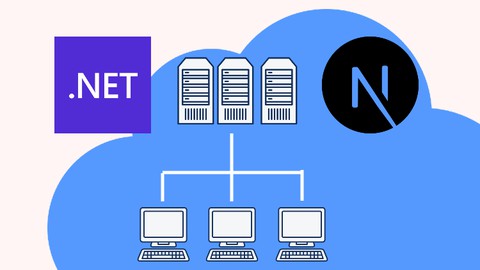
Build a Microservices app with .Net and NextJS from scratch (2026)
4.8 (1,350 Reviews)
- Provider: Udemy
- Time: 60.9h
$11.99
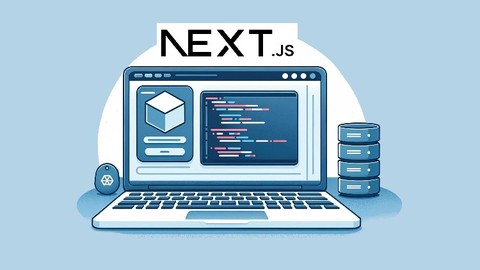
The complete guide to building a full-stack app with Next.js (2026)
4.7 (315 Reviews)
- Provider: Udemy
- Time: 49.4h
$11.99
More React courses

Microservices with Node JS and React (2026)
4.8 (20,187 Reviews)
- Provider: Udemy
- Time: 54.4h
$139.99
Learn to build an e-commerce store with .Net, React & Redux (2026)
4.8 (2,218 Reviews)
- Provider: Udemy
- Time: 29.6h
$94.99

Next JS & WordPress: Build rapid NextJS sites with Next & WP (2026)
4.8 (462 Reviews)
- Provider: Udemy
- Time: 8.4h
$74.99

Build Polymorphic Components with React and Typescript (2022)
4.8 (223 Reviews)
- Provider: Udemy
- Time: 2.3h
$69.99
Next JS ChatGPT clone with Next.JS & OpenAI (NextJS 13 2023)
4.8 (172 Reviews)
- Provider: Udemy
- Time: 4.6h
$89.99
The Ultimate React Course 2025: React, Next.js, Redux & More
4.7 (27,027 Reviews)
- Provider: Udemy
- Time: 83.9h
$99.99
 Reviews

By Martins Masehla on 9/13/2026
I always look at your course when i want to learn something i always get value for what i purchased
By Praneet Ankush Bhagat on 4/12/2026
While the course appears to be well-rated and has attracted a significant number of learners, my experience has been somewhat underwhelming. The instructor primarily focuses on building an application step-by-step, but there is very limited emphasis on explaining the underlying concepts, decision-making rationale, or the principles guiding those implementations.
By Chao Peng on 3/30/2026
This .NET and React course is exceptional. The quality of the content and the depth of the material far exceeded my expectations. I would easily give it more than five stars if I could.
By Sheetal Gajare on 3/25/2026
Highly recommended! The instructor does an excellent job of breaking down complex settings and configurations in a clear, easy-to-follow manner. Every concept is explained thoroughly, making it a great learning experience for both beginners and experienced developers alike.
By Amir Davari Jazin on 2/11/2026
This is one of the best courses I have taken so far. The instructor explains everything very clearly, and the concepts are easy to understand. The explanations are well structured and easy to follow. I highly recommend this course to anyone who wants to learn React and .NET.
By johan lebedev on 2/9/2026
Why is this course filled with clean architecture enterprise garbage? It is just abstraction on top of abstraction on top of abstraction, for no reason other than to make it look fancy. Madness!!! If you are a beginner, you are basically guaranteed to get lost because nothing is straightforward or practical anymore..... It is not even backed up with testing, so what is the point of all this CQRS clean architecture stuff? You will not actually understand clean architecture or CQRS. You will just end up copying someone else’s code without knowing why any of it is there. Then on top of that it includes an entire frontend framework. It just rushes through it like you are already supposed to know React, so beginners are left completely confused. This course sells the idea that one course will teach you everything. It will not. You do not properly learn .NET and you definitely do not learn React. You just sit there watching someone build stuff without actually understanding it.
By Ricky Bon on 1/21/2026
I loved the way the app grew through easily incremental, step-by-step processes, making every subject Neil referred to very clear. I also appreciate all the third-party libraries Neil refers to, which are very important for a great app.
By Ashutosh Anand on 12/23/2025
I think the quality of the code being written is top notch and ideal. Initially it does take time getting used to , but once you do you start appreciating the quality of code, choice of architecture. I would have wanted a bit more explanation on the why behind a particular line of code. Also, a before after on each video so that I can try that myself.
By Marin Capranov on 10/30/2025
Great course. Neil never disappoints. In my opinion, React looks a bit more confusing than Angular or Vue.js. I find its structure messier than the others. Also, the backend differs from the one I am used to in .NET 5 and .NET 6. More abstractions, even though that's the Clean Architecture pattern, I am more into the old Repository and Unit of Work patterns...This new approach using Mediatr gets my head spinning. Highly recommend though.
By Lee on 10/17/2025
Nice course, teacher has a very decent way of teaching. He's also very supportive with detail explanations on my questions.
By Justin Shay on 11/14/2020
Instructor moves very fast, easy to miss steps when following along.
By Helder Silva on 11/7/2020
Excelente Curso. Recomendo ;)
 Quality Score
No CourseDuck member has rated this course yet. Taken it? Give each part a thumbs up or down.
Overall Score : 90 / 100

- Video Duration:
 33.8h
33.8h - Price: $12.99
- Provider: Udemy
- Updated:
 September 2026
 - Level:
 All Levels
 - Language:
 English
 - Certificate:
 Yes
Yes
30-day money-back guarantee on most paid courses
Udemy Coupon Price Tracker
