
 Web Development
 Data Science
 Python
 SQL
SQL JavaScript
 Artificial Intelligence
 IT & Software
 IT Certifications
 Hacking
 AWS
AWS Arduino
 DevOps
 3D Modeling
 Graphic Design
 Photoshop
 Drawing
 Digital Painting
 UX Design
 Business
 Data Analysis
 Communication Skills
 Project Management
 Leadership & Management
 Human Resources
 Digital Marketing
 Social Media Marketing
 Marketing
 SEO
SEO Google Analytics
 Branding
 Excel
Excel Office Productivity
 SAP
SAP PowerPoint
 Microsoft Access
 SharePoint
 Finance & Accounting
 Trading & Investing
 Accounting
 Bitcoin
 Personal Finance
 Video Editing & Animation
 Photography
 Adobe Premier Pro
 Adobe Lightroom
 Personal Development
 Productivity
 Career Development
 Life Coaching
 Health & Fitness
 Meditation & Mindfulness
 Yoga
Yoga Music
Music Music Production
 Guitar
 Piano
Piano Singing
 Language Learning
 Teaching & Academics
 Engineering
 Math
Math Lifestyle
Create an Apocalyptic 3D Environment for Games (Udemy.com)
Learn How to Model, Texture, and Light a Game Environment using 3ds Max, Substance Painter, and Unreal
Created by: Victory3D LLC
Last updated April 2019
 What you will learn
- Learn the entire process of environment game production
- Understand storytelling and how to set the mood in a scene
- Create believable environment destruction
- Create clean UV layouts
- Implement realistic grime and dirt textures
- Add post FX and bake lights inside a game engine
How it compares
Against the other 72 rated Udemy courses in Game Design on CourseDuck:
- Rating4.5 out of 5higher than 43% of them
- Reviews80#60 of 73 by number of reviews
- Length13.7 hourslonger than 65% of them
- Last updatedApril 2019earlier than 90% of them
 Course Description
Instructor Info
Manuel Rondon is currently working as a freelance 3D artist and college instructor. He loves both jobs because they allow him to work on what he is passionate about while still having some creative freedom. His advice for students who are just starting out and want to make it in the industry is to be knowledgeable and be open to different areas of 3D art as this can give you more opportunities for jobs. As you gain more experience, you can then specialize in characters, textures, or animations but in the beginning, it's best to wear as many hats as possible.
Course Info
In this course, we will build a professional apocalyptic game environment from scratch using 3ds Max, Substance Painter and Unreal. We will start everything from scratch, from looking at references, looking at some concept art, and start applying it onto our environment. First, we will start by making small blockout of our scene and create the assets that we are going to need, how we are going to lay them out in the environment, then we are going to move into modeling. The modeling will be done all in 3ds Max, after that we will proceed to unwrapping the assets, and we will learn how to make the assets look smooth while keeping them low poly by using a very neat technique. From that, we are going inside Substance Painter to texture all of the assets and we will be creating materials that are going to be reusable across different assets for more efficient workflow. To finalize our tutorial, we will go through the process of rendering the whole environment in Unreal Engine.

 Udemy Discount
The discount is applied through our link. Open the course from here and Udemy's current promotional price is applied at checkout on most courses, no code to type.
Some courses are excluded from Udemy's promotions. If the price does not drop, clear your browser cookies and use the button again.
Instructor Details

- 4.5 Rating
 80 Reviews
Victory3D LLC
What is our mission? Why do we do what we do?
Our unwavering mission is to empower dreamers, transforming their aspirations into tangible careers. By harnessing their unique talents, artists can illuminate the world with entertainment, ignite joy through creation, convey powerful messages, and above all, inspire others on a global scale. Join us on this remarkable journey towards making dreams a reality.
We provide students with affordable and substantial tutorials that are easy to understand and produce results. We believe that industry experience, effective teaching, and student interaction are the key ingredients for providing a high quality learning system. With Victory3D, you will find a collection of affordable courses made by artists with experience working in Ubisoft, Blizzard, Gameloft, MPC, Double Negative and many more!
 More courses by Victory3D LLC
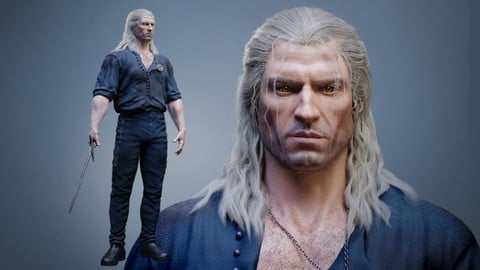
Complete Guide to Realistic Character Creation in Blender (2026)
4.3 (1,595 Reviews)
 Provider: Udemy
 Time: 53.7h
$119.99

Human Anatomy for Artists using Zbrush and Photoshop (2019)
4.7 (673 Reviews)
- Provider: Udemy
- Time: 21.1h
$74.99
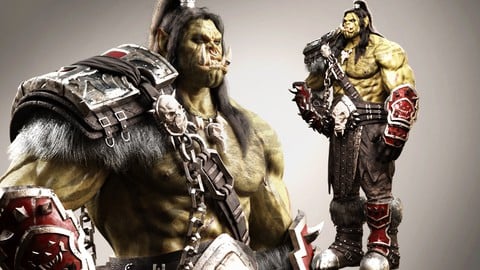
Blender Character Creation Masterclass - Orc Warrior (2026)
4.5 (662 Reviews)
- Provider: Udemy
- Time: 73.8h
$89.99

3D Character Creation: Sculpting in Zbrush (2019)
4.4 (611 Reviews)
- Provider: Udemy
- Time: 4.7h
$64.99

Zbrush Facial Anatomy and Likeness Character Sculpting (2019)
4.4 (376 Reviews)
- Provider: Udemy
- Time: 9h
$64.99
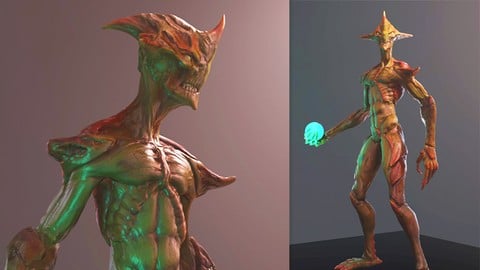
3D Game Character Creature - Full Complete Pipeline (2019)
4.8 (322 Reviews)
- Provider: Udemy
- Time: 14.3h
$64.99
More Game Design courses
Master Procedural Maze Generation - Unity 6 Compatible (2025)
4.8 (412 Reviews)
- Provider: Udemy
- Time: 21h
$79.99
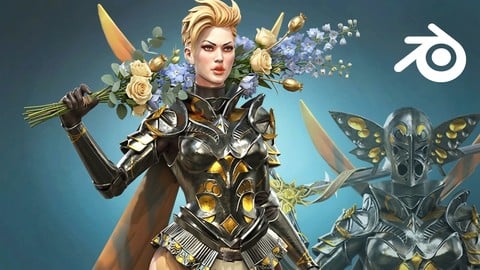
Full game character in Blender course - Moth Girl (2025)
4.8 (305 Reviews)
- Provider: Udemy
- Time: 49.9h
$19.99

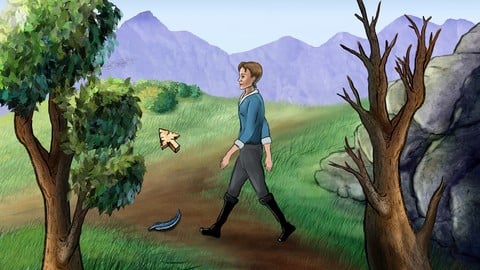
2D Adventure Game Creation: Art, Music, Programming and More (2019)
4.7 (338 Reviews)
- Provider: Udemy
- Time: 19.6h
$84.99

Indie Game Design: Build Your Game’s Core System (2026)
4.7 (155 Reviews)
- Provider: Udemy
- Time: 3.4h
$19.99
 Reviews

By Nian Mota Mayer on 12/2/2022
The teacher hides important parts like file export and import settings. My files do not have the same options as the files he is using and I don't know why.
By Utkarsh Singh on 4/28/2020
The overall course was great but the final video was really confusing and the methods taught in that particular video did not work which in turn ruined my final presentation. All in all, not bad.
By Sagar . on 4/18/2020
As I want to Learn the process of modelling ,Texturing & Lightning And Finalizing the Environment in Unreal Engine. This Course Is Good & easy to learn specially for beginners. Simple & Sound. What I Excepted from this course
By David Crosbie on 1/31/2020
I would like to thank the instructor for an in depth course, everything from modeling, texturing, lighting in Unreal Engine, etc. There's also different tips about game assets that i wasn't expecting. I would recommend this course to anyone interested in learning level design and a complete game asset creation process. After completing this course you will be ready to apply the knowledge to create more levels on your own.
By René Probosch on 12/19/2019
Very good tutorial that explains enriomental creatoin from modeling to lighting the final scene in a small project
By Darren Mcnerney on 11/1/2019
My main reason for doing the course was to learn 3DS Max and by the end I became very comfortable using the software, while also improving my Substance Painter and Unreal 4 Skills.
By Joseph Huntley on 7/28/2019
nice beginners course but would love for someone to do something for the rest of us not into games like a high poly photorealistic outdoor scene mainly on how to do the gritty old damged textures and setting up for photorealistic
By Fernando Bustillos on 7/7/2019
Great course, I am fairly new to Unreal and I learned a lot throughout the course. It was easy to follow and I even use Blender instead of 3D max so you can use any 3D modeling software since this course is not focus on just 3D max.
By Rodrigo Olivera Mares on 5/8/2019
The instructor knows very well the subject, Iam larning a lot from him.
By Nick Margie on 1/5/2019
I believe I have all three of Victory3Ds' UE4 environment courses. This one is a great addition to the collection and provides the perfect place to start for new users. Victory3Ds' other environment courses teach 3ds max, Substance designer and substance painter. This course does not cover designer and is the only one that covers indoor settings. While some my question not covering designer; its absence allows the instructor to focus more on the core tools. The indoor setting also offers instruction on indoor lighting and the issues artist face when creating such environments. Other key issues covered Using Substance painter to create decals for use in UE4 Using mask to turn a square poly into a ripped up page of paper Proper modeling and origin settings for props While more basic than their other courses, this course provides a excellent starting point for new artist before moving onto Victory3D other courses
 Quality Score
No CourseDuck member has rated this course yet. Taken it? Give each part a thumbs up or down.
Overall Score : 90 / 100

- Video Duration:
 13.7h
13.7h - Price: $59.99
- Provider: Udemy
- Updated:
 April 2019
 - Level:
 Beginner
 - Language:
 English
 - Certificate:
 Yes
Yes
30-day money-back guarantee on most paid courses
Udemy Coupon Price Tracker
