
 Web Development
 Data Science
 Python
 SQL
SQL JavaScript
 Artificial Intelligence
 IT & Software
 IT Certifications
 Hacking
 AWS
AWS Arduino
 DevOps
 3D Modeling
 Graphic Design
 Photoshop
 Drawing
 Digital Painting
 UX Design
 Business
 Data Analysis
 Communication Skills
 Project Management
 Leadership & Management
 Human Resources
 Digital Marketing
 Social Media Marketing
 Marketing
 SEO
SEO Google Analytics
 Branding
 Excel
Excel Office Productivity
 SAP
SAP PowerPoint
 Microsoft Access
 SharePoint
 Finance & Accounting
 Trading & Investing
 Accounting
 Bitcoin
 Personal Finance
 Video Editing & Animation
 Photography
 Adobe Premier Pro
 Adobe Lightroom
 Personal Development
 Productivity
 Career Development
 Life Coaching
 Health & Fitness
 Meditation & Mindfulness
 Yoga
Yoga Music
Music Music Production
 Guitar
 Piano
Piano Singing
 Language Learning
 Teaching & Academics
 Engineering
 Math
Math Lifestyle
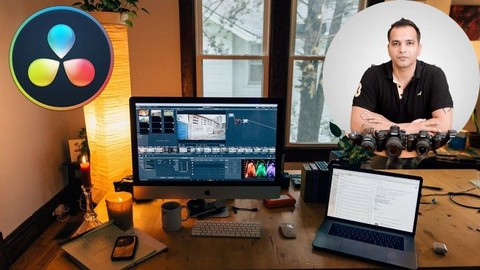
DaVinci Resolve for Beginner Video Editors (Udemy.com)
Learn How to Edit Your Videos Using This Amazing Free Video Editing Software
Created by: Kush Sharma
Last updated February 2026
 What you will learn
- Understanding the basics of the DaVinvi Resolve interface
- Understanding the various important settings to use
- How to use different functions and tools to edit your videos
- How to sync audio and video
- How to add B-roll footages
- How to add transitions
- How to add titles
- Improving the audio quality by removing noise
- How to export a video in DaVinci Resolve
- My advice on DaVinci Resolve vs Adobe Premiere Pro
How it compares
Against the other 293 rated Udemy courses in Video Editing & Animation on CourseDuck:
- Rating4.3 out of 5higher than 26% of them
- Reviews90#209 of 294 by number of reviews
- Length1.2 hoursshorter than 88% of them
- Last updatedFebruary 2026more recently than 76% of them
 Course Description
Have you always wanted to learn how to use DaVinci Resolve to edit your videos?
Then you've come to the right place. In this course, you'll learn how to use DaVinci Resolve in under 1 hour.
DaVince Resolve is a great and powerful video editing software that is FREE!
I've deliberately created this course like a short crash course because other longer courses out there will bore you to death. This course makes it exciting because you learn only what is REALLY ESSENTIAL so you don't waste your time.
In this course I'll be showing you how to use the latest DaVinci Resolve 17 to edit your videos. We'll be covering all aspects of editing like:
Getting Started with DaVinci Resolve - Overview, Project Settings and importing
How to Sync Video and Audio in DaVinci Resolve
How to Trim Your Video in DaVinci Resolve
How to Add a B-Roll Footage in Your Video
Adding Transitions to Your Video
Adding Normal Titles and Lower Third Titles in DaVinci Resolve
Editing Audio - Effects and Audio Levels
Color Grading and Exporting Your Video
My Personal Opinion on DaVinci Resolve vs Adobe Premiere Pro
So don't wait! Learning how to use this amazing free software can really take your video editing skill to the next level.
So Hop in and let's get started :)

 Udemy Discount
The discount is applied through our link. Open the course from here and Udemy's current promotional price is applied at checkout on most courses, no code to type.
Some courses are excluded from Udemy's promotions. If the price does not drop, clear your browser cookies and use the button again.
Instructor Details

- 4.3 Rating
 90 Reviews
Kush Sharma
Hi there. I'm Kush Sharma. I'm a photography, videography, editing and digital marketing instructor based out of Pune, India.
I've been an online entrepreneur since 2012.
I run two online businesses where I create and sell online courses.
The first one is called Creative Pad Media. This is a photography and videography training business where I share my knowledge in the field of photography and videography.
The second one is called Click Trainers. This is where I teach people how to create and run an Online Course Business just like the one I have at Creative Pad Media.
I hope my courses here have a positive impact on my students.
Looking forward to serve you.
 More courses by Kush Sharma

Mobile Photography for Beginners - Master Your Smartphone (2026)
4.4 (316 Reviews)
 Provider: Udemy
 Time: 6.3h
$59.99
Videography for Beginners: Shooting With a DSLR /Mirrorless (2026)
4.3 (293 Reviews)
- Provider: Udemy
- Time: 5h
$69.99

Lightroom Classic Workflow and Organization Like a Pro (2026)
4.5 (43 Reviews)
- Provider: Udemy
- Time: 3.2h
$69.99
Digital Photography 101: Basics for Complete Beginners (2026)
4.5 (41 Reviews)
- Provider: Udemy
- Time: 3h
$49.99
Learn How to Create Videos for Your Online Course (2026)
4.4 (41 Reviews)
- Provider: Udemy
- Time: 4.7h
$11.99
More Video Editing & Animation courses

Learn to Storyboard for Film or Animation (2024)
4.8 (2,727 Reviews)
- Provider: Udemy
- Time: 2.2h
$12.99


Fire Starter Sessions Video Workshop with Danielle LaPorte (2017)
4.8 (1,205 Reviews)
- Provider: Udemy
- Time: 3.7h
$11.99

The Ultimate Color Grading Bootcamp in DaVinci Resolve (2026)
4.8 (947 Reviews)
- Provider: Udemy
- Time: 8.7h
$19.99

The Complete Talking Head Video Production Masterclass (2026)
4.8 (319 Reviews)
- Provider: Udemy
- Time: 17.6h
$59.99

The Complete iMovie Course - from Beginner to Advanced 2026!
4.7 (2,021 Reviews)
- Provider: Udemy
- Time: 11.1h
$10.99
 Reviews

By Vijay Chougale on 4/11/2026
This course doesn't really cover the basic things like transitions, fade in/out etc. This is too short for beginners.
By Ruchika Malhotra on 6/20/2023
till now it's been really easy and simple to understand
By Riaz Islam on 4/19/2023
The quality of production is not good.
By Naomi Eadie on 10/16/2022
For me, it is definitely easy to follow, and what I need as a beginner.
By Michael Sharps on 4/28/2021
It is a good walkthrough of the software. And I appreciate that he openly admits that Premiere Pro is his preference. The section on audio was solid as well. But, I felt too much of the material didn't go into enough detail. Too often, he just uses a common component in the UI without doing anything useful with it. It would have been nice to see him actually work to create a completed version of the video he was demoing with.
By Chris Keeney on 3/1/2021
Nice and straight forward
By James McCarthy on 2/28/2021
I'm only a couple sections in and he has already helped better my understanding of this program!
By Sanjeev Wason on 2/26/2021
Friendly, informal style makes the subject matter approachable. Learned some valuable tips, thanks!
By Syed Alam on 1/21/2021
Yes. The instructor is concise and easy to understand.
By Özkan Arınkal on 1/15/2021
Short and easy beginning.
 Quality Score
No CourseDuck member has rated this course yet. Taken it? Give each part a thumbs up or down.
Overall Score : 86 / 100
- Video Duration:
 1.2h
1.2h - Price: $19.99
- Provider: Udemy
- Updated:
 February 2026
 - Level:
 Beginner
 - Language:
 English
 - Certificate:
 Yes
Yes
30-day money-back guarantee on most paid courses
Udemy Coupon Price Tracker
