
 Web Development
 Data Science
 Python
 SQL
SQL JavaScript
 Artificial Intelligence
 IT & Software
 IT Certifications
 Hacking
 AWS
AWS Arduino
 DevOps
 3D Modeling
 Graphic Design
 Photoshop
 Drawing
 Digital Painting
 UX Design
 Business
 Data Analysis
 Communication Skills
 Project Management
 Leadership & Management
 Human Resources
 Digital Marketing
 Social Media Marketing
 Marketing
 SEO
SEO Google Analytics
 Branding
 Excel
Excel Office Productivity
 SAP
SAP PowerPoint
 Microsoft Access
 SharePoint
 Finance & Accounting
 Trading & Investing
 Accounting
 Bitcoin
 Personal Finance
 Video Editing & Animation
 Photography
 Adobe Premier Pro
 Adobe Lightroom
 Personal Development
 Productivity
 Career Development
 Life Coaching
 Health & Fitness
 Meditation & Mindfulness
 Yoga
Yoga Music
Music Music Production
 Guitar
 Piano
Piano Singing
 Language Learning
 Teaching & Academics
 Engineering
 Math
Math Lifestyle
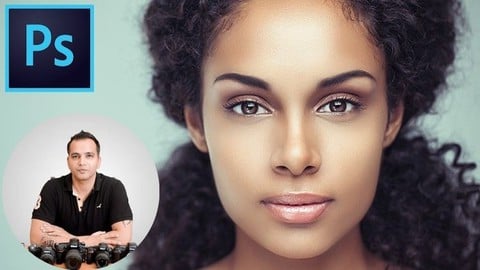
Portrait Retouching Using Adobe Photoshop (Udemy.com)
Learn the art of Skin and Portrait Retouching
Created by: Kush Sharma
Last updated January 2026
 What you will learn
- Learning how to color correct the photos so the base is correct to start using more advanced techniques
- Learning how to skin clean-up and frequency separation to get really realistic and smooth looking skin
- Learning how to do dodge and burn to add depth to the portraits
- Learning how to remove stray hair
- Learning how to add eyes
- Learning how to do sharpening the correct way
- Learning how to remove wrinkles
How it compares
Against the other 188 rated Udemy courses in Photoshop on CourseDuck:
- Rating4.5 out of 5higher than 52% of them
- Reviews44#167 of 189 by number of reviews
- Length7.3 hourslonger than 68% of them
- Last updatedJanuary 2026more recently than 89% of them
 Course Description
Have you always wanted to learn how to retouch skin in your portraits to make them look like those professional portraits you often see in magazines?
Then you've come to the right place.
This course will teach you how to use the power of Adobe Photoshop to retouch skin in your portraits and take your portrait photography to the next level.
Whether you're a beginner or you've already been into editing, you'll derive massive value from this course because this course only focuses on one thing - taking your portraits to the next level.
Here are some of the things you'll be learning in this course:
Color Correction
Exposure correction
Skin Clean up
Blemish Removal
Stray Hair and Wrinkle Removal
Frequency Separation
Dodge and Burn
Using the Liquify tool
Retouching Eyes
Sharpening
Color Grading
and so much more
We'll be starting off by learning how to colour correct our photos so that we have a good base to work with.
From there on, we'll be moving on to doing skin clean up where we'll be learning about things like blemish removal, stray hair removal, wrinkles removal, etc.
Once that is done, we'll be set to perform one of the most game changing steps - Frequency Separation.
You'll not only be learning how to do frequency separation, but also understanding the concept behind this popular technique.
Frequency separation will teach you how to make the skin of your subject appear really smooth, yet very realistic as the texture will be preserved on a separate layer.
From there one, there's another huge step we'll be performing - Dodge and Burn.
This can be a challenging step for beginners since most people don't know which tools to use.
In our course, we'll be covering Dodge and Burn in detail. We'll first be understanding the concept behind this technique and then we'll be seeing how to perform this entire step in the easiest, fastest and non-destructive way.
Dodge and Burn will add a crazy amount of dimension to our portraits, giving them that professional look we all crave for.
Once Dodge and Burn is done, it'll be time to move on to retouching the eyes. Initially we'll be doing some basic retouching to the eyes just to make them look really appealing but towards the end of this course, we'll also be learning how to change the hue and color of the eyes in a subtle and realistic manner.
Once that's done, we'll be learning how to sharpen the important features in our portrait to make them stand out even more. Sharpening can often lead to a deterioration in image quality but in this course you'll be learning how to perform this step without affecting the image quality.
In this course we'll also be learning how to use the Liquify tool to change the body shape and facial features.
We'll also be learning how to do color grading as the final step to get the best out of our portraits.
There are different kind of portraits (studio and outdoor, zoomed in and zoomed out) that you'll be working with so you get an idea on how to perform all these techniques on any kind of portrait, not just a studio portrait as it's so often done in other courses.
Of course, you'll be getting access to all the shots used in this course so you can work along with me on the same image. This will make your learning very practical.
There are also a lot of small additional things that you will be learning along the way, like knowing the difference between using a mouse and a Wacom tablet, knowing important functions and shortcuts in Photoshop to make your work flow easier, important tricks and tips, etc.
And everything is shown in such a way that you understand the entire workflow in a very easy manner so when you finally start to work on your own portraits after this course, you'll know exactly what steps to take and in what order.
Emphasis is placed on keeping the entire retouching workflow efficient, flexible and non destructive, so you can go back to any step and reduce its effect to make the retouch as realistic or as over-the-top as you wish.
I've created this course after years of research and practice. My main aim is to teach you high end and professional retouching in a way that is easy to understand and execute.
I hope to see you inside the course :)

 Udemy Discount
The discount is applied through our link. Open the course from here and Udemy's current promotional price is applied at checkout on most courses, no code to type.
Some courses are excluded from Udemy's promotions. If the price does not drop, clear your browser cookies and use the button again.
Instructor Details

- 4.5 Rating
 44 Reviews
Kush Sharma
Hi there. I'm Kush Sharma. I'm a photography, videography, editing and digital marketing instructor based out of Pune, India.
I've been an online entrepreneur since 2012.
I run two online businesses where I create and sell online courses.
The first one is called Creative Pad Media. This is a photography and videography training business where I share my knowledge in the field of photography and videography.
The second one is called Click Trainers. This is where I teach people how to create and run an Online Course Business just like the one I have at Creative Pad Media.
I hope my courses here have a positive impact on my students.
Looking forward to serve you.
 More courses by Kush Sharma

Mobile Photography for Beginners - Master Your Smartphone (2026)
4.4 (316 Reviews)
 Provider: Udemy
 Time: 6.3h
$59.99

Videography for Beginners: Shooting With a DSLR /Mirrorless (2026)
4.3 (293 Reviews)
- Provider: Udemy
- Time: 5h
$69.99
DaVinci Resolve for Beginner Video Editors (2026)
4.3 (90 Reviews)
- Provider: Udemy
- Time: 1.2h
$19.99

Lightroom Classic Workflow and Organization Like a Pro (2026)
4.5 (43 Reviews)
- Provider: Udemy
- Time: 3.2h
$69.99
Digital Photography 101: Basics for Complete Beginners (2026)
4.5 (41 Reviews)
- Provider: Udemy
- Time: 3h
$49.99
Learn How to Create Videos for Your Online Course (2026)
4.4 (41 Reviews)
- Provider: Udemy
- Time: 4.7h
$11.99
More Photoshop courses


Adobe Photoshop CC: For Complete Beginner (Sinhala Medium) (2026)
4.9 (110 Reviews)
- Provider: Udemy
- Time: 8.4h
$59.99

Adobe Photoshop CC – Essentials Training Course (2025)
4.8 (36,753 Reviews)
- Provider: Udemy
- Time: 11.6h
$189.99


47 Graphic Design Projects for Photoshop Beginners (2025)
4.8 (466 Reviews)
- Provider: Udemy
- Time: 7.9h
$99.99

Photoshop Efficiency - Techniques For Consistent Marketing (2025)
4.8 (144 Reviews)
- Provider: Udemy
- Time: 1.4h
$49.99
 Reviews

By Marek Bartosiewicz on 3/9/2026
Highly recommend this course!! I’ve learned so much from it!
By Derek Anappey on 1/1/2026
I like that he shows you the other ways that don't really work so you don't waste time rediscovering the wheel. He also includes the why behind each technique, and all in all this is the perfect course to establish yourself as a beginner retoucher ♀️
By Charles Palmer-Buckle on 9/30/2025
Great Learning experience.
By Oguguo Innocent on 11/1/2023
I so much enjoyed this course so far as it gave me more idea on retouching. it really what it.
By Baban Das on 5/23/2021
Nice course, best part is skin smoothening with Frequency Separation with a new, easy and super effective methods.
By Edgar Fuentes on 11/5/2020
Too much talking...
By Nephtali Tshitadi on 10/18/2020
As a beginner, I find this course very interesting. I've learned a lot through this course. My editing skills have changed significantly and my clients really like the way I'm editing after completion of this course.
By Katarzyna Masztalska on 7/17/2020
Very nice course, very well organized and well explained. I've learned A LOT!
By Kuntal Dey on 7/9/2020
Awesome learning, Very good teacher
By Everton Beaumont on 5/31/2020
The instructor does a fine job doing a detailed explanation of all the processes that he undergoes. He is even detailed in the most tedious process (which I personally am grateful for). As someone that has intermediate skills of Photoshop I can say I was able to learn some new techniques as well as get a different perspective of the ones that I was familiar with. If you are a beginner I highly recommend because the instructor is very thorough and in my opinion makes it very easy to follow so that you can enter the world of photo editing.
 Quality Score
No CourseDuck member has rated this course yet. Taken it? Give each part a thumbs up or down.
Overall Score : 90 / 100
- Video Duration:
 7.3h
7.3h - Price: $10.99
- Provider: Udemy
- Updated:
 January 2026
 - Level:
 Beginner
 - Language:
 English
 - Certificate:
 Yes
Yes
30-day money-back guarantee on most paid courses
Udemy Coupon Price Tracker
