
 Web Development
 Data Science
 Python
 SQL
SQL JavaScript
 Artificial Intelligence
 IT & Software
 IT Certifications
 Hacking
 AWS
AWS Arduino
 DevOps
 3D Modeling
 Graphic Design
 Photoshop
 Drawing
 Digital Painting
 UX Design
 Business
 Data Analysis
 Communication Skills
 Project Management
 Leadership & Management
 Human Resources
 Digital Marketing
 Social Media Marketing
 Marketing
 SEO
SEO Google Analytics
 Branding
 Excel
Excel Office Productivity
 SAP
SAP PowerPoint
 Microsoft Access
 SharePoint
 Finance & Accounting
 Trading & Investing
 Accounting
 Bitcoin
 Personal Finance
 Video Editing & Animation
 Photography
 Adobe Premier Pro
 Adobe Lightroom
 Personal Development
 Productivity
 Career Development
 Life Coaching
 Health & Fitness
 Meditation & Mindfulness
 Yoga
Yoga Music
Music Music Production
 Guitar
 Piano
Piano Singing
 Language Learning
 Teaching & Academics
 Engineering
 Math
Math Lifestyle
Videography for Beginners: Shooting With a DSLR /Mirrorless (Udemy.com)
Learn how to shoot videos with your DSLR or Mirrorless Camera Even If You Have No Prior Knowledge
Created by: Kush Sharma
Last updated January 2026
 What you will learn
- Understanding all the settings related to video-making like Resolution, Frame rate and the camera settings to be used as well as different focus methods
- Learning about all the equipment needed to create videos like video lights, tripods, microphones, etc
- Learning how to record and edit audio using the correct technique and gadgets
- Learning how to edit videos using Adobe Premiere Pro
How it compares
Against the other 293 rated Udemy courses in Video Editing & Animation on CourseDuck:
- Rating4.3 out of 5higher than 26% of them
- Reviews293#106 of 294 by number of reviews
- Length5 hourslonger than 64% of them
- Last updatedJanuary 2026more recently than 72% of them
 Course Description
Have you always wanted to learn how to use your DSLR or Mirrorless camera to shoot videos?
Then you've come to the right place. This course is designed for people who want to learn the art of video production even if they no prior knowledge or experience in videography.
In this course everything is taught step-by-step and in a beginner friendly manners.
This course is perfect for:
1. People want to learn videography/cinematography for film making/documentary making purpose.
2. People who want to start their YouTube channels.
3. People who want to shoot instructional videos.
4. People who want to go into corporate film making.
5. People who want to shoot videos for events like weddings, birthdays, etc.
6. People who want to record the memories of their loved ones in a special way.
In this course we start off with the basic settings that you have to input in your camera before you can start shooting videos. These settings include Resolution, Frame Rate and Shutter Speed, Aperture, ISO, etc.
Then we learn the correct way to focus in videos.
After that we learn how to shoot videos in challenging situations using a variable ND filter. This is the part where you'll become confident of shooting videos because everything that you have learned will be applied.
After that we move on to the all important Audio. We'll learn the correct way to record audio where we will discuss things like external microphones, external recorders, etc. We'll also be talking about the different types of mics so you know which one to get for your purpose. We will also be learning how to remove noise from our audio in editing as well as how to synchronize audio and video in Adobe Premiere Pro.
Then we move on to lighting. We will be learning about the different types of video lights and their pros and cons. Then we will be learning how to turn hard light into soft light so you get a pleasing looking subject in your video.
After that we will be looking at some of the essential equipment needed for videography like handheld gimbal stabilizers, tripods, fluid motion heads and gorillapods.
Then we head towards something which is a lot of fun, i.e., Slow Motion Videos. We'll be learning how to create and edit fantastic looking slow motion videos.
Then we'll be learning how to create time-lapse videos the correct way.
To round things off, we'll be looking at how to edit out videos in Adobe Premiere Pro.
Throughout this course we show you a lot of equipment and accessories. So we have compiled all the important accessories that you would require as a beginner and put that together in one PDF document with the links to buy. This saves you time from doing all the research on your own.
This really is a one-stop course to learn the art of videography and we would love to get a chance to teach you.

 Udemy Discount
The discount is applied through our link. Open the course from here and Udemy's current promotional price is applied at checkout on most courses, no code to type.
Some courses are excluded from Udemy's promotions. If the price does not drop, clear your browser cookies and use the button again.
Instructor Details
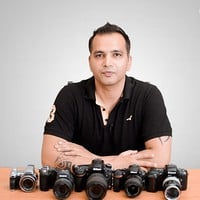
- 4.3 Rating
 293 Reviews
Kush Sharma
Hi there. I'm Kush Sharma. I'm a photography, videography, editing and digital marketing instructor based out of Pune, India.
I've been an online entrepreneur since 2012.
I run two online businesses where I create and sell online courses.
The first one is called Creative Pad Media. This is a photography and videography training business where I share my knowledge in the field of photography and videography.
The second one is called Click Trainers. This is where I teach people how to create and run an Online Course Business just like the one I have at Creative Pad Media.
I hope my courses here have a positive impact on my students.
Looking forward to serve you.
 More courses by Kush Sharma
Mobile Photography for Beginners - Master Your Smartphone (2026)
4.4 (316 Reviews)
 Provider: Udemy
 Time: 6.3h
$59.99
DaVinci Resolve for Beginner Video Editors (2026)
4.3 (90 Reviews)
- Provider: Udemy
- Time: 1.2h
$19.99
Lightroom Classic Workflow and Organization Like a Pro (2026)
4.5 (43 Reviews)
- Provider: Udemy
- Time: 3.2h
$69.99
Digital Photography 101: Basics for Complete Beginners (2026)
4.5 (41 Reviews)
- Provider: Udemy
- Time: 3h
$49.99
Learn How to Create Videos for Your Online Course (2026)
4.4 (41 Reviews)
- Provider: Udemy
- Time: 4.7h
$11.99
More Video Editing & Animation courses

Learn to Storyboard for Film or Animation (2024)
4.8 (2,727 Reviews)
- Provider: Udemy
- Time: 2.2h
$12.99


Fire Starter Sessions Video Workshop with Danielle LaPorte (2017)
4.8 (1,205 Reviews)
- Provider: Udemy
- Time: 3.7h
$11.99

The Ultimate Color Grading Bootcamp in DaVinci Resolve (2026)
4.8 (947 Reviews)
- Provider: Udemy
- Time: 8.7h
$19.99

The Complete Talking Head Video Production Masterclass (2026)
4.8 (319 Reviews)
- Provider: Udemy
- Time: 17.6h
$59.99

The Complete iMovie Course - from Beginner to Advanced 2026!
4.7 (2,021 Reviews)
- Provider: Udemy
- Time: 11.1h
$10.99
 Reviews

By Roshan Biswa on 8/4/2024
I hv checked my wiffi and I played YouTube video as well .It run smoothly, however, this video it was very slow to run not playing well..
By Amitoj Gautam on 5/2/2022
This is undoubtedly the best course for total beginners like me. Every term and concept has been nicely explained with examples. I was fiddling with several cameras without knowing anything about ISO, F-Stops, fps, etc. This course literally made things so easy. Needless to say, it's THE MUST-SEE Course for anyone who is aspiring to do videography. 10/10
By Muhammad Farhad on 2/23/2022
Its good course if you are just starting in video and you have no knowledge at all.
By Myers Nguyen on 10/12/2021
Despite Kush’s accent, I was still able to fully understand everything he said and appreciate his honest effort to speak clearly and at just the right pace. Moreover, this course has provided me with enough confidence to get my foot in the water knowing what essential equipment I need and to start recording. Thank you very much Kush!!
By Kristofer Northrup on 8/10/2021
As a photographer, I found the introductory content basic but appropriately so. Starting with focus for video and now audio, the class is extraordinarily helpful in helping me translate my photography experience to videography.
By Shinimon Basheer on 7/18/2020
I like your class very much . Even though i'm a beginner , I acquired too many new ideas and techniques. The way of your presentation is remarkable. Really i started to love my camera!!! Great Job!!!
By Evens Lumarque on 7/13/2020
well, it was very instructive !!
By Tracy Patton on 5/5/2020
This is the first online educational video that I have taken. I didn't know quite what to expect, and this was great. It was exactly the content that I was seeking and I'm looking forward to utilizing my new skills and taking more classes from this instructor.
By AtomicTsarina on 4/27/2020
Decent portion of knowledge for the beginners. All most important things covered and explained in a easy way. DSLR photography knowledge can be usefull but not necessary. Very good course to start a journey with videography.
By Giancarlo Stone on 6/22/2019
A good explanation of the constraints of video in contrast to still photography. I might suggest a small section on techniques and equipment useful in top down video shooting. I might also add that even on a 15 inch laptop at full screen, the text in the software sections can be difficult to read.
 Quality Score
No CourseDuck member has rated this course yet. Taken it? Give each part a thumbs up or down.
Overall Score : 86 / 100
- Video Duration:
 5h
5h - Price: $69.99
- Provider: Udemy
- Updated:
 January 2026
 - Level:
 Beginner
 - Language:
 English
 - Certificate:
 Yes
Yes
30-day money-back guarantee on most paid courses
Udemy Coupon Price Tracker
