
 Web Development
 Data Science
 Python
 SQL
SQL JavaScript
 Artificial Intelligence
 IT & Software
 IT Certifications
 Hacking
 AWS
AWS Arduino
 DevOps
 3D Modeling
 Graphic Design
 Photoshop
 Drawing
 Digital Painting
 UX Design
 Business
 Data Analysis
 Communication Skills
 Project Management
 Leadership & Management
 Human Resources
 Digital Marketing
 Social Media Marketing
 Marketing
 SEO
SEO Google Analytics
 Branding
 Excel
Excel Office Productivity
 SAP
SAP PowerPoint
 Microsoft Access
 SharePoint
 Finance & Accounting
 Trading & Investing
 Accounting
 Bitcoin
 Personal Finance
 Video Editing & Animation
 Photography
 Adobe Premier Pro
 Adobe Lightroom
 Personal Development
 Productivity
 Career Development
 Life Coaching
 Health & Fitness
 Meditation & Mindfulness
 Yoga
Yoga Music
Music Music Production
 Guitar
 Piano
Piano Singing
 Language Learning
 Teaching & Academics
 Engineering
 Math
Math Lifestyle
Design a Gift Box in Fusion 360 (Udemy.com)
Sharpen your Fusion 360 skills while modeling a beautiful gift box that can be 3D printed.
Created by: Vladimir Mariano
Last updated November 2019
 What you will learn
- By the end of the course you should feel more confident in your design skills and ability to start creating your own models with Fusion 360.
How it compares
Against the other 545 rated Udemy courses in 3D Modeling on CourseDuck:
- Rating4.7 out of 5higher than 75% of them
- Reviews90#460 of 546 by number of reviews
- Length1.3 hoursshorter than 95% of them
- Last updatedNovember 2019earlier than 78% of them
 Course Description
Learn to design a gift box that can be 3D printed and given as a gift. It will add an extra personal touch to your next gift. We cover many useful modeling techniques in Fusion 360 including creating patterns, shells, mirrors, user parameters, the spline tool, and many others. Learn how to be more efficient with your sketches by taking advantage of sketch constraints and learning how and when to use them.
This is a project based course that walks you through creating a model that is comprised of several parts resulting in a beautiful gift box that you will love and be proud of. This is an excellent follow-up to the intro course - Fusion 360 for 3D Printing. By the end of the course you should feel more confident in your design skills and ability to start creating your own models with Fusion 360.
We also cover things to consider when designing for 3D printing such as modeling orientation and applying proper offsets to obtain the correct tolerances for that perfect fit when parts need to be assembled after 3D printing. This also includes a brief dive into using slicer software to prepare your model for 3D printing.

 Udemy Discount
The discount is applied through our link. Open the course from here and Udemy's current promotional price is applied at checkout on most courses, no code to type.
Some courses are excluded from Udemy's promotions. If the price does not drop, clear your browser cookies and use the button again.
Instructor Details

- 4.7 Rating
 90 Reviews
Vladimir Mariano
Vladimir is the instructor of the top selling online course Designing for 3D Printing with Fusion 360. He has taught over 10,000 students how to design for 3D printing. Vladimir runs two makerspaces in Connecticut and teaches Fusion 360 and 3D printing at a local college.
3D design and printing allows him to get all the crazy ideas out of his head and turn them into real objects. Some are practical while others are well, fun.
He has a degree in Geology from West Virginia University and a RobotC Programming Instructor Certification from Carnegie Mellon Robotics Academy.
 More courses by Vladimir Mariano

Designing for 3D Printing with Fusion 360 (2026)
4.6 (10,122 Reviews)
 Provider: Udemy
 Time: 4.1h
$109.99
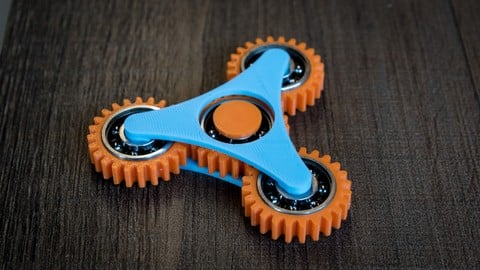
Fusion 360 for 3D Printing - Design Fidget Spinners (2019)
4.8 (679 Reviews)
- Provider: Udemy
- Time: 2.1h
$64.99

Fusion 360 for 3D Printing - Designing with Components (2019)
4.7 (678 Reviews)
- Provider: Udemy
- Time: 1.7h
$64.99

Fusion 360 for 3D Printing - Creating Curved Bodies (2019)
4.6 (538 Reviews)
- Provider: Udemy
- Time: 1.3h
$64.99

Design a Working Light Bulb - Fusion 360 for 3D Printing (2019)
4.7 (67 Reviews)
- Provider: Udemy
- Time: 1.3h
$39.99
More 3D Modeling courses

3D Printing with " Ultimaker CURA Slicer- Start to finish" (2025)
4.9 (192 Reviews)
- Provider: Udemy
- Time: 1h
$34.99

Girl and the Dog Creation in Zbrush for Intermediate Level (2020)
4.9 (173 Reviews)
- Provider: Udemy
- Time: 48.8h
$59.99



Blender Character Creator for Video Games (2026)
4.8 (9,160 Reviews)
- Provider: Udemy
- Time: 34.3h
$159.99

Master SOLIDWORKS 3D CAD using real-world examples (2022)
4.8 (2,451 Reviews)
- Provider: Udemy
- Time: 18.9h
$69.99
 Reviews

By David Kerr on 11/15/2024
Again this course was amazing, easy to follow and the speed of the course lends itself well to novices like myself. I will continue to seek out other courses by Vladimir.
By Lorna Lambert on 10/14/2023
Nice and concise at a good speed, reinforcing some of the basics I have learned resulting in a pretty little gift box. thank you
By John Vodopija on 2/5/2021
The course was well paced and comprehensive. Vladimir explained concepts used and individual steps clearly. I especially like to understand the approach to modelling a specific object as every object is different. The use of patterns and user-defined parameters is very powerful and something I will use in my future projects. Thank you for an excellent course. My only feedback would be to update the material to reflect the latest Fusion 360 user interface. This is not an issue for me personally but may be confusing to less experienced users.
By Robson Raiol on 10/8/2020
Excellent course ! The instructor can effectively use problem-solving scenarios as teaching tools. This course is a great start for those who has the intention to print your own models or to sell solutions and turn it into a business. My other next steps is to learn or pratctice modeling complex shapes and models and then begin to 3D printing accessories to different electrical and mechanical tools.
By Maciej Olejasz on 5/16/2020
Kurs ok. Paru rzeczy się nowych dowiedziałem (byłem po wcześniejszym kursie tego samego autora). W paru momentach bym zrobił to inaczej, ale to już przeanalizuje w późniejszym czasie.
By Cory Hoffman on 12/4/2019
Very good course for continuing one's learning in Fusion 360. The instructor is thorough, but it is expected that the student already has a basic knowledge of Fusion 360.
By Jeff Chevalier on 2/25/2019
This course covers exactly what it says. The instructor did a very good job of explaining how the different tools work and even multiple ways to accomplish the same end result. I would definitely recommend this course to other beginners as well as the instructor. I will be taking his other classes as well. If I had to say one down side of this course is that it seemed small to me, the topic was covered well just not a large topic I guess.
By Tracy Jon Sargeant on 11/16/2018
Another GREAT training video by Vladimir! Perfectly compliments and builds on the first course.
By Michael Lauth on 9/13/2018
Good Course, but good darn it is annoying that each time he clicks, the curser moves out of the way, you really have to pay extra close attention to where he clicks.
By Don Evans on 5/30/2018
Another great course! Easy to follow along with if you have taken his other courses and like his style, which I do, has a easy going teaching style and you seem to retain it all as you go along. Explains shortcuts as you go along so they get to be second nature to you. After taking your other courses I was able to just keep up with you and not pause or go back, well done!
 Quality Score
No CourseDuck member has rated this course yet. Taken it? Give each part a thumbs up or down.
Overall Score : 94 / 100

- Video Duration:
 1.3h
1.3h - Price: $39.99
- Provider: Udemy
- Updated:
 November 2019
 - Level:
 Intermediate
 - Language:
 English
 - Certificate:
 Yes
Yes
30-day money-back guarantee on most paid courses
Udemy Coupon Price Tracker
