
 Web Development
 Data Science
 Python
 SQL
SQL JavaScript
 Artificial Intelligence
 IT & Software
 IT Certifications
 Hacking
 AWS
AWS Arduino
 DevOps
 3D Modeling
 Graphic Design
 Photoshop
 Drawing
 Digital Painting
 UX Design
 Business
 Data Analysis
 Communication Skills
 Project Management
 Leadership & Management
 Human Resources
 Digital Marketing
 Social Media Marketing
 Marketing
 SEO
SEO Google Analytics
 Branding
 Excel
Excel Office Productivity
 SAP
SAP PowerPoint
 Microsoft Access
 SharePoint
 Finance & Accounting
 Trading & Investing
 Accounting
 Bitcoin
 Personal Finance
 Video Editing & Animation
 Photography
 Adobe Premier Pro
 Adobe Lightroom
 Personal Development
 Productivity
 Career Development
 Life Coaching
 Health & Fitness
 Meditation & Mindfulness
 Yoga
Yoga Music
Music Music Production
 Guitar
 Piano
Piano Singing
 Language Learning
 Teaching & Academics
 Engineering
 Math
Math Lifestyle
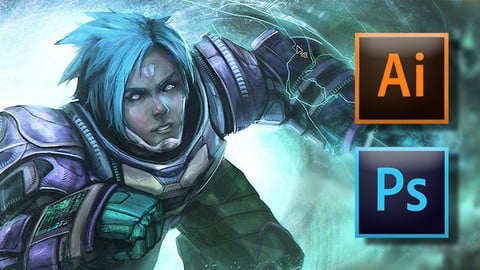
Digital Painting Master Class : Beginner to Advanced (Udemy.com)
Digital painting and drawing has never been this fun. Illustrate characters, creatures, landscapes and more!
Created by: School of Game Design
Last updated February 2020
 What you will learn
- Gain a firm understanding of the diverse tools and powerful features available in Photoshop and Illustrator
- Have a better understanding on how to use textures and shading for more realistic details
- You will learn many techniques in Photoshop that will make your editing faster and more realistic like the puppet warp tool
- Learn best practices to better develop and digitally paint character ideas quickly
- Mastery of the Photoshop interface
- Fundamentals of lighting, textures, and shapes
- Frame by frame animation techniques
- Character and creature deisgn
- Full understanding of drawing with perspective
- Advance environment illustration and so much more!!!
How it compares
Against the other 175 rated Udemy courses in Digital Painting on CourseDuck:
- Rating4.5 out of 5higher than 40% of them
- Reviews1,056#33 of 176 by number of reviews
- Length30.6 hourslonger than 95% of them
- Last updatedFebruary 2020earlier than 61% of them
 Course Description
Digital painting and drawing has never been this fun. Illustrate characters, creatures, landscapes and more!
Experts and beginners can benefit from hours of detailed well explained training guiding you step by step through the fundamentals of Adobe Photoshop and Adobe Illustrator, through to advanced digital painting techniques used by professionals in major films and videos games.
You will start this course by becoming familiar with the interfaces, while you confidently master the most commonly used Illustrator and Photoshop tools.
Once you have mastered the fundamentals, you will quickly move on to fun mini projects designed to show you real world uses for Photoshop. You will build confidence throughout this series as you begin to understand professional techniques used for lighting, animation, and Illustration.
After you have mastered the basics of Photoshop you will dive right in to more advanced techniques as you learn fundamentals of digital painting using these power design tools.
By the end of this course you should feel confident to take on any project or creative career armed with the incredible skills you learn with us here at the School of Game Design

 Udemy Discount
The discount is applied through our link. Open the course from here and Udemy's current promotional price is applied at checkout on most courses, no code to type.
Some courses are excluded from Udemy's promotions. If the price does not drop, clear your browser cookies and use the button again.
Instructor Details

- 4.5 Rating
 1,056 Reviews
School of Game Design
GREAT EDUCATION SHOULD BE AVAILABLE TO EVERYONE
The School of Game Design was created to provide in-depth, current industry education in the area of interactive arts. We have our finger on the pulse of the tech industry and keep our curriculum up to date so our students are some of the most sought after artists and designers available. We arm students with the tools needed to thrive as designers, programmers, 3D animators, game developers, web designers, and UI / UX artists.
WE TEACH ONLY THE LATEST TECHNOLOGY
AI, Arcade Studio, Unity, Photoshop, Illustrator, Maya, and several other powerful programming languages are just some of the many topics we cover here at the School of Game Design. We pay close attention to the latest tools and techniques being utilized by the tech and gaming industries, making sure that what we teach, keeps our students on top of these fast growing technologies. We are always developing new training videos which help make our students leaders in their chosen fields.
WE PRACTICE WHAT WE PREACH
All of our instructors here at the School of Game Design are experts at what they do and are currently working in the game, film, and tech industries with over 24 years of experience. Not only have we taught at major schools and studios like Ubisoft and the LA Film School, but our instructors have worked on Films like Lord of the Rings, and Rango. Our dedicated te
 More courses by School of Game Design
The Game Design and AI Master Class Beginner to Expert (2024)
3.9 (8,490 Reviews)
 Provider: Udemy
 Time: 84.9h
$24.99
Adobe Illustrator: Mastering the Fundamentals (2018)
4.5 (5,182 Reviews)
- Provider: Udemy
- Time: 1.7h
$44.99
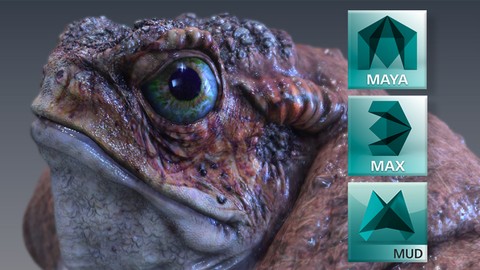
3D Animation & Modeling Master Class | Beginner to Advanced (2020)
4.2 (320 Reviews)
- Provider: Udemy
- Time: 22.3h
$64.99
More Digital Painting courses

Character Art School: Complete Coloring & Painting (2026)
4.8 (6,042 Reviews)
- Provider: Udemy
- Time: 19.5h
$34.99



Procreate Masterclass: Digital Drawing on the iPad (2023)
4.8 (1,744 Reviews)
- Provider: Udemy
- Time: 18.2h
$94.99


Digital painting with Krita 5.0 intermediate level (2022)
4.8 (271 Reviews)
- Provider: Udemy
- Time: 6.8h
$79.99
 Reviews

By Jorge Estigarribia on 11/19/2023
I'll change my ratting, I'm doing the earlier stages of the course, and I didn't see it as a beginner point of view, and for a beginner I think is a Great course so far, I'm not a beginner, but it's good, it would be greater if some of the lessons were updated to the new photoshop tools. I'll see how it goes in the parts I'm interesting.
By Nouhaila Chanhih on 4/2/2023
To this moment, I like the course very much. It is detailed, gives interesting tips, and goes step by step which is just what a beginner needs. It is true that learning the basics is a bit boring, but essential for upcoming interesting not-boring things. Thank you for this course!
By Patrizia Karbstein on 12/8/2022
Wow! This is SO worth the time! Took some time to get through with everything, since I am used to classes focused on only one topic - but I love how you get so so much in here that someone might need to know, and in a pace that's just right! Will be coming back for other classes for sure!
By James Earl on 12/4/2019
the course was very informative and had a great variety of angles of how to tackle an abundant amount of creation/design methods in a profesional way. Thank you very much. I will continue onwards to watch the lectures on my journey of becoming a better digital artist than yesterday :D 5/5 stars :D
By Matheus Argento on 6/23/2019
O professor menciona bastante parte da experiência própria de aprendizado, sendo que em alguns momentos, apesar de parecer maçante, ele conta o propósito desse tipo de abordagem, na obra como um todo, é ótimo, pois as dicas de concentração e estudo de ambientes naturais, animais e pessoas, quebrados em formas, para inclusive emancipar a experiência do aluno e fazer com que o mesmo adquira sua própria identidade visual. O cara esta de parabéns!
By Allegra Thomson on 4/29/2019
It is a very good match for me. I have some experience with drawing on pen and paper, and digital was the next step. This starts off really well and goes into great detail about all the things you need to be aware of when drawing. I think it is an excellent course and would fully recommend it to someone else, in fact I have!
By Michael Clark on 1/5/2019
It's a very good course. The instructor manages to keep it interesting even in areas where it might've gotten repetitive by talking about his experiences and different ways to continue learning and improving. There are a couple of sections where the same videos are repeated. So it could be trimmed a bit to remove videos that come up more than once that are exactly the same video just in a different section. Other than that overall a really good course.
By Karina Moss on 4/2/2018
This is really a good course, it starts with a good introduction to Adobe Photoshop and-illustrator, you learn the fundamentals of lighting, textures, and shapes and then you go straight ahead with illustration and digital painting. In a short period of time, you are marstering your own digital creations.
By Patty Michelle Gutierrez Crespo on 3/12/2018
Great course, it is four star because I'm at the half ot it, but surely it will win a 5 star raiting. The course has good explanations, in depth looks to some of the topics and mostly they show you many real life appliable tips for digital painting. The only thing I could suggest is more specific and practical excersise, buty if you are keen on self taught courses this is really great, here you have freedom and not follow step by step, but it could be good to have some of those step by step excersises, maybe this: create a creature, a human character, a house or castle, etc. something like that. The only thing I have few struggle with was identifying the layers because they had no name, but if you have common sense you can figure them out. Great job.
By Brady Finnie on 2/1/2018
Very in-depth and covers all the topics! Lost points because of a few repeated lessons (counted 2 so far) and also sloppy editing on videos where there are errors. Otherwise I like the content and how thorough it covers each subject. My only criticism would be that I would like it better if the instructor talked about which brushes he was changing to and why he was changing colors and shapes and what he was trying to accomplish instead of general art topics. It's lengthy to watch hours and hours of video so it would have been better if some lessons had prepared materials instead of starting from the basic sketch each time.
 Quality Score
No CourseDuck member has rated this course yet. Taken it? Give each part a thumbs up or down.
Overall Score : 90 / 100
- Video Duration:
 30.6h
30.6h - Price: $69.99
- Provider: Udemy
- Updated:
 February 2020
 - Level:
 Intermediate
 - Language:
 English
 - Certificate:
 Yes
Yes
30-day money-back guarantee on most paid courses
Udemy Coupon Price Tracker
