
 Web Development
 Data Science
 Python
 SQL
SQL JavaScript
 Artificial Intelligence
 IT & Software
 IT Certifications
 Hacking
 AWS
AWS Arduino
 DevOps
 3D Modeling
 Graphic Design
 Photoshop
 Drawing
 Digital Painting
 UX Design
 Business
 Data Analysis
 Communication Skills
 Project Management
 Leadership & Management
 Human Resources
 Digital Marketing
 Social Media Marketing
 Marketing
 SEO
SEO Google Analytics
 Branding
 Excel
Excel Office Productivity
 SAP
SAP PowerPoint
 Microsoft Access
 SharePoint
 Finance & Accounting
 Trading & Investing
 Accounting
 Bitcoin
 Personal Finance
 Video Editing & Animation
 Photography
 Adobe Premier Pro
 Adobe Lightroom
 Personal Development
 Productivity
 Career Development
 Life Coaching
 Health & Fitness
 Meditation & Mindfulness
 Yoga
Yoga Music
Music Music Production
 Guitar
 Piano
Piano Singing
 Language Learning
 Teaching & Academics
 Engineering
 Math
Math Lifestyle
Easy Paint Tool SAI Drawing Guide: Learn SAI Fast! (Udemy.com)
How to use the hot software Paint Tool SAI to create eye-catching art to build an online following/give your ideas life
Created by: Breanna White
Last updated July 2018
 What you will learn
- How to create popular and attractive drawings and works in Paint Tool SAI
- The basics as well as the obscure secrets of Paint Tool SAI
- How to avoid the common mistakes of SAI beginners and gain expert skill
- Increase your art's popularity, attractiveness, and stylishness!
How it compares
Against the other 194 rated Udemy courses in Drawing on CourseDuck:
- Rating4.1 out of 5higher than 3% of them
- Reviews37#184 of 195 by number of reviews
- Length0.7 hoursshorter than 96% of them
- Last updatedJuly 2018earlier than 77% of them
 Course Description
This course will allow you to jump right in to learning the basics of digital art with SAI and learning tips and expert input that you won't find anywhere else. Don't just walk in blindfolded get personal, easy, convenient,and one-of-a-kind SAI instruction that can't be found anywhere else in this format!
What is Paint Tool SAI?
Paint Tool SAI is a design software that is popular for its lightweight and easy to use nature. Many successful online artists use Paint Tool SAI. It is preferred due to its accessibility. Unlike other software, like Photoshop, SAI is not expensive or hard to tackle. Unlike other beginner software like MS Paint or FireAlpaca, Paint Tool SAI comes with a variety of tools and customizable features to help any artist adapt.
Why Should I Take This Course?
In this course, not only will you learn how to comprehensively use Paint Tool SAI, you also learn how to avoid the common pitfalls and improve quickly.
An intermediate level of art knowledge is highlyrecommended before taking this course, as Iwill not be covering any art basics, but will jump right into drawing with SAI's features.
Along with the basics, you will learn how to use SAI's tools to create your best digital works andhow to avoid SAI newcomer mistakes.
What Will I Learn?
The basics and featuresof Paint Tool SAIHow you can use these features to make great artIn-depth, detailed,bonus materialHow to avoid thecommon mistakes of SAI beginnersWho Will Benefit?
This course takes you on a comprehensive guide through all of Paint Tool SAI's most lucrative features you will not learn about anywhere else. The explanations are easy to follow and rewarding. The course practically pays for itself after you find your style and gain Paint Tool SAI skills that will lend you a leg up in marketing yourself and getting noticedinthe online art community.
Who this course is for:
Artists with intermediate skill looking to expand to Paint Tool SAI

 Udemy Discount
The discount is applied through our link. Open the course from here and Udemy's current promotional price is applied at checkout on most courses, no code to type.
Some courses are excluded from Udemy's promotions. If the price does not drop, clear your browser cookies and use the button again.
Instructor Details

- 4.1 Rating
 37 Reviews
Breanna White
Hi!I'm Breanna. I have been an artist for around a decade now and my digital art career spans around 5 years. I am active mostly on my Instagram page. Ibelieve that anyone can be an artist and that digital art and drawing should be accessible to anyone. I support art education and Ibelieve in the importance an art education can have.
 More Drawing courses

The Art & Science of Figure Drawing: GESTURE (2021)
4.9 (5,042 Reviews)
 Provider: Udemy
 Time: 13.4h
$22.99

The Art & Science of Drawing / FORM & SPACE (2017)
4.9 (3,395 Reviews)
- Provider: Udemy
- Time: 2.9h
$19.99
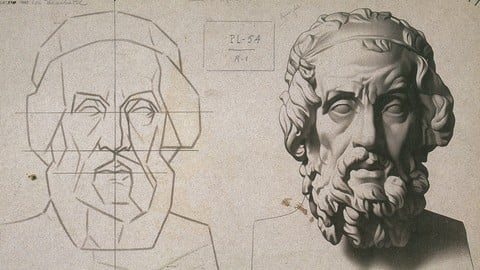
Drawing Fundamentals 1: Basic Skills & Sketching Accurately (2022)
4.9 (1,593 Reviews)
- Provider: Udemy
- Time: 3.1h
$94.99
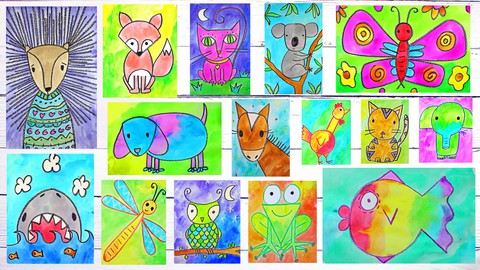
Art for Kids & Beginners: 17 Easy Drawing & Painting Lessons (2026)
4.9 (1,066 Reviews)
- Provider: Udemy
- Time: 3.7h
$12.99

The Art & Science of Drawing / SHADING: BEYOND THE BASICS (2018)
4.9 (993 Reviews)
- Provider: Udemy
- Time: 1.6h
$59.99

Draw Islamic Geometric Patterns With A Compass And Ruler (2019)
4.9 (843 Reviews)
- Provider: Udemy
- Time: 1.4h
$12.99
 Reviews

By Luke Davy on 9/26/2020
Audio isn't great, at points she just says whats on screen "This is the brush select, it can be used to select brush strokes". Also sometimes it's not clear where she is clicking to get a certain result.
By Leon Sarmiento on 9/11/2020
great course learning paint tool sai from begginer
By Eugenio Filippi on 2/7/2020
learnt so much in such a short time, great stuff.... maybe a bit too fast but could go back an repeat when needed
By Joanna on 4/8/2019
yes so far!
By Alexandre de Oliveira e Aguiar on 4/8/2019
1) A lio 2 est com volume de som muito baixo.
2) Algumas ferramentas so mostradas muito rapidamente, principalmente quando tem botes especficos para acionar. Deveria haver uma pausa e indicao colorida na tela de qual o boto que aciona (por exemplo sketchpad, que foi difcil de achar).
By Michael Hough on 1/25/2019
Going a little fast hard to keep up with where her cursor is
By Aimi San on 10/4/2018
I really like the way you explain everything, you use a calm and modulated tone i understood perfectly (i'm not a native english speaker so i have problems with people talking really fast or who doesn't modulate well) and you show the most important things of the program. I have like 4 years and eight months of experience with paint tool sai and i knew most of the things, but as i say, you explained everything in a way everyone, even who doesn't touched the program never can understand. Even using the program for years, i learned a few new things i can apply on my drawings, for example how to do your lines a bit bigger even if you have finished the lineart.
For the next time, you can explain the uses of the effects on layes, because you haven't show what effect use to shade or put highlights, i see you use the multiply and the screen layer, but there's also a lot of effects you can show to begginers, always explaining to them that a overuse can make you picture messy.
And a mistake i found... i don't remember the name of this option because my SAI is in spanish, but you explained a feature wrong. I think is called "color mixtape" or something like that, it's use is not for taking a gray scale, is for, like it's name says, mixing colours! you grab the colours to the sides and a bucket have to apear, and you put the colours you want to mix. Using the slider will help to find a colour which is more to one or another prntscr.com/k43vkh
By Hermine larsen on 8/7/2018
because i thaugh it was ok not so good telling wut to do :P but i just wanna get painting gurl!!
 Quality Score
No CourseDuck member has rated this course yet. Taken it? Give each part a thumbs up or down.
Overall Score : 82 / 100

- Video Duration:
 42 mins
 - Price: $34.99
- Provider: Udemy
- Updated:
 July 2018
 - Level:
 Intermediate
 - Language:
 English
 - Certificate:
 Yes
Yes
30-day money-back guarantee on most paid courses
Udemy Coupon Price Tracker
