
 Web Development
 Data Science
 Python
 SQL
SQL JavaScript
 Artificial Intelligence
 IT & Software
 IT Certifications
 Hacking
 AWS
AWS Arduino
 DevOps
 3D Modeling
 Graphic Design
 Photoshop
 Drawing
 Digital Painting
 UX Design
 Business
 Data Analysis
 Communication Skills
 Project Management
 Leadership & Management
 Human Resources
 Digital Marketing
 Social Media Marketing
 Marketing
 SEO
SEO Google Analytics
 Branding
 Excel
Excel Office Productivity
 SAP
SAP PowerPoint
 Microsoft Access
 SharePoint
 Finance & Accounting
 Trading & Investing
 Accounting
 Bitcoin
 Personal Finance
 Video Editing & Animation
 Photography
 Adobe Premier Pro
 Adobe Lightroom
 Personal Development
 Productivity
 Career Development
 Life Coaching
 Health & Fitness
 Meditation & Mindfulness
 Yoga
Yoga Music
Music Music Production
 Guitar
 Piano
Piano Singing
 Language Learning
 Teaching & Academics
 Engineering
 Math
Math Lifestyle
Essential Excel Formulas and Functions (Udemy.com)
Overcome your Excel formula phobias with this clear and easy to follow guide
Created by: Grant Gamble
Last updated March 2017
 What you will learn
- Understand the key elements which are used to create Excel formulas and feel confident about building formulas of their own.
How it compares
Against the other 355 rated Udemy courses in Excel on CourseDuck:
- Rating4.5 out of 5higher than 39% of them
- Reviews166#315 of 356 by number of reviews
- Length2.5 hoursshorter than 80% of them
- Last updatedMarch 2017earlier than 89% of them
 Quality Score
Overall Score : 90 / 100
 Course Description
- The course starts by discussing all of the different components that can be used to create a formula. You will be given clear demonstrations of the use of relative, mixed and absolute references, the use of dollar signs and how to name cell ranges to add clarity to your formulas.
- Naturally, Excel functions are discussed in depth and many examples of using functions to analyze your data, beginning with every day functions like SUM, AVERAGE, MIN and MAX.
- We then examine the use of text functions to clean up data prior to creating reports; functions like TRIM, UPPER, LOWER, PROPER, LEFT, RIGHT, MID and CONCATENATE.
- Next, we turn our attention to conditional functions like IF, IFERROR, AND and OR. These functions allow you to make the value displayed in a cell dependent on the results of logical tests.
- We then see how conditional functions can be combined with mathematical functions; using COUNTIF and SUMIF to produce calculations which only include those cells which match certain criteria.
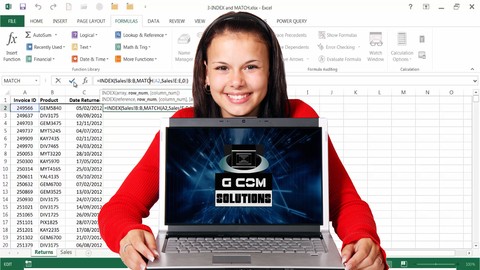
- And, naturally, no discussion of Excel functions would be complete without lookup functions. We discuss the use of VLOOKUP and, also, how the INDEX and MATCH functions can be used to lookup up data whose format makes the use of VLOOKUP impossible.
This course was last updated on 25th March 2017, with the addition of a new project: the creation of an invoicing model.Who this course is for:
- Excel users both inexperienced and experienced who don't feel confident about using Excel formulas.

 Udemy Discount
The discount is applied through our link. Open the course from here and Udemy's current promotional price is applied at checkout on most courses, no code to type.
Some courses are excluded from Udemy's promotions. If the price does not drop, clear your browser cookies and use the button again.
Instructor Details

- 4.5 Rating
 166 Reviews
Grant Gamble
Grant Gamble is an experienced IT trainer, developer, consultant and author able to deliver a wide range of training courses. He has a vast experience of delivering public and on-site IT training content at different skill levels, to groups of varying sizes.
His UK company G Com Solutions Limited provide IT training courses and consultancy to a wide range of UK and international clients. His speciality is running week-long, intensive training workshops on topics like Microsoft Power BI, VBA, web development and Adobe Creative Suite automation.
 Related courses


Microsoft Excel Data Analysis - Learn How The Experts Use It (2026)
5.0 (5,696 Reviews)
 Provider: Udemy
 Time: 3h
$39.99

More courses by Grant Gamble

Power BI Essentials: Power BI Training and Exam Prep (2025)
4.5 (3,717 Reviews)
- Provider: Udemy
- Time: 49.6h
$10.99

Power BI Administration: Administering the Power BI Service (2026)
4.3 (2,107 Reviews)
- Provider: Udemy
- Time: 8.4h
$11.99

Excel VBA Macros: Hyper-disambiguated Excel VBA Programming (2025)
4.2 (1,615 Reviews)
- Provider: Udemy
- Time: 16.8h
$11.99

Microsoft Word VBA Macro Programming - Introduction (2021)
4.6 (1,508 Reviews)
- Provider: Udemy
- Time: 12.9h
$11.99

Advanced Microsoft Word VBA Macro Programming (2025)
4.5 (339 Reviews)
- Provider: Udemy
- Time: 13.2h
$14.99
 Reviews

- Video Duration:
 2.5h
2.5h - Price: $44.99
- Provider: Udemy
- Updated:
 March 2017
 - Level:
 Beginner
 - Language:
 English
 - Certificate:
 Yes
Yes
30-day money-back guarantee on most paid courses
Udemy Coupon Price Tracker
