
 Web Development
 Data Science
 Python
 SQL
SQL JavaScript
 Artificial Intelligence
 IT & Software
 IT Certifications
 Hacking
 AWS
AWS Arduino
 DevOps
 3D Modeling
 Graphic Design
 Photoshop
 Drawing
 Digital Painting
 UX Design
 Business
 Data Analysis
 Communication Skills
 Project Management
 Leadership & Management
 Human Resources
 Digital Marketing
 Social Media Marketing
 Marketing
 SEO
SEO Google Analytics
 Branding
 Excel
Excel Office Productivity
 SAP
SAP PowerPoint
 Microsoft Access
 SharePoint
 Finance & Accounting
 Trading & Investing
 Accounting
 Bitcoin
 Personal Finance
 Video Editing & Animation
 Photography
 Adobe Premier Pro
 Adobe Lightroom
 Personal Development
 Productivity
 Career Development
 Life Coaching
 Health & Fitness
 Meditation & Mindfulness
 Yoga
Yoga Music
Music Music Production
 Guitar
 Piano
Piano Singing
 Language Learning
 Teaching & Academics
 Engineering
 Math
Math Lifestyle
Figma: Prototype & Animation Techniques For UX/UI (Udemy.com)
Learn all about the figma tools, prototype and animations to design a Web App.
Created by: Amine Abdelkebir
Last updated November 2023
 What you will learn
- Creating great experiences with applications of UX Design.
- See what do you need to create a beautiful web application?
- See what do you need for prototyping?
- Building interactive prototypes to share with co-workers and clients.
- Add smart animations to screen components.
How it compares
Against the other 32 rated Udemy courses in Figma on CourseDuck:
- Rating4.1 out of 5higher than 6% of them
- Reviews46#32 of 33 by number of reviews
- Length0.8 hoursshorter than 93% of them
- Last updatedNovember 2023earlier than 59% of them
 Course Description
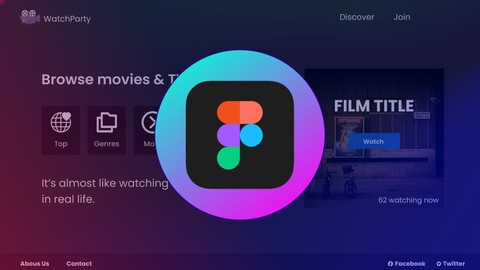
In this course, you’ll learn how to design a beautiful and simple web application with one of the most powerful free design tools, called Figma.
By the end of this course, you will have the skills and capacity to design a website that is visually appealing and easy to navigate. You’re also going to learn advanced tips, and features of prototyping.
Content description:
Frame tool: In this video, we will prepare the first frame of our Website, and customize it to our needs.
Landing page: In this video, we will start building the first screen of the Website.
Buttons: In this video, we will design the buttons step by step with simple shapes.
Navigation bar: In this video, we will add a beautiful modern navigation bar.
Join page: In this video, we will continue preparing our Website with a Join page and designing a simple footer using Iconify plugin.
Discover page: In this video, we will continue building our Website with a Discover screen.
Powerful Plugins: In this video, we will use a powerful plugin to terminate the most important section of the platform.
Prototype & Animations: In this video, we will start adding the links between the different screens, and add smart animations to components.
By the end of this course:
You will have learned the many great tools Figma has to offer and you will be able to prototype an engaging web app, that you can add smart animations, for your own projects or for your clients.
What do I need?
This course is for both beginners & experienced designers looking to expand their skills.
All you need is a computer and a web browser.
So what are you waiting for?
Let’s get started learning how to design real-world projects using Figma and take our design skills to a whole new level together.

 Udemy Discount
The discount is applied through our link. Open the course from here and Udemy's current promotional price is applied at checkout on most courses, no code to type.
Some courses are excluded from Udemy's promotions. If the price does not drop, clear your browser cookies and use the button again.
Instructor Details

- 4.1 Rating
 46 Reviews
Amine Abdelkebir
Hey, I'm Amine!
I am a UI/UX Designer & an Software developer with having almost 5 years of experience in application development and also 3 years of graphic design and UI/UX design.
Figma, Adobe XD and Sketch are my favourite tools.
If you like my classes follow me to be updated when new content arrives.
 More Figma courses

Complete Web Design: from Figma to Webflow to Freelancing (2026)
4.7 (22,616 Reviews)
 Provider: Udemy
 Time: 23.3h
$149.99

Master Figma: Getting started the Beginner to Pro Class (2025)
4.7 (2,402 Reviews)
- Provider: Udemy
- Time: 5h
$74.99
Responsive UX/UI Design in Figma 1.5h deep dive 2024 UPDATE!
4.6 (844 Reviews)
- Provider: Udemy
- Time: 2h
$69.99
 Reviews

By Mariana Vanin on 7/23/2025
A qualidade do ingles deixa a desejar. o curso é bem iniciante mesmo
By Anushka Chhajed on 8/8/2024
very nicee!!!!!
By Agung Firmansyah on 4/15/2024
Easy to learn and quite interesting in presenting the material. Sounds relaxed and unhurried.
By Petar Kolev on 10/25/2023
It's good for a free course. Basics are covered but best practices are missing for some implementations
By Ronie Centino on 9/3/2023
just awesome!!!
By Akaanksha on 8/10/2023
This course is good for understanding making of design of websites in the figma.
By Gayathri Devi P on 7/20/2023
The video clarity is not good
By Jibril Hamisu on 7/9/2023
I find the Tutorial to be educative and interactive as well.
By Amir on 7/20/2024
By Lovedeep singh on 10/15/2023
 Quality Score
No CourseDuck member has rated this course yet. Taken it? Give each part a thumbs up or down.
Overall Score : 82 / 100
- Video Duration:
 48 mins
 - Price: $24.99
- Provider: Udemy
- Updated:
 November 2023
 - Level:
 All Levels
 - Language:
 English
 - Certificate:
 Yes
Yes
30-day money-back guarantee on most paid courses
Udemy Coupon Price Tracker
