
 Web Development
 Data Science
 Python
 SQL
SQL JavaScript
 Artificial Intelligence
 IT & Software
 IT Certifications
 Hacking
 AWS
AWS Arduino
 DevOps
 3D Modeling
 Graphic Design
 Photoshop
 Drawing
 Digital Painting
 UX Design
 Business
 Data Analysis
 Communication Skills
 Project Management
 Leadership & Management
 Human Resources
 Digital Marketing
 Social Media Marketing
 Marketing
 SEO
SEO Google Analytics
 Branding
 Excel
Excel Office Productivity
 SAP
SAP PowerPoint
 Microsoft Access
 SharePoint
 Finance & Accounting
 Trading & Investing
 Accounting
 Bitcoin
 Personal Finance
 Video Editing & Animation
 Photography
 Adobe Premier Pro
 Adobe Lightroom
 Personal Development
 Productivity
 Career Development
 Life Coaching
 Health & Fitness
 Meditation & Mindfulness
 Yoga
Yoga Music
Music Music Production
 Guitar
 Piano
Piano Singing
 Language Learning
 Teaching & Academics
 Engineering
 Math
Math Lifestyle
Funky Portrait Photography & Creative Photoshop Retouching (Udemy.com)
This Portrait Photography course will teach a Photographer the essentials of Portrait Photography & Photoshop Retouching
Created by: Manfred Werner
Last updated November 2019
 What you will learn
- Studio Photography & Lighting A Subject
- Intermediate & Advanced Photoshop Retouching Skills.
- In-depth look into the studio lighting setup.
- Photograph such an image & setup the light setup
- Basic Raw conversions, Image Preparations & Notes
- Clean skin & use advanced skin retouching techniques
- Comprehensive hair retouching techniques & shortcuts.
- Build, Control & Refine light fall on the overall image
- Manual sharpness, Colour control & look development
- Dodge & Burn Techniques (Give an Image Pop)
- Applying Colour grades & graphic effects
- Apply an overall image pop and final adjustments
How it compares
Against the other 188 rated Udemy courses in Photoshop on CourseDuck:
- Rating4.7 out of 5higher than 89% of them
- Reviews33#172 of 189 by number of reviews
- Length3.1 hoursshorter than 62% of them
- Last updatedNovember 2019earlier than 53% of them
 Course Description
Easy Workflow and Great For those who want to retouch portraits!
Complete Planning, Photography & Photoshop process is shown
All Photoshop work materials are provided & ready for you to download
Full lifetime access to the complete course
My approach is:
One thing I have learned through all the years of working in the studio photography field is that knowing & understanding the ground concepts of photography, lighting & retouching are essential when trying to execute such a project.
A step-by-step guide on studio portrait lighting. The shooting process involves working with up to four strobes and this course includes complete sections on understanding how to accurately set up the lights.
The lessons that follow provide a wide focus on retouching techniques. Techniques such as working with color & sharpening, dodge & burn, advanced masking, color grading, light fixes & corrections, as well as creating a realistic feel & light look.
The idea behind the course is not only to familiarise you with the Portrait Photography & Photoshop techniques but also to help you understand the reason for using certain methods and how to improve with your retouching techniques.
You'll learn
You'll learn about Studio Photography.
You'll get an in-depth look into the studio lighting setup.
You'll get an in-depth look into Photoshop Retouching.
How to do basic raw conversions, image preparations & notes
How to clean skin & hair especially the harder hair parts.
How to do advanced skin retouching & skin smoothening
How to build, control and refine light on the overall image
How to do manual sharpness, color control & look development
How to apply dodge & burn techniques on darker skin
How to create techniques that brighten up the overall image look "Bring the pop factor in"
How to apply amazing color grades & graphic effects
How to apply an overall image pop and final adjustments
... and much, much more!
What sets this course apart:
I will teach you how to get into Photography & Photoshop, so don't worry if you don't have prior experience with photoshop.
We start slow and then build our way up. Step by Step Guide.
Receive all work material (Raw's & PSD files) from the start and work along.
Many techniques, exercises, and work challenges.
The idea is to make photography & photoshop fun and easy! "Great to work along"
Instructor support within 24 Hours. "I do my best to answer every question"
One final note: My goal is to teach you photoshop, so don't stress about not having worked in photoshop before. "I do my best to make it simple & fun"
Thank you!

 Udemy Discount
The discount is applied through our link. Open the course from here and Udemy's current promotional price is applied at checkout on most courses, no code to type.
Some courses are excluded from Udemy's promotions. If the price does not drop, clear your browser cookies and use the button again.
Instructor Details
- 4.7 Rating
 33 Reviews
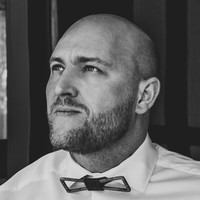
Manfred Werner
I Love Sharing & Teaching Online.
Here on Udemy, I'm an instructor that teaches Photoshop for beginners, but if you are more experienced, then take advantage of my free Photoshop courses. I’ve been teaching Photoshop & Retouching on Udemy since 2012.
In my personal capacity, I’m an owner of a Digital Media Agency where the core focus lays in Content Creation. I’ve been an active photographer and retoucher since 2010 and have worked on many advertising campaigns in Cape Town “South Africa” for clients like Mercedes, Zara, H&M, etc,
When I'm not working on campaigns, I'm producing online training courses & I have realized that it has become my passion to teach online, this may vary between Photoshop, Photography, Design or Business Content. In the next years, it is my goal to teach you how to become a better version of yourself with all kinds of skills. Most of which I have used to make my life better & to gain financial freedom.
Feel free to reach out to me on Udemy at any time, if you have questions about the courses or just want to say hi!
Thank you, Manni
 More courses by Manfred Werner
Photoshop Master Course: From Beginner to Photoshop Pro (2020)
4.5 (5,389 Reviews)
 Provider: Udemy
 Time: 12.7h
$15.99
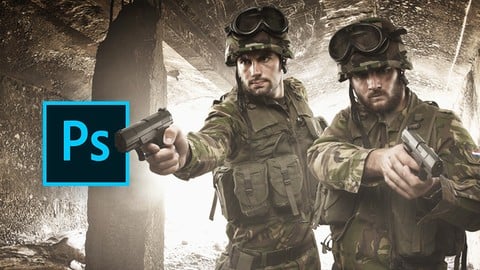
Advanced Digital Photoshop Compositing - Combining 2 Images (2019)
4.2 (188 Reviews)
- Provider: Udemy
- Time: 2.2h
Free
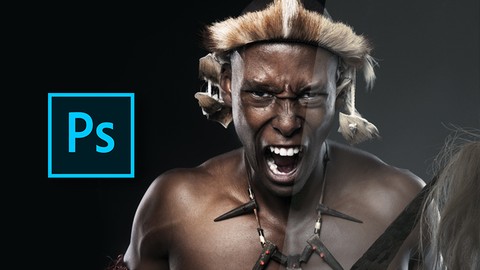
Master Adobe Photoshop Color Grading & Retouching (2019)
4.3 (182 Reviews)
- Provider: Udemy
- Time: 2h
Free
Digital Photoshop Compositing For Advertising Campaigns (2019)
4.3 (148 Reviews)
- Provider: Udemy
- Time: 2.2h
Free
Photoshop Tools - Become An Expert In 10 Super Easy Steps (2015)
3.9 (120 Reviews)
- Provider: Udemy
- Time: 3.3h
$34.99
More Photoshop courses


Adobe Photoshop CC: For Complete Beginner (Sinhala Medium) (2026)
4.9 (110 Reviews)
- Provider: Udemy
- Time: 8.4h
$59.99

Adobe Photoshop CC – Essentials Training Course (2025)
4.8 (36,753 Reviews)
- Provider: Udemy
- Time: 11.6h
$189.99


47 Graphic Design Projects for Photoshop Beginners (2025)
4.8 (466 Reviews)
- Provider: Udemy
- Time: 7.9h
$99.99

Photoshop Efficiency - Techniques For Consistent Marketing (2025)
4.8 (144 Reviews)
- Provider: Udemy
- Time: 1.4h
$49.99
 Reviews

By Dominique Vichot on 5/16/2022
cours clair. Facile à suivre.
By Zidane Nagi on 8/11/2020
The teacher was awesome he taught really well Thank u for also giving photography tips!! on how to plan shoots.
By Dawn-joy Leong on 8/3/2020
Speaks a bit too fast, fortunately I am familiar with Photoshop basics. Video section slow in comparison, much time spent labouring over the manual retouching, repetitive, perhaps for slower learners who want to follow along?
By Daria Rountree on 12/18/2019
Great course! I’ve been watching a lot of photoshop tutorials lately and this one is easiest to follow
By Erick Jimenez on 5/8/2019
I believe is a great course.
By Ray on 3/2/2017
I like the instructor. He's not wasting my time with a lot of excess verbiage and his voice is not annoying. I already have experience with Photoshop, so I did not think he spoke too fast. I had to get used to his dialect ("E" pronounced as "I", for example), but that was an easy hurdle.
 Quality Score
No CourseDuck member has rated this course yet. Taken it? Give each part a thumbs up or down.
Overall Score : 94 / 100
- Video Duration:
 3.1h
3.1h - Price: $19.99
- Provider: Udemy
- Updated:
 November 2019
 - Level:
 All Levels
 - Language:
 English
 - Certificate:
 Yes
Yes
30-day money-back guarantee on most paid courses
Udemy Coupon Price Tracker
