
 Web Development
 Data Science
 Python
 SQL
SQL JavaScript
 Artificial Intelligence
 IT & Software
 IT Certifications
 Hacking
 AWS
AWS Arduino
 DevOps
 3D Modeling
 Graphic Design
 Photoshop
 Drawing
 Digital Painting
 UX Design
 Business
 Data Analysis
 Communication Skills
 Project Management
 Leadership & Management
 Human Resources
 Digital Marketing
 Social Media Marketing
 Marketing
 SEO
SEO Google Analytics
 Branding
 Excel
Excel Office Productivity
 SAP
SAP PowerPoint
 Microsoft Access
 SharePoint
 Finance & Accounting
 Trading & Investing
 Accounting
 Bitcoin
 Personal Finance
 Video Editing & Animation
 Photography
 Adobe Premier Pro
 Adobe Lightroom
 Personal Development
 Productivity
 Career Development
 Life Coaching
 Health & Fitness
 Meditation & Mindfulness
 Yoga
Yoga Music
Music Music Production
 Guitar
 Piano
Piano Singing
 Language Learning
 Teaching & Academics
 Engineering
 Math
Math Lifestyle
How to Design & Prototype in Adobe XD (Udemy.com)
Everything you need to know about Adobe XD to start designing & prototyping awesome apps.
Created by: Daniel White
Last updated January 2025
Our take
Based on the ratings of 7,690 students, a sample of their written reviews and the syllabus, as the course stood in January 2025. No course pays to be reviewed.
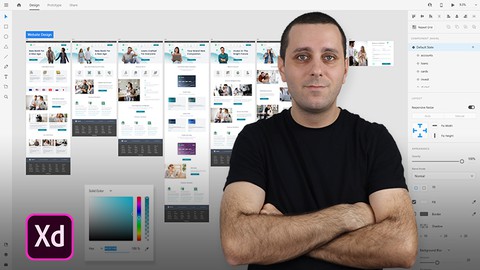
A free 72-minute walkthrough of Adobe XD from Daniel White, the designer behind the Dansky YouTube channel. The 22 lectures build one app screen step by step: basic tools, then advanced tools, then a section on drawing icons and other UI assets, and finally 12 minutes on wiring up a clickable prototype. It's aimed at people who have never opened XD, plus designers coming over from other Adobe apps who want the tool tour without the theory. About 116,000 students have enrolled and 7,690 have left a rating, which averages 4.5.
Reviewers like how plainly White explains things. One says they didn't get confused at a single step, and another calls the content well organized and crisp. The same reviewer singles out the icon lessons, since he draws common website icons live on screen. Complaints are rare: only 160 of the 7,690 ratings are one or two stars. The gripe that does appear is that it stops just as things get interesting. One student called it a nice beginning but certainly not enough, and that's a fair summary. There are no quizzes, no exercises and no certificate.
The value question is easy because the course is free. Treat it as the first hour before something longer; the other courses beside it in this category promise full mobile app and UX design projects, judging by their titles. Anyone who wants a fast, no-cost way to learn XD's interface before committing to one of those should start here. It was last updated in January 2025, so it isn't the untouched 2016 original.
Pros
- Free, and finishes in about 72 minutes across 22 short lectures
- Builds one app screen step by step, so every tool is shown in context
- One reviewer singles out the live icon-drawing lessons as especially helpful
- Updated in January 2025 despite a 2016 launch
Cons
- Stops at the basics; one reviewer calls it a nice beginning but not enough on its own
- No quizzes, exercises or certificate, and only 12 minutes on prototyping
- Needs a copy of Adobe XD already installed; the syllabus has no setup lesson
A nice short little course to get you started on Adobe XD. I'm moving on to some more courses to continue learning to build Apps, so this feels like a nice beginning but certainly not enough.
Listed as all levels, but it is really a first-hour intro; experienced XD users will find nothing new.
 What you will learn
- You will learn how to use the tools in Adobe XD.
- You will learn how to design an app screen in Adobe XD.
- You will learn how to design icons and other popular UI elements.
Course content
6 sections · 22 lectures · 1.2 hours of video
- 1Introduction 1 free preview1 lecture · 1 min
- 2Basic Tools 1 free preview5 lectures · 20 min
- 3Advanced Tools 1 free preview5 lectures · 15 min
- 4Designing Assets 1 free preview7 lectures · 23 min
- 5Prototyping3 lectures · 12 min
- 6What's Next?1 lecture · 1 min
Who it is for
The instructor says it suits
- Web Designers, UI Designers, UX Designers.
- Students interested in learning app design and prototyping.
- Students already familiar with similar Adobe apps, and looking to transition into Adobe XD.
What you need before you start
- You will require a copy of Adobe XD.
How it compares
Against the other 20 rated Udemy courses in Adobe Experience Design on CourseDuck:
- Rating4.5 out of 5higher than 50% of them
- Reviews7,690#1 of 21 by number of reviews
- Length1.2 hoursshorter than 95% of them
- Last updatedJanuary 2025more recently than 90% of them
 Course Description
In this Adobe XD (Adobe Experience Design) training course, you will become familiar with all of the tools you need to create awesome app designs. Throughout the course, we’ll be covering the different options available in Adobe XD, with each lesson contributing to us designing an app screen together, step-by-step.
Once you have completed the course, you will confidently be able to transform your own ideas into on-screen designs, and then bring these designs to life, by creating working prototypes that you can share online.
If you get stuck, or have any questions, please let me know and I’ll do my best to help. I look forward to seeing you in the course.

 Udemy Discount
The discount is applied through our link. Open the course from here and Udemy's current promotional price is applied at checkout on most courses, no code to type.
Some courses are excluded from Udemy's promotions. If the price does not drop, clear your browser cookies and use the button again.
Instructor Details

- 4.5 Rating
 7,690 Reviews
Daniel White
I help designers master design software, empowering them to create with confidence and turn ideas into stunning visuals. With over 17 years of experience as a professional designer, I’ve honed my craft and shared my expertise globally through my YouTube channel, Dansky, where I teach design techniques to thousands of creatives worldwide.
 More courses by Daniel White

More Adobe Experience Design courses

Adobe XD Masterclass: Learn Web Design UI & UX Design (2025)
4.7 (1,171 Reviews)
 Provider: Udemy
 Time: 17h
$84.99

Logo Design in Adobe Illustrator - The Advanced Level (2023)
4.7 (356 Reviews)
- Provider: Udemy
- Time: 8.9h
$119.99

Adobe Xd Masterclass - UI / UX Design From Scratch (2020)
4.6 (194 Reviews)
- Provider: Udemy
- Time: 20.2h
$64.99


The Full Adobe XD UI/UX Course – Design & Prototype (2023)
4.6 (121 Reviews)
- Provider: Udemy
- Time: 8.3h
$74.99
 Reviews

By Katherine Jusay on 4/9/2026
The Adobe XD free course I took proved to be an excellent experience. The course provided an easy-to-understand introduction which enabled students to learn design, even if they had no previous design knowledge. The practical learning method of the course allowed me to use my acquired knowledge for creating basic designs and prototypes. The program provided an effective solution for my needs because it helped me develop my design abilities.
By Emiliano Gioia on 4/29/2020
Le falta algunas cosas fundamentales como en el manejo de capas, y hay todo un módulo entero que es para diseñar íconos cuando bien eso se obtiene muy fácilmente de librerías. Nada que objetar porque fue un curso gratis, sin embargo le faltan contenidos importantísimos.
By Tal Carfas on 3/9/2020
I liked this course very much, it was fun, easy and informative. Yet I do feel that there are, maybe, some small details that I might have missed: Is there a Layer window as in InDesign or Photoshop, where I can arrange my texts in one layer, pictures in a second, buttons and so on... Another thing I would like to know is, is there a way of moving a picture inside a frame after importing it, in case I want to show things that are out of frame. I'm sure I can find the answers with a bit of tinkering, but I still feel that there is some information that I'm missing. That being said, this is a great course and I highly recommend it for people who are just getting to know this program.
By Åse R. Ek on 10/3/2019
Very useful course for people that have never used Adobe XD or prototyped before. The course has a nice length for an intro. The instructor speaks calmly and explains everything he's doing step-by-step. He's also easy to understand.
By Eloisa de Castro on 6/20/2019
Efficient teaching. Easy to follow overview of functions with applicable examples, appropriate for somebody with no previous experience with the software but familiar with iOS app appearance. The only reason it didn't get the full 5 stars is that on my PC I don't actually have an "Edit" menu on the chrome, but the alternative was never mentioned. I used the Alt key for making duplicates instead.
By Edward Bentley on 1/29/2019
Basically, all the Adobe interface works about the same. I got some great tips, but I was looking for some more advanced features if there are any in Xd. If you are new to this this is a great course to take. Daniel is an engaging teacher.
By Rashmi Patel on 1/16/2019
It was good. But i think it required more details like create more icons and have practice files and need to prove supporting links in description box, so that new comer can go through that links and get more ideas about XD.
By Aurélie B. on 11/25/2018
A great Course! This Course is well organised with easy to follow instructions. I‘d really appreciated the duration of the videos, not too long. The instructor is professional and his explanations are clear. I recommand this course to beginners. You only need about 1 hour of your time and you‘re then ready to start with confidence your new projects. Than you :)
By Andreas Baumgartner on 9/7/2017
Solid information and clear presentation. I would appreciate much more information about linking screens and transitions. Transitions or animations within the same artboard or screen would be nice to know more about.
By Jenny Vogel on 3/4/2017
This is a really good basic overview of how to use this. I appreciated the concise and short lectures and was able to follow along easily on my own! For Daniel, I would like to have seen more hotkey shortcuts used like T for text, etc., and why 'duplicate' was used instead of copy/paste, but that's just my opinion. Also, the last lecture says see you in the next lecture.. here I was hoping there were more! :)
 Quality Score
No CourseDuck member has rated this course yet. Taken it? Give each part a thumbs up or down.
Overall Score : 90 / 100
- Video Duration:
 1.2h
1.2h - Price: Free
- Provider: Udemy
- Updated:
 January 2025
 - Level:
 All Levels
 - Language:
 English
 - Certificate:
 No
No - Lectures:22 in 6 sections
- Students:115,600
- Subtitles:1 language
Udemy Coupon Price Tracker
