
 Web Development
 Data Science
 Python
 SQL
SQL JavaScript
 Artificial Intelligence
 IT & Software
 IT Certifications
 Hacking
 AWS
AWS Arduino
 DevOps
 3D Modeling
 Graphic Design
 Photoshop
 Drawing
 Digital Painting
 UX Design
 Business
 Data Analysis
 Communication Skills
 Project Management
 Leadership & Management
 Human Resources
 Digital Marketing
 Social Media Marketing
 Marketing
 SEO
SEO Google Analytics
 Branding
 Excel
Excel Office Productivity
 SAP
SAP PowerPoint
 Microsoft Access
 SharePoint
 Finance & Accounting
 Trading & Investing
 Accounting
 Bitcoin
 Personal Finance
 Video Editing & Animation
 Photography
 Adobe Premier Pro
 Adobe Lightroom
 Personal Development
 Productivity
 Career Development
 Life Coaching
 Health & Fitness
 Meditation & Mindfulness
 Yoga
Yoga Music
Music Music Production
 Guitar
 Piano
Piano Singing
 Language Learning
 Teaching & Academics
 Engineering
 Math
Math Lifestyle
How to Perform an Express Migration from Exchange to O365 (Udemy.com)
Leveraging a Minimal Hybrid Solution to Migrate Mailboxes to Office 365
Created by: Thomas Mitchell
Last updated March 2018
 What you will learn
- Prepare for, deploy, and configure a minimal hybrid solution and how to leverage it to perform an express migration of mailboxes from Exchange 2013 to O365.
- Students will learn how to add a domain to O365 and how to verify it.
- Students will learn how to prepare Active Directory for hybrid connectivity with O365.
- Students will learn what the Hybrid Configuration Wizard is and how to run it.
- Students will learn how to install and configure Azure AD Connect and how to sync users into O365.
- Students will learn how to make correct DNS changes to facilitate a hybrid solution.
- Students will learn how to use the Remote Connectivity Analyzer to confirm preparation for a hybrid solution.
How it compares
Against the other 459 rated Udemy courses in Office Productivity on CourseDuck:
- Rating4.7 out of 5higher than 90% of them
- Reviews513#211 of 460 by number of reviews
- Length1.8 hoursshorter than 79% of them
- Last updatedMarch 2018earlier than 91% of them
 Course Description
Using third-party tools to perform Exchange-to-O365 migrations can be extremely costly, especially for small businesses with very little IT budget available. Using the FREE native tools that Microsoft provides vastly reduces hard costs, but using them can be confusing. As such, I've authored this outstanding course on performing an Express Migration from an on-prem Exchange environment to Office 365 by leveraging a Minimal Hybrid solution.
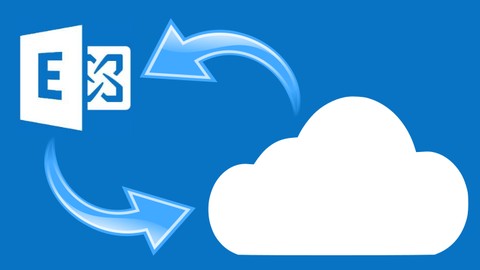
In this course, the student will learn how to prepare for (and perform) an Express Migration from an on-premises Microsoft Exchange 2013 server to Office 365 / Exchange Online using a Minimal Hybrid approach.
Topics covered include:
- Adding and Verifying Domains in O365
- Preparing Active Directory for the Migration
- Preparing the On-Premises Exchange Organization for Migration
- Deploying and Running the Hybrid Migration Wizard
- Deploying and Configuring Azure AD Connect
- Migrating Mailboxes to O365 via the Native EAC
- Performing the Cutover to O365
- Re-Routing Email to Office 365
- Assigning Licenses to O365 Users
- Post-Migration Tasks & Cleanup
Upon completion of this course, the student will be able to successfully plan, prepare for, and perform an Express Migration from Exchange 2013 to Office 365 using a Minimal Hybrid approach.

 Udemy Discount
The discount is applied through our link. Open the course from here and Udemy's current promotional price is applied at checkout on most courses, no code to type.
Some courses are excluded from Udemy's promotions. If the price does not drop, clear your browser cookies and use the button again.
Instructor Details

- 4.7 Rating
 513 Reviews
Thomas Mitchell
Tom Mitchell is a 25+ year veteran of the IT Industry. After spending the last two decades as a Senior Engineer and Solutions Architect for several organizations, including national, international, and global enterprises, Tom now focuses on teaching and providing freelance IT consulting and solution design services for organizations around the world.
Tom's specialties include Microsoft Azure, Microsoft Active Directory, Office 365, and Messaging (Exchange & Exchange Online).
Tom is the founder of labITpro, is the author of The Azure PowerShell Quick Start Guide, and he has trained over 200,000 students in over 200 countries.
Click the LinkedIn button to connect with him. Better yet, enroll in one of his courses today!
 More courses by Thomas Mitchell
AZ-900 Bootcamp: Microsoft Azure Fundamentals (SEPT 2026)
4.7 (32,045 Reviews)
 Provider: Udemy
 Time: 7.5h
$17.99

Deploying Your First Resources in Azure (2025)
4.5 (4,322 Reviews)
- Provider: Udemy
- Time: 54 mins
$11.99

Microsoft Entra ID: An Introduction to Entra ID (Azure AD) (2026)
4.6 (4,154 Reviews)
- Provider: Udemy
- Time: 4.5h
$10.99
MS-900 Exam Prep: Microsoft 365 Fundamentals Course (2021)
4.2 (4,036 Reviews)
- Provider: Udemy
- Time: 3h
$12.99


Migrating from Microsoft Exchange to O365 (2017)
4.6 (2,117 Reviews)
- Provider: Udemy
- Time: 3.8h
$64.99
More Office Productivity courses

AI-Powered Social Media Management: From Beginner to Pro (2025)
5.0 (211 Reviews)
- Provider: Udemy
- Time: 1.1h
$19.99

Microsoft Excel + AI: Go From Data Analysis to Visualization (2026)
4.9 (276 Reviews)
- Provider: Udemy
- Time: 3.8h
$10.99


Complete Introduction to Google Sheets Pivot Tables (2026)
4.8 (3,570 Reviews)
- Provider: Udemy
- Time: 2.9h
$64.99


Microsoft Excel - Managing Personal Finances with Excel (2024)
4.8 (810 Reviews)
- Provider: Udemy
- Time: 3h
$19.99
 Reviews

By Ruediger Weronetzki on 9/15/2025
Abgesehen von einer, für mich speziellen Frage, wurde alles ad hoc beantwortet und ist auch immer noch aktuell, trotz ein paar kleinen Veränderungen.
By Vlad Railian on 10/23/2024
Straight forward and clear explanation of what is expected and how to accomplish it. Though the materials are a bit dated compared to today's Microsoft 365 eco system, the essence of the course still applies.
By Kevin Davidson on 2/7/2021
A good revision of some skills I performed a good 7 years ago. No chance you are doing a tenant to tenant migration one is there?
By Sergio Londono on 10/22/2020
More than satisfied. I got information for problems that I am facing today like: STMP relay, No allow create alias in O365 when Azure AD connect is enabled, with Azure AD connect which attribute from AD will be sync to O365. This training help me a lot on my work.
By James Small on 4/24/2020
Good course that covered the migration process in a logical flow. Stages were well laid out and the instructor explained the steps clearly. Instructor was engaging and course content was at a suitable level.
By Hassan Loutfy on 12/18/2019
Excellent course. Sometimes the screens resolution was blurry but manageable
By Gregory Baharoff on 11/30/2018
Best instructor of any of the Udemy classes. Concise but very informative. If he offers other Udemy classes I will certainly sign up for them.
By Ankush Walia on 7/10/2018
Would be helpful if apart from Microsoft tools, you can also include a small chapter on other 3rd party tools available in market for the migration and a comparison of those tools with the MS tools.
By Gilles Guezille on 4/4/2018
While this "express" migration is very well explained I wish to see the process for a cutover migration where the actual mail will be moved by using PST files
By Wasif Abidi on 3/14/2018
We would like to see Full-Hybrid as well if that's possible. Your previous course for SMB as well.
 Quality Score
No CourseDuck member has rated this course yet. Taken it? Give each part a thumbs up or down.
Overall Score : 94 / 100
- Video Duration:
 1.8h
1.8h - Price: $12.99
- Provider: Udemy
- Updated:
 March 2018
 - Level:
 Intermediate
 - Language:
 English
 - Certificate:
 Yes
Yes
30-day money-back guarantee on most paid courses
Udemy Coupon Price Tracker
