
 Web Development
 Data Science
 Python
 SQL
SQL JavaScript
 Artificial Intelligence
 IT & Software
 IT Certifications
 Hacking
 AWS
AWS Arduino
 DevOps
 3D Modeling
 Graphic Design
 Photoshop
 Drawing
 Digital Painting
 UX Design
 Business
 Data Analysis
 Communication Skills
 Project Management
 Leadership & Management
 Human Resources
 Digital Marketing
 Social Media Marketing
 Marketing
 SEO
SEO Google Analytics
 Branding
 Excel
Excel Office Productivity
 SAP
SAP PowerPoint
 Microsoft Access
 SharePoint
 Finance & Accounting
 Trading & Investing
 Accounting
 Bitcoin
 Personal Finance
 Video Editing & Animation
 Photography
 Adobe Premier Pro
 Adobe Lightroom
 Personal Development
 Productivity
 Career Development
 Life Coaching
 Health & Fitness
 Meditation & Mindfulness
 Yoga
Yoga Music
Music Music Production
 Guitar
 Piano
Piano Singing
 Language Learning
 Teaching & Academics
 Engineering
 Math
Math Lifestyle
LabVIEW Masterclass: DAQ, Arduino, IoT & CLAD (Udemy.com)
Learn LabVIEW Q3 2025 from a CLA, CLD, CLAD & CTD-certified expert with real-world experience and professional guidance.
Created by: Dr. Salim Khan
Last updated August 2026
 What you will learn
- Here students can learn Basics of LabVIEW software.
- About Data Dashboard in LabVIEW.
- Advanced LabVIEW Fuzzy toolbox PID toolbox Control and simulation toolbox.
- CLAD exam preparation.
- LabVIEW and Arduino interfacing with different sensors.
- Data Acquisition using MY DAQ.
- Python Integration with LabVIEW
- IoT applications using LabVIEW
How it compares
Against the other 335 rated Udemy courses in Engineering on CourseDuck:
- Rating4.4 out of 5higher than 39% of them
- Reviews341#176 of 336 by number of reviews
- Length34.9 hourslonger than 97% of them
- Last updatedAugust 2026more recently than 93% of them
 Course Description
Unlock the power of LabVIEW and build practical engineering applications with confidence.
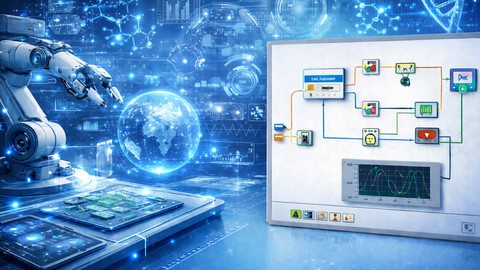
LabVIEW, short for Laboratory Virtual Instrument Engineering Workbench, is a powerful graphical programming environment developed by National Instruments (NI). Unlike traditional text-based programming languages, LabVIEW uses a graphical dataflow approach, where you create programs by connecting functional blocks visually. This makes it highly intuitive, efficient, and well-suited for engineers, students, researchers, and professionals working in automation, control, instrumentation, data acquisition, and industrial applications.
Originally developed for instrument control and laboratory measurements, LabVIEW has evolved into a versatile platform used in test automation, industrial monitoring, machine control, embedded systems, simulation, condition monitoring, and real-time data processing. It is widely recognised as one of the most important tools for building engineering applications quickly and effectively.
This course is designed to help you learn LabVIEW in a clear, practical, and industry-oriented manner. You will begin with the fundamentals of LabVIEW, including the Front Panel, Block Diagram, controls, indicators, loops, arrays, clusters, structures, and graphical programming logic. Once your fundamentals are strong, you will move into more advanced concepts and practical applications that connect software development with real engineering systems.
The course also introduces IoT concepts in LabVIEW, helping you understand how LabVIEW can be used in connected and intelligent systems. You will explore advanced engineering toolkits such as the PID Toolbox, Fuzzy Logic Toolbox, and Control & Simulation Toolbox, which are valuable for automation, control system design, and intelligent engineering applications.
A major highlight of this course is LabVIEW and Arduino interfacing with different sensors, where you will learn how to connect LabVIEW with hardware for data acquisition, monitoring, and control. This practical approach helps bridge the gap between software and real-world engineering implementation.
In addition, the course includes support for CLAD exam preparation, making it beneficial for learners who want to strengthen their concepts while also preparing for certification-oriented learning.
By the end of this course, you will have a strong understanding of LabVIEW and its practical use in automation, sensor interfacing, industrial monitoring, testing, simulation, control systems, and engineering project development.
This course is ideal for learners who want to develop real, useful, and application-focused LabVIEW skills for academics, research, projects, and industry.
What You’ll Learn
Understand the fundamentals of LabVIEW and graphical dataflow programming
Work with Front Panel, Block Diagram, controls, indicators, and basic programming structures
Use loops, arrays, clusters, case structures, and other important LabVIEW components
Build practical LabVIEW programs for engineering and automation applications
Learn IoT concepts and their implementation in LabVIEW
Use the PID Toolbox for control system applications
Use Fuzzy Logic Toolbox for intelligent control applications
Explore Control & Simulation Toolbox for dynamic system modelling
Interface LabVIEW with Arduino and different sensors
Perform data acquisition, monitoring, logging, and analysis
Understand real industrial and automation use cases of LabVIEW
Prepare for CLAD certification with concept-based learning and examples
Requirements
No prior LabVIEW experience is required
A Windows computer is recommended for LabVIEW installation and practice
Interest in automation, control systems, IoT, or instrumentation is beneficial
Who This Course Is For
Electrical engineering students
Electronics and communication engineering students
Instrumentation and control engineering students
Mechatronics and mechanical engineering students
IoT and embedded systems learners
Researchers and project developers
Beginners who want to learn LabVIEW from scratch
Professionals interested in automation, testing, monitoring, and control
Learners preparing for the CLAD exam
Anyone who wants to build practical engineering applications using LabVIEW

 Udemy Discount
The discount is applied through our link. Open the course from here and Udemy's current promotional price is applied at checkout on most courses, no code to type.
Some courses are excluded from Udemy's promotions. If the price does not drop, clear your browser cookies and use the button again.
Instructor Details

- 4.4 Rating
 341 Reviews
Dr. Salim Khan
LabVIEW Expert and CLAD Certified Professional
Associate Professor (Department of Electrical and Electronics Engineering)
KIET deemed to be University, DELHI - NCR, GHAZIABAD, INDIA.
As a devoted and skilled professional with over ten years of experience in LabVIEW programming and instrumentation, I hold the certification of Certified LabVIEW Associate Developer (CLAD) from National Instruments. With a strong passion for technology and a proven track record, I have successfully imparted my knowledge as a LabVIEW Instructor, empowering individuals to harness the full potential of this powerful software.
Professional Expertise:
CLAD Certification: Holding the prestigious CLAD certification from National Instruments, I have demonstrated a comprehensive understanding of LabVIEW fundamentals and development practices. This certification underscores my commitment to excellence and proficiency in LabVIEW programming.
LabVIEW Instruction: With over ten years of experience as a LabVIEW Instructor, I have educated and mentored numerous students and professionals on the intricacies of LabVIEW programming. My teaching approach emphasizes hands-on experience, practical applications, and a deep comprehension of LabVIEW's capabilities.
 More Engineering courses


Do it Yourself - Automotive Electrical Diagnosis - Beginner (2026)
4.8 (1,897 Reviews)
 Provider: Udemy
 Time: 2.1h
$12.99

ROS 2 for Beginners Level 2 - TF | URDF | RViz | Gazebo (2025)
4.8 (1,869 Reviews)
- Provider: Udemy
- Time: 13.8h
$10.99

Advanced Kalman Filtering and Sensor Fusion (2021)
4.8 (1,033 Reviews)
- Provider: Udemy
- Time: 8.3h
$84.99

Digital Electronics: Robotics, learn by building module II (2020)
4.8 (942 Reviews)
- Provider: Udemy
- Time: 13.1h
$14.99

 Reviews

By Subrato Dhar on 4/15/2026
The course is excellent. I learned a lot about interface and control of sensors using NI devices and Arduino with LabVIEW, Python.
By Dely Catalina Ardila Medina on 7/16/2025
It reviews everything from basic concepts to advanced applications with integrations of various tools useful in today's industry.
By Diaconu Teodor Catalin on 4/23/2025
Notiunile introductive au fost foarte bine prezentate. As vrea pe viitor niste exercitii de facut la fiecare notiune importanta. As vrea sa stiu care este nivelul meu la sfarsitul cursului.
By Salim on 5/24/2024
he course content was comprehensive and well-structured, covering all the essential aspects of hardware interfacing. The practical examples and hands-on sessions significantly enhanced my understanding and skills in using LabVIEW for hardware applications. The instructors were knowledgeable and approachable, always ready to assist and clarify doubts.
By Thomas Magin on 2/26/2024
The flow of words of the presentation is pretty snatchy, like a robot was speaking in historic movies. It becomes really tedious over the time to follow the speaker so I muted the presentation and was just following the slides.
By Sohail Ahmed on 10/27/2023
The range of topics covered by the course is impressive. However, Object Oriented Programming in LabView is not covered. Also, lecture videos are unprofessional. In some videos, there were background sounds and voices. In one of the videos, the instructor used his native language instead of English.
By Peter Ambrosch on 9/23/2023
Well all the basics are explained in good detail and there is abundant material. Nevertheless some examples are repetitive and towards the end of the course the lessons seem not to be structured anymore. Also the first one or two lessons had a horrible sound.
By Stephen Murphy on 3/24/2023
Great knowledge, easy to follow along. Highly recommend this lecture for any engineering student.
By Radhya on 6/22/2021
I really like this course. I just wish I would have actually taken a class where I need to be in class. I think that it would have been a lot more interesting
By Advic on 6/22/2021
Exceptional instructor - energetic and knowledgeable. I thought the instructor did an excellent job.
 Quality Score
No CourseDuck member has rated this course yet. Taken it? Give each part a thumbs up or down.
Overall Score : 88 / 100
- Video Duration:
 34.9h
34.9h - Price: $79.99
- Provider: Udemy
- Updated:
 August 2026
 - Level:
 All Levels
 - Language:
 English
 - Certificate:
 Yes
Yes
30-day money-back guarantee on most paid courses
Udemy Coupon Price Tracker
