
 Web Development
 Data Science
 Python
 SQL
SQL JavaScript
 Artificial Intelligence
 IT & Software
 IT Certifications
 Hacking
 AWS
AWS Arduino
 DevOps
 3D Modeling
 Graphic Design
 Photoshop
 Drawing
 Digital Painting
 UX Design
 Business
 Data Analysis
 Communication Skills
 Project Management
 Leadership & Management
 Human Resources
 Digital Marketing
 Social Media Marketing
 Marketing
 SEO
SEO Google Analytics
 Branding
 Excel
Excel Office Productivity
 SAP
SAP PowerPoint
 Microsoft Access
 SharePoint
 Finance & Accounting
 Trading & Investing
 Accounting
 Bitcoin
 Personal Finance
 Video Editing & Animation
 Photography
 Adobe Premier Pro
 Adobe Lightroom
 Personal Development
 Productivity
 Career Development
 Life Coaching
 Health & Fitness
 Meditation & Mindfulness
 Yoga
Yoga Music
Music Music Production
 Guitar
 Piano
Piano Singing
 Language Learning
 Teaching & Academics
 Engineering
 Math
Math Lifestyle
Learn to Make Pixel Art with Aseprite (Udemy.com)
Learn Aseprite to make Pixel Art!
Created by: Simon Sanchez
Last updated November 2018
 What you will learn
- You will know how to use Aseprite
- You will be able to make animations on Aseprite
How it compares
Against the other 72 rated Udemy courses in Game Design on CourseDuck:
- Rating4.4 out of 5higher than 26% of them
- Reviews151#34 of 73 by number of reviews
- Length1.2 hoursshorter than 100% of them
- Last updatedNovember 2018earlier than 91% of them
 Course Description
In this course you will learn how to make Pixel Art with Aseprite. You will learn the interface of Aseprite and his tools, you will also learn how to make animations in Aseprite. You will gain all the knowledge that you need to start creating Pixel Art for videogames or illustrations.
You will start by learning the basics of Aseprite:
The interface
The tools
How to manage the color palette
How to export your files
After learning the basics you are going to take a look at different tips and tricks to have a better workflow in Aseprite, you will learn:
How to make a dithering brush
How to work with indexed palettes
How to automatically make an outline
How to reduce the number of colors
How to make tileable textures and tiles
And more...
In the third section you will have an introduction to animation:
The interface of animation
How to move, create, remove, duplicate frames
How to use the onion skinning tools
How to animate a bouncing ball
How to export your animation
The course contains short lectures that will teach you step by step the learning process of making pixel art.
At the end of the course you will also get a really important lecture that will show you where you can keep learning and improving in your pixel art creation quest.
I offer full feedback on the work that you produce, I will also answer all the questions that you can have about pixel art in the Q&A section of the course.
So if you are a begginner pixel artist, game designer, artist or programmer wanting to learn how to create pixel art for videogames or just beautiful pixel art illustrations this course is for you!

 Udemy Discount
The discount is applied through our link. Open the course from here and Udemy's current promotional price is applied at checkout on most courses, no code to type.
Some courses are excluded from Udemy's promotions. If the price does not drop, clear your browser cookies and use the button again.
Instructor Details

- 4.4 Rating
 151 Reviews
Simon Sanchez
Hey there, I'm Simon!
With over 5 years of freelancing in game design and art, I've delved deep into the ever-evolving world of game development. My passion for creativity and education led me to become an online instructor.
I believe in learning by doing, which is why my teaching revolves around hands-on projects. Bridging theory with practice.
I find joy in offering detailed feedback, guiding students through their learning journey to unlock their full potential.
Join me today, and let's unleash your creativity together!
 More courses by Simon Sanchez
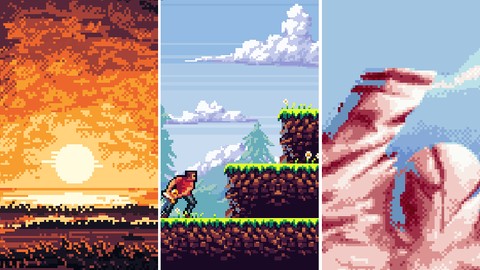
More Game Design courses
Master Procedural Maze Generation - Unity 6 Compatible (2025)
4.8 (412 Reviews)
 Provider: Udemy
 Time: 21h
$79.99
Full game character in Blender course - Moth Girl (2025)
4.8 (305 Reviews)
- Provider: Udemy
- Time: 49.9h
$19.99
2D Adventure Game Creation: Art, Music, Programming and More (2019)
4.7 (338 Reviews)
- Provider: Udemy
- Time: 19.6h
$84.99

Indie Game Design: Build Your Game’s Core System (2026)
4.7 (155 Reviews)
- Provider: Udemy
- Time: 3.4h
$19.99
 Reviews

By Matt Monk on 12/1/2024
Very informative and makes for great quick reference material. There were parts that I found the instructor went over material too quickly (not the sped up parts lol), but aside from that it's a great first step into the tools of Aseprite.
By Ramón Wilhelm on 7/23/2024
This course is appropriate for beginners of Aseprite. It's not basically about how to make pixelart, it's more about to understand the technic features and the tools of Aseprite. As someone who wasn't a bloody beginner to Aseprite, I was really surprised what kind of features I had missed. It was partly hard to follow the instructor due to his accent, but the subtitles were really supportive. This course wasn't too long and it's just the right course, if you want to know how to use the features in Aseprite. This course also includes a bonus video where the instructor explains where you can learn or practice pixelart.
By Alejandro Batres Pedroza on 12/21/2019
En general fue un curso decente. Enseña a grandes rasgos el uso de las herramientas en Aseprite (lo cual es el objetivo del curso), aunque me hubiera gustado que profundizara más sobre algunas técnicas sobre pixel-arts.
By Irwin Rodríguez on 11/23/2019
Me ha gustado el curso, es un buen inicio para los que comienzan a trabajar con ASPRITE como yo. También es buena idea seguir con el otro curso del mismo autor para aprender el Pixel Art ya que este curso en particular se centra solamente en enseñar la herramienta ASPRITE.
By Sliman Drici on 9/11/2019
Très satisfait de ce cours. Cours en anglais très facile à suivre pour connaitre les base du Logiciel Aseprite. Je le recommande Curso en Ingles muy fácil de seguir para conocer las bases del programa Aseprite Lo recomiendo
By Michael SOPOGLIAN on 4/23/2019
Une Très bonne présentation du logiciel et des fonctions principales. Le formateur est impliqué dans sa présentation mais va parfois un peu vite. Un cours que je recommande. Depuis je ne peux plus me passer de Aseprite qui est un excellent logiciel. Cette formation m'a vraiment donné envie de me plonger dans le Pixel Art avec ce logiciel. un grand merci au formateur.
By Anihbal Rivera on 3/25/2019
This Class was amazing, I really highly recommend this course for any beginner to get. The instructor was great and his lectures were very informal. If you are looking to understand asepirte then look no further get this course.
By Kevin on 1/1/2019
Initial comments: I've used Aseprite periodically and have utilized YouTube tutorials. However, in this first 15 minute lesson, I've already learned MORE! Looking forward to the rest! Final comments: I've just completed the course. The tutorials were brief and to the point. You will quickly learn the many tools that Aseprite has available and will also learn basic animation. I would definitely recommend it to beginners. I will be purchasing his other course because I really liked that he was to the point and didn't waste time blabbing!
By M.iKBAL KARAAVCI on 12/10/2018
A simple course that includes the necessary information to use Aseprite.Clean and clearly explained everything needed.Can be an extremely useful course if expanded with examples
By Eli Guzman on 12/8/2018
Incredibly detailed and well explained. Instructor is well versed on the toolset for Aseprite and is able to clearly show clear examples of usage. Great course, will certainly be checking out other offerings by this instructor.
 Quality Score
No CourseDuck member has rated this course yet. Taken it? Give each part a thumbs up or down.
Overall Score : 88 / 100

- Video Duration:
 1.2h
1.2h - Price: See price on Udemy
- Provider: Udemy
- Updated:
 November 2018
 - Level:
 All Levels
 - Language:
 English
 - Certificate:
 Yes
Yes
30-day money-back guarantee on most paid courses
Udemy Coupon Price Tracker
