
 Web Development
 Data Science
 Python
 SQL
SQL JavaScript
 Artificial Intelligence
 IT & Software
 IT Certifications
 Hacking
 AWS
AWS Arduino
 DevOps
 3D Modeling
 Graphic Design
 Photoshop
 Drawing
 Digital Painting
 UX Design
 Business
 Data Analysis
 Communication Skills
 Project Management
 Leadership & Management
 Human Resources
 Digital Marketing
 Social Media Marketing
 Marketing
 SEO
SEO Google Analytics
 Branding
 Excel
Excel Office Productivity
 SAP
SAP PowerPoint
 Microsoft Access
 SharePoint
 Finance & Accounting
 Trading & Investing
 Accounting
 Bitcoin
 Personal Finance
 Video Editing & Animation
 Photography
 Adobe Premier Pro
 Adobe Lightroom
 Personal Development
 Productivity
 Career Development
 Life Coaching
 Health & Fitness
 Meditation & Mindfulness
 Yoga
Yoga Music
Music Music Production
 Guitar
 Piano
Piano Singing
 Language Learning
 Teaching & Academics
 Engineering
 Math
Math Lifestyle
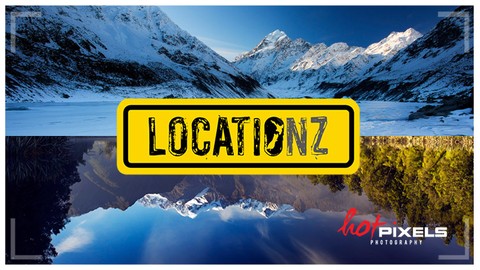
LOCATIONZ : landscape lessons on location & post-processing (Udemy.com)
Kick-start your landscape photography with killer compositional tips, then learn to edit your images in Photoshop
Created by: Ray Salisbury
Last updated June 2023
 What you will learn
- Students will fast-track their scenic photography, enhancing their images with pro-level techniques.
How it compares
Against the other 275 rated Udemy courses in Photography on CourseDuck:
- Rating4.3 out of 5higher than 20% of them
- Reviews69#206 of 276 by number of reviews
- Length5.3 hourslonger than 78% of them
- Last updatedJune 2023more recently than 58% of them
 Course Description
This masterclass has been created for the Intermediate-level photographer who wants to improve their Landscape Photos.
Each location shoot has been deconstructed into 4 topics:
Chasing The Light: planning, scouting, light quality, and dozens of tips specific to scenic photography.
Composition: how to frame your shots, using techniques to create balanced and interesting images.
Camera Settings: aperture, shutter speed, I.
S.
O., how and where to focus, plus the use of filters and accessories.
Computer Workflow: how to develop and enhance a digital negative (RAW) file. From basic exposure tweaks, to complex Luminosity Masking.
What will I learn?
By the end of this course, you will understand how to plan and implement your location shoots.
You will become more confident in using industry-standard software to edit and enhance your RAW photos.
Features:
10 lessons on location (in the field) - from a qualified teacher10 post-processing lessons in Adobe Camera Raw & Photoshop - from an experienced pro photo editorRAW files from the location shoots, so you can follow along with the tutorialsTranscripts of all Photoshop tutorials. Download & print them off for reference12 x Behind The Scenes movies showing the photographer's road-trips across New Zealand
Bonuses:
30-day, 100% money-back guarantee on all Udemy coursesPreview some of the content - try before you buy!
Manually download all the videos and RAW files to your computer -if you are going to be "off the radar."
What you need:
Owning a decent DSLR camera would certainly be helpful.
Having a copy of Adobe Photoshop loaded onto your PC (or Mac) is vital if you wanna follow the post-processing tutorials, which form the bulk of the course content. You will need enough disk space to download Ray's RAW image files, and sufficient RAM to run Photoshop.
Adobe Camera Raw is the app bundled with Photoshop, and is a cut-down version of Lightroom. This is free, and part of Adobe's Creative Cloud Photography plan subscription. (Older, stand-alone versions of Photoshop also include Camera Raw, though this must be up-to-date).
What students are saying:
Pawel Czerwinski: "A great course! I definitely recommend it. It covers topics like setting
up your DSLR right for the scene, composition and such.
The workflow is
quite demanding but it gives really impressive results (for example
section 9 on Hooker Lake; amazing!)"Peter George: "The composition lessons helped me understand why some of my photos work and
others don't, and helped me be more deliberate in my composition."
About the tutor:
Ray Salisbury has been shooting landscapes for over 45 years, specializing in mountain and coastal scenery. His work has been featured in calendars and magazines and sold on stock image libraries. For 12 years Ray taught art, design and computing at high school, and brings his passion for teaching to Udemy. His favourite program is Adobe Photoshop, which he has been using since 1992.
Comprehensive Course Curriculum (what's covered in this course):
Chasing The Light: Planning / Timing /Scouting / Shooting on the coast / Framing / Sunstar effects / Lens Flare / Colour temperature / Reflections / The Photographer's Ephemeris / PhotoPills appComposition: Colour Theory /Symmetry & balance / Perspective / Rule of Thirds / Rule of Odds / Lead-in Lines / Focal Points / Foreground Interest / Abstracts / Mood / Getting fresh angles / Striving for originalityCamera Settings: Aperture / Shutter Speed / I.
S.
O. / Exposure Compensation / Exposure Bracketing / High Dynamic Range / Focusing in Live View / Hyperfocal Distance / Depth of Field / Bulb Mode / Polarising filter / Neutral Density Filters / Graduated Neutral Density Filters / Tripods / Leveling the horizon, etc.
Computer Workflow: Intro to Adobe Camera Raw features & tools / Histogram / Dehaze Filter / Graduated ND Filter / Straighten Tool / Adobe Photoshop basics / Metadata / Image Resolution / Image compression for web / Moving around the screen / Keyboard shortcuts (Mac & PC) / Clone Stamp Tool / Healing Brush Tool / Dodge & Burn Tools / Unsharpen Mask / High Pass Filter / Adjustments Layers: curves, level, contrast, saturation, etc. / Layer palette / Layer Masks / Channels palette / Stacking images / Panoramic Stitching / Luminosity Masks, etc.
Plus: a video will be added soon on Photography Gear for landscape photography.>>> See the Available Resources section to download your FREE PDF - it's titled 18 Bits of Kit for Landscapers.
Who this course is for:
Intermediate photographers who wish to improve their landscape photos

 Udemy Discount
The discount is applied through our link. Open the course from here and Udemy's current promotional price is applied at checkout on most courses, no code to type.
Some courses are excluded from Udemy's promotions. If the price does not drop, clear your browser cookies and use the button again.
Instructor Details

- 4.3 Rating
 69 Reviews
Ray Salisbury
A keen landscape photographer for over 40 years, Ray has also inspired thousands of students as a qualified teacher. His bachelor degree in Graphic Design included two year's training in photography, and he now sells images to calendars, stock libraries and magazines.
Ray is passionate about sharing his success secrets with those of you who are not satisfied with your photos.
 More courses by Ray Salisbury

Landscape Photography Tips : simple solutions for beginners (2018)
4.4 (1,479 Reviews)
 Provider: Udemy
 Time: 36 mins
Free
COMPOSITION : learn the artistic side of photography (2024)
4.2 (119 Reviews)
- Provider: Udemy
- Time: 1.1h
$49.99

Compact Camera Course - understand your camera in 30 minutes (2016)
4.5 (28 Reviews)
- Provider: Udemy
- Time: 42 mins
$59.99
More Photography courses
Masterclass In Photography PART 4: Composition And Light (2024)
4.9 (181 Reviews)
- Provider: Udemy
- Time: 2.8h
$24.99
Masterclass In Photography PART 3: Creative Lens & Colour (2024)
4.9 (132 Reviews)
- Provider: Udemy
- Time: 2.1h
$24.99
Portrait Photography: Classic & Modern Photo Style (2024)
4.9 (125 Reviews)
- Provider: Udemy
- Time: 2.5h
$19.99

Film using ANY Camera! Basics of Shooting Video Correctly (2019)
4.8 (2,632 Reviews)
- Provider: Udemy
- Time: 3.2h
$19.99

Drone Photography | Shoot Professional Photos With Any Drone (2019)
4.8 (2,569 Reviews)
- Provider: Udemy
- Time: 2.1h
$12.99
 Reviews

By Fred Vanderburgh on 12/13/2020
A lot of information that is presented very well. Subjects are repeated through out the course that enforces how to use or execute them such as luminosity masking. I learned a lot of technique from this course including composition which I am weak at.
By Liz Ladds on 7/11/2020
I enjoy learning with Ray Salisbury I find watching on location and then post processing really informative and I have learnt a lot
By Henry Lee on 6/25/2020
Not much details mentioned when to use it and how to use it... very basic details mentioned that I read up on Internet.
By Giorgio Suighi on 4/14/2020
I discovered so much, and had so many "wow" moments. Ray is simply amazing in explaining his entire journey, from scenario to scenario...
I learned how basic I was, and I can wait to re-postprod some of my work now. Thank you so much Ray!
By Scott Hogg on 2/4/2020
Honestly one of the best courses I've taken. Ray's checklists and repetition makes learning a breeze. If you struggle with luminosity masks he does a good job showing how they're built! Thanks Ray, can't wait to get back out and shoot!
By Fabrizio Cillo on 11/17/2019
Landscape photography in the digital era. Everything you need from composition to camera settings, and step-by-step tutoring for top-quality postproduction. Well done Ray, thank you! Highly recommended
By Yvonne Bramham on 10/15/2019
The course would be greatly improved if the long titles at the beginning of each section were removed. They are only needed on the first one and much sorter intros used for all other lessons.
By Walter Tatarek on 6/12/2019
More Information on Location, how i Use the Weather app use.
By Tim Blake on 11/12/2018
Awesome course Ray, well done. I liked the pace, the way you explained each module as you went along, and, the fact that you introduced harder and more complicated techniques the further I went into the course, also the fact that you made it fun with a bit of humour as well. I now have a much better idea of how luminosity masks work as well, and how powerful a tool they are.
Great stuff, I would have no problem recommending this, and, any other of your courses to anyone!!!!
By Carol LeBriton on 9/20/2018
It is a fun course and Ray is quite entertaining. I do seem to see a halo around the tree and wondered if it is from the circular polarizer?
By Peter George on 8/24/2018
The composition lessons helped me understand why some of my photos work and others don't, and helped me be more deliberate in my composition.
Although I don't use Photoshop, I found the post processing lessons were generally transferable to my workflow (Canon DPP and Affinity Photo).
Overall, very useful to my growth as a photographer.
By Pawe Czerwiski on 5/12/2018
1. A great course! I definitely recommend it. It covers topics like setting up your DSLR right for the scene, composition and such. But what is most interesting about this course is tips on:
2. Planning your session properly to take multiple photographs of the same location, and then merge them in Photoshop using techniques like luminosity mask, gradients, and hand painting. The workflow is quite demanding but it gives really impressive results (for example section 9 -Hooker Lake, amazing).
3. Keep in mind it's an intermediate level course and in my opinion, both the basics of DSLR photography and the basics of Photoshop will be very helpful.
 Quality Score
No CourseDuck member has rated this course yet. Taken it? Give each part a thumbs up or down.
Overall Score : 86 / 100
- Video Duration:
 5.3h
5.3h - Price: $54.99
- Provider: Udemy
- Updated:
 June 2023
 - Level:
 Intermediate
 - Language:
 English
 - Certificate:
 Yes
Yes
30-day money-back guarantee on most paid courses
Udemy Coupon Price Tracker
