
 Web Development
 Data Science
 Python
 SQL
SQL JavaScript
 Artificial Intelligence
 IT & Software
 IT Certifications
 Hacking
 AWS
AWS Arduino
 DevOps
 3D Modeling
 Graphic Design
 Photoshop
 Drawing
 Digital Painting
 UX Design
 Business
 Data Analysis
 Communication Skills
 Project Management
 Leadership & Management
 Human Resources
 Digital Marketing
 Social Media Marketing
 Marketing
 SEO
SEO Google Analytics
 Branding
 Excel
Excel Office Productivity
 SAP
SAP PowerPoint
 Microsoft Access
 SharePoint
 Finance & Accounting
 Trading & Investing
 Accounting
 Bitcoin
 Personal Finance
 Video Editing & Animation
 Photography
 Adobe Premier Pro
 Adobe Lightroom
 Personal Development
 Productivity
 Career Development
 Life Coaching
 Health & Fitness
 Meditation & Mindfulness
 Yoga
Yoga Music
Music Music Production
 Guitar
 Piano
Piano Singing
 Language Learning
 Teaching & Academics
 Engineering
 Math
Math Lifestyle
Matlab, Simulink and Stateflow (Udemy.com)
Model Based Design and Simulation
Created by: Mahmoud Hassanien
Last updated September 2026
 What you will learn
- 1.1 Basic Matlab syntax
- 1.2 Operations on data
- 1.3 Manipulating arrays
- 1.4 Scripts and functions
- 1.5 Flow control
- 1.6 Data visualization
- 1.6 Dealing with files
- 2.1 Simulink overview
- 2.2 Simulink library and basic blocks
- 2.3 Handling data for Simulink
- 2.4 Modeling example 1
- 2.5 Reusability
- 2.6 Modeling example 2
- 2.7 Create custom library
- 2.8 Advanced Visualization
- 3.1 Stateflow overview
- 3.2 States; actions and execution
- 3.3 Types of states
- 3.4 Transitions and action
- 3.5 Data in a Stateflow chart
- 3.6 Flow control
- 3.7 Functions
- 3.8 State machine example
- Debugging and Investigating the code, the model and the statemachine
How it compares
Against the other 335 rated Udemy courses in Engineering on CourseDuck:
- Rating4.4 out of 5higher than 39% of them
- Reviews911#94 of 336 by number of reviews
- Length14.2 hourslonger than 85% of them
- Last updatedSeptember 2026more recently than 97% of them
 Course Description
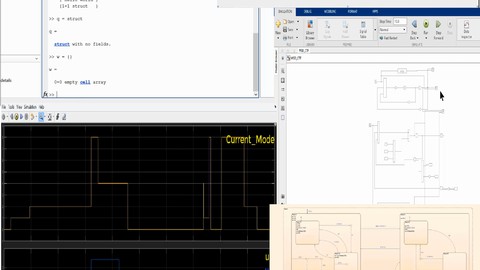
An introductory course for the most powerful tools in scripting, simulating dynamical systems and model based design and designing statemachines.
Matlab which is one of the most widely used scripting language with its capabilities in array manipulation, handling graphics and interacting with files is being explained in a simple and easy way without the need of any programming background.
All basic elements of the language is introduced starting from the basics of the interface up to creating complicated scripts and user defined functions.
Simulink which is the most commonly used tool for simulating dynamical systems and control system design and verification, Also the best tool to depend on when dealing with model based design concepts for control systems, is being discussed step by step starting from the GUI, through knowing the basic blocks and creating complicated models for dynamical systems ending with comparison for many simulations involving control system design example.
Stateflow as the best tool to use to design the simplest and also the most complicated state machines to represent reactive systems like operational modes and handling triggers in a simple graphical representations is being taught starting from a simple example for a statemachine and the more you continue, the more challenging it gets and hence the need for investigation and debugging.
Starting with the basic elements of stateflow like state, transition, action,..., going to having having complicated states, sub-states and parallel states and the tricks of dealing with events specially among parallel states.

 Udemy Discount
The discount is applied through our link. Open the course from here and Udemy's current promotional price is applied at checkout on most courses, no code to type.
Some courses are excluded from Udemy's promotions. If the price does not drop, clear your browser cookies and use the button again.
Instructor Details

- 4.4 Rating
 911 Reviews
Mahmoud Hassanien
I'm a Model Based Design (MBD) engineer in the automotive industry with more than 9 years of experience.
Simulation and control systems design and verification through simulation has been almost my whole career.
I have a good experience with automotive powertrain systems like electric motor control and DC-DC converters.
I also have a slight experience with autonomous vehicle control and perception like sensor fusion and tracking.
 More Engineering courses


Do it Yourself - Automotive Electrical Diagnosis - Beginner (2026)
4.8 (1,897 Reviews)
 Provider: Udemy
 Time: 2.1h
$12.99

ROS 2 for Beginners Level 2 - TF | URDF | RViz | Gazebo (2025)
4.8 (1,869 Reviews)
- Provider: Udemy
- Time: 13.8h
$10.99

Advanced Kalman Filtering and Sensor Fusion (2021)
4.8 (1,033 Reviews)
- Provider: Udemy
- Time: 8.3h
$84.99

Digital Electronics: Robotics, learn by building module II (2020)
4.8 (942 Reviews)
- Provider: Udemy
- Time: 13.1h
$14.99

 Reviews

By Abdelmounaim Lakhchay on 7/13/2026
interesting course, covering the most important technical skills we need in matlab and simulink, highly recommended!
By Anonymized User on 6/30/2025
The stateflow section of the course is very tedious, especially the super duper machine, which is analyzed, but does not provide real value since the example is extremely artificial. A better state chart should be provided to aid in learning, since a model that represents something that actually exists can improve retention and understanding.
By Jesse Dees on 6/20/2024
Very good introduction to Matlab, Simulink, and Stateflow. As a new user to Simulink and Stateflow it was very good for me and I am able to get started on my learning of the two modules. I has also taken a couple of good Matlab courses before this and I still learned new information in this course. The instructor is easy to understand.
By Faizan Khan on 5/30/2024
Need more explanation with examples, For example you explained about types of data type, but I need to more about it and how can I use them to my real problems
By Ahmet Atasever on 8/24/2023
I thought I had enough knowledge of MATLAB for doing any project that related with my interests but after I have finished this course, I have learnt so many good things. Thank you very much!
By Ahmed Ibrahim Ali Ibrahim on 7/11/2023
The Course covers lots of areas in Matlab/Simulnik . I bought it for the stateflow part which was amazing and informative.
By Adrian Taveras on 4/12/2023
the course is great, could add exercises/projects to practice, think it would make a nice addition. I think projects are a good way to set in stone the learnings given in the video.
By Ahmed Tarek on 4/5/2023
I want to thank the instructor, really he is amazing and has a large amount of knowledge and experience, I hope that he can make another advanced course from point of automotive scoop with real deeply applications. I have a two suggestions: 1- It's important to see the caption without mistake. 2- also it's better to have more resources in such a different sections to avoid our mistakes.
By Omar Khaled Sayed Abdelgelil on 2/17/2023
The Course until now is so good, fruitful with much knowledge with example based and it is very important to see an example after you take the theoretical part.
By Mahmoud Nasser on 1/3/2023
well illustrated and structured. The videos are detailed and supported by many examples. The instructor has extensive knowledge of this subject.
 Quality Score
No CourseDuck member has rated this course yet. Taken it? Give each part a thumbs up or down.
Overall Score : 88 / 100
- Video Duration:
 14.2h
14.2h - Price: $10.99
- Provider: Udemy
- Updated:
 September 2026
 - Level:
 All Levels
 - Language:
 English
 - Certificate:
 Yes
Yes
30-day money-back guarantee on most paid courses
Udemy Coupon Price Tracker
