
 Web Development
 Data Science
 Python
 SQL
SQL JavaScript
 Artificial Intelligence
 IT & Software
 IT Certifications
 Hacking
 AWS
AWS Arduino
 DevOps
 3D Modeling
 Graphic Design
 Photoshop
 Drawing
 Digital Painting
 UX Design
 Business
 Data Analysis
 Communication Skills
 Project Management
 Leadership & Management
 Human Resources
 Digital Marketing
 Social Media Marketing
 Marketing
 SEO
SEO Google Analytics
 Branding
 Excel
Excel Office Productivity
 SAP
SAP PowerPoint
 Microsoft Access
 SharePoint
 Finance & Accounting
 Trading & Investing
 Accounting
 Bitcoin
 Personal Finance
 Video Editing & Animation
 Photography
 Adobe Premier Pro
 Adobe Lightroom
 Personal Development
 Productivity
 Career Development
 Life Coaching
 Health & Fitness
 Meditation & Mindfulness
 Yoga
Yoga Music
Music Music Production
 Guitar
 Piano
Piano Singing
 Language Learning
 Teaching & Academics
 Engineering
 Math
Math Lifestyle
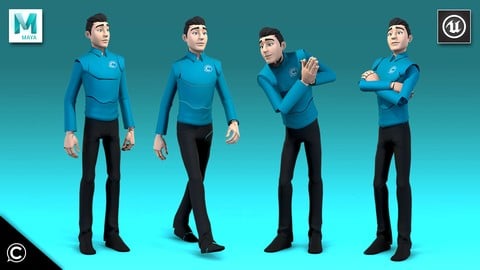
Maya & Unreal: Complete Guide to Fast 3D Animation & Rigging (Udemy.com)
From Beginners to Pros: Autodesk Maya, Unreal Engine, Modeling, Texturing, Rigging, Unity, Game Development, & Design
Created by: Class Creatives
Last updated November 2024
 What you will learn
- Animating with Keyframes using Autodesk Maya
- Understanding Unreal Engine's A.R.T. rigging tools for Autodesk Maya
- Getting started with Maya and understanding the interface
- Creating proper skinning & weights
- Joint Placement
- Character Setup
- Character Rigging to prepare for animation
- Animating a Production Ready Walk Cycle
- Exporting the character rig, and animation to the Unreal Engine
How it compares
Against the other 545 rated Udemy courses in 3D Modeling on CourseDuck:
- Rating4.2 out of 5higher than 10% of them
- Reviews64#500 of 546 by number of reviews
- Length6.5 hourslonger than 51% of them
- Last updatedNovember 2024more recently than 72% of them
 Course Description
Hi there!
Welcome, and thanks for choosing Class Creative’s Maya & Unreal Engine from Beginners to Pros: Complete Guide to Fast 3D Animation & Rigging!!
In this foundation course we will be learning the fundamentals of Character Rigging for games (specifically for the Unreal engine, but this method will also work for other game engines such as Unity).
Learn everything necessary for Character Animation and Rigging utilizing Autodesk Maya taught by a AAA game professional with university level accredited instruction!
Autodesk Maya is the industry standard 3D animation software, understanding the concepts in this course will help you land a job in the game, film, tv, or music industry. In this course you will learn how to rig and animate your custom created character from scratch.
We will cover the following core skill sets:
Getting started with Maya and understanding the interface
Joint placement and theory
Creating proper skinning & weights
Character setup and rig pose theory
Unreal Engine's A.R.T. rigging tools for Autodesk Maya
Understanding hotkeys to animate and rig quickly
Character Rigging to prepare for animation
Animating with keyframes
Animating a production ready walk cycle quickly and efficiently
Exporting the character rig, and animation to the Unreal Engine
NOTE - Course does NOT include custom character mesh. ART tools will include mannequin mesh which will allow all animation and lessons to be animated without a mesh or completing a custom rig. Course is strictly showing the process of rigging YOUR custom mesh character of choice, and animating a high fidelity walk cycle for ANY character regardless of software or rig limitations. ART tools requires Python 2 Support. Maya 2022 for Mac OS (Pc/Linux Maya 2022 both currently support Python 2) currently only supports Python 3; the Art tools will require Python 2 which is currently only supported in Maya 2020 on Mac OS.
UPDATE - We now provide and support current versions of Maya with a provided Advanced Skeleton Unreal Mannequin rig for the animation section of the course if you choose not to use the ART tools Mannequin rig for Maya 2022.
We’ll be utilizing the latest software packages that top tier gaming studios of today use to create all of your favorite titles!
Autodesk Maya, Unreal Engine’s Maya Animation Rigging Toolset (A.R.T. for short), and the Unreal game engine.
Why Learn From Class Creatives?
This course features an accredited university level animation instructor who has over 15 years of experience animating both keyframe, and motion capture based walk cycles for studios such as Naughty Dog, Insomniac, Guerilla Games, Sucker Punch, Google, Disney and more. Whether it be a complex hyper realistic character walk or a cartoony stylized “Disney” walk it ALL starts with the fundamentals which we cover in these lectures. The rigging instructor also has experience with studios such as Disney and Google creating various kinds of rigs for multiple styles and projects.
Who This Course is For:
Whether you are just a beginner interested in Character Rigging and Animation, or a Master professional looking to brush up on your current skill set, this course has material you surely won’t want to miss!
As with all Class Creative’s courses, we’ve laid out a structure that covers the full spectrum of industry standard character workflows from start to finish.
Please remember, if this is your first time creating rigging or animating a 3D character, we highly recommend that you follow the outline carefully, according to how our instructor’s have structured the course. We wouldn’t want you to miss out on any details!
However, if you are an advanced user and are looking for something specific to add to your repertoire feel free to dive in and skip to any sections you’d like to focus on.

 Udemy Discount
The discount is applied through our link. Open the course from here and Udemy's current promotional price is applied at checkout on most courses, no code to type.
Some courses are excluded from Udemy's promotions. If the price does not drop, clear your browser cookies and use the button again.
Instructor Details

- 4.2 Rating
 64 Reviews
Class Creatives
Annie, Emmy, and Game of the Year award winning professional industry experience (25+ yrs) and accredited university level instruction (10+ yrs). Instructors featured from studios such as Walt Disney Animation, Walt Disney Television, Google, Nintendo, Naughty Dog, Sony Computer Ent, Insomniac Games, Sucker Punch, Guerrilla Games, Infinity Ward, and more!
From beginners to industry veterans, Class Creatives provides an inclusive group of professional instructors for all 3D game development, design, music, sfx, and programming related tutorials!
Questions? Suggestions for a new course? Visit our community page and let us know.
Stay up to date on our instagram @classcreatives
 More courses by Class Creatives
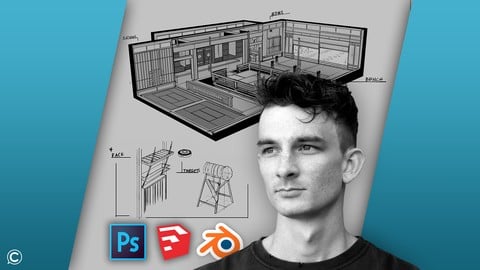
Game Design Concept Art Intro: Digital Environment Drawing (2025)
4.2 (77 Reviews)
 Provider: Udemy
 Time: 3.5h
$49.99

Stylized Game Art: Character Sculpting for Video Games (2025)
4.1 (54 Reviews)
- Provider: Udemy
- Time: 6.3h
$11.99
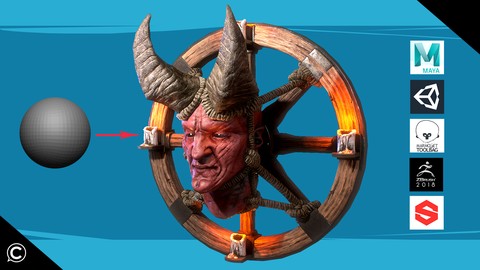
Character Creation Guide: Intro to PBR Assets for Games (2025)
4.6 (43 Reviews)
- Provider: Udemy
- Time: 8.9h
$54.99
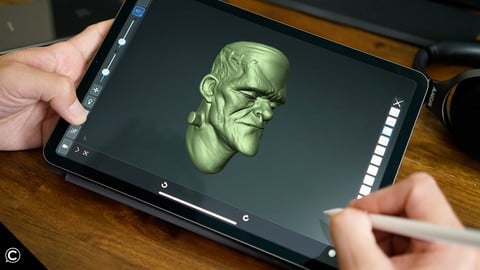
iOS iPad Game Development 3D Character Sculpting & Modeling (2025)
3.9 (40 Reviews)
- Provider: Udemy
- Time: 1.4h
$39.99
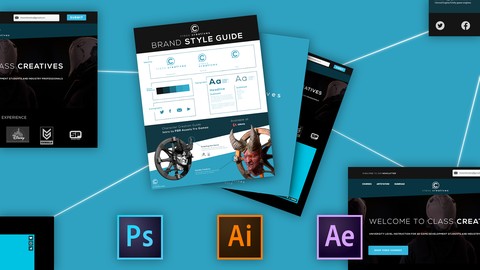
Business Branding: Designing Custom Logos & Identity Systems (2025)
4.2 (20 Reviews)
- Provider: Udemy
- Time: 1.9h
$29.99
More 3D Modeling courses

3D Printing with " Ultimaker CURA Slicer- Start to finish" (2025)
4.9 (192 Reviews)
- Provider: Udemy
- Time: 1h
$34.99

Girl and the Dog Creation in Zbrush for Intermediate Level (2020)
4.9 (173 Reviews)
- Provider: Udemy
- Time: 48.8h
$59.99



Blender Character Creator for Video Games (2026)
4.8 (9,160 Reviews)
- Provider: Udemy
- Time: 34.3h
$159.99

Master SOLIDWORKS 3D CAD using real-world examples (2022)
4.8 (2,451 Reviews)
- Provider: Udemy
- Time: 18.9h
$69.99
 Reviews

By Johan Emanuel on 5/24/2023
I don't recommend this course, the tools used are obsolete in 2023, there is no support at this point for maya versions from 2020 at today.
By Azzaz Saiyed on 7/1/2020
good but am not getting my rigging tool ARTv1 because i have unreal engine 4.25 need some help for this
By Emmanuele Conti on 5/21/2020
Utile e formativa!
By Flávio Teixeira da Silva on 12/1/2019
This course have 5,5 hours, 68 lessons and each lesson have 16 seconds of openings and endings dedicated to A.R.T. File Structures. I did watch 8 first lessons that have 23 min. But it have 128 seconds (more than 2 min.) of openings and endings. If all lessons will follow in this way, in final of course, it will be 1088 wasted seconds, in other words more than 18 minutes of A.R.T. File Structures. I hope not. Udemy have better courses of rigging and I am giving 2 stars (not 1) to this course because the instructor taught how to export .fbx files.
By Harrison Jarvis on 8/16/2019
Learning a lot about how to setup designs and the basic structure setup that helps make it easier later on in the process.
By Priscilla Galindo on 8/15/2019
I'm more of a traditional 2D artist but I have really wanted to get back into 3D. This course has allowed me to refresh and re-learn how to rig my own characters in a very digestible manner. I had a lot of fun diving into a walk cycle utilizing the rigging techniques I picked up from this course. Definitely a fun hobby to take a break from my illustrative/career driven projects! I don’t think I'll be gearing my work towards games specifically, but this rig is functional and perfect for any short animations I’d want to create. The best part is that it's ready for any kind of production so I could port it to a game if I really wanted to later! This course from Class Creatives has once again gone above and beyond what I was expecting. They’ve really inspired me to continue developing and broaden my 3D skillsets. The instructors are extremely knowledgeable and it's incredibly helpful to hear them give professional insight and explain real world situations for every step that they cover. Can't wait to see what is next from them!!
By Bobby Generic on 8/14/2019
Wow this course has so many valuable sections! I've been wanting a rigging and animation course that is more up to date with current tools for Autodesk, and this one has them all! It's great to be able to create my own custom rig for unreal or other game engines or 3D projects using this tutorial. And walks have always been a real struggle for me to animate, but this instructor really outlines a very methodical and step by step process breaking down all of the components to make it all intuitive! The step about reference has really helped me a lot to get the mechanics and timing more realistic. I hope there are going to be some future courses from you about more animation best practices, and tips on rigging as these so far have been super helpful. If anyone is new to rigging or animation, or is looking to get their work done with a professional software like Maya or Unreal, this is the best course I've seen so far on this site!
By Jeff Wood on 8/14/2019
For quite some time now, I’ve been on the hunt for a course to help me get a solid foundation on animation and rigging for the Unreal and Unity game engines. I’ve actually taken a few short courses from other instructors before this, but I’m sorry to say these have mostly been a huge waste of my time. Too often the instructors hastily gloss over seemingly crucial material, or even leave it out entirely. Also, the assets used in these previous courses seem to have been very lazily thrown together, and I find myself stuck with something I’ll never be able to use again in future projects or courses. Folks, I’m happy to tell you that this course is precisely what I’ve been looking for! The details are provided in such a thorough and easy-to-understand manner that I never missed a beat as I followed along step-by-step to rig and animate my character. It’s awesome to see the various tools being used on such a high quality character, and the best part is that unlike lesser courses, I am confident that I’ll be able to port this high quality asset directly into game engines for future testing and development. This course has really inspired me to push my work further, and I'm looking forward to any updates and follow-up courses to elevate the skills I've developed in this course. Thanks Class Creatives!
By Smiksha Singh on 8/5/2020
By Grace youdale on 1/7/2020
 Quality Score
No CourseDuck member has rated this course yet. Taken it? Give each part a thumbs up or down.
Overall Score : 84 / 100
- Video Duration:
 6.5h
6.5h - Price: $64.99
- Provider: Udemy
- Updated:
 November 2024
 - Level:
 Beginner
 - Language:
 English
 - Certificate:
 Yes
Yes
30-day money-back guarantee on most paid courses
Udemy Coupon Price Tracker
