
 Web Development
 Data Science
 Python
 SQL
SQL JavaScript
 Artificial Intelligence
 IT & Software
 IT Certifications
 Hacking
 AWS
AWS Arduino
 DevOps
 3D Modeling
 Graphic Design
 Photoshop
 Drawing
 Digital Painting
 UX Design
 Business
 Data Analysis
 Communication Skills
 Project Management
 Leadership & Management
 Human Resources
 Digital Marketing
 Social Media Marketing
 Marketing
 SEO
SEO Google Analytics
 Branding
 Excel
Excel Office Productivity
 SAP
SAP PowerPoint
 Microsoft Access
 SharePoint
 Finance & Accounting
 Trading & Investing
 Accounting
 Bitcoin
 Personal Finance
 Video Editing & Animation
 Photography
 Adobe Premier Pro
 Adobe Lightroom
 Personal Development
 Productivity
 Career Development
 Life Coaching
 Health & Fitness
 Meditation & Mindfulness
 Yoga
Yoga Music
Music Music Production
 Guitar
 Piano
Piano Singing
 Language Learning
 Teaching & Academics
 Engineering
 Math
Math Lifestyle
Mega Blender Digital Painting 13 Courses in 1 + Updates 2026 (Udemy.com)
Master Hand-Painting, 3D Modeling, UV Mapping, Texturing, Lighting, Animation & More - Complete Blender Digital Painting
Created by: Artstudio 313
Last updated August 2026
 What you will learn
- Hand painting/ Texture painting in Blender
- Use Blender and understand it's interface
- Edit Mode and modeling
- UV Unwrapping
- Learn UV map and unwrap all the Models and how to add mark seams
- Hand- Painting in multiples project
- Lighting, Rendering and Compositing
- Step by Step texture painting each model
How it compares
Against the other 72 rated Udemy courses in Game Design on CourseDuck:
- Rating4.6 out of 5higher than 65% of them
- Reviews48#64 of 73 by number of reviews
- Length36.7 hourslonger than 91% of them
- Last updatedAugust 2026more recently than 100% of them
 Course Description
Dear Friends,
Are you ready to become a professional in hand painting and take your digital art skills to the next level?
Introducing our New Hand Painting Course Bundle — a complete journey that takes you from the very basics all the way to mastery in Blender and digital art.
This is a truly comprehensive course that teaches you everything you need to know about hand-painting from start to finish. I can confidently say it covers almost all your needs to enter the world of hand-painting in Blender and digital art.
In this bundle, you’ll learn 3D modeling, UV unwrapping, professional hand painting, lighting, animation, and rendering — all in one structured course!
After countless hours of research, I noticed a real gap: there was no complete, all-in-one Blender hand-painting course out there. That’s why I created this bundle — to give artists like you everything you need in one place.
You Will Learn:
Professional Hand Painting & Texture Painting in Blender:
Paint directly on your 3D models in Blender with precision.
Create beautiful textures ready for use in games and stylized projects.
Understand color theory, brush settings, and layering techniques.
Use both Blender and Krita for simple and advanced painting workflows.
Learn how to paint shadows and ambient occlusion for realism and depth.
Create your own brushes and import them into Blender.
Use Blender’s powerful texture painting features and node setups.
Recommended: A graphic tablet is highly recommended to get the most out of the painting tools and techniques.
And that’s just the beginning. This bundle also includes 5 essential chapters to complete your hand-painting journey:
Chapter 1: 3D Modeling Essentials
Learn Blender's core modeling tools and interface.
Create low-poly, stylized models optimized for hand-painted textures.
Gain confidence through practical modeling projects.
Chapter 2: UV Unwrapping Techniques
Understand the importance of UV maps in texturing.
Use Blender’s unwrapping tools effectively, minimizing distortion.
Practice with characters, props, and environment assets.
Chapter 3: Lighting Your Scene
Learn the basics of Blender lighting to enhance your art.
Experiment with light types, shadows, and moods.
Polish your hand-painted models with professional lighting.
Chapter 4: Animating Your Creations
Learn simple animation techniques to bring your models to life.
Use the Timeline and Graph Editor for precise control.
Create smooth loops and animations for games or portfolios.
Chapter 5: Rendering Like a Pro
Understand Eevee and Cycles for different rendering needs.
Set up your final scenes for high-quality stills or animations.
Optimize your settings for performance and quality.
Why This Bundle?
The Most Complete Resource Available: Whether you’re just starting or refining your skills, this bundle gives you everything—3D modeling, UVs, hand-painting, lighting, animation, and rendering.
Focused on Blender Hand-Painting: No other course covers hand-painting in Blender this deeply with support from industry-standard tools like Krita and Photoshop.
Artist-Centered Learning: Built from years of experience, this course is tailored for artists who want clear, practical instruction and real-world techniques.
What You’ll Gain:
Create low-poly assets from scratch and prepare them for stylized painting.
Master hand-painting techniques in Blender with tools like Krita and Photoshop.
Learn to control color, texture, and detail with professional brush settings.
Complete projects with rendering and animation for a polished finish.
This course is not just about learning software. It’s about building confidence, understanding the process, and seeing real progress in your work.
So why not try it today?
Join the course and start seeing your improvement step by step, project by project.
Warm regards,
Morteza Ebrahimi
ArtStudio313

 Udemy Discount
The discount is applied through our link. Open the course from here and Udemy's current promotional price is applied at checkout on most courses, no code to type.
Some courses are excluded from Udemy's promotions. If the price does not drop, clear your browser cookies and use the button again.
Instructor Details

- 4.6 Rating
 48 Reviews
Artstudio 313
Hi, I’m Morteza Ebrahimi, a Blender instructor, 3D artist, and video editor with years of practical teaching and production experience. My goal is to make Blender simple, clear, and enjoyable for beginners. In my courses, I focus on step-by-step instruction, project-based learning, and practical workflows so students can build real confidence and start creating their own 3D work from scratch.
 More Game Design courses
Master Procedural Maze Generation - Unity 6 Compatible (2025)
4.8 (412 Reviews)
 Provider: Udemy
 Time: 21h
$79.99
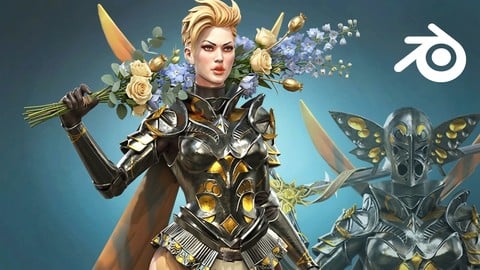
Full game character in Blender course - Moth Girl (2025)
4.8 (305 Reviews)
- Provider: Udemy
- Time: 49.9h
$19.99
2D Adventure Game Creation: Art, Music, Programming and More (2019)
4.7 (338 Reviews)
- Provider: Udemy
- Time: 19.6h
$84.99

Indie Game Design: Build Your Game’s Core System (2026)
4.7 (155 Reviews)
- Provider: Udemy
- Time: 3.4h
$19.99
 Reviews

By Hermes on 5/30/2026
Yes, this is a good way to start Blender
By Dale Hegglun on 5/8/2026
So far I have painted an orange! and it was interesting and surprisinly fun. It actually looked like an orange! Looking forward to learning more!
By Jorge Andrade on 2/25/2026
Espectacular, hice mi primer ejercicio de tajo de naranja y fue relativament facil, si asi es de rapido y practico, ya quiero ver los otros. 10/10
By Albert Geluk on 10/27/2025
Excellent course, with lots of projects to complete. Great teaching style, easy to understand lectures. Plenty of examples and methods for creating artistic and great looking models.
By Christopher G Wadkins on 5/2/2025
Very easy to follow and great content
By Nand Kishor Singh on 2/12/2025
Excellent course I have found so far on Blender Painting. Thanks a lot to guide step by step. Very useful specially for beginners to learn slowly step-by-step.
 Quality Score
No CourseDuck member has rated this course yet. Taken it? Give each part a thumbs up or down.
Overall Score : 92 / 100
- Video Duration:
 36.7h
36.7h - Price: $79.99
- Provider: Udemy
- Updated:
 August 2026
 - Level:
 All Levels
 - Language:
 English
 - Certificate:
 Yes
Yes
30-day money-back guarantee on most paid courses
Udemy Coupon Price Tracker
