
 Web Development
 Data Science
 Python
 SQL
SQL JavaScript
 Artificial Intelligence
 IT & Software
 IT Certifications
 Hacking
 AWS
AWS Arduino
 DevOps
 3D Modeling
 Graphic Design
 Photoshop
 Drawing
 Digital Painting
 UX Design
 Business
 Data Analysis
 Communication Skills
 Project Management
 Leadership & Management
 Human Resources
 Digital Marketing
 Social Media Marketing
 Marketing
 SEO
SEO Google Analytics
 Branding
 Excel
Excel Office Productivity
 SAP
SAP PowerPoint
 Microsoft Access
 SharePoint
 Finance & Accounting
 Trading & Investing
 Accounting
 Bitcoin
 Personal Finance
 Video Editing & Animation
 Photography
 Adobe Premier Pro
 Adobe Lightroom
 Personal Development
 Productivity
 Career Development
 Life Coaching
 Health & Fitness
 Meditation & Mindfulness
 Yoga
Yoga Music
Music Music Production
 Guitar
 Piano
Piano Singing
 Language Learning
 Teaching & Academics
 Engineering
 Math
Math Lifestyle
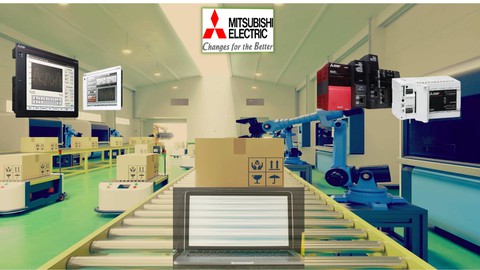
Mitsubishi Plc Programming Basics - All In One (Udemy.com)
Learn Mitsubishi Plc and HMI Programming Basics and Create Programs for Real Machines & Supported with Applications
Created by: Derstagram Akademi
Last updated April 2026
 What you will learn
- Plc Programming Basics
- Mitsubishi Plc Programming Techniques and Instructions
- GX Developer Software
- GX Works 3 Software
- GT Designer 3 Software
- Plc Programming Applications
- Plc Programming Languages
How it compares
Against the other 335 rated Udemy courses in Engineering on CourseDuck:
- Rating4.0 out of 5higher than 8% of them
- Reviews254#204 of 336 by number of reviews
- Length8.9 hourslonger than 71% of them
- Last updatedApril 2026more recently than 79% of them
 Course Description
Dear Students,
Mitsubishi Plc Programming Basics course is suitable for anyone who has just started to learn plc and wants to learn mitsubishi plc.
This course has been a course that we have carefully prepared in order to convey the maximum information to you in the light of the experience we have gained from our other courses.
You will start this course by learning the gx developer software used to program the old generation plc of Mitsubishi plc group.
We will control an FX2N plc together with the GX Developer software.
By working with real hardware, you will be able to see all the possibilities that will come your way.
This part, where we see what we can do with an FX2N plc, will also teach us the basics of plc programming.
Later, we will learn about the GX Works 3 software used for the next generation plc.
Learning the GX Works 3 program interface, which is much more advanced and professional than GX Developer, will be our first job before writing a program.
We will not cover the GX Works 2 program in this course.
After the first steps required for you are explained on behalf of the GX Works3 program, we start the plc programming steps with the GX Works3 program again.
And right after that, we will start learning GT Designer 3, which we use to program Mitsubishi HMI.
You will find the maximum HMI programming information required for a machine process in this section.
And finally, with our basic information section, you will learn other basic information you need.
At the end of the course, when you want to work with a mitsubishi plc, all the necessary information is included in this course.
At the end of the course, in summary;
- You Will Learn Plc Programming Basics
- You will learn the GX Developer Program
- You will learn the GX Works 3 Program.
- You will learn GT Designer 3 Program.
- You will learn Mitsubishi Plc Programming.
- You will Have Basic Plc Knowledge.
- You will learn plc programming languages like fbd , st etc.
After starting the course, you can ask your questions at any time and find answers.
Best regards
Mustafa

 Udemy Discount
The discount is applied through our link. Open the course from here and Udemy's current promotional price is applied at checkout on most courses, no code to type.
Some courses are excluded from Udemy's promotions. If the price does not drop, clear your browser cookies and use the button again.
Instructor Details

- 4.0 Rating
 254 Reviews
Derstagram Akademi
Dear students;
Derstagram Company consists of 5 main sections:
- Academy
- Industrial Automation & Software
- Product Sales
- Technical Consulting Services
- Machinery & R&D
Through the Udemy platform, we show you examples and explanations of machine projects we have completed in real life.
We continue to share our knowledge with you as we have free time from work.
Our constant experience of installing machinery in the field brings a lot of experience to you as well.
Stay with us and continue learning.
Best Regards,
Mustafa
Derstagram
 More courses by Derstagram Akademi
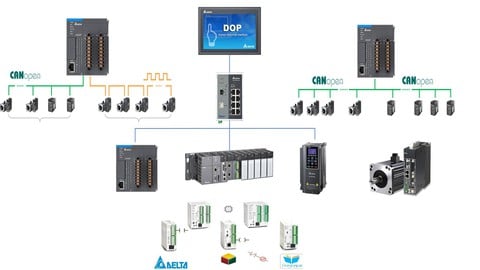
Complete Delta Plc Programming Zero to Expert - All In One (2023)
4.3 (465 Reviews)
 Provider: Udemy
 Time: 24.3h
$59.99
More Engineering courses


Do it Yourself - Automotive Electrical Diagnosis - Beginner (2026)
4.8 (1,897 Reviews)
- Provider: Udemy
- Time: 2.1h
$12.99

ROS 2 for Beginners Level 2 - TF | URDF | RViz | Gazebo (2025)
4.8 (1,869 Reviews)
- Provider: Udemy
- Time: 13.8h
$10.99

Advanced Kalman Filtering and Sensor Fusion (2021)
4.8 (1,033 Reviews)
- Provider: Udemy
- Time: 8.3h
$84.99

Digital Electronics: Robotics, learn by building module II (2020)
4.8 (942 Reviews)
- Provider: Udemy
- Time: 13.1h
$14.99

 Reviews

By Udemy User on 4/25/2026
this was what you get for a basic course it was very educational all though id like to see a more up to date video with all the new standards
By Kushal Sahu on 8/28/2025
Now I am ready to climb for the advance level of Automation Programming
By Γεωργιος Ανδρουλακης on 11/6/2024
*knowledge = limited, many mistakes *Communication = Poor command of English language and terrible accent making it hard to follow *Presentation = Average - Detailed lesson for latching that is easy, fast and chaotic lesson for analog signals
By Walter Stuermer on 10/21/2024
I'm not sure what Mitsubishi engineering tool or PLC the author is using but it doesn't appear to be iQ-R series PLC or GX Works3, which is what I am using.
By Trung Tran on 2/25/2024
The introduction and music is too loud but the instructor's explanation is just OK. We have to remove the earphone or suffering from the loud music.
By Mirza Nazim Ali on 1/5/2024
its basic course kindly if having some time then briefly explain fbd programming from scratch and also add analog modules and serial comm modules
By Roberto Renteria on 11/20/2023
a pesar que el curso en en inglés el profesor hace explicación simples y fácil de entender
By Qlum Hagen on 8/22/2023
I started this course with plc knowledge but had been out of this line of work for about 3 years and had only worked with siemens before, the course give me a decent revision and a good look into knowing more about Mitsubishi PLCs, the fast keys, special relays and the general process and layout.
By Seymur Emin on 8/1/2023
This is good you can speak in English not Indian :)
By Miguel Angel Nava Pluma on 5/22/2023
Esta muy bien el curso solo que aveces el mismo se como se equivoca y no sabe que hacer y eso alarga inecesariamente el video
 Quality Score
No CourseDuck member has rated this course yet. Taken it? Give each part a thumbs up or down.
Overall Score : 80 / 100
- Video Duration:
 8.9h
8.9h - Price: $54.99
- Provider: Udemy
- Updated:
 April 2026
 - Level:
 All Levels
 - Language:
 English
 - Certificate:
 Yes
Yes
30-day money-back guarantee on most paid courses
Udemy Coupon Price Tracker
